Connect dailypoint and Mobile Message to power AI-driven automation No-code AI automation Full audit trails and controls SOC 2 and GDPR compliant Easy visual workflow builder 9,000+ apps, 450+ AI tools Free tier available Choose a Trigger
Choose an Action
Top companies trust Zapier to automate work that solves their unique business problems—no coding required.
How Zapier works Zapier makes it easy to integrate dailypoint with Mobile Message - no code necessary. See how you can get setup in minutes.
dailypoint
dailypoint
Mobile Message
Mobile Message
1. Select the event
App
dailypoint
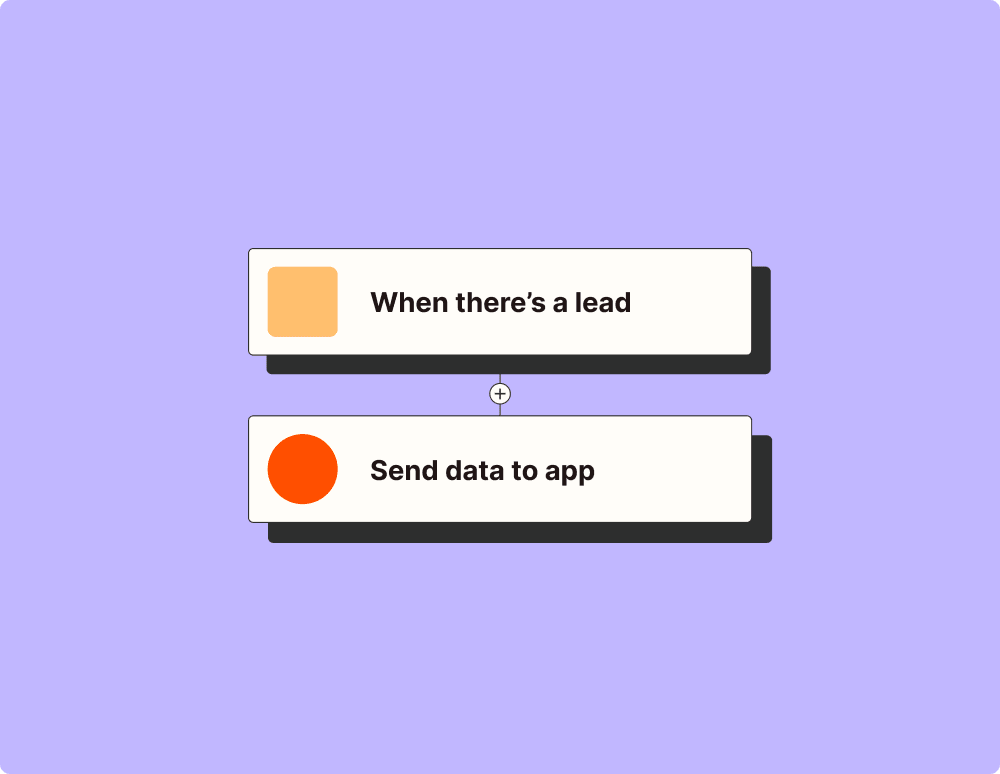
Choose a trigger A trigger is the event that starts your Zap—like a "New/Updated Profile Export" from dailypoint.
Add your action An action happens after the trigger—such as "Add Contact to List" in Mobile Message.
You’re connected! Zapier seamlessly connects dailypoint and Mobile Message, automating your workflow.
Supported triggers and actions Zapier helps you create workflows that connect your apps to automate repetitive tasks. A trigger is an event that starts a workflow, and an action is an event a Zap performs.
Triggers Actions Triggers & Actions
New/Updated Profile Export Triggers when a profile (with stays) is created or updated in the dailypoint MDB within the polling window.
Try It New Guest Review Triggers once for each new guest questionnaire review or feedback submission in dailypoint. Each event is one review from one guest. Use this for automated service recovery — e.g. route negative feedback to the GM, trigger a follow-up email, or log all reviews to a spreadsheet.
Try It New Task Triggers when a new task is created in dailypoint. Use this to mirror dailypoint tasks into an external calendar, ticketing system, or chat channel. Pair with the Microsoft Outlook "Create Calendar Event" action to push dailypoint tasks into a user's Outlook calendar.
Look-Ahead Days
Look-Back Days
Default Timezone
Try It Activate Member Sets a Pending loyalty member Live without waiting for the guest's confirmation; dailypoint sends the welcome email. Use it when the guest already agreed or the confirmation email did not arrive.
dailypoint Profile IDRequired
Program ID
Add Received Message to Profile Adds a received message (email, SMS, WhatsApp) to the Message Center of one dailypoint profile, chosen by its profile ID. Use it when you know which guest or company the message belongs to. For emails from a mailbox that dailypoint should file by address, use Save Outlook Email instead. Received messages only.
dailypoint Profile IDRequired
Receiver
Channel
Received Date
Hotel Timezone
Add or Update Interest Adds or updates an existing dailypoint interest/preference on a guest profile by Interest Name and weight. Use "List Interest Definitions" first to resolve the exact configured Interest Name, because this endpoint does not create new interest definitions.
Customer Master IDRequired
Weight
GUID
Member Number
Change Contract Status Sets the status of one contract in dailypoint Contract Management, for example to Approved, Active or Canceled. Get the Contract ID with the Get Contracts search.
Create or Update Profile Creates a new guest or contact profile, or updates an existing one in dailypoint. Does NOT support company profiles — to create a company, use the "Create Profile" action instead. Use this when you are unsure whether the guest already exists — the API will match by CustomerMasterId (if provided), or by email/GUID/MemberNumber. Unlike "Create Profile" (always creates new) or "Update Profile" (requires a known CustomerMasterId), this action handles both cases and supports richer data: postal address, loyalty membership, communication permissions, and payment info.
Create Voucher Issues a new voucher for a guest based on a voucher template configured in dailypoint. Use this to automatically reward guests — e.g. after a complaint, on a loyalty tier upgrade, or as part of a campaign workflow.
Customer Master IDRequired
Voucher Template IDRequired
Enroll Member Makes an existing dailypoint profile a member of the loyalty program, at the program's start level. By default the member stays Pending and receives the confirmation email: the membership is active once the guest clicks the link, then the welcome email follows. Activate Now skips the confirmation. Refuses profiles that already are members.
Remove Flag From Profile Removes a flag from a guest profile. Use this to clear resolved flags — e.g. removing a "Complaint Open" flag after service recovery is complete, or clearing a temporary tag after processing.
Customer Master ID
GUID
Flag ID
Save Outlook Appointment Saves an Outlook calendar event or meeting in dailypoint using the Outlook appointment endpoint. This is a simple one-way save action, not full calendar sync. It does not delete or update dailypoint records when an Outlook event is changed or cancelled. Two-way sync can be added later when the API exposes stable update/delete semantics.
Attendee Email AddressesRequired
Organizer Email AddressRequired
Body
Start Date
End Date
Target Timezone
Attachments
Spend Points Spends (burns) reward points of a loyalty member, e.g. to pay at the bar. Checks the balance first. Each run spends again; undo with Cancel Points.
dailypoint Profile IDRequired
Property ID
Outlet ID
Program ID
Update Profile Updates an existing guest profile in dailypoint. Requires a known Customer Master ID — will fail if the profile does not exist. Only sends the fields you provide; omitted fields are left unchanged. Use "Find Profile" first to look up the Customer Master ID. If you are unsure whether the guest exists, use "Create or Update Profile" instead.
Check Voucher Validates a voucher code and checks whether it can be redeemed for a given revenue amount and currency. Returns the voucher status, remaining balance, and eligibility. Use this at point of sale or check-in before attempting a redemption.
Voucher Code
Voucher GUID
Currency
Revenue Amount
Get Flags Returns all flags assigned to a guest profile, optionally filtered by flag category. Flags are used to tag profiles with important markers like "VIP", "Complaint Open", "Allergy Alert", or custom categories. Use this for pre-arrival checks, service recovery workflows, or to verify a guest's status before taking action.
Customer Master ID
GUID
Group by Category
Flag Category ID
Get Interests Returns the guest preferences and interests stored in their Central Profile — dietary requirements, room preferences, hobbies, and other personal preferences. Essential for pre-arrival briefings and personalisation use cases.
Customer Master ID
GUID
Member Number
Get Message History Returns the Message Center history of one dailypoint profile, newest first: emails, SMS and WhatsApp sent and received, plus calls and meetings users logged by hand (channel "Phone Call", contact = the user who logged it). Use it to answer "when did we last contact this guest" or to pass recent messages to another step. Read only.
dailypoint Profile IDRequired
Direction
From Date
Include Message Text
Maximum Results
Get Points Balance Points balance of one loyalty member: reward points, status points, level, status points still needed for the next level, and the newest bookings with their Booking ID. Use this for points: Get Loyalty Member reports 0.
dailypoint Profile IDRequired
Number of Bookings
Program ID
Get Profile Addresses Returns the postal addresses of one dailypoint profile: current address first, then billing addresses. Each address has its type ID, current and billing flags, and the payment profile reference (the payment provider's customer reference, not card data). Use the Address ID with Add or Update Address. Read only.
Get Revenue Details Returns detailed revenue breakdown for a specific stay — room revenue, F&B spend, spa charges, minibar, and other ancillary revenue items. Use this to understand guest spending patterns, support upsell decisions, or build revenue reports.
Stay ID
Legacy ID
Reservation Number
Get Stays Returns PAST and CURRENT stays (checked-in or checked-out) for a guest, including arrival/departure dates, room details, and revenue. Use this for stay history and spending analysis. For FUTURE bookings that have not yet arrived, use "Get Reservations" instead. Set PropertyId to 0 or leave empty to search across all properties.
Customer Master IDRequired
Property ID
Number of Records
Stay ID
List All Flags Returns the complete list of available flag definitions configured in dailypoint, including each flag's name and Value ID. ALWAYS call this before "Add Flag to Profile" or "Remove Flag From Profile" — the user will refer to flags by name (e.g. "VIP", "Meetings"), but the API needs the numeric Value ID. Call this without a filter to get ALL flags, then match the user's request to the closest flag name (users may use approximate names like "Meeting" instead of "Meetings" or "VIP" instead of "VIP Guest").
Filter by Name
Return Best Match Only
List Properties Returns all properties (hotels) configured in this dailypoint instance with their Property IDs and names. Use this to look up the correct Property ID when another action requires one — e.g. before calling "Get Guests in House", "New Check-In" trigger, or "Get Stays". The user can say "check who is in house at the Grand Hotel" and the AI uses this list to resolve "Grand Hotel" to its numeric Property ID.
Filter by Name
Return Best Match Only
New SMS Delivery Status Triggers when an SMS delivery status changes (delivered or failed).
Try It Add Contact to List Adds a contact to a contact list.
Cancel Scheduled Message Cancels a scheduled message and refunds the credits.
Create Contact List Creates a new contact list.
Delete Contact List Deletes a contact list (does not delete the contacts themselves).
Remove Unsubscribe Removes a phone number from your unsubscribe (opt-out) list.
Send SMS Sends an SMS message
Receiving Number (To)Required
Your Reference
Allow Emoji / Non-GSM Characters (UCS-2)
Maximum SMS Parts Per Message
Schedule Send Time (UTC)
Bypass Unsubscribe Filtering
Update Contact Updates an existing contact by contact ID.
Find Message Finds a sent or scheduled message by message ID or custom reference.
New Check-In Triggers once for each guest who checks in at your property today. Each event is one guest with their room number, VIP level, and stay dates. Use this for real-time welcome workflows — send a Slack alert for VIPs, push a pre-arrival briefing to the front desk, or trigger a loyalty welcome email.
Try It New Stay Triggers once for each new stay recorded in dailypoint — including arrival date, room, and revenue. Use this for post-checkout surveys, revenue tracking, loyalty point calculations, or syncing stay data to external systems. Each event is one stay for one guest.
Try It Profile Created or Updated Triggers once for each guest profile that is created or modified in dailypoint. Each trigger event contains one profile. Use this to sync profile changes to external systems, notify staff about VIP updates, or start onboarding workflows for new guests.
Try It Add Flag to Profile Adds a flag to a guest profile. Flags are tags that mark profiles with important information — e.g. "Allergy Alert", "Complaint Open", "Corporate VIP", or any custom flag configured in dailypoint. Use this to tag profiles as part of automated workflows: after a complaint, loyalty tier change, or when an AI identifies a data quality issue.
Add or Update Address Adds a postal address to a dailypoint profile, or updates one (with Address ID). Sets the billing and current flags, the address type and the payment profile reference (the payment provider's customer reference, not card data). Only filled fields change. The result shows what dailypoint actually stored.
Cancel Points Reverses one points booking (Booking ID from Get Points Balance) by booking the opposite amount. Refuses bookings that are already canceled or that are cancellations themselves.
dailypoint Profile IDRequired
Program ID
Change Member Level Upgrades or downgrades a loyalty member to another membership level, and checks that dailypoint stored it.
dailypoint Profile IDRequired
Level Valid Until
Program ID
Create Profile Creates a new guest, contact or company profile in dailypoint. ALWAYS creates a new record — does not check for duplicates. To create a COMPANY profile: set Person Type = "Company", Prefix = "Company", put the company name in Last Name, and leave First Name empty. Use this only when you are certain the profile does not already exist. If you are unsure, use "Create or Update Profile" instead, which will match existing profiles by email, GUID, or member number before creating a new one.
Earn Points Books reward points (and optionally status points) for a loyalty member, e.g. a goodwill gesture. Each run books again; undo with Cancel Points.
dailypoint Profile IDRequired
Status Points
Property ID
Outlet ID
Program ID
Redeem Voucher Redeems a voucher against a transaction at a specific property and outlet. Deducts the revenue amount from the voucher balance. Use "Check Voucher" first to verify eligibility before redeeming.
Voucher Code
Voucher GUID
Outlet ID
Check Number
Save Contract Attachment Uploads a file to one contract in dailypoint Contract Management, for example a signed offer from email or cloud storage. Allowed: PDF, Word, Excel, JPG, GIF, PNG, text, email. Get the Contract ID with Get Contracts.
Save Outlook Email Saves an Outlook email in dailypoint using the same Outlook add-in mail-save endpoint. Use this with Microsoft Outlook triggers to automatically archive received or sent emails. dailypoint links the email by address: a received email goes to the profile with the sender address, a sent one to the receiver. It takes no profile ID. To file a message on a known profile, use Add Received Message to Profile.
Receiver Email(s)Required
Body
Outlook Message ID
Internet Message ID
Sender Name
CC
BCC
Is Incoming
Email Date
Service Request
Attachments
Update Company Sales Info Updates sales fields of a dailypoint company profile (GIS > Sales > Info): billing email, tax ID, VAT number, number of employees, founding year and annual revenue. Only filled fields change. The result lists the fields dailypoint actually stored.
Company Profile IDRequired
Billing Email
Tax ID
VAT Number
Number of Employees
Founding Year
Annual Revenue
Get AI Profile Snapshot Returns an AI-generated natural-language summary of a guest profile. The snapshot is a pre-written human-readable briefing that includes stay history, preferences, loyalty status, and key insights — ideal for pre-arrival briefings or quick guest overviews. Unlike "Get Full Profile" which returns structured data fields, this returns a narrative text summary ready to present to hotel staff.
Customer Master IDRequired
Get Contracts Returns the contracts of one dailypoint company profile (Sales > Contract Management): name, type, status, rate code, effective and expiration date, next review date, properties, contacts and extra fields. Use the Contract ID with Change Contract Status or Save Contract Attachment.
Company Profile IDRequired
Active Contracts Only
Valid On
Statuses
Get Guests in House Returns all guests currently checked in at a property on a given date, including room, stay, and profile details.
In-House Date
Stay Relation Type
Get Loyalty Member Returns loyalty membership details for a guest: level, stay count, revenue and membership status. For points use Get Points Balance: this endpoint reports 0 points.
Customer Master ID
Member Number
Username
Member GUID
Program ID
Get Tasks Retrieves dailypoint tasks for a date range through the Outlook task sync endpoint. Use this to read dailypoint tasks that may be synced or mirrored into Outlook by a Zap. This search does not update, delete, or reconcile calendar events.
Get Full Profile Returns the complete Central Profile for a guest — all personal details, contact information, addresses, loyalty status, VIP level, and optionally AI-enriched data. This is the most comprehensive profile endpoint. Use "Find Profile" to search by name/email first, then this to get the full record. Supports lookup by Customer Master ID or GUID.
Customer Master ID
Customer GUID
Include AI Data
Get Reservations Returns FUTURE reservations and bookings for a guest, including arrival/departure dates, room type, rate code, and booking status. Use this for pre-arrival briefings, VIP arrival monitoring, or to check upcoming stays. For PAST stay history with revenue data, use "Get Stays" instead.
Customer Master IDRequired
Get Reviews Returns guest questionnaire reviews and feedback within a date range. Use this to retrieve complaint history, satisfaction scores, and feedback data for service recovery workflows, pre-arrival briefings, or quality management reporting.
Get Vouchers Returns all vouchers associated with a guest profile by their Customer Master ID. Use this to see what vouchers a guest has (active, redeemed, expired). To validate a specific voucher CODE before redemption, use "Check Voucher" instead.
Customer Master IDRequired
Voucher ID
List Interest Definitions Returns the available interest definitions configured in dailypoint, including general, food, and room interests. Call this before "Add or Update Interest" when the user gives a natural-language preference such as "vegetarian", "spa", or "high floor", because the write endpoint expects an existing dailypoint Interest Name.
Filter by Name
Category
Return Best Match Only
Find Profile Searches for guest profiles and returns a list of matches. Use this when you need to FIND a guest by name, email, or member number but do not yet have their Customer Master ID. Returns basic profile data. For the complete Central Profile with all details, use "Get Full Profile" after finding the Customer Master ID. Search priority: CustomerMasterId → MemberNumber/Username → Firstname/Lastname/Email → general search.
Search_hint
Customer Master ID
Member Number
Member Username
Program ID
First Name
Last Name
Email Address
Search Term
Include AI Data
New Inbound SMS Triggers when an inbound SMS is received.
Try It Add Unsubscribe Adds a phone number to your unsubscribe (opt-out) list.
Create Contact Creates a new contact in your Mobile Message address book.
Delete Contact Deletes a contact from your Mobile Message address book.
Remove Contact From List Removes a contact from a contact list.
Rename Contact List Renames an existing contact list.
Send SMS to List Sends a templated SMS to all contacts in a contact list.
Your Reference
Allow Emoji / Non-GSM Characters (UCS-2)
Maximum SMS Parts Per Message
Schedule Send Time (UTC)
Bypass Unsubscribe Filtering
Find Contact Finds a contact by phone number.
Load more
For AI agents & developers
Use dailypoint and Mobile Message with AI agents and code Beyond Zap workflows. Call dailypoint and Mobile Message actions directly from your AI client or your codebase, using the same 9,000+ app integrations Zapier already runs.
No code Connect via Zapier MCP Expose dailypoint and Mobile Message actions as tools in any MCP client. Authenticate once, then call them in natural language.
Example actions on this page
Works with
Claude · ChatGPT · Cursor · any MCP-compatible client
Connect Zapier MCP Typescript Call from code with the Zapier SDK Trigger dailypoint and Mobile Message actions from backend services, scripts, or agent code.
Install
# TypeScript / Node
npm install @zapier/zapier-sdk
Run an action
import { createZapierSdk } from '@zapier/zapier-sdk';

const zapier = createZapierSdk();
await zapier.runAction({ /* dailypoint / mobile-message-ca21345 action */ });
Run the SDK docs There is no Python package yet. SDK is TypeScript-only (@zapier/zapier-sdk). The MCP server URL is personal to your account; get it at zapier.com/mcp.
Zapier is the automation platform of choice for 87% of Forbes Cloud 100 companies in 2023 93%
Customers who say using Zapier has made them better at their job
25m
Customers have created over 25 million Zaps on the platform
6 mins
The average user takes less than 6 minutes to set up a Zap
Make work flow with AI Level up your dailypoint to Mobile Message integration with AI. Extract, summarize, and transform your integration data with leading AI models like
OpenAI ,
Anthropic , and more.
dailypoint is a hospitality CDP that unifies & cleans guest data, boosts CRM, and drives loyalty and revenue with AI-powered automation.
Instantly send an SMS to any Australian mobile phone number, using your Mobile Message account.
Connect dailypoint to Mobile Message on the world's largest no-code automation platform