

Grok Bot + Zapier
How it works
Zapier is a plugin in Grok Bot. Add it once and Grok Bot can search, create, and update things across 9,000+ apps and 40,000+ actions through Zapier MCP. If you already use Zapier in Cursor, Grok Bot shares the same connection.
- Start free
- Full audit trails and controls
- SOC 2 and GDPR compliant
How to set up Zapier in Grok Bot
Step 1
Find Zapier in the Marketplace
In Grok Bot, click Connect Apps to open the Marketplace. Search for "Zapier" and select it under Plugins.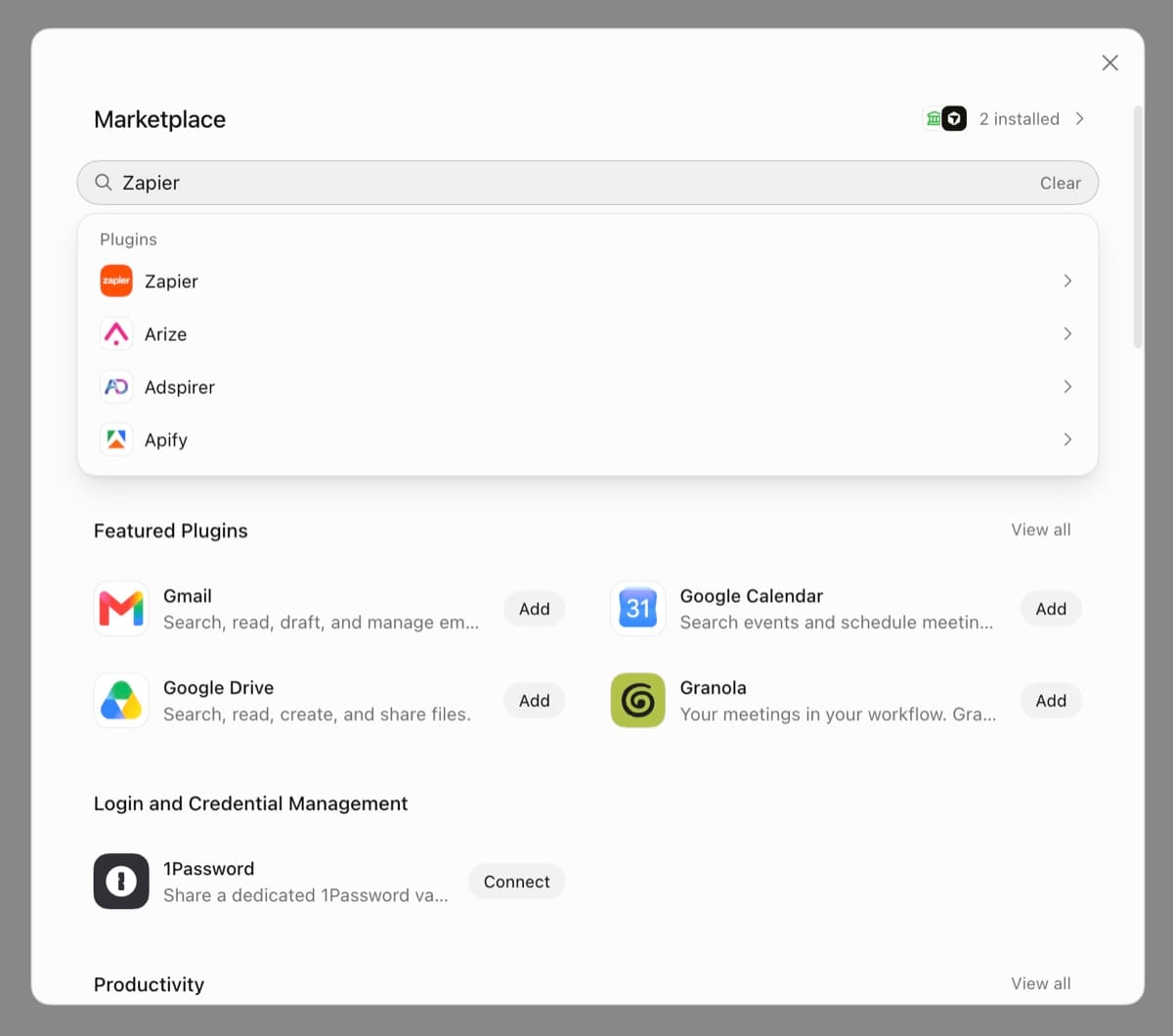
Step 2
Add the Zapier plugin
Click Add. The plugin includes the Zapier connector and skills that help Grok Bot set up Zapier automation and call actions.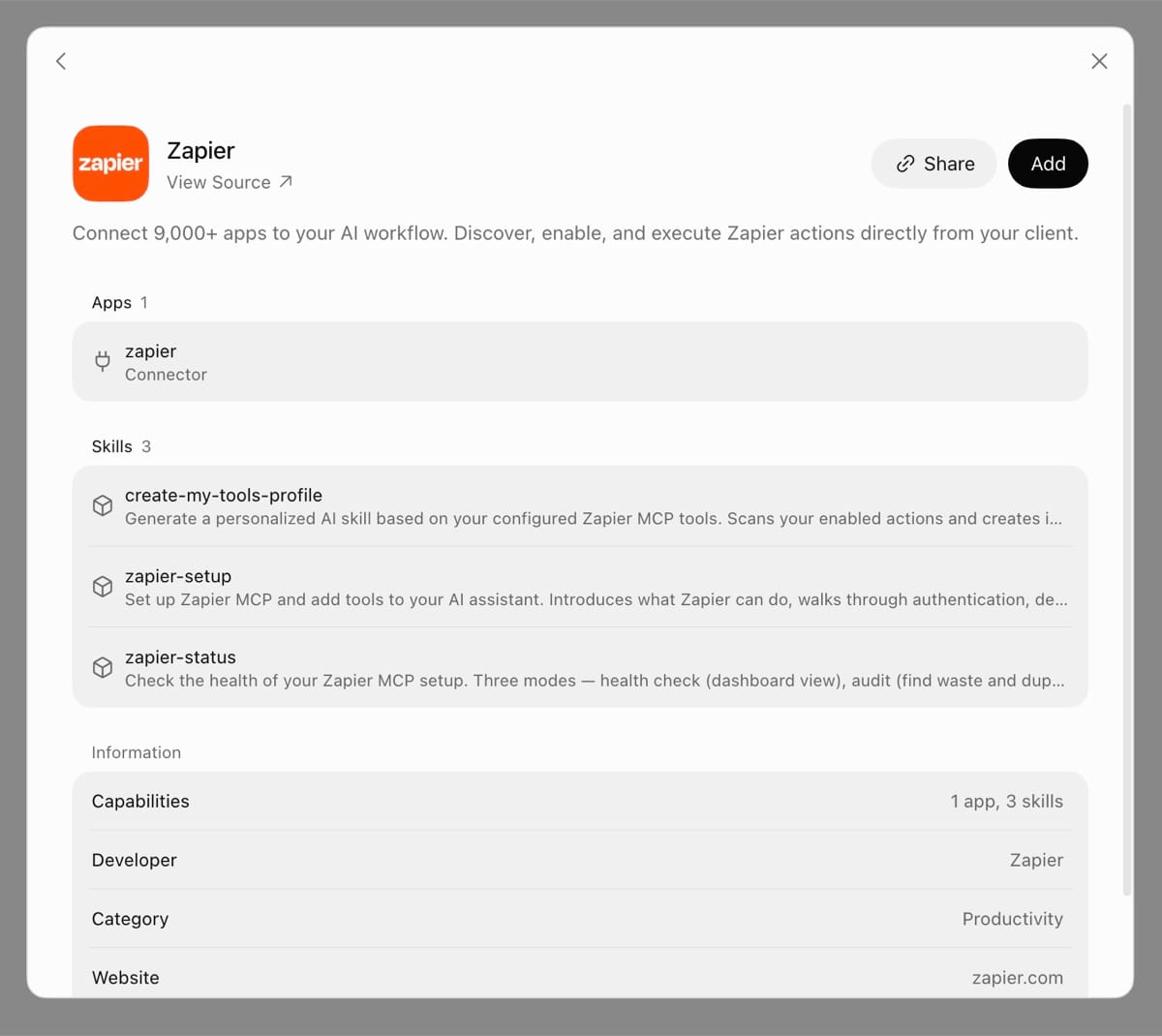
Step 3
Allow access
Sign in to Zapier or create a free account. Review the permissions Grok Bot is asking for, then click Allow.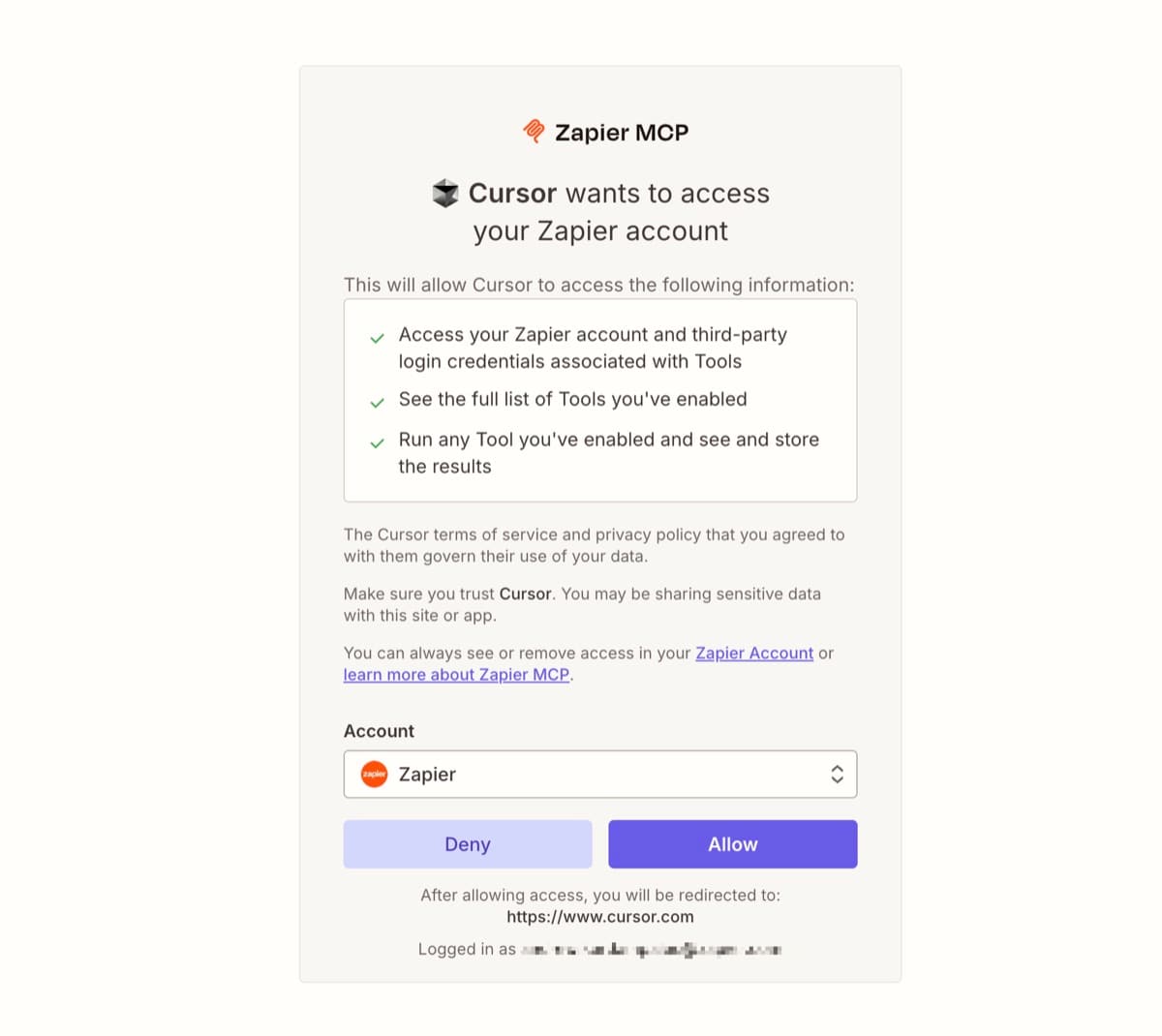
When to use Grok Bot with Zapier
Working across your whole stack
HubSpot, Mailchimp, Typeform, Airtable, Trello, Salesforce, monday.com, and thousands more. One plugin covers all of them.
Looking up your data
Find a contact, look up an order, pull rows from a spreadsheet, or check a ticket's status.
Keeping records up to date
Add a CRM deal, create a task, append a row, or update a support ticket.
Sending messages and emails
Post in Slack or Microsoft Teams, or send an email from Gmail or Outlook.
Reusing instructions with Zapier skills
Save repeatable instructions as a skill in Zapier, and Grok Bot loads them on demand.
Popular ways to use Grok Bot + Zapier
Add new Typeform responses to HubSpot
Grok Bot reads your latest responses and creates or updates the matching HubSpot contacts.
Turn new Zendesk tickets into Trello cards
Grok Bot pulls your open tickets and adds a card for each one to your support board.
Add new Mailchimp subscribers to Airtable
Grok Bot copies your recent subscribers into an Airtable base you can sort and filter.
Summarize my open Salesforce deals in Slack
Grok Bot looks up your pipeline and posts a short summary to the channel you choose.
Draft a Gmail reply to a HubSpot contact
Grok Bot looks up the contact's history in HubSpot and drafts a Gmail reply that uses it.
Log my latest monday.com updates in Google Sheets
Grok Bot collects recent item updates and appends them as rows to your tracking sheet.
Frequently asked questions about automating with Grok Bot
Does Grok Bot work with Zapier?
Yes. Zapier is a plugin in the Grok Bot Marketplace. Click Connect Apps, search for Zapier, click Add, and sign in to Zapier when asked.
What can Grok Bot do with Zapier?
Grok Bot can search, create, update, and send across 9,000+ apps and 40,000+ actions through Zapier MCP.
Is Zapier free to use in Grok Bot?
Connecting is free and works on every Zapier plan, including Free. Each successful action uses two tasks from your plan.
Do I need to set up an MCP server first?
No. Zapier creates the server when you sign in during setup.
I already use Zapier in Cursor. Do I need to connect again?
No. Cursor and Grok Bot share one Zapier connection, so your apps and actions are already there.
How do I disconnect Zapier from Grok Bot?
Remove the Zapier plugin from your installed plugins in the Grok Bot Marketplace. You can also revoke access at mcp.zapier.com.