


Claude Code + Zapier
How it works
Put Claude Code to work beyond your codebase. Zapier is an official plugin for Claude Code. Install it once, and Claude Code can find, create, and update your data across 10,000+ apps and 90,000+ triggers and actions through Zapier MCP. You choose which actions to enable at mcp.zapier.com.
- Start free
- Full audit trails and controls
- SOC 2 and GDPR compliant
How to set up Zapier in Claude Code
Step 1
Install the Zapier plugin
In Claude Code, run/plugin install zapier@claude-plugins-official. Or run/plugin, select Discover, choose zapier, and select Install for you (user scope).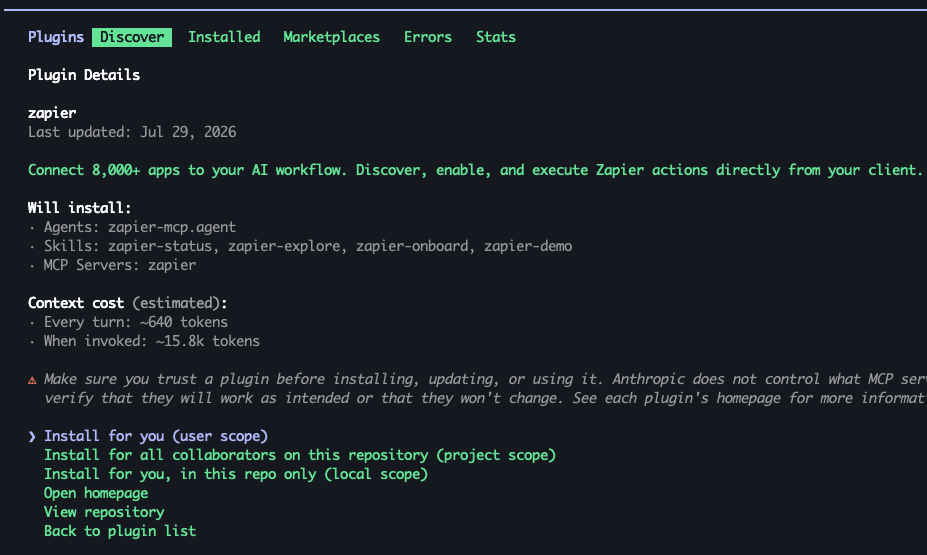
Step 2
Sign in to Zapier
Ask Claude Code to log you in to Zapier. It gives you a link to open in your browser. On the Zapier authorization screen, click Copy prompt, then click Continue.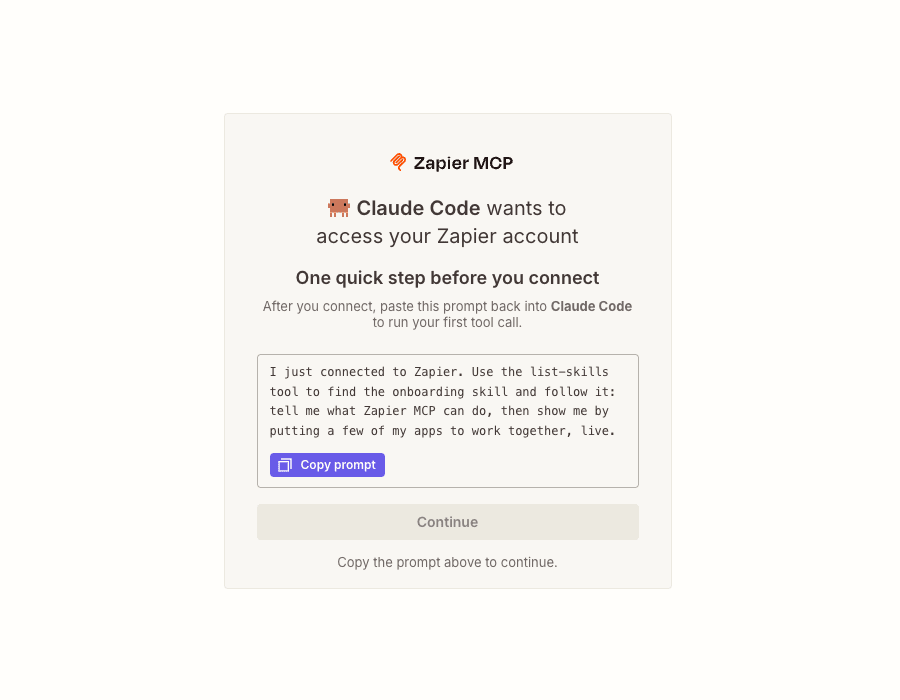
Step 3
Paste the prompt into Claude Code
Paste the prompt you copied into Claude Code. Claude Code finds the Zapier onboarding skill, explains what Zapier MCP can do, and puts a few of your apps to work together, live.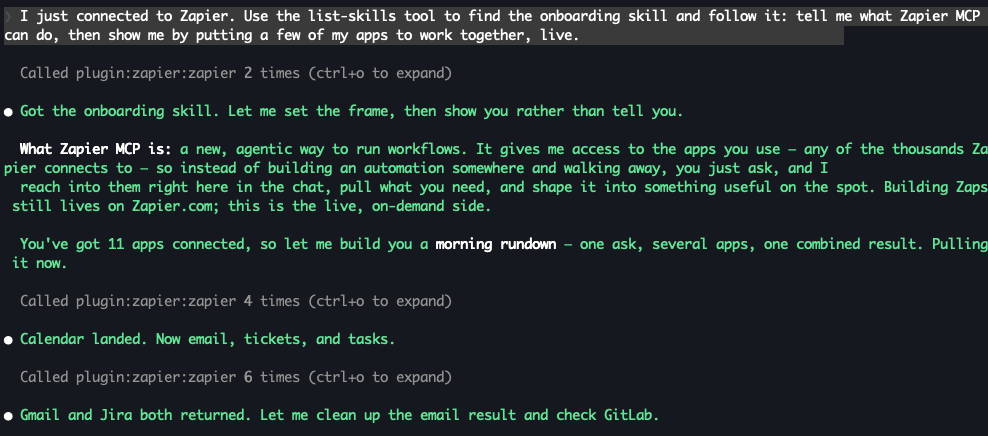
When to use Claude Code with Zapier
Work across your whole stack
Claude Code works with GitHub, Jira, Slack, Notion, Airtable, HubSpot, Salesforce, and thousands more. One plugin covers all of them.
Find what you need
Claude Code can look up a contact, an order, spreadsheet rows, or a ticket's status. You get answers without leaving your terminal.
Keep your records up to date
Claude Code can create a Jira ticket, add a task, append a spreadsheet row, or update a support ticket. Your records stay current without the copy-paste.
Send messages and emails
Claude Code can post in Slack or Microsoft Teams, or send an email from Gmail or Outlook. You can share updates from the same session you're working in.
Teach Claude Code once with Zapier skills
Save repeatable instructions as a skill in Zapier, and Claude Code loads them on demand. You explain a task once, then reuse it.
Find use cases that fit your work
Tell Claude Code your role and the apps you use, and the Zapier explore skill suggests specific use cases as reusable prompts. It also helps you enable the actions behind them.
Keep your Zapier setup healthy
The Zapier status skill lets Claude Code check your connection, find duplicate or unused actions, and troubleshoot problems. Your setup stays tidy without a trip to settings.
Popular ways to use Claude Code + Zapier
Post a summary of my latest GitHub pull requests in Slack
Claude Code gathers your newest pull requests and posts a short rundown to a Slack channel, so your team knows what needs review.
Create a Jira ticket from the failing test I just fixed
Claude Code writes up the fix in a new Jira ticket, so the work is on record.
Add today's Sentry errors to my Notion bug log
Claude Code copies each error into Notion, so your bug log is ready for triage.
Draft a Gmail reply using my HubSpot history
Claude Code checks your history in HubSpot and drafts a Gmail reply that picks up where you left off. The reply waits in your drafts until you send it.
Log today's Stripe payments as sales in QuickBooks
Claude Code records each payment as a sale in QuickBooks, so your books stay current.
Text me a summary of my latest Shopify orders
Claude Code pulls your newest orders and texts you a quick rundown of totals and top items.
Frequently asked questions about automating with Claude Code
Does Claude Code work with Zapier?
Yes. Zapier is an official plugin for Claude Code. Run /plugin install zapier@claude-plugins-official in Claude Code to install it.
What can Claude Code do with Zapier?
Claude Code can search, create, update, and send across 10,000+ apps and 90,000+ triggers and actions through Zapier MCP.
Is Zapier free to use in Claude Code?
Yes. Connecting is free and works on every Zapier plan, including Free. Each successful action uses tasks from your plan, and failed ones use none. Actions are free until 12 p.m. ET on January 5, 2027. See current rates on the Task usage rates page at zapier.com/pricing/rates.
Do I need to set up an MCP server first?
No. The Zapier plugin adds the server for you, and you sign in to Zapier during setup.