
We independently review every app we recommend in our best apps lists. When you click some of the links on this page, we may earn a commission. Learn more.
My to-do list looks different depending on what I need to get done. Regular items are easy; I either did the laundry and went to the grocery store, or I didn't. Creative pursuits are murkier. A list item of "finish your short story this weekend" may not account for me reworking a plot point, hating it halfway through, and deciding I should give up writing and become a vagabond.
You may not share the existential crisis, but your project management process probably looks pretty similar if you work in the creative space. A deliverable can be "done" and still waiting on a fifth round of feedback. A project can be on time and quietly over budget. A team can look fully booked on paper while sitting there twiddling their thumbs because the client can't decide what they want. (I work at a creative agency, so I know these problems all too well.)
Creative project management software helps you navigate those murky situations while keeping your budget, timeline, and team's sanity more or less intact. I tested and vetted the best options on the market, so you can spend less time sifting through client emails and more time actually managing the work.
Based on my testing, and lots of research to see how non-me people work with these tools, these are my picks for the best creative project management tools.
The best creative project management tools
monday.com for visual customization
Asana for AI-assisted coordination
ClickUp for creative review
Productive for profitability tracking
Scoro for quote-to-cash workflows
Ravetree for retainer management
Zapier for AI automation
What makes the best creative project management tool?
How we evaluate and test apps
Our best apps roundups are written by humans who've spent much of their careers using, testing, and writing about software. Unless explicitly stated, we spend dozens of hours researching and testing apps, using each app as it's intended to be used and evaluating it against the criteria we set for the category. We're never paid for placement in our articles from any app or for links to any site—we value the trust readers put in us to offer authentic evaluations of the categories and apps we review. For more details on our process, read the full rundown of how we select apps to feature on the Zapier blog.
"Creative project management software" will absolutely mean different things to different people. For my list, these are project management (PM) tools suitable for creative agencies. They help content, graphic, branding, and marketing agencies navigate client deliverables while keeping all the in-house stuff (scheduling, timelines, financials) on track.
As you can imagine, this does have a lot of overlap with general project management software. A good PM tool should be able to handle creative work, but the sad reality is that not all of them can. So, to make sure I brought you only the best (because you deserve it), I evaluated each tool that I tested against four criteria that reflect the day-to-day of running a creative agency:
Client visibility: Can clients actually see what they need to see, without wreaking havoc on your internal workflows? I looked for dedicated client portals, granular permission controls, and built-in proofing or approval tools that let clients give feedback without a six-email thread.
Resource and capacity planning: Can you tell, at a glance, who's overbooked and who has room to take on more? I prioritized visual workload tools, skill-based or role-based assignment, and any forecasting that helps you get ahead of staffing decisions.
Time tracking and financials: This is where many general PM tools fall short. I looked for native time tracking with billable vs. non-billable differentiation, real-time budget burn visibility, and, ideally, a way to turn approved time entries into an actual invoice.
Scalable workflows: How well does the tool handle repetitive work and connect to everything else in your tech stack? Project templates, automations, and integration depth all factored in here. An agency that runs the same campaign structure eight times a year shouldn't have to rebuild it from scratch each time.
I pressure-tested each tool, drawing on my own experience managing creative workflows, to see if I would actually use it. If I could see myself running day-to-day tasks with the app, it made the list.
The best creative project management software at a glance
Best for | Standout feature | Pricing | |
|---|---|---|---|
Visual customization | Multi-board dashboard that teams can turn into a client portal | Free plan available; paid plans start at $9/seat/month | |
AI-assisted coordination | AI Studio workflow builder | Free plan available; paid plans start at $10.99/user/month | |
Creative review | Proofing that lets reviewers leave targeted comments | Free plan available; paid plans start at $7/user/month | |
Profitability tracking | Real-time view that tracks financial health and team utilization | Plans start at $10/user/month | |
Quote-to-cash workflows | Quote estimation matrix to map out proposals | Plans start at $19.90/user/month | |
Retainer management | Retainer management system that tracks engagement overages | Plans start at $29/user/month | |
AI automation | No-code workflow builder (and MCP server) that integrates with 9,000+ apps | Free plan available; paid plans start at $19.99/month |
Best creative project management software for visual customization
monday.com (Web, iOS, Android)

monday.com pros:
Unlimited free viewers on all paid plans
200+ project templates
25,000 automation and integration actions
monday.com cons:
Resource management and capacity planning tools are only available in the Enterprise tier
Time tracking features are light
I love monday.com. Maybe I'm just a sucker for color-coded boards, drag-and-drop task cards, and a flexible column structure—but I'd think anyone else who lives in a creative agency would feel the same way.
The multi-board dashboard is where monday.com earns its supper. On the Pro plan, you can combine up to 20 boards into a single dashboard with chart summaries, status breakdowns, and workload data, then share it as a read-only view. As you can invite an unlimited number of free viewers, this creates a practical, lightweight client portal—so you don't have to answer endless "what's the status on these deliverables?" client messages.
The automation engine is a nice touch that can handle routine coordination like auto-assigning tasks when statuses change, pinging teammates on Slack when a deadline shifts, or notifying the right person when a deliverable clears review. If you're an agency that frequently runs the same type of workflows or campaigns, monday.com's 200+ template library can help you keep your project skeletons and apply them repeatedly without wasting hours every time a new client signs on.
Despite my infatuation, I do have two main concerns about the platform. First, resource management and capacity planning features (which are, obviously, useful in an agency setting) are gated behind the Enterprise tier—a pricing concern that could financially push out smaller agencies. Second, the time tracking features are pretty light compared to other tools on this list.
That said, if you're a team that wants your workspace to look as creative as the work you produce, monday.com is a very solid choice. And if you'd like to do even more with the tool, you can integrate monday.com with Zapier to sync data between your entire tech stack and build end-to-end, AI-powered workflows. Learn more about automating monday.com.
monday.com pricing: Free plan available; paid plans start at $9/seat/month.
Best creative project management software for AI-assisted coordination
Asana (Web, iOS, Android)

Asana pros:
Unlimited automation rules, custom project templates, forms, and unlimited free guests
AI Studio for no-code AI workflow creation
Native time tracking
Asana cons:
Timesheets, budgets, and AI teammates are a separate add-on no matter the plan
If you've ever watched a project go completely off the rails—not because of poor work, but because a brief sat in someone's inbox for days—Asana is worth a look. Because why get mad when you can just get AI?
Over the past few years, Asana has really embraced AI capabilities that make creative work easier. To start, AI Studio is a helpful assistant that lets you describe a workflow in plain English and have Asana construct the automation. You could build a workflow that routes a client intake form to the right team, generates a task structure from an outline, or sends Judy endless pings until she finally reviews that pending creative brief.
Trigger-based rules can handle routine handoffs without you having to lift a finger—things like reassigning work when a teammate is unavailable, auto-escalating stalled tasks, or kicking off a production chain when Judy finally does her job. Combined with other features, like custom project templates and AI-assisted workflow generation, whipping up a new client project takes minutes rather than an afternoon of copying from last month's setup.
The proofing feature surfaces client feedback directly within Asana. Clients can annotate PDFs and designs directly in the app, leaving comments tied to specific elements rather than scattered across email threads. It's not as specialized as a dedicated review tool, but for agencies that primarily use Asana, it eliminates the need to wade through four different contact points to find the right feedback.
One of the main downsides is that a lot of the most useful creative agency features—like time tracking, timesheets, and budgets—are hidden behind the most expensive tiers. But you can get around that by integrating Asana with Zapier so you can connect it to 9,000+ other tools in your tech stack and even access it directly from your AI tools. Learn more about automating Asana.
Asana pricing: Free plan available; paid plans start at $10.99/user/month.
Best creative project management software for creative review
ClickUp (Web, iOS, Android)

ClickUp pros:
Proofing features that enable pinpoint markup on images, videos, and PDFs
Native time tracking and resource management
Unlimited storage and 1,000+ integrations
ClickUp cons:
AI assistant is a paid add-on, no matter the plan
Steep learning curve
If you're unfamiliar with ClickUp, your first impression might be something along the lines of "wow, this is a lot." It brands itself as "the software to replace all software," so there's a head-scratching amount of use cases to wade through—but I'm pretty confident you'll find something in here that could fit your needs.
I'll start my spiel with one of my favorite elements: proofing. With this feature, clients and reviewers can open an image, PDF, or video directly in ClickUp and drop targeted comments on the exact area they want to discuss—without needing a paid account. Every comment stays attached to that version of the asset, so round-two revisions (and beyond) don't turn into a two-syllable phrase that I'm probably not allowed to write here. This, of course, makes it incredibly easy to collaborate with clients in feedback rounds.
Wading deeper into the tool, ClickUp's 15+ project views, whiteboards, Gantt charts, built-in docs, and native chat mean there's almost always a ClickUp feature that could replace another tool in your stack (or so it hopes). Native time tracking is a nice addition here, too, kicking in at the least expensive paid plan.
The obvious drawback is that ClickUp tries to do everything at once—an ambition that makes the tool equal parts compelling and difficult to adopt. Teams that don't invest time in understanding it tend to drift toward using it as a simple task list, which is kind of like buying a Porsche 911 and never exceeding the speed limit.
For agencies that want the app to communicate with their financial tools, CRM, or reporting stack, ClickUp integrates with Zapier. With the integration, you can push approved deliverables to Google Drive, sync billable time to invoicing software, and create end-to-end PM workflows. Learn more about automating ClickUp.
ClickUp pricing: Free plan available; paid plans start at $7/user/month.
Best creative project management software for profitability tracking
Productive (Web, iOS, Android)

Productive pros:
Budget tracking and per-project profitability figures
Resource planning and time tracking capabilities
The Scenario Builder lets teams model capacity and revenue outcomes
Productive cons:
The Essential plan is thin for agencies with multi-rate or complex billing structures
Revenue forecasting, overhead cost calculation, and the Scenario Builder are all Ultimate-only features
Productive is a modern, visually appealing software that shines in the financial side of project management. So, if you have someone lurking around your office who regularly wears horn-rimmed glasses and bow ties, you'll likely make them very happy with this app (and me—I actually use this tool every day at my agency).
Most PM tools I've encountered treat your budget as a field you'll fill in once and occasionally glance at. Productive, on the other hand, can track financial burn in real time, surface billable utilization rates, and run profitability calculations that factor in overhead and salaries alongside revenue. This gives you a real-time view that can tell you what projects are trending over budget, which of your team members are overbooked and hanging on by a thread, and whether your client's retainer is generating the type of margin that makes those horn-rimmed chaps happy.
The workload view uses color-coded indicators to show who on your team has availability, and where scheduling conflicts are forming—kind of like the visual capacity awareness on monday.com (which only exists on the high-priced tier, mind you). The Scenario Builder is another nice feature that can help you plan for what your operations would look like if you win that pitch or bring on a contractor, before committing to anything.
For agencies with straightforward operations and needs, the lower tiers will fit just right; those with more complex needs will likely need to explore the higher-priced models, which jump considerably.
Nonetheless, Productive is a powerful tool for any agency that treats its financials with the same gravitas as its creative output. If you'd like to make it even more powerful, Productive connects with Zapier, letting you sync your entire tech stack, push projects, sync invoices, and trigger notifications without lifting a finger.
Productive.io pricing: Plans start at $10/user/month.
Best creative project management software for quote-to-cash workflows
Scoro (Web, iOS, Android)

Scoro pros:
Offers a complete lifecycle toolkit in Planner, Timesheet view, quote estimation matrix, cost and profit forecasting, and sales pipeline
Retainer management that tracks recurring work with per-retainer budget burn
AI assistant (ELI)
Scoro cons:
High pricing tiers compared to other tools on this list
Approval flows, time locking, and multi-account reporting are only available in the most expensive plan
If you want to have a little fun this week, ask your team how a project moves from a client email to a delivered invoice. I'd be willing to bet that you'd get three or four different answers, with three or four different tools running in parallel, and some manual data transfer tasks for the cherry on top. Scoro was built to solve that nightmare, handing the entire client arc from quote to plan to execution to billing.
The quote estimation matrix is the sharpest tool in that workflow. With it, you can break a project proposal into deliverables, assign roles with estimated hours, and the platform calculates cost and margin before the project is confirmed. Once you've done sufficient client wooing and they sign on the dotted line, tasks are generated directly from the quote. This helps accuracy and eliminates (as much as possible) the scope creep that always seems to happen only a few days into the contract.
From there, the Planner handles resource scheduling, the Timesheet view captures billable vs. non-billable hours, and invoicing draws from approved time entries without a trip to external accounting software. ELI, Scoro's AI assistant, can answer natural-language questions about your projects, like "how is this project tracking against budget?" or "which team members need a kick in the pants?"
The cost is pretty high compared to other tools on this list, but for agencies that would actually use the full lifecycle features, the ROI is definitely there. Plus, you can integrate Scoro with Zapier to connect the platform to the rest of your tech stack, so you can build AI-powered workflows that work with any app your agency uses.
Scoro pricing: Plans start at $19.90/user/month.
Best creative project management software for retainer management
Ravetree (Web, iOS, Android)

Ravetree pros:
Unlimited client portal access on all plans at no additional charge
Retainer management tracks hours and financial status simultaneously
Multi-contributor time tracking
Ravetree cons:
Narrow native integration library
The interface is somewhat dated compared to modern competitors
Ravetree doesn't exactly sit at the cool table of creative project management, and to be honest, it's one of those apps that make me think they just threw a dart at a crossword puzzle to come up with the name. Despite not being the most familiar player in this category, it solves a very specific problem creative agencies face monthly: tracking retainers and billable hours.
The client portal is pretty impressive. Many other similar tools either charge per client seat, limit portal views to a read-only board share, or gate the capability behind an enterprise tier. Ravetree includes unlimited client access across all plans at no additional cost. Clients can log in and see where a rebrand or creative asset is in production, what's pending review, and what's been signed off, so your manager with a thousand-yard stare doesn't have to send those daily progress reports anymore.
The retainer management system is the pièce de résistance that makes Ravetree unique. Each of your active retainers are tracked against both hours and budget, flagging when an engagement is approaching its ceiling before the overage actually happens. It's kind of like that storm siren near your house going off, so you can hop in the bathtub and adjust the project before the financial tornado rips through your neighborhood.
The product does have some glaring downsides, however. Ravetree's integration ecosystem is much thinner than those of other tools on this list, and it noticeably lacks a lively community forum or extensive tutorials. That said, if you're a creative agency with a laser focus on retainer management, Ravetree is worth a shot.
Ravetree pricing: Plans start at $29/user/month.
Best creative project management software for AI automation
Zapier (Web)
Zapier pros:
9,000+ integrations
Agentic behavior built into workflows
Zapier MCP gives AI tools real-time access to your agency stack
Zapier cons:
The free plan is limited to two-step workflows
Zapier isn't a creative PM tool like the other apps on my list. You won't be able to use it to natively manage a campaign timeline or annotate a design proof; what you can do is create complete harmony between your systems and make every other platform on this list work better.
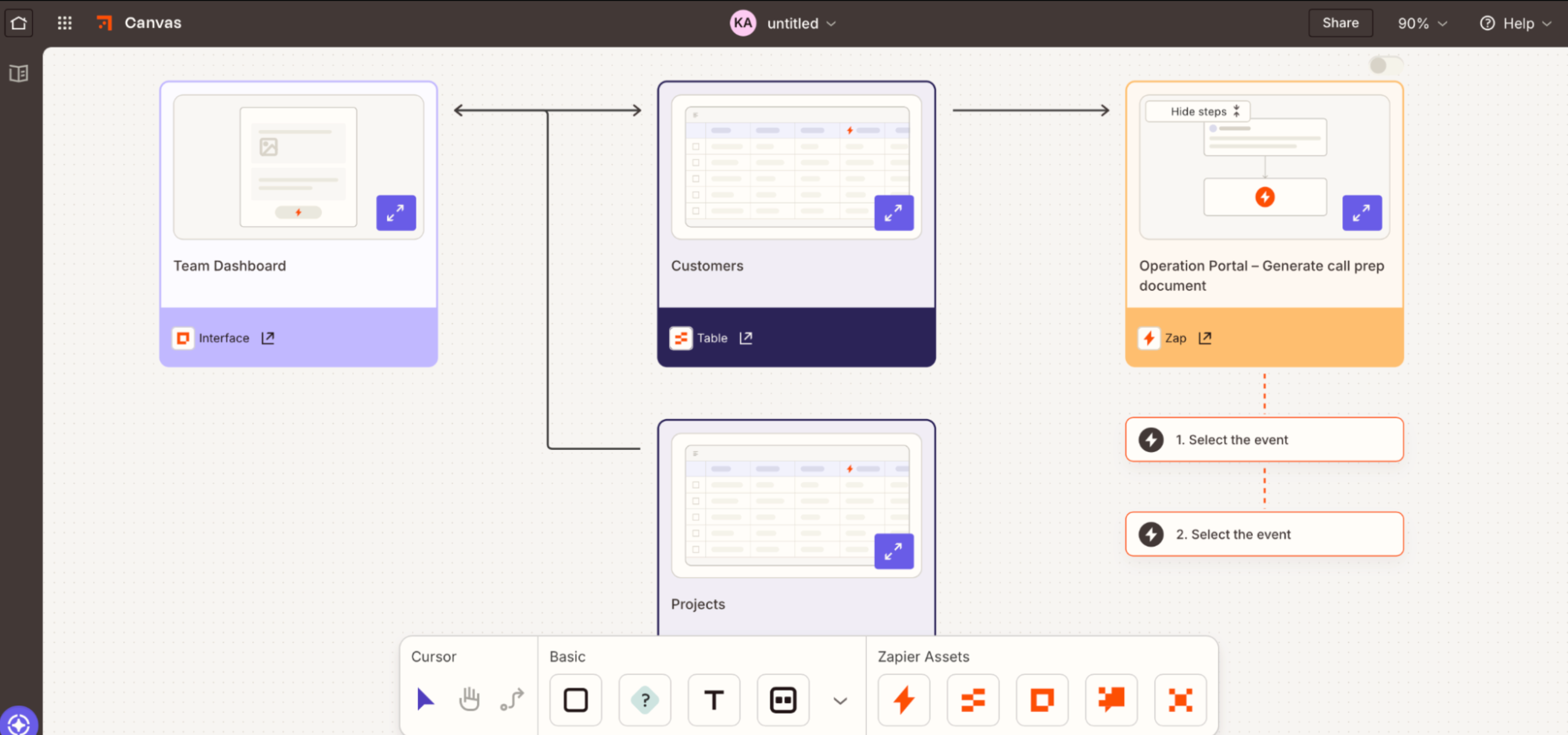
Zapier is an AI orchestration platform that connects to 9,000+ apps, enabling you to build end-to-end workflows across your tech stack. You'll start by building your own no-code workflow from scratch, using a template, or working with Zapier Copilot to create exactly what you need in plain English.
From there, you could create something as simple as an automation that pings your team on Slack every time a client updates the status on a project in your PM tool. Or, using tools like Zapier Forms and Zapier Tables, you may decide to build a full internal PM tool that manages client intake, assigns work, and tracks deliverables across your tech stack—all without manual data transfer or wasted idle time.
If you spend most of your time in AI tools, Zapier MCP lets you connect a tool like ChatGPT or Claude directly to your tech stack with real-time read and write access. That means you can go to your AI chatbot, give it a command like "who is trending over hours this week?" or "give me the status of the Smith account project," and the AI can securely access your apps and deliver that information—and complete any applicable follow-up tasks.
Zapier may not have the native PM capabilities of Asana or ClickUp, but it can make your entire tech stack more efficient.
Zapier pricing: Free plan available; paid plans start at $19.99/month.
What's the best creative management software?
Unfortunately, I can't point directly to a creative PM software and say, "This one; you need this one!" The right product for you depends entirely on what's broken in your operation right now. If you have a compulsive need to visualize your workflows and projects in the pipeline, you might want to consider monday.com. If the financial side of your agency is just as big a problem as your deliverables, you could give Productive a shot.
No matter the pain point, you need to be sure all of your systems work in harmony—and that's where Zapier comes in.
You can use Zapier to connect your PM software to 9,000+ apps and build end-to-end workflows across your tech stack that transcend the marketing department. Whatever your needs, you can use Zapier to automate repetitive client tasks so your team can focus on the work that actually needs them.
Related reading:


