Whether you're engaging leads, following up on form submissions, or sending critical reminders, text messages cut through the noise of crowded email inboxes and provide an immediate, reliable way to reach your audience. But manually managing these messages isn't a smart plan if you want to scale your business. That's where automation comes in.
By pairing SMS tools with Zapier, you can seamlessly integrate texting into your workflows so the right messages reach the right people at the right time. From sending automated reminders for calendar events to instantly following up with leads, automating SMS allows you to deliver critical updates while saving time and reducing manual work.
You can set all of this up from the AI tool you already use. Add Zapier to Claude, ChatGPT, or Cursor, tell your agent which text should go out and when, and it builds the automation. Zapier then keeps sending those texts after the chat is closed. And if you'd rather build in Zapier itself, you can do that too.
Whether you're managing customer relationships, team coordination, or personal productivity, Zaps will help you stay organized, responsive, and on top of what matters most. Let's dive into how SMS automation can transform your communication strategy and keep you one step ahead.
Build automations from wherever you work. Describe the outcome you want, and Zapier connects your tools, runs the steps, and stays on the job after you close the chat. Combine AI with reliable, deterministic automation across 9,000+ apps. Get started for free.
Table of contents:
What is SMS automation?
SMS automation is the use of software to send text messages automatically. It can mean sending messages based on a trigger, like a form submission, a calendar event, or a new row in a spreadsheet sets it off, or it can fire on a schedule you choose. You set the rule once, and the right text goes to the right person without anyone typing it out.
Customers and leads get confirmations, reminders, and follow-ups, while your own team gets alerts about urgent emails, new orders, or system updates, so nothing waits on someone remembering to hit send.
Build SMS automations from your AI assistant
Here's how it works when you start from your AI tool:
Connect Zapier with your AI tool. Add Zapier to your AI assistant as a connector or a custom MCP server, and connect the apps you use, like Twilio, Google Sheets, Gmail, and Google Calendar. You connect once, and the same connections work from Claude, ChatGPT, Cursor, or any AI tool you like.
Describe the text you want sent. Tell your agent what should trigger it, who gets it, and what it says: "When someone books a call on Calendly, text them a confirmation with the time and the join link."
Your agent turns it into a Zap. A Zap is an automated workflow that runs on its own. Your agent drafts it, deploys it to Zapier, and shows you what it built before anything goes live.
Zapier sends the texts. The Zap starts the moment the booking, form submission, or new row shows up, and it keeps going whether or not your laptop is open.
Because Zapier connects to 9,000+ apps, your texts can be triggered by almost anything in your stack, from a CRM to a custom app.
Why automate SMS with Zapier
You could ask your AI tool to text people on its own. Building the automation on Zapier gets you a few things chat alone can't:
It starts when something happens. A scheduled task inside an AI tool runs at a set time, whether or not anything came up. A Zap can start on a schedule, or it can start when a registration comes in, a lead is created, or an appointment is booked, so the confirmation lands while the person is still paying attention.
It reaches your whole stack. Zapier connects to 9,000+ apps, so a text can be triggered by your calendar, your CRM, your spreadsheets, your help desk, or a webhook from a tool Zapier doesn't have a built-in connection to. Chat connectors tend to stop at the most popular apps.
It runs the same way every time. A reminder Zap sends the same text at the same point before every appointment, on a quiet Tuesday or a packed Friday. Zaps use AI only for steps that need judgment, like deciding whether an inbound reply is a complaint or a question, and run everything else as plain steps. Zapier calls this fluid determinism: AI where the work needs judgment, regular steps everywhere else.
It fixes itself. If your Twilio connection expires or a column in your Google Sheet gets renamed, your reminders shouldn't quietly stop and leave people uninformed. Zapier logs every run, finds the problem when something breaks, and proposes a fix you can approve, or lets Zapier apply fixes on its own. Over time it can also turn repeated AI steps into regular ones, so your Zaps get cheaper and steadier the longer they run.
Your agent gets access, not your keys. Zapier manages the connections to Twilio, WhatsApp, Gmail, and the rest, so you never paste API keys or auth tokens into a chat. Switch from Claude to ChatGPT, or try a new AI tool, and your connections stay put. Everything you build, from any AI tool, shows up in one place in Zapier.
SMS automations to ask your agent to build
Not sure where to start? Try one of these prompts in Claude, ChatGPT, or Cursor with Zapier connected.
Send shipping updates. "When an order ships in Shopify, text the customer their tracking link."
Alert the on-call person. "When a Zendesk ticket is marked high priority, text whoever is on call the subject line and a link to the ticket."
Nudge failed payments. "When a payment fails in Stripe, text the customer a friendly note with a link to update their card."
Sort replies by what they say. "When a customer replies to my Twilio number, have AI decide whether it's a question, a complaint, or a thank-you, and post it in the matching Slack channel." This is a Zap that uses AI only where judgment is needed: reading the reply is the AI step, and the Slack post is a regular step.
Start the week with your due dates. "Every Friday at 4 p.m., text me the tasks in Asana that are due next week."
SMS automation with Zap templates
Would you rather start from a template? The Zaps below are pre-made for common text message automations. Click "Try it" on any of them to open it in Zapier and set it up there. If you'd rather have your agent build the automation for you, use one of the prompts above instead.
Send texts from forms
Automating texts from form submissions is a great way to engage with your respondents and provide follow-up information. Imagine you're running an event and using Typeform, Jotform, or Google Forms for registrations. As soon as someone submits their details, you can automatically trigger an SMS confirmation to their phone using tools like SMS by Zapier, WhatsApp, or Twilio. This text can include important event details like the date, time, and location so registrants have everything they need.
Similarly, if you're collecting customer inquiries via a form, you could send an automated text letting them know their message was received and that a team member will follow up soon.
Additionally, you can use automated text messages to keep your internal team informed. For example, if you receive a new form submission for a high-priority issue or request, you can text to immediately alert a manager or on-call team member. This means timely responses—particularly for urgent matters—and reduces the risk of missed updates.


Send a Twilio SMS when a Typeform form is filled out

Send WhatsApp Notifications messages for new Jotform submissions


Use SMS for calendar management
Automating text reminders for calendar events means you'll never miss an important meeting and significantly reduce no-shows. Unlike emails, which often get buried in crowded inboxes, text reminders are more immediate and far more likely to be seen, keeping you and your contacts organized and on track.
For example, if you manage appointments through Google Calendar, you can automatically send a text reminder just before an event starts. Your text can include essential event details, like the time, location, or a join link for virtual meetings. This is particularly effective for reducing no-shows in client consultations, business meetings, or even personal appointments like doctor visits.
If you use Calendly to schedule meetings, you can also automate a confirmation text the moment an invitee books an appointment. For instance, as soon as a meeting is scheduled, an SMS can be sent to confirm the booking, share next steps, or provide instructions on how to prepare.
By automating SMS notifications for calendar management, you can reduce missed appointments and create a seamless experience for your attendees. With automated reminders, you'll stay one step ahead and increase the likelihood everyone shows up prepared and on time.
Get SMS alerts for new approaching Google Calendar events


Send WhatsApp Notifications messages when new Google Calendar events are created
Get reminders for upcoming Google Calendar events via ClickSend SMS

Follow up on leads
Timely follow-up is critical when converting leads into customers. SMS automations can make this process faster and more efficient. Instantly send personalized text messages to new leads as soon as they enter your system, helping you engage prospects right away and keep your business top of mind.
Imagine a lead submits their information to request more details about your product or service. An immediate text could thank them for their interest and share the next steps, such as scheduling a call, providing a discount code, or linking to relevant resources. This kind of real-time communication builds trust and keeps the lead engaged while their interest is still high.
If you're running lead funnels, SMS automation can also be used to follow up with prospects after specific activities, such as downloading a lead magnet or opting into a webinar. Sending a quick follow-up text to check in, answer questions, or offer additional support means your leads don't slip through the cracks and helps you move them closer to a conversion.
By automating lead follow-up through SMS, you can save time and create a better experience for your prospects, increasing the likelihood of turning initial interest into lasting customer relationships.
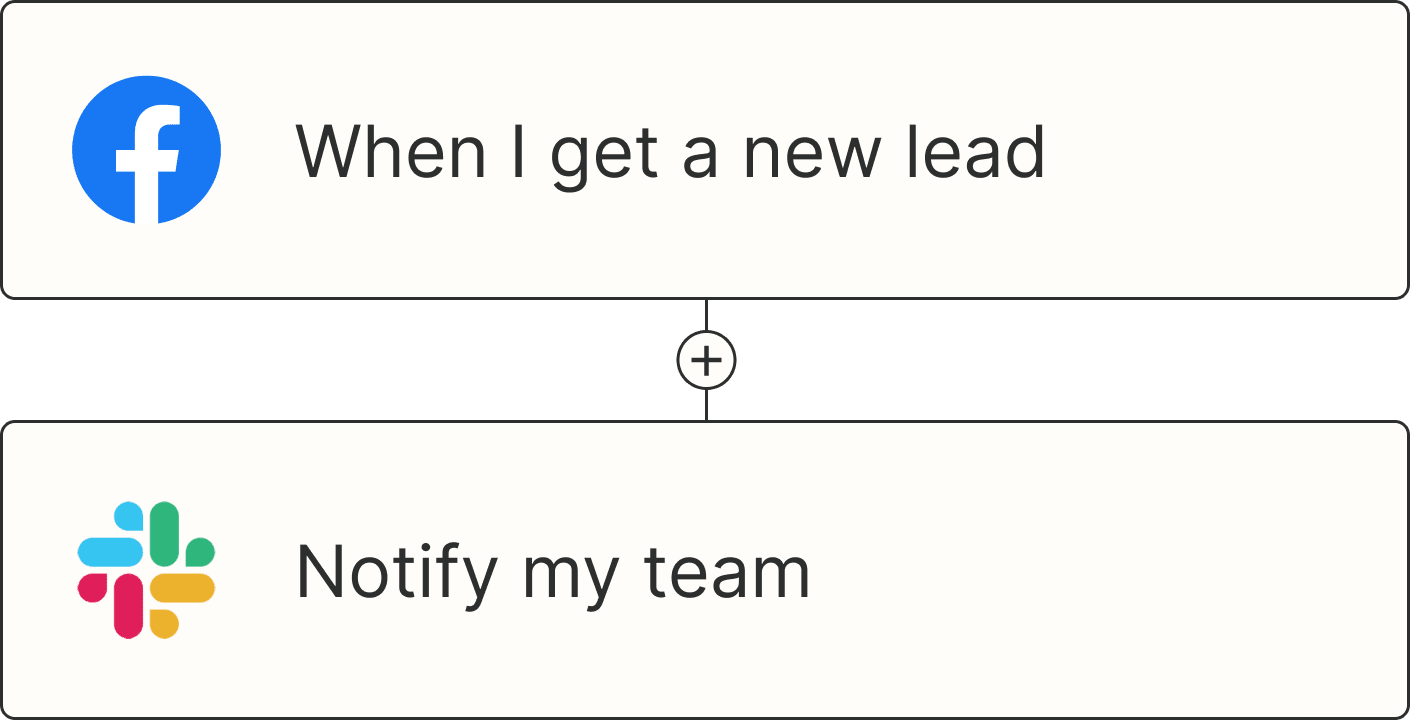
Send SMS messages for new leads from Facebook Lead Ads

Get Twilio SMS messages with new Facebook Lead Ads leads
Send new Facebook Lead Ads leads a text message via ClickSend SMS
Send SMS messages with new contact activity in ClickFunnels

Send texts from emails
Given the volume of emails we receive daily, critical information can sometimes get buried in inboxes and go unnoticed. Instead, why not automate SMS notifications from incoming emails to alert you and your team to high-priority messages? This allows for faster response times and improved workflows.
For example, if you receive a Gmail message that matches a specific search—like emails containing keywords like "urgent" or "support ticket"—you can automatically trigger a text notification. This is particularly useful for teams managing customer support, sales inquiries, or time-sensitive opportunities. A manager, for instance, could receive an instant text when a key client sends an email, so they can act immediately without sifting through their inbox.
For more advanced use cases, tools like Email Parser by Zapier can extract relevant data from structured emails, such as order confirmations, contact requests, or support tickets. You can then automatically text that extracted information to a team member or client. You can also send customized messages to keep relevant stakeholders updated on critical email updates, such as new orders, registrations, or partnership requests.
By automating text notifications from emails, you create a more efficient system for staying informed. That way, nothing important gets missed and time-sensitive communications are addressed promptly.
Get SMS notifications for new emails matching Gmail searches [Business Gmail Accounts Only]

Send new inbound emails via SMS messages in Twilio

Send information from new Zapier Email Parser emails by SMS

Get SMS messages for new Gmail messages [Business Gmail Accounts Only]
Send WhatsApp Notifications messages when new Gmail emails arrive
Combine SMS with webhooks
Webhooks offer a flexible way to integrate various tools and trigger automations based on custom events, even for apps that don't have native Zapier integrations. By pairing webhooks with SMS automation, you can send text notifications triggered by virtually any event so important updates or actions reach your team or customers immediately.
For example, if you're using a custom-built application or an uncommon tool, you can set up a webhook to "catch" specific events—like a new user registration, a form submission, or a payment confirmation. Once the webhook catches the data, you can send an automated text to notify the right people.
Webhooks also work well for real-time updates. If an external tool triggers an event, such as a product running low on inventory or a critical system status update, you can instantly notify team members via SMS. For businesses with specialized workflows, such as custom eCommerce platforms or backend tools, webhooks can lead to instant communication without manually monitoring for updates.
Send SMS messages via Twilio with newly-caught webhooks

Send whatsapp messages for new webhooks caught by zapier
Get ClickSend SMS messages for new caught webhooks
Send texts from spreadsheets
If you're anything like me, spreadsheets are your go-to tool when starting any new project. This can mean that, over time, you may end up tracking critical information like new leads, orders, and project statuses in various spreadsheets. Monitoring all of those different sheets is time-consuming and can lead to important items falling through the cracks. By automating SMS notifications directly from your Google Sheets, you can streamline notifications so the right people receive timely updates.
For instance, if you're tracking new leads or orders in a Google Sheet, you can trigger a text message whenever a new row is added. Imagine a sales team receiving an instant text when a new lead appears or a logistics team being notified when an order is updated in a shared sheet. With automated texts, critical information is delivered quickly, keeping workflows moving and teams aligned.
You can also trigger SMS messages when rows in your spreadsheet are updated. For example, if a project management sheet tracks task progress, updating a row to Completed automatically sends a text to notify the team or client. Similarly, you can send reminders for payment updates, appointment changes, or any other time-sensitive information.
SMS automation from spreadsheets bridges the gap between static data and real-time communication. Whether you're managing leads, tracking project updates, or handling inventory changes, automating SMS notifications ensures everyone stays informed and no update is missed.

Send text messages with new or updated Google Sheets rows
Send Twilio SMS messages from new rows on Google Sheets
Send Google Sheets row updates as Twilio SMS texts
Send WhatsApp Notifications messages when new Google Sheets rows are created
Send texts on a schedule
Scheduled SMS messages are a powerful way to automate routine communications. Whether it's daily reminders, weekly updates, or recurring notifications, automating scheduled texts ensures consistent outreach while saving you time.
Using Schedule by Zapier, you can send daily text reminders to your team for key tasks, such as checking progress on a project or submitting time sheets. This can also work for personal use, like setting up a daily text reminder for appointments, medication, or personal goals. If you're managing clients or customers, scheduled texts can help share daily updates, workout reminders, or other consistent touchpoints to keep engagement high.
For weekly communication, you can deliver automated text updates for items such as newsletters, upcoming event reminders, or progress reports. For example, a real estate agent can set up a weekly text to clients with new listings, or a school can send a text reminder about upcoming deadlines or events every Monday morning. By setting these automations, you can communicate regularly without worrying about missing a date.

Send WhatsApp Notifications messages every week with Schedule by Zapier
Automate your texts for better communication
By automating text messages for everything from lead follow-ups and form submissions to calendar reminders and scheduled updates, you can deliver timely, actionable information directly to your audience. SMS's immediacy and high engagement rates make it an invaluable tool for keeping customers, team members, and stakeholders informed and connected.
And this is just a few of the many ways you can streamline your text messages. What will you automate first?
SMS automation FAQs
How do you automate text messages?
You can automate texts straight from your AI tool: with Zapier connected to Claude, ChatGPT, or Cursor, describe what should happen, like "When someone registers for my event, text them the date, time, and location," and your agent builds the Zap. Once it's set up, the Zap sends the texts on its own whenever the trigger event happens.
Can you schedule a text message to send automatically?
Yes. A Zap can send a text on a schedule you choose, like every Monday morning, or when something happens in another app, like a booking or a new row in a spreadsheet. You set it up once, and it keeps running without you opening your phone.
Which tool is commonly used for SMS automation?
It depends on the job. SMS marketing platforms like Mailchimp handle campaigns and drip sequences. Zapier connects your texting app to the rest of your tools, so a form submission, a booking, or a spreadsheet change can trigger a text without manual work. If you're comparing options, see our roundup of the best SMS marketing software.
Can AI send my text messages?
Yes. AI can draft a message, sort inbound replies, or decide which messages are urgent. The most reliable way to use it is inside a Zap, where AI handles only the steps that need judgment, like deciding whether a reply is a complaint or a question, and regular steps handle the rest, like sending the text or posting to Slack.
Related reading:
This article was originally published in May 2021, written by Ellie Huizenga. It was most recently updated in November 2026.