
Everyone has opinions about how to load a dishwasher. Bowls on the top rack or the bottom? Do you pre-rinse or just trust the machine? These can feel like small preferences, but roommate relationships have blown up over less.
Automation is a lot like that. The basic goal is the same for everyone: get things done without doing them manually. But how you get there depends entirely on your team, tools, processes, and approximately a million other variables nobody else's workflow accounts for. What works beautifully for a five-person startup can be a total mismatch for a 2,000-person enterprise with a legacy ERP and a compliance team breathing down its neck. And a platform that's perfect for your engineering team is probably completely inaccessible to your marketing team.
That's why customizability in an automation platform is a non-negotiable. A tool that can't adapt to how your team actually works will either get abandoned or, worse, shape your processes around its own limitations—which is the automation equivalent of throwing the cast-iron pan in the dishwasher because you don't have time to wash it by hand.
Here's everything you need to know about what actually makes an automation platform customizable, how to evaluate your options, and which platforms are worth your time. That way, you can find the one that fits your workflow instead of the other way around.
Table of contents:
What is a customizable automation platform?
Your team just switched to a new CRM. The sales team is thrilled, and IT is cautiously optimistic. But you're the one staring at a growing list of disconnected apps and manual handoffs to keep things running smoothly.
That's exactly the problem a customizable automation platform is built to solve. A lot of tools offer built-in automations, like "when a form is submitted, send an email." But those automations belong to that app, follow that app's rules, and stop the moment you need to involve anything else.
A customizable automation platform gives you a central place to connect many apps, chain multiple steps, and build workflows that reflect how your team actually works—not how some product manager assumed you'd work when they shipped the feature. You decide what triggers a workflow, what happens next, and how data moves between systems.
And when your processes change (because they always do), you can update the automation instead of starting from scratch.
What makes an automation platform customizable?
No single feature defines "customizable," but these are the criteria that separate genuinely flexible platforms from ones that just use the word in their marketing copy.

Multiple app connections and integrations
The first question to ask about any automation platform is simple: can it actually talk to the tools you use? Not just the big names everyone's heard of, but the niche project management app your engineering team refuses to give up, the industry-specific CRM your sales team swears by, and the homegrown internal tool IT built three years ago. The broader the integration library—and the more reliable those connections are—the more you can build workflows that reflect your real tech environment instead of an idealized version of it.
This matters more than it might seem at first. A platform with 200 integrations might cover 90% of your stack today, but the moment you add a new tool or switch vendors, you're back to manual workarounds. Platforms with deep, well-maintained integration libraries (like Zapier's 9,000+ integrations) give you room to grow without constantly hitting walls.
Read more: How to get any app to work with Zapier
Configurable triggers and actions
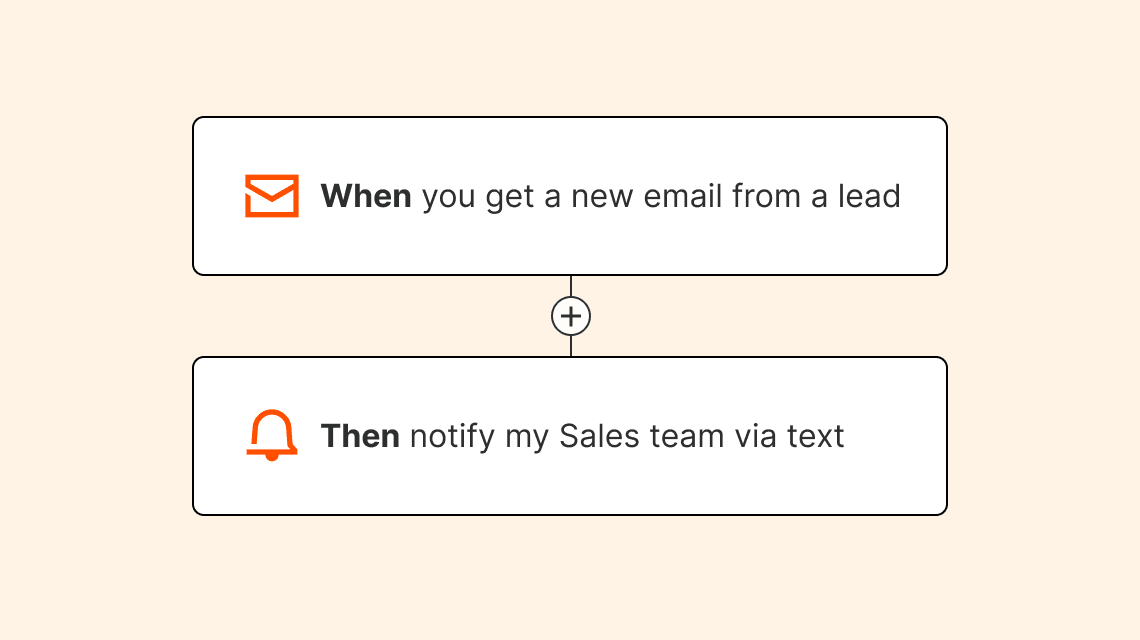
A trigger is what starts a workflow. An action is what happens next. On a truly customizable platform, you get to define both—and that flexibility is what separates automation that actually fits your process from automation that forces you to approximate it.
Think about the difference between "send a notification when a form is submitted" and "when a deal moves to the negotiation stage in your CRM, create a task in your project management tool, notify the account manager in Slack, and add the contact to a specific email sequence." The second workflow demands a platform that lets you choose your own trigger events, map them to specific actions across multiple apps, and configure what data gets passed along the way.
Zapier lets you choose the trigger, define every action, and control exactly how data maps between each step so nothing gets lost or mangled in translation. Without that control, you end up bending your process to fit the automation. Which defeats the whole point.
Logic and branching

Real workflows are rarely linear. A support ticket might need to go to one team for a billing issue and to a completely different team for a technical problem. A new lead might need different follow-up sequences depending on which product they expressed interest in.
Logic and branching—like if/then conditions, filters, and multi-path routing—are what let you handle all of those scenarios with a single workflow instead of building a separate automation for every case.
This is where a lot of simple automation tools hit their ceiling. They can handle the straightforward stuff just fine, but the moment your process has any nuance, you're stuck. A platform like Zapier with robust logic capabilities lets you encode that nuance directly into the workflow, so edge cases get handled automatically instead of falling through the cracks.
Read more: Maximize your productivity with multi-step Zaps
Editable workflows
As much as I hate to admit it, automation isn't a set-it-and-forget-it enterprise. Your processes evolve, your tools change, and your team looks different from year to year. A workflow you built six months ago might need three new steps today, or a different trigger entirely. If editing an existing automation is painful—or forces you to rebuild from scratch—you might throw your hands up and go back to doing things manually.
The best platforms make iteration easy. You can drop in a new step, swap out an app, adjust the logic, and redeploy without disrupting everything downstream. Zapier even offers Sub-Zaps, reusable mini-workflows you can plug into any Zap—and when you change them once, they change everywhere.

That customizability might sound like a small thing, but it's the difference between automation that stays useful over time and automation that becomes a liability the moment anything changes.
Read more: Workflow management: Definition and best practices
Data mapping and transformation
Data rarely moves cleanly between apps on its own. One system stores a customer's name as "First Last." Another expects "Last, First." Your CRM uses numeric IDs for deal stages, while your project management tool uses text labels. Without control over how data is formatted, split, combined, or translated between steps, you end up with broken workflows and a lot of manual cleanup.
Good data mapping tools let you define exactly how information flows between systems—which fields map where, how values get transformed, and what happens when something unexpected comes through. Zapier even lets you write custom formulas, format and enrich data, or add code steps for complex transformations. That level of control is what makes automation reliable at scale, not just in a demo.

Scalability and governance
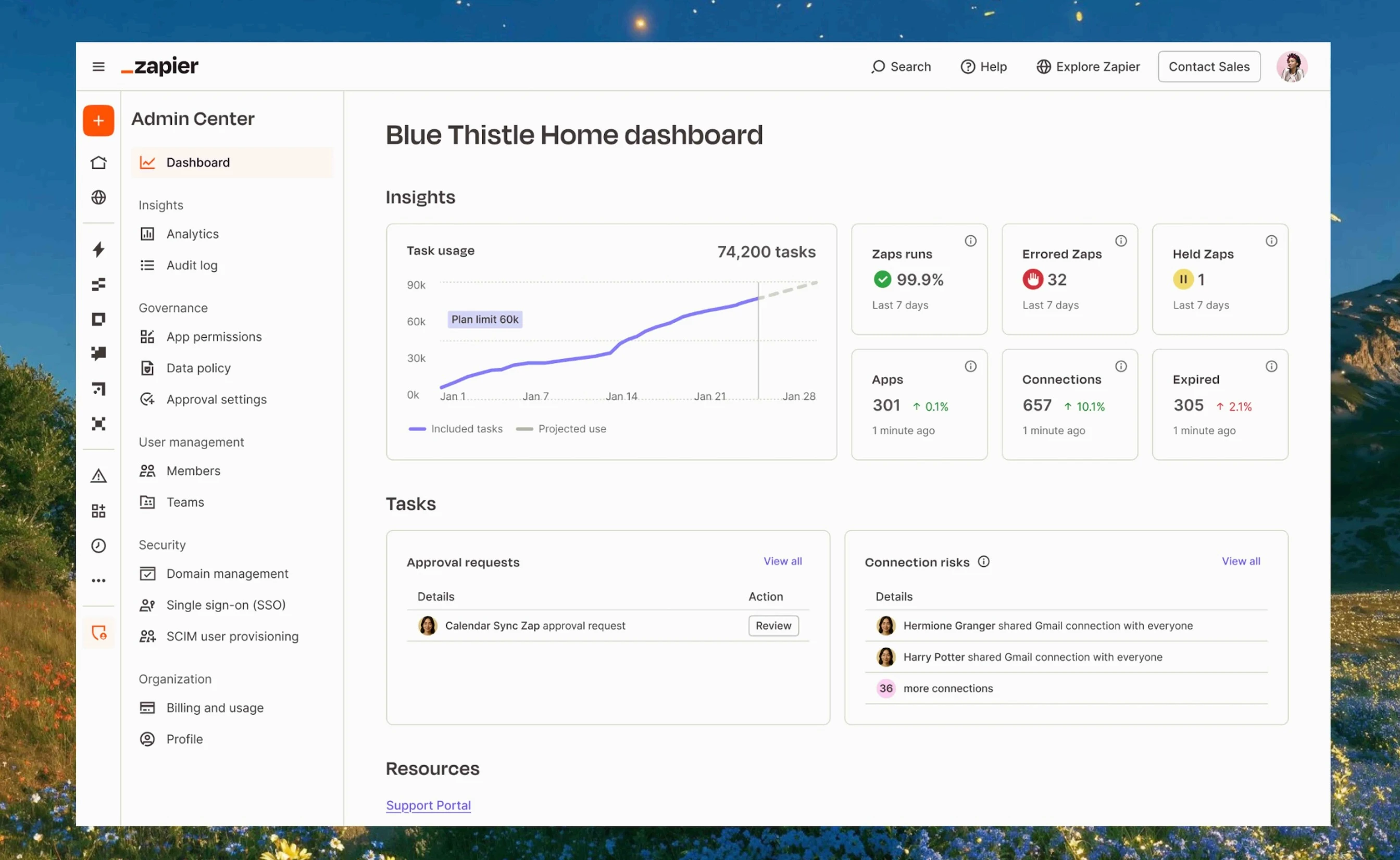
Building one automation for yourself is easy. Building fifty automations across ten teams—with visibility into what's running, who owns it, and what to do when something breaks—is a different challenge entirely. As automation spreads across an organization, you need structure. Shared folders, permission controls, audit logs, and admin oversight keep things from turning into an unmaintainable tangle.
This is especially important as AI-powered workflows enter the picture. When automations are making decisions or taking actions on behalf of your team, governance isn't optional. It's what keeps AI automation trustworthy and auditable. Zapier built governance in from the start, so customization and control can grow together rather than working against each other.
Zapier is the most customizable automation platform

You're on the Zapier blog, so it's probably no surprise to you that I think Zapier is the best choice. But I've been a die-hard user since long before I worked here, in large part because of how easy it is to customize Zapier to whatever workflow my (very non-technical) brain wants to build next.
Zapier is an AI orchestration platform built for multi-step workflows that span your entire stack. With 9,000+ app integrations—from major enterprise platforms and AI tools to niche SaaS apps—you're not limited to connecting two tools. You're building end-to-end processes that keep every team and system in sync.
For instance, when a lead comes in through your website form, a Zapier workflow can send a confirmation email to the customer, alert the sales team, log the lead in your CRM, and update your analytics report automatically, without human error.
You can layer in an AI agent to enrich and score that lead, then route it to the right sales rep via Slack based on conditional logic you define. Or, deploy an AI chatbot to handle immediate client needs on the spot. None of this requires coding knowledge.
Zapier combines depth and accessibility across every dimension of customization. Filters, conditional logic, and multi-step branching let you inject real nuance into your workflows. When your process changes (and it will), editing an existing Zap is straightforward: add a step, swap an app, adjust the logic, and redeploy without starting from scratch.
Tools like Tables, Forms, and Canvas extend things further, letting you capture data, automate data flow, and visually map internal processes all within the same platform. And as automation spreads across your organization, Zapier's admin controls, shared folders, and audit visibility mean customization stays manageable rather than chaotic.
And if you're not sure where to start, describe what you want in plain language to Zapier Copilot and let it build the workflow for you. For teams that need flexible, scalable automation without a developer, Zapier is hard to beat.
Top customizable automation platforms
I'm the kind of person who has to try every option before committing to one (just ask for my strong opinion on every La Croix flavor ever released). So I get it if you don't want to just take my word on Zapier.
Every team's stack, budget, and technical resources are different, and the right tool really does depend on your situation. Here are the other platforms worth knowing about before you decide.
Zapier
I'll keep it brief since you just read my treatise, but Zapier is the best customizable automation platform out there. As an AI orchestration platform, Zapier supports multi-step workflows across your entire stack, with 9,000+ app integrations spanning enterprise tools, AI platforms, and niche SaaS apps. You can automate complete, end-to-end processes, layer in AI at every step, and add filters, conditional logic, branching, error handling, version control, and other customizable features to keep things running smoothly.
n8n
n8n is one of the few automation platforms that lets you self-host your workflows, which makes it appealing for teams with strict data sovereignty requirements. The Community version is free to download—but just know that "free" comes with an asterisk. Getting it running requires either a local Docker or npm installation, or a virtual private server, and that's just the beginning. Ongoing maintenance, security patching, and custom development all fall on you.
For customization, n8n offers 1,400+ pre-built integrations (fewer than Zapier's 9,000+, but nothing to sneeze at) and the ability to write custom JavaScript directly within workflows. Connecting apps outside the native library requires an HTTP request node, so less common tools need extra legwork. If your team is comfortable in code and wants maximum control over how and where your automation runs, n8n delivers. If not, the overhead likely outweighs the flexibility.
Read more: Zapier vs. n8n
Workato
Workato is a low-code enterprise automation platform built primarily for IT teams. It excels at connecting complex systems—like SAP, Oracle, and NetSuite—with strong governance features like role-based access controls and detailed audit logs.
The trade-off is speed and accessibility: building a workflow can take weeks for anything complex, and the platform assumes technical knowledge that puts it out of reach for most non-IT users. Its integration library covers around 1,200 apps, so niche or newer SaaS tools will require custom connectors. Pricing involves annual contracts with significant upfront investment.
Workato is a strong fit for large enterprises with dedicated IT resources, and less so for organizations that want customizable automation accessible across the whole team.
Read more: Zapier vs. Workato
Boomi
Boomi's deepest strength is connecting modern cloud apps with legacy, on-premises systems like ERPs, databases, and custom internal tools. If your organization has data sitting behind a firewall, Boomi's hybrid architecture is a real advantage, especially for AI workflows that need to reach systems that predate APIs.
The platform offers serious customization depth, with complex data mapping, robust error handling, version control, and custom scripting. The interface can feel dated, but experienced teams often see that as a fair trade for stability. Implementations require dedicated developer time, and costs scale quickly as workflows grow. Boomi is best suited to organizations with complex hybrid environments and the technical resources to match.
Read more: Boomi vs. Zapier and Boomi vs. Workato
MuleSoft Anypoint Platform
MuleSoft is less of an automation builder and more of an API governance ecosystem. It's designed for teams that need to design, secure, version, and scale large API ecosystems—particularly in regulated industries like finance and healthcare.
For AI automation specifically, it functions as a control layer. Instead of letting AI tools connect directly to core systems, teams expose tightly governed APIs that define exactly what data AI can access and how.
The customization runs deep, but so does the learning curve. Non-technical users won't get far without developer support, and implementations have a long runway. If your team lives and breathes APIs and needs serious governance at scale, Anypoint delivers. Otherwise, it's probably more than you need.
Read more: Zapier vs. MuleSoft
Tray
Tray is a developer-first automation platform that gives users precise control over data and execution. It offers complex payload mapping, raw API calls, and granular workflow customization.
Paired with strong governance features, it appeals to centralized IT teams managing automation at scale. Its AI layer, Merlin, lets you build agents that make decisions using company data, interact with APIs, and swap between LLMs depending on the task.
The accessibility gap is real, though. With around 120 pre-built connectors and no robust template library, non-technical users will still need engineering support to build or modify workflows. Tray is worth considering if you have technical resources and need granular control, but less ideal if you're trying to spread customizable automation across the business.
Read more: Zapier vs. Tray
Find the customizable automation platform that fits your workflow
Don't tell my college roommate this, but there's no universally correct way to load a dishwasher—and there's no universally correct automation platform. The right one is the one that fits how your team actually works. Look for the one that best fits your apps, your logic, your edge cases, and your tolerance for technical complexity. A platform that checks all the boxes for someone else might be completely wrong for you, and that's okay.
What's not ok is settling for a tool that forces you to bend your processes around its limitations. Automation is supposed to make work easier, not give you a new set of constraints to manage.
If you're looking for a place to start, Zapier is built to be customizable for non-technical teams who want to move fast, as well as technical teams who want to get granular. Try it free and see how it fits your team.
Customizable automation platform FAQs
What's the difference between automation and a customizable automation platform?
Automation is when work happens automatically based on rules (e.g., "when X, do Y"). A customizable automation platform is a dedicated tool that lets you design and change those rules across many apps—with triggers, steps, logic, and connections—so your automations match your processes instead of the other way around.
Do I need to code to use a customizable automation platform?
Not necessarily. Many platforms, including Zapier, are built for no-code use. You configure triggers and actions, map fields, and add logic with filters or conditions. Zapier also offers optional code steps for teams that want to go deeper. But if you want to build sophisticated, multi-step automations without ever touching a line of code, that's very much on the table.
Can I connect any app to a customizable automation platform?
It depends on the platform. Most offer a large library of pre-built integrations plus webhooks or API-based connections for tools that aren't in the catalog. The more integrations a platform has—and the easier they are to set up—the more you can build workflows around the apps you actually use rather than the ones the platform happens to support. On Zapier, you can connect 9,000+ apps out of the box, plus any other app you want using webhooks and custom actions.
How do I know if a platform is customizable enough for my team?
Check the six criteria covered above: breadth of integrations, configurable triggers and actions, logic and branching, ability to edit workflows, control over data mapping, and scalability and governance. Then try building one real workflow you actually care about. If you can implement your process without painful workarounds, it's probably customizable enough to start.
Can ChatGPT create workflows?
Sort of—but not in the way a dedicated automation platform can. ChatGPT can help you think through a workflow, write code snippets, or draft the logic behind an automation. And with the right plugins or integrations, it can take limited actions like sending messages or searching the web. But it can't connect your apps, trigger automations based on real-time events, or reliably execute multi-step processes across your stack on its own.
That's where Zapier comes in. ChatGPT is one of the thousands of apps Zapier integrates with, which means it can actually trigger actions across 9,000+ apps automatically, without anyone prompting it. A lot of teams use ChatGPT (or other LLMs) as a step inside a deterministic Zapier workflow, where AI handles the thinking and Zapier handles the doing.
If you want to take that integration even further, Zapier MCP (Model Context Protocol) lets AI tools like ChatGPT directly access and execute actions across Zapier's library of apps without you having to build a custom integration for each one. Think of it as giving your AI a direct line to your entire app stack, so it can take action on your behalf rather than just telling you what to do next.
Related reading:


