Zapier vs. MuleSoft
Published: 9/16/2026 | By Ryan Kane
MuleSoft is built for enterprises with dedicated developers, integration architects, and DevOps engineers who need deep control over legacy systems and sensitive data. Zapier is built for everyone else: enterprise teams who don't want to wait months and commit to a six-figure contract to automate something that shouldn't need an IT ticket.
Here's what you'll get with Zapier:
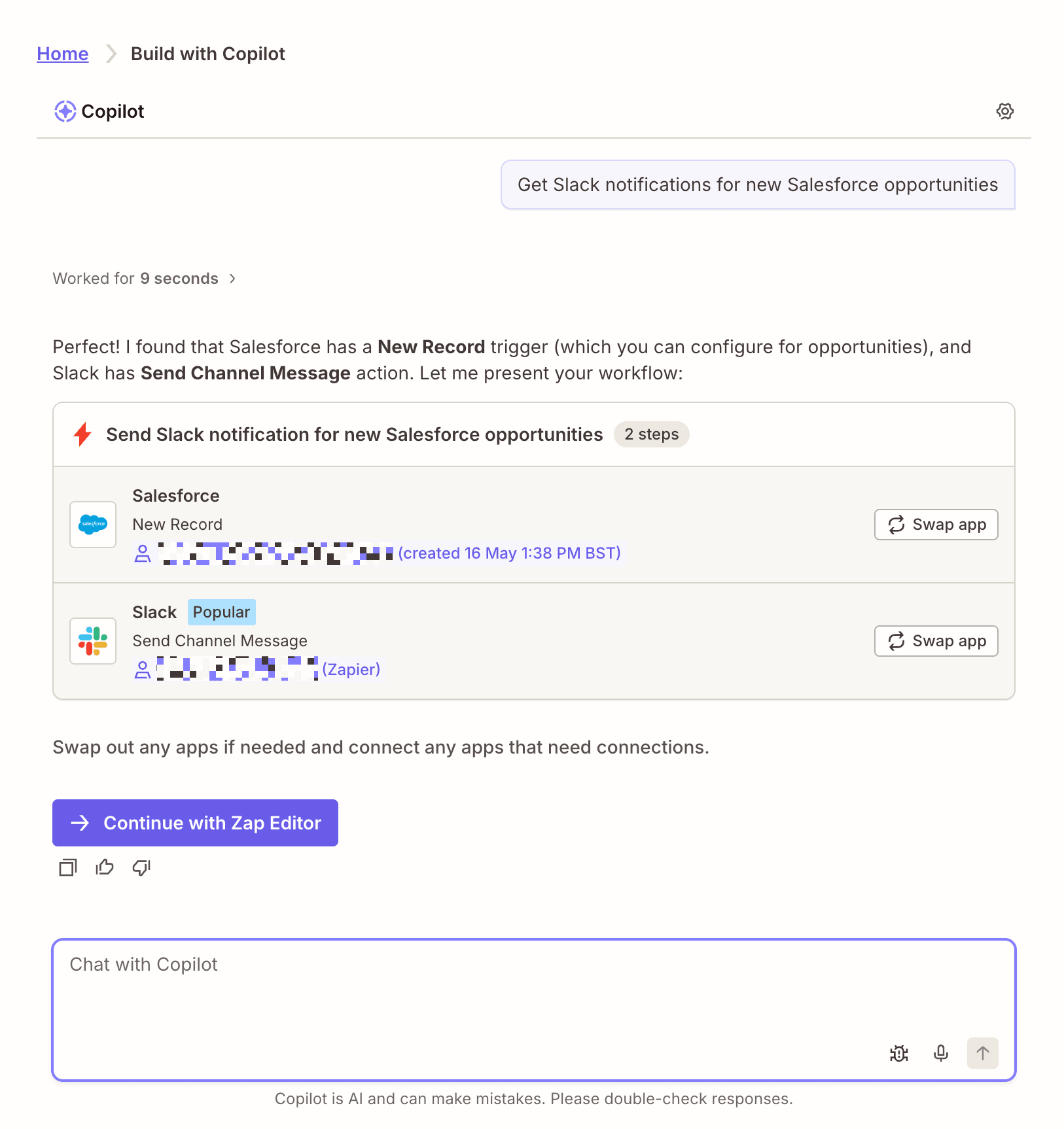
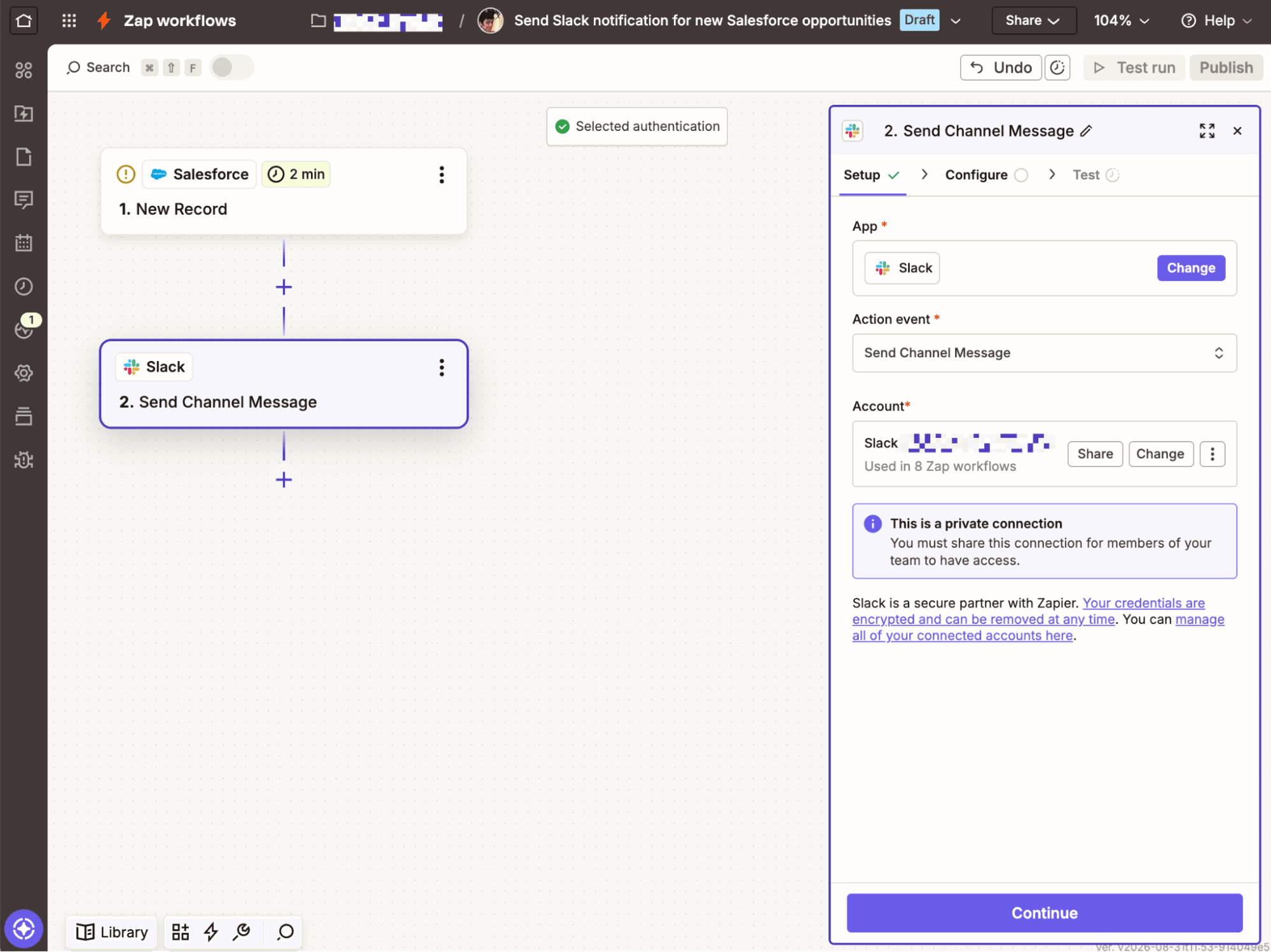
Build without a developer team: Anyone on your team can create automations with Zapier's no-code editor, templates, and AI copilot. MuleSoft's tools assume a team of developers, integration architects, and DevOps engineers.
Skip the six-figure sales cycle: Start for free with just an email address, and scale only as you need to. MuleSoft's custom-quoted contracts typically run mid-five to six figures annually before you've built a single integration.
Connect 30x more apps: 9,000+ integrations, governed by Zapier, compared with MuleSoft's roughly 300 prebuilt connectors—and Zapier's don't require manual version updates.
Comparison
Compare Zapier and MuleSoft pricing, integrations, and more
Reviews
See why customers choose Zapier
Features
Review Zapier and MuleSoft features in depth
FAQ
Get answers to your questions
MuleSoft vs. Zapier comparison
| Zapier | MuleSoft | |
|---|---|---|
| Overview | Zapier is an AI orchestration platform that gives every team governed access to build workflows and agents across the whole organization | MuleSoft is an enterprise iPaaS and API management platform built for developers and integration architects managing legacy systems, sensitive data, and AI agent sprawl across the organization |
| Enterprise & scale | Governed access to 9,000+ apps for every team and AI tool, with no sprawl to clean up and nothing for IT to unify after the fact | Agent Fabric gives IT visibility into agent activity across multiple platforms, but everything runs through a team of developers and integration architects |
| Implementation | Minutes to hours; sign up with just an email address | Weeks to months; requires MuleSoft developers, integration architects, and DevOps engineers |
| Integrations | 9,000+ apps; connections are automatically maintained | ~300 prebuilt connectors; manual connector-version updates required |
| Ease of use | Visual builder, templates, AI copilot, and Zapier MCP make it accessible to non-technical teams | Built for developers and integration architects; Composer (its low-code option) has been retired |
| Security & governance | SOC 2 Type II, SOC 3, GDPR, and CCPA certified, plus SAML SSO, audit logs, and role-based access control starting on the Team plan, with SCIM provisioning and app- and action-level restrictions added at Enterprise | SOC 2 Type II, SOC 3, ISO 27001, GDPR, PCI DSS, and HIPAA compliant, plus SSO, RBAC, and audit logging |
| Pricing | Free plan available; transparent, published pricing starting at $19.99/month, with team pricing at $69/month; custom pricing available for enterprises | Custom-quoted subscription; typically mid-five to six figures annually |
| Reliability & performance | Public status page, autoreplay, custom error handling, task histories, and version rollback included by default | High availability requires customer-configured clustering across multiple workers; cross-region failover and disaster recovery are the customer's own responsibility |
What customers say about Zapier
"We were eager to adopt AI integrations but had real reliability and security concerns—Iron Noodle addressed those directly by leveraging Zapier's newer MCP tools."
—Jamie Miller, MillerMillerlaw.com
Customer testimonial
"They have integrations for most major software, and that list is constantly growing. It's also super easy to learn and implement. We have Zapier processes running for our company every day, and it has helped make our lives much easier."
—Connor C., Technical Business Analyst
G2 review
"Zapier is like the IBM of automation. It allows us to move fast, adapt fast, and keep our clients happy."
—Ryan Gough, Principal Solutions Architect, Smith.ai
Customer testimonial
"We're using Zapier across marketing, revenue, support, and solutions architecture. It's embedded in every part of the business."
—Jacob Sirrs, Marketing Operations Specialist, Vendasta
Customer testimonial
Trusted by 3.4 million companies



















AI automation starts and scales with Zapier
Build reliable, consistent workflows across tools, people, and processes. Access 9,000+ apps securely from any surface, and add AI to the mix only when you need it.
Compare features: Zapier vs. MuleSoft
Both Zapier and MuleSoft can handle enterprise-scale automation, but they're meant for different builders. MuleSoft focuses more on API management and assumes a team of developers and integration architects, while Zapier focuses on AI automation and is built for anyone on your team to use, technical or not. The choice comes down to a governed platform every department can use today, or a governed platform only your most technical team can use. After hours of researching both platforms and doing as much testing as I could in both Zapier and MuleSoft, here are my two cents on how they stack up.
Enterprise & scale
MuleSoft is built for IT-led, developer-driven integration programs at large enterprises, while Zapier gives every team in that same enterprise governed access to build without waiting on IT.
Enterprises use MuleSoft for strategic, core integrations, like linking banking and ERP systems. Royal Bank of Canada, for example, used MuleSoft to digitize the process of opening a bank account, which involved accessing sensitive data in legacy systems via custom APIs. MuleSoft is a good choice for multinationals setting up mission-critical infrastructure like this, and it offers HIPAA compliance, which Zapier doesn't.
MuleSoft's Agent Fabric is the platform's governance layer for AI agents and assets. Using Agent Scanners, for example, MuleSoft connects directly to cloud platforms like Microsoft Copilot Studio and Amazon Bedrock, and pulls in whatever agents are already running there.
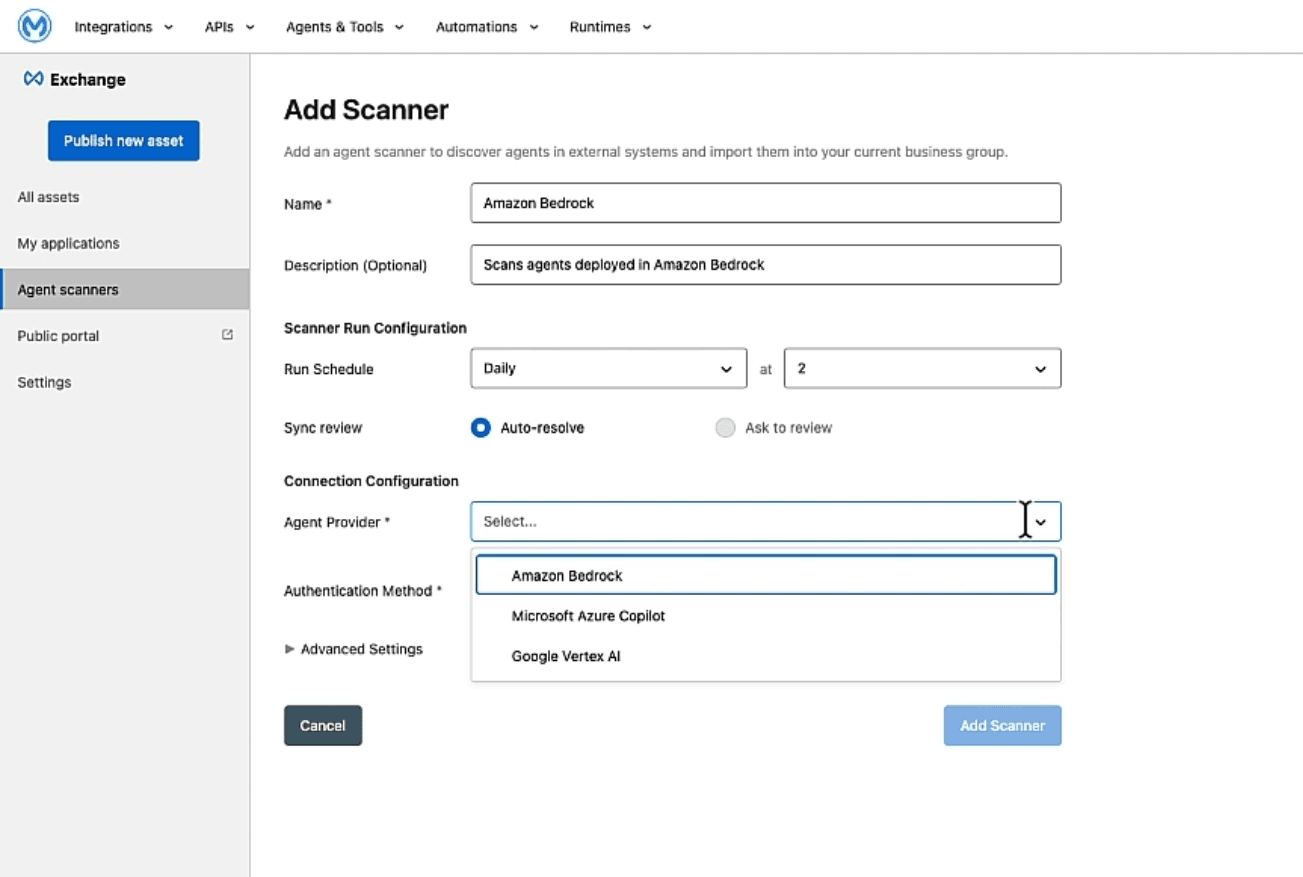
The rest of Agent Fabric, including Agent Visualizer's graph of your agent network, exists mainly to manage the agents, MCP servers, and APIs your scans pick up, or that your team builds with MuleSoft's tools. Since Zapier doesn't manage agent sprawl outside its own platform, MuleSoft offers an advantage here if you're trying to unify shadow AI activity that's already gotten out of control. But it also means MuleSoft is about giving IT visibility into what's already sprawling, not preventing the sprawl from happening in the first place.
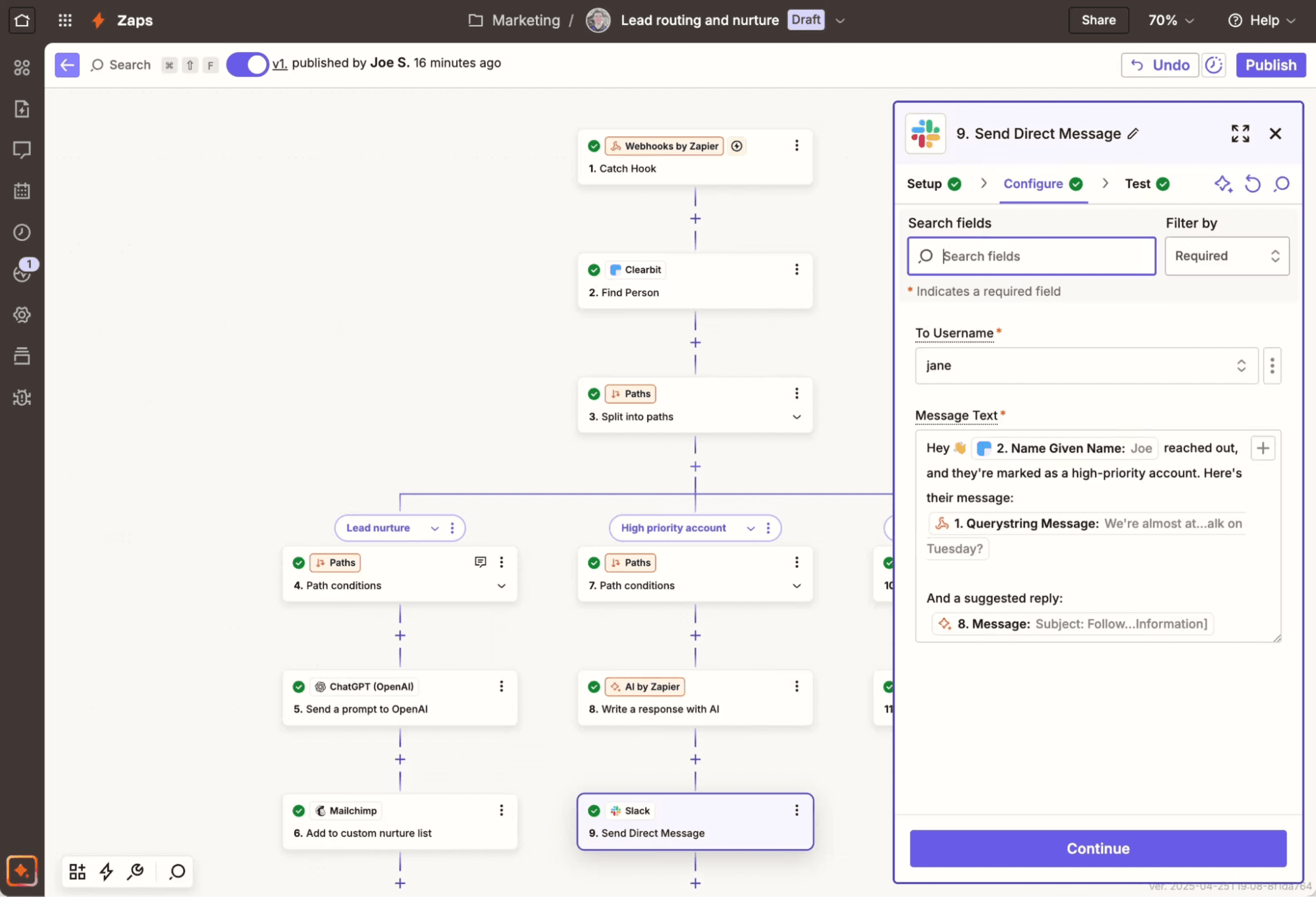
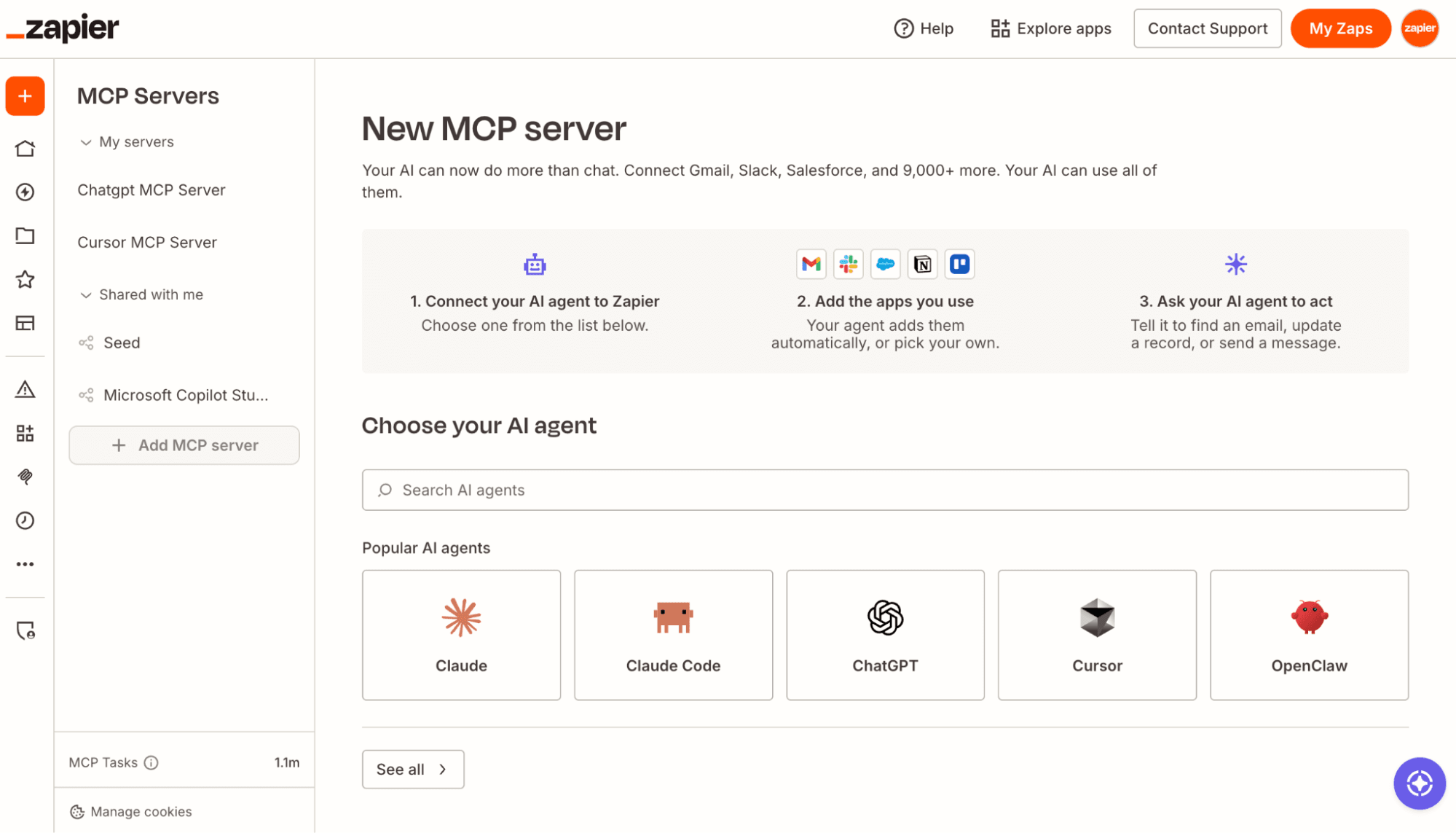
Zapier takes the opposite approach: give every team governed access to 9,000+ apps and any AI tool from day one, so there's no sprawl to inventory later and no scattered credentials for IT to clean up. According to MuleSoft's own 2026 survey of IT leaders, the average enterprise uses over 950 apps—far more than MuleSoft's library of prebuilt connectors, which pushes MuleSoft-run enterprises toward custom development just to keep pace with their own tech stack.
FAQ: Zapier vs. MuleSoft
Is MuleSoft or Zapier better for large businesses?
Both can work for large businesses, but they solve different problems. MuleSoft is built for IT-led integration and API management programs connecting legacy systems and sensitive data, with a team of developers and architects to run it. Zapier is built so every department in a large business can build and manage its own automations under IT-set guardrails, which typically means faster adoption and fewer requests stuck in an IT backlog.
Do I need MuleSoft, or is Zapier enough for enterprise IT teams?
If your integration work is mostly connecting SaaS tools, routing data between departments, or giving teams and AI tools governed access to your app stack, Zapier is enough. It can't fully replace MuleSoft for deep legacy-system integration or regulated, sensitive-data workloads that need HIPAA or PCI DSS compliance built into the integration layer itself. Many enterprise IT teams run both: MuleSoft for core, sensitive infrastructure, and Zapier for everything else, so IT isn't the bottleneck for every automation request.
How much does MuleSoft cost compared to Zapier?
MuleSoft's pricing is custom-quoted and usage-based, tied to Mule Flow and Mule Message consumption (or legacy vCore usage for existing customers), typically running mid-five to six figures annually once you add implementation and ongoing developer time. Zapier's pricing is public and transparent: free to start, $19.99/month for individuals, $69/month for a 25-user team, with custom Enterprise pricing once you need it. For most organizations, Zapier is the radically lower total cost of ownership.
Is MuleSoft being renamed?
No. MuleSoft is still called MuleSoft, and Salesforce (which has owned it since 2018) hasn't renamed it. What has changed is positioning. Since late 2025, Salesforce has increasingly marketed MuleSoft as the connectivity and governance layer underneath its broader AI strategy, branded Agent Fabric, rather than leading with MuleSoft as a standalone integration product.
When is MuleSoft the better choice?
MuleSoft makes sense for enterprise integration programs connecting legacy systems that hold sensitive data, like banking or healthcare infrastructure, especially where HIPAA or PCI DSS compliance needs to be built into the integration layer itself. If you have dedicated developers and integration architects, and you need visibility into agent activity already sprawling across multiple AI platforms, MuleSoft's model can work well.
AI automation starts and scales with Zapier
Build reliable, consistent workflows across tools, people, and processes. Access 9,000+ apps securely from any surface, and add AI to the mix only when you need it.
About the author: Ryan Kane is a writer and marketer based in Mérida, Mexico. He writes about SaaS, AI, and marketing while building fun Internet side projects. Learn more: ryankane.co.