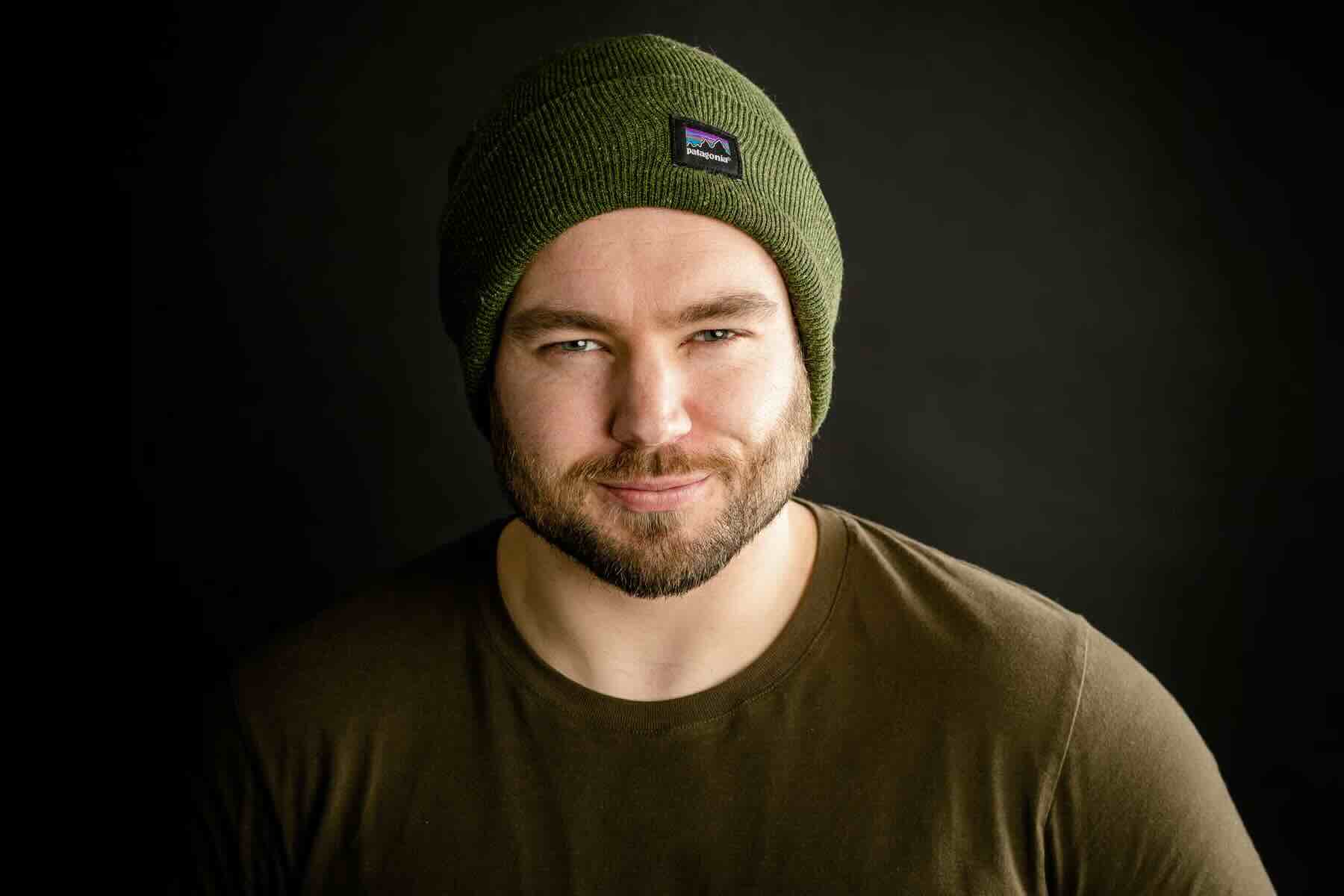
ChatGPT and Midjourney are two of the best AI image generators available. Both can take a text prompt and generate a matching image, no matter how weird or wild your request. While ChatGPT now uses the GPT Image 2.0 model instead of DALL·E 3, the DALL·E name is still so strong that I suspect lots of people haven't even realized the change. So if this is all news to you, don't worry—things have only changed for the better.
I've been testing both of these image generators, both professionally and personally, since they were released, and there's a lot to unpack. Here, I'm just looking at ChatGPT and Midjourney, not any of the other great image generators like Nano Banana Pro. If you want to see how they compare to other options, check out my list of the best AI image generators.
Now, let's dive in.
Table of contents:
How do ChatGPT and Midjourney work?
While DALL·E 3 and Midjourney were trained in similar ways, GPT Image 2.0 (and the earlier models, GPT Image 1.5 and 1), which now power ChatGPT, were trained a little differently.
Basically, Midjourney was trained on millions or billions of text-image pairs, which allows it to comprehend concepts like dogs, deerstalker hats, and dark moody lighting. GPT Image 2 is closer to a full multimodal model—it was also trained on text, audio, video, and more. It's a much bigger model, so it has a far deeper understanding of the world. Both models can parse what a prompt like "an impressionist oil painting of a Canadian man riding a moose through a forest of maple trees" is asking them to create, but ChatGPT is able to understand things with a lot more nuance.
When it comes to actually generating images, Midjourney uses a process called diffusion. It starts with a random field of noise and then, over a number of steps, edits it to better match its interpretation of your prompt. This is why you can get different results every time, even if you try the same prompt a second time: the randomness of the starting seed can totally change the end result. The process is kind of like looking up at a cloudy sky, finding a cloud that looks kind of like a dog, and then being able to snap your fingers to keep making it more and more dog-like. While there's more to it than that, it's not a bad way to think of things.

DALL·E 3 was a diffusion model, but GPT Image 2 reportedly uses a process based on visual autoregressive modeling, though OpenAI isn't reporting any facts about its architecture. Instead of starting with a blank field of noise, a visual autoregressive model is essentially able to come up with a rough draft and then improve things from there. Combined with its understanding of language that comes with the GPT models it integrates with, this makes ChatGPT incredibly powerful.

In addition to the differences in models, there's a lot more that affects the final results. How each model interprets your prompt, the weight it puts on the various parameters, what other features you use, and the philosophies of the companies responsible for developing it all massively affect what the output will look like.
Here's a take on "an impressionist oil painting of a Canadian man riding a moose through a forest of maple trees" from ChatGPT.

And here's one from Midjourney.

I think they both look great, so the good news is both ChatGPT and Midjourney are solid options—though there are still a lot of differences to tease out.
ChatGPT vs. Midjourney at a glance
ChatGPT image generator and Midjourney both do similar things, but there are some big differences. Here's a short summary of the major distinctions, but read on for a more detailed breakdown.
| ChatGPT | Midjourney |
|---|---|---|
Quality | ⭐⭐⭐⭐⭐ Exceptional AI-generated images, with the best understanding of your prompts | ⭐⭐⭐⭐ Solid AI-generated images that can take a bit of work to get right |
Ease of use | ⭐⭐⭐⭐⭐ Collaborate with a chatbot | ⭐⭐⭐⭐ Surprisingly easy-to-use web app, though there's a learning curve to using all the advanced features |
Power and control | ⭐⭐⭐⭐ ChatGPT makes editing simple | ⭐⭐⭐⭐⭐ Best-in-class customization, if you can figure out all the quirks |
ChatGPT is easier to use
GPT Image 2 is available through ChatGPT, but you probably won't even realize that it's the model that's doing the image generation since it integrates so fully with the regular experience. Right now, GPT-5.6 is managing most of the interactions, but at any point in a chat, you can ask ChatGPT to create any image you want, and it will send all the relevant information to GPT Image 2. The switch between the models is seamless.

If you want to change anything, you just ask ChatGPT to make an adjustment, add extra details, riff on the original idea, or incorporate it into the other things you're doing in ChatGPT.

Because of ChatGPT's deep understanding of the real world, the chat interface, and its ability to do research, you don't have to be particularly careful with your prompts, and you can incorporate all sorts of random ideas. You can just tell ChatGPT what you want, and it will get it right most of the time.

This is particularly apparent when it comes to rendering text. GPT Image 2 is excellent at it. It apparently achieves 99% text accuracy with the standard Latin alphabet.

Here's the infographic close up.

There's one or two small typographic tweaks I'd make, but the core of this is exceptionally good. You can imagine how useful this is for quickly creating invitations or flyers (though a backlash against them looks like it might be brewing, so be careful).
The big downsides are that ChatGPT can take a minute or so to generate an image, and it only generates them one at a time. You can't iterate quickly through a load of different ideas and home in on what works.
Free ChatGPT users have limited access to image generation (a few a day), while ChatGPT Go and ChatGPT Plus subscribers get access to unspecified higher limits. In my testing, I've never hit them on the Plus plan.
Midjourney works much the same way, though it isn't a chatbot, which limits the interactive aspect—and it still has a few quirks. Originally, the only way you could use it was through Discord, a team chat app, but you can now also log in to a web app with a Google account. Midjourney occasionally offers free trials, but for the most part, you need to sign up for a paid plan to use it. (I'll look at pricing properly a little later on.)

Once you're in, you just enter what you want Midjourney to create in the Imagine bar, and it will quickly generate four options. If you want to make some quick changes, turn on Conversational Mode and you can update your prompt and iterate on your idea. But for bigger edits, you have to dive deeper into Midjourney's options, which is where things get complicated.

Midjourney gives you more customization options
ChatGPT has three big features that allow you to control its results:
You can go back and forth with ChatGPT in the chat interface.
You can upload an image and use it as the base for something.
You can select an area of an image and replace it with AI-generated content.
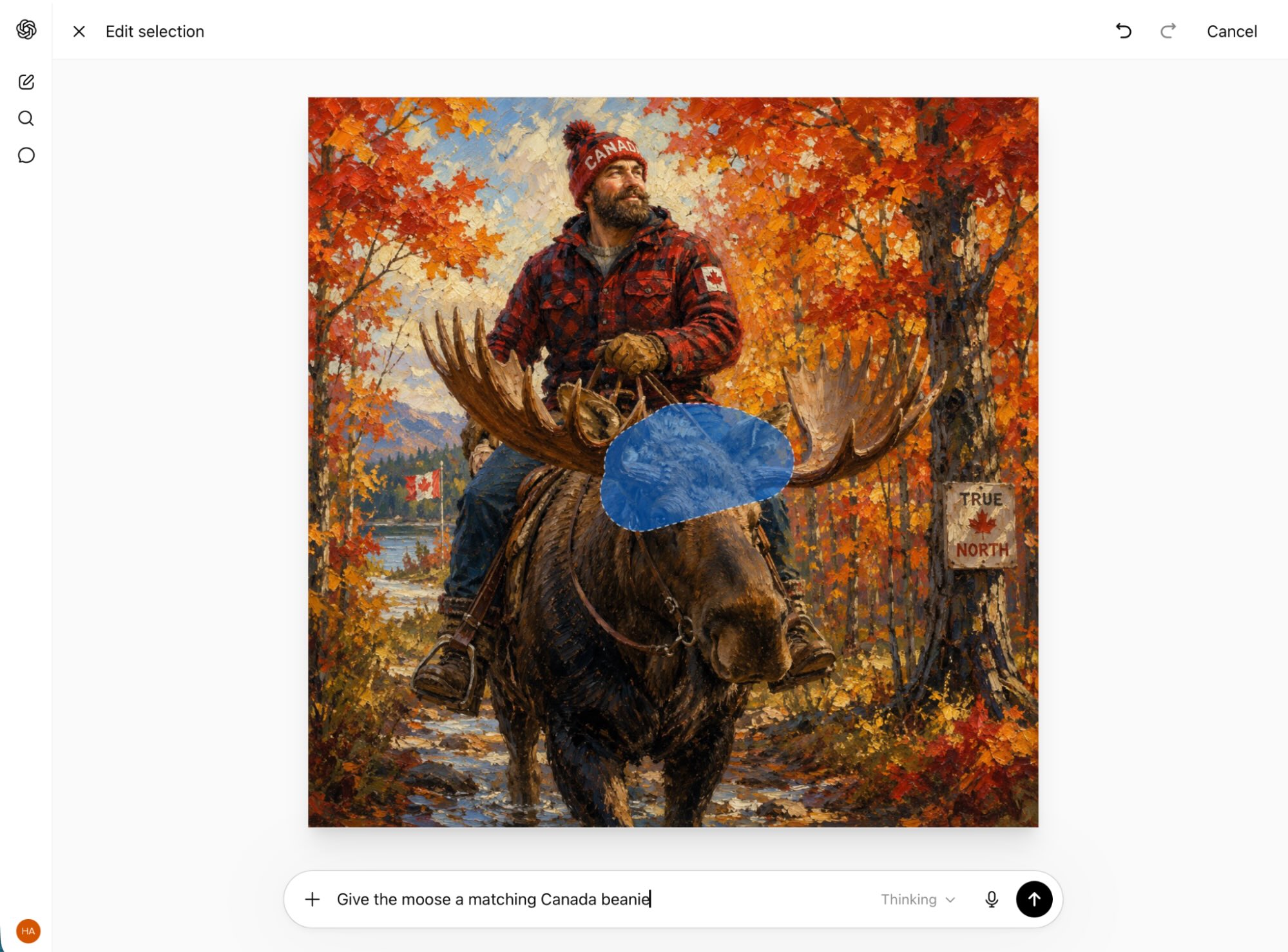
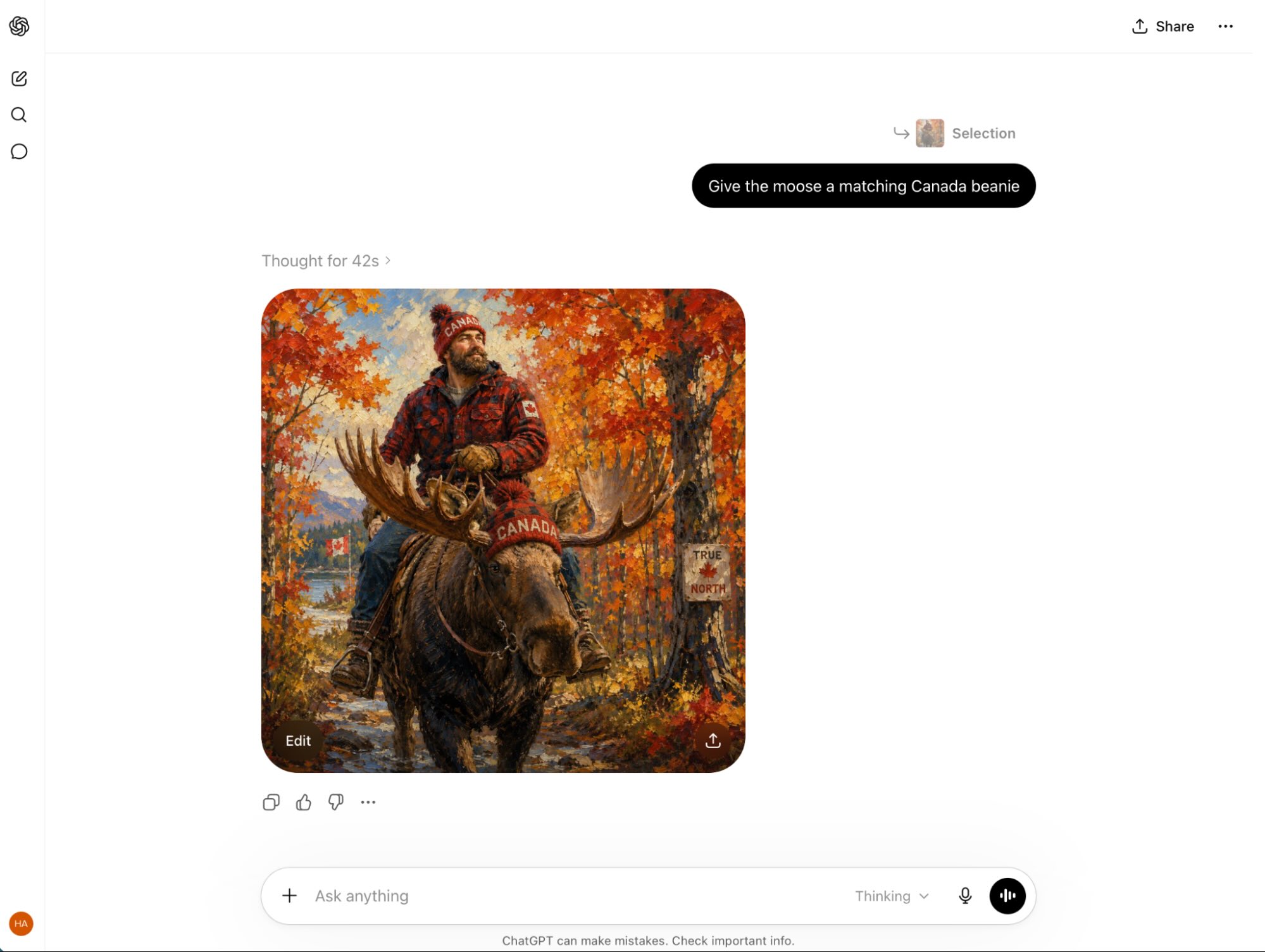


All three of these work exceptionally well, but it's still a far more limited and less customizable feature set than Midjourney.
For example, to use the latest versions of Midjourney's algorithm, you have to click through 200 pairs of images and select your favorite to fine-tune it to your preferences.

This means that by default, Midjourney is going to generate images tailored to your preferences. On top of that, here's an abbreviated list of the customization options available in Midjourney:
Control how strongly Midjourney applies its default style, how weird it's allowed to be, and how much variety there is among your images.
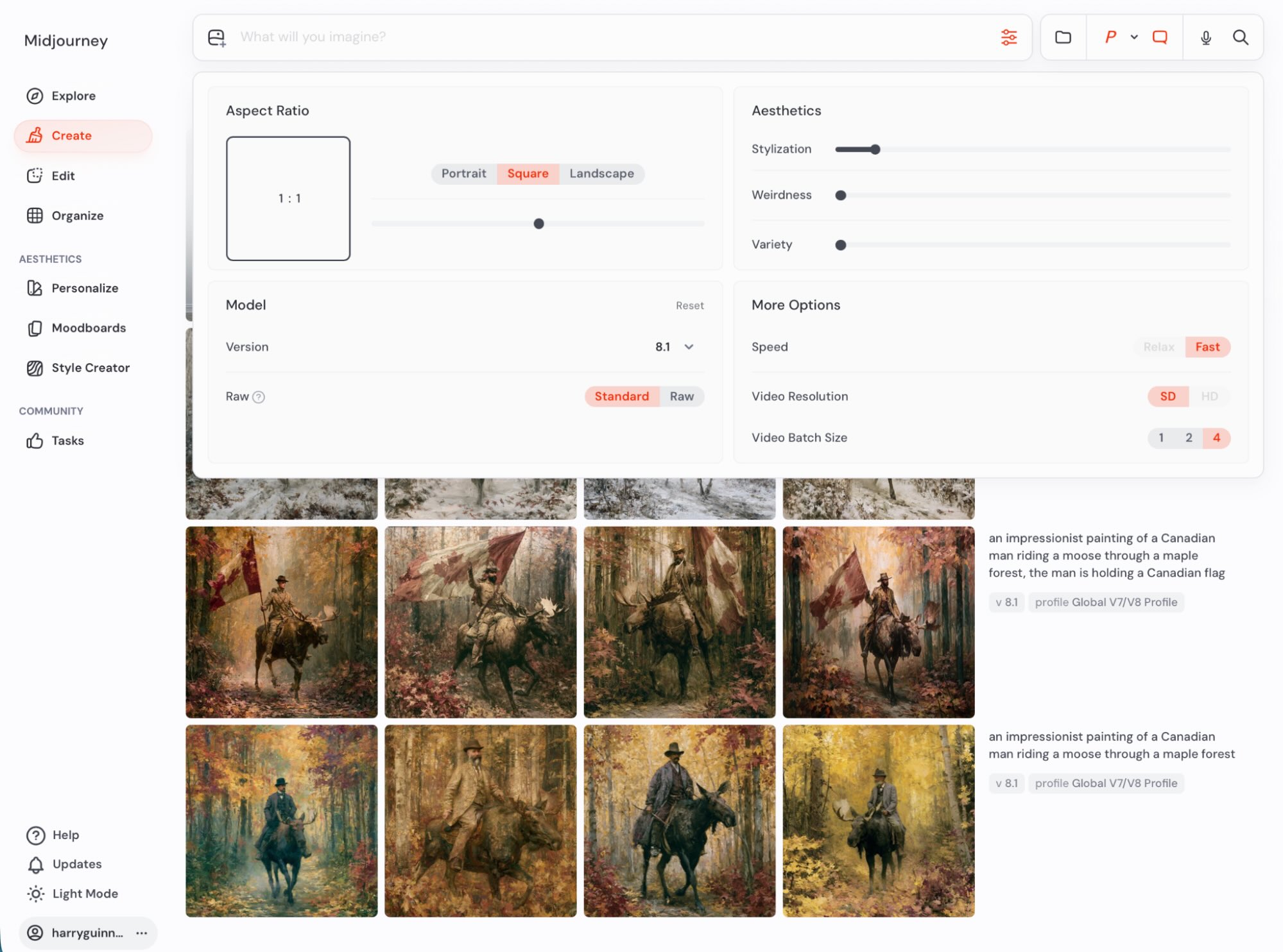
Select from different versions of the Midjourney model.
Use images as the basis of a prompt, as a style reference, as a character reference, and as an "omni-reference," which means it tries to include whatever is in the photo. (Omni-references aren't supported in the latest model yet.)
Take any generated image and create iterative variations with or without tweaking the prompt.
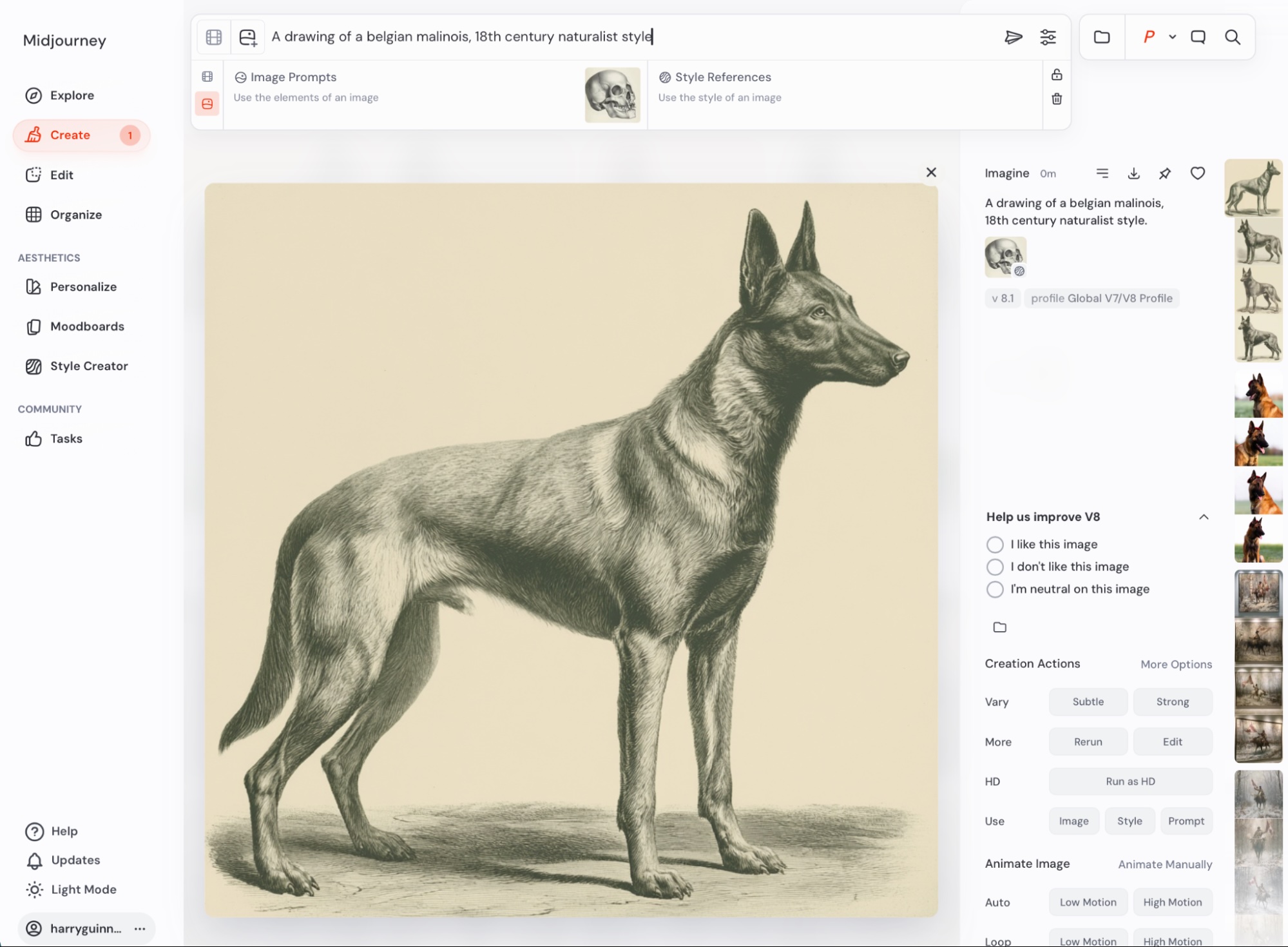
Expand any generated image in any direction, change its aspect ratio, or zoom out.
Create a personalized style by ranking images so Midjourney knows what you like.
Use draft mode to quickly iterate on ideas for less GPU cost.
Animate any images generated, turning them into five-second videos. This is something OpenAI has pulled away from in the last few months and was never a feature of ChatGPT, but if it's something you want to do, Midjourney is your only option between the two.
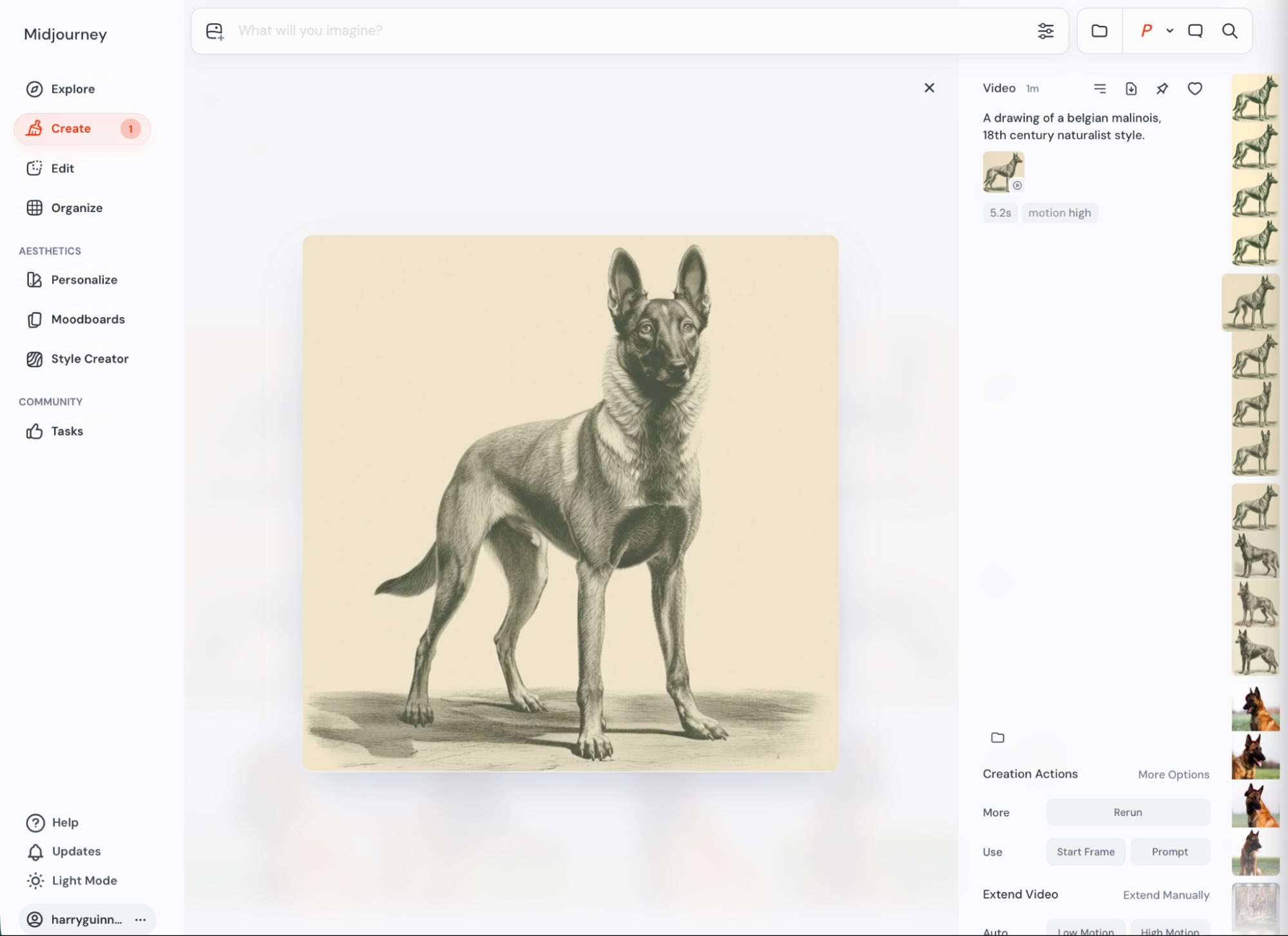


And honestly, this is barely scratching the surface. Dig into Midjourney's help docs, and you'll find loads more ways you can prompt, tweak, combine, and otherwise get creative with your images. The downside of this is that using these features is necessary to get the most out of Midjourney.
GPT Image 2.0 is now the better model
While both ChatGPT and Midjourney are capable of creating incredible images, GPT Image 2 is the better model for a couple of reasons.
For starters, ChatGPT can render accurate text, while Midjourney can't reliably do it.


ChatGPT also has a better understanding of numbers and position. For one-off prompts, it's more likely to get you the results you want—though Midjourney's latest model, V8, is much improved in this respect.


The catch is that if you use Midjourney to its fullest and figure out its quirks, you'll be able to reliably create AI images that better fit your vision. With ChatGPT, you get awesome results, but you can't really shape them. With Midjourney, you have to do more work, but you have a lot more control.
Pricing depends on your needs
ChatGPT's pricing is pretty simple:
There's a free plan with ads that allows limited image generation.
ChatGPT Go costs $8/month with ads and allows more image generation.
ChatGPT Plus costs $20/month for nearly unlimited use (though too many requests in quick succession will probably get you cut off).
Midjourney has no free option, but the Basic Plan starts at $10/month and entitles you to 200 minutes of GPU time. Which, of course, is where things get complicated. Midjourney says that's good for roughly 200 generations a month, but it totally depends on what you're getting it to do. If you create lots of variations and upscale them all to the maximum amount or turn them into videos, you'll burn through those GPU hours faster than if you create lots of low-res images.

And to make things more complicated, starting with the $30/month Standard plan, you get more fast GPU hours, but you can generate unlimited images in Relax mode—which only runs when there's free GPU power. You can also generate HD videos.
Given the massive differences between the two apps, I'm incredibly reluctant to make any judgments based on price. The free ChatGPT plan is obviously the cheapest way to start generating images, but if you want to create a lot of images, the $10/month Midjourney plan is a good balance of features and price. And then, for $20/month, you can get ChatGPT Plus—which also has all of ChatGPT's other generative AI features.
Commercial use is complicated
If you're planning to use ChatGPT or Midjourney for commercial use, things get a bit complicated. Both models allow commercial use, but the full legal implications haven't really been explored.
In a ruling in February 2023, the U.S. Copyright Office decided that images created by Midjourney, and by extension, other generative AIs, can't be copyrighted. Their latest guidelines say that "copyright does not extend to purely AI-generated material, or material where there is insufficient human control over the expressive elements."
They've reaffirmed this stance, and the courts have sided with their interpretation on multiple occasions. This means you have limited protections if someone takes your images and uses them in ways you don't want them to. Technically, using someone else's image goes against Midjourney's terms of service, but that's not exactly a very strong legal shield if you're trying to build a brand, design a logo, or create character designs using the app. The worst that Midjourney is likely to be able to do is ban whoever takes your images.
Midjourney is also currently being sued by Disney and Universal for copyright infringement. They're fighting back, and the case is working its way through the courts, but it's a messy detail.
From a technical standpoint, I'd probably recommend Midjourney if you want to somehow monetize your AI creations, simply because its model gives you more freedom, and you can use things like character references and style references to generate images that look a bit more consistent. But the lawsuit definitely puts a heavy caveat over things.
Midjourney is still a bit weird
Midjourney used to be super transparent about how weird it was—you had to sign up through Discord, after all. Now that it's got a more sensible-seeming website, it feels a bit more mainstream, though there's still an undercurrent of oddities.
For example, Midjourney is also a community. The Discord still exists, and you can see a reskinned version through the Chat section of the web app. And, unless you're on the $60/month Pro plan or higher and activate Stealth Mode, all your images are automatically published to Midjourney's member gallery, where anyone can see them, download them, and copy your prompts. (This is where all the cool images you see as soon as you log into Midjourney come from.)
You can automate ChatGPT
ChatGPT connects to Zapier, which means you can use it directly from the apps you spend the most time in. For example, you can create images based on chat messages, database records, form responses, spreadsheet entries, or anything else—and send the image through to any other app you want.
And with Zapier MCP, ChatGPT gets governed, OAuth-managed access to 9,000+ apps—without exposing credentials to the model. Kick off workflows, pull in live data, and take action across your tools, all from the ChatGPT interface.
ChatGPT vs. Midjourney: Which should you use?
The choice between ChatGPT and Midjourney should be relatively straightforward for most people:
If you want the best and easiest-to-use AI image generator currently available, go with ChatGPT. While it doesn't have as many customization options, you can still do a huge amount—and there's no learning curve.
If you want a powerful option that allows you to create and customize your images, then Midjourney is the better choice. While it's harder to get the best from, its wide range of options and control are why it's still so popular with AI artists.
Alternatively, you could also check out some of the other art generators—there are plenty to choose from.
Related reading:
This article was originally published in December 2023. The most recent update was in June 2026.