Let's say you buy your dog's favorite treats online. As soon as you hit that purchase button, you'll receive an email confirmation. Probably a shipping update, too. And a delivery success message once those goodies have arrived. Next, you receive a welcome email which offers you tips and resources on pet care and a thank-you discount on poodle carriers for giving a five-star review. A few weeks later, you might even receive a follow-up with recommendations for complimentary products.
That's email automation at its finest.
In this guide to email marketing automation, I'll walk you through what it is, how it works, and the best practices that make it work, whichever email marketing automation tools you use.
From re-engaging lost subscribers to sending drip campaigns, you can now set it all up from the AI tool you already use: add Zapier to your AI assistant, tell your agent what should happen, and Zapier runs it, even after you close the chat. And if you'd rather build in Zapier itself, you can do that too.
Build automations from wherever you work. Describe the outcome you want, and Zapier connects your tools, runs the steps, and stays on the job after you close the chat. Combine AI with reliable, deterministic automation across 9,000+ apps. Get started for free.
Table of contents:
What is email marketing automation?
Email marketing automation is the use of software, predefined rules, and automated workflows to send messages based on specific actions your leads, subscribers, or customers take. Instead of relying on one-size-fits-all blasts, you can trigger personalized emails after certain events, like when someone signs up for a webinar or clicks through your website.
It's a way to send tailored messages at scale, based on what customers actually do (or don't do, like abandoning a cart) to drive engagement and ultimately revenue.
It'll touch on this a bit later on, too, but there are loads of different types of marketing emails you can automate. That might include newsletters, product announcements, onboarding sequences, or promotional campaigns.
With the right email marketing automation tools in place, your marketing team won't need to babysit subscriber lists or manually hit send. Whether you're welcoming a new customer, guiding leads through a nurture sequence, or following up after a purchase, automation ensures your most relevant content lands in the right inbox at the right moment.
Build email marketing automations from your AI assistant
Here's how a webinar signup turns into a nurture sequence, automatically:
Connect Zapier with your AI tool. Add Zapier to your AI assistant as a connector or a custom MCP server, and connect the apps you use, like Mailchimp, ActiveCampaign, HubSpot, and Slack. You connect once, and the same connections work in any AI tool you like.
Describe the job. Tell your agent what you want in plain language: "When someone registers for my webinar, add them to my ActiveCampaign nurture sequence, create a contact in HubSpot, and post their name in #marketing in Slack."
Your agent turns it into a Zap. A Zap is an automated workflow that runs on its own. Your agent drafts it, deploys it to Zapier, and shows you what it built.
Zapier runs it. The Zap starts the moment something happens, like a new subscriber or a form submission, or on a schedule you set, and keeps running whether or not your laptop is open.
Because Zapier connects to 9,000+ apps, your email platform, CRM, forms, and ad tools can all work together in one automation.
Why automate email marketing with Zapier
Your AI tool can write a subject line, but it can't sit and wait for the next subscriber to show up. Running your campaigns on Zapier adds a few things chat alone can't:
It starts when something happens. A scheduled task in an AI tool runs at a set time, whether or not anyone signed up. A Zap starts when a form is submitted, a subscriber joins, or an order is placed, so the welcome email goes out while the person is still paying attention.
It reaches your whole stack. Zapier connects to 9,000+ apps. It can add a Typeform lead to an ActiveCampaign drip, tag a Mailchimp subscriber in HubSpot after they click a key link, or anything else across your tech stack.
It runs the same way every time. Your welcome sequence behaves the same on a Monday morning as it does on a Friday night. Zaps use AI only for the steps that need judgment, like reading a campaign reply to tell a question from an unsubscribe request, and run everything else as regular steps, which are faster and cheaper. Zapier calls this fluid determinism: AI where the work needs judgment, plain steps everywhere else.
It fixes itself. Say your Mailchimp connection expires, or someone renames a field on your signup form, and new subscribers stop landing in the right drip. Zapier finds the problem and proposes a fix you can approve, or applies fixes on its own if you let it. When an AI step ends up doing the same thing every run, like tagging subscribers by interest, Zapier can offer to turn it into a regular step, so your Zaps get cheaper and steadier over time.
Your agent gets access, not your keys. Zapier manages the logins for Mailchimp, HubSpot, Gmail, and the rest, so you never paste API keys into a chat. Move from one AI tool to another and your connections stay put, and every Zap you build from any of them shows up in one place in Zapier.
Your agent could also write a script to sync your subscribers, and it will likely work on day one. The weeks after are where it gets hard. A script needs somewhere to run, a way to hear about new signups, and someone to keep it alive, and it breaks when an API changes or a login expires. With Zapier, your agent builds the Zap, Zapier hosts it and runs it from real triggers (an app event, a webhook, or a schedule), and keeps your connections working.
Email marketing automations to ask your agent to build
Not sure what to ask for first? Paste one of these into Claude, ChatGPT, or Cursor with Zapier connected, and swap in the apps you use.
Sort signups into the right segment. "When someone registers for my webinar in Zoom, tag them as webinar in ActiveCampaign, add them to my follow-up automation, and post their name in #marketing in Slack."
Tell the team when a campaign goes out. "When a campaign is sent in Mailchimp, post its subject line and link in #marketing in Slack and add a row to a Google Sheet so I have a running log."
Triage campaign replies with AI. "When someone replies to a campaign email in Gmail, have AI decide whether it's a question, an unsubscribe request, or real interest. Send questions to me in Slack, tag unsubscribe requests in Mailchimp, and add interested replies to HubSpot as new contacts." This is a good example of a Zap that uses AI only where judgment is needed: sorting the reply is the AI step, and the Slack message, list update, and CRM record are regular steps.
Set up post-purchase retention. "When a new order comes in on Shopify, add the customer to my Mailchimp customers audience and tag them with the product they bought. Thirty days later, email them a reorder reminder from Gmail."
Track performance without opening a dashboard. "On the first of every month, add the report details and link clicks for each Mailchimp campaign sent last month as a row in a Google Sheet, then post a summary in #marketing."
Email marketing automation vs. marketing automation
While they sound similar, email marketing automation and marketing automation aren't quite the same thing.
Marketing automation refers to the broader set of automated marketing activities that span multiple channels, from SMS to social media and beyond. It involves managing each and every touchpoint across the entire customer journey, from first capturing leads to nurturing them and capturing feedback.
Email marketing automation, on the other hand, is focused specifically on automating email campaigns: sending welcome emails, segmenting subscribers, and scheduling follow-ups.
There's even some overlap with email automation, which refers to automating more operational workflows like logging emails, sending transactional messages, or cleaning up your inbox.
The takeaway? Email marketing automation and email automation fall under the umbrella of marketing automation, while marketing automation covers a wider strategy that connects multiple tools, teams, and touchpoints. Email is just one (very powerful) piece of the puzzle and marketing automation brings the entire journey together.
If you're using tools like HubSpot, Mailchimp, Brevo, or ActiveCampaign, you're probably already doing some email marketing automation. But with the right email marketing strategy, you can build fully automated email systems that scale with you as you grow.
Email marketing automation best practices
Email marketing requires a battle plan. There's a fine line between being helpful and ending up in someone's spam folder.
If you want to stand out, you'll need more than just a good subject line. You need an automation strategy. Below are a few best practices with extra tips to help you get the most out of your email marketing automation efforts.
Define the full customer journey
To get the most out of automation, you'll first need to map out the complete experience. That means planning each step of the journey. What happens after someone subscribes? Or buys something? Or goes inactive? You can start simple with a few of your most important touchpoints, but a clearly defined journey from the get-go helps you move people from awareness to action.
Personalize your messages based on behavior
One-size-fits-all emails rarely work anymore. Even simple personalization, like using the subscriber's first name or referencing a recent interaction can significantly increase open and click-through rates. By connecting your whole tech stack, you can go further by tailoring content to specific interests, products, or actions that happen in other apps.
Pro tip: Personalization doesn't need to be flashy to be effective. Start with practical data you already have like product type, location, or signup source and use that to guide your messaging. The most impactful emails often come from the smallest details.
Track performance and iterate
Every automated email is a chance to learn about your audience. Monitor open rates, click-throughs, and conversions to see what's working and adjust accordingly. Pay attention to what people ignore, too: low engagement might mean your timing, message, or segmenting needs work.
Pro tip: Use A/B testing to experiment with subject lines, CTA language, or send times.
Prioritize customer retention
Acquiring new customers is expensive. That's why retaining the ones you already have is where your email automation strategy can really pay off. Set up reorder reminders or win-back campaigns that keep your brand top of mind and your customers engaged over time.
Pro tip: If someone hasn't made a purchase in 60 days, send a personalized product recommendation or a loyalty incentive.
Segment your audience to stay relevant
Not every subscriber needs the same message. Someone who just signed up for your newsletter isn't in the same headspace as a long-time customer making their fifth purchase. You can automatically group contacts based on behavior, purchase history, or engagement level and then tailor your messaging to match.
Pro tip: Start small. Segment by one or two high-impact traits like "first-time buyer" or "no activity" and build from there. Even basic segmentation can lead to a big lift in engagement and conversions.
Use the right email types at the right time
Effective email marketing automation isn't just about what you send—but when. Different types of emails serve different purposes:
Welcome emails greet new subscribers and set expectations
Drip campaigns warm up your audience with timely messages
Newsletter emails share product updates, stories, and content
Lead nurturing emails educate and move prospects through the funnel
Promotional and dedicated emails spotlight offers or launches
Confirmation and transactional emails confirm purchases or account actions
Invite emails re-engage customers with webinars, events, or new launches
Mapping these email types to your automation workflows ensures each message delivers the right value at the right time.
Email marketing automation with Zap templates
Prefer to start from a template? Zap templates are pre-made Zaps for the most common email marketing automations, and you set them up in Zapier itself. Click "Try it" on any of them below to open it in Zapier, connect your apps, and turn it on. If you'd rather have your agent build the automation for you, use one of the prompts above instead.
Send automated drip campaigns to new leads
Whether you're using advertising tools like Facebook Lead Ads to collect contact info or form apps like Typeform to capture qualified leads, adding them to a dedicated drip campaign is a great way to move them through your funnel.
But manually exporting and uploading each and every contact into your email marketing platform simply isn't sustainable. Plus, it increases the risk of missed opportunities.
Instead, you can use these Zaps to connect your lead source directly to apps like Mailchimp or ActiveCampaign. Every new contact is instantly added to the right drip campaign, no manual list management needed.
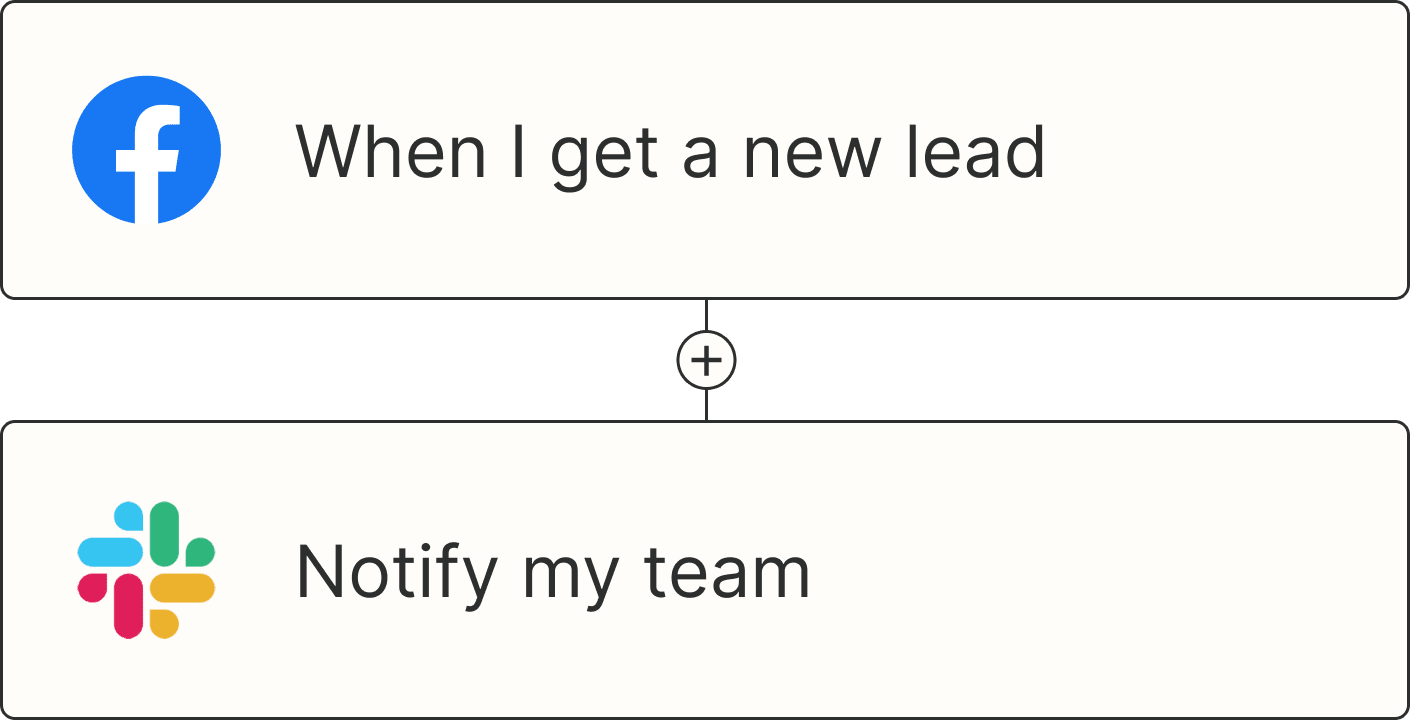
Subscribe new Facebook Lead Ad leads to a Mailchimp list


Create MailerLite subscribers from new Typeform entries


Add new Calendly invitees to ActiveCampaign automations


Subscribe new leads from Facebook Lead Ads to Drip

Note: Make sure your subscribers have consented to receive marketing communications from you before you add them to your list to comply with anti-spam and privacy laws.
Send newsletter subscribers welcome emails
First impressions matter, especially when someone has just subscribed to your newsletter. A personalized welcome email can set the tone for your entire relationship with new subscribers and significantly improve engagement rates.
Instead of relying on generic automated sequences, you can create more personal touchpoints using Zapier to trigger welcome emails whenever you get a new subscriber.
Welcome New Mailchimp Subscribers with a Personal Email

Send Gmails for new contacts added to a list in ActiveCampaign
Respond to new or updated Brevo contacts with Gmail emails

Send outbound emails with Email by Zapier when new subscribers are added to groups in MailerLite


Once you've added new leads to your email marketing list, don't forget to loop in sales. If a contact subscribes to your newsletter or engages with a key email, you'll want that information reflected in your CRM. That way, your sales team has full visibility into their journey.
With Zapier, you can automatically update CRM tools like HubSpot or Salesforce based on subscriber activity, so your reps always have the latest context when following up with customers.
Add HubSpot contacts to list when Mailchimp emails are opened

Create Salesforce records for new contacts added to a specific Brevo list

Automatically segment subscribers
The more tailored your messaging, the better your results. But tagging contacts and segmenting them manually can be a real drain on team resources, especially as your audience grows.
With Zapier, you can automatically apply tags or add subscribers to the right list in your email marketing platform based on actions they take in other apps, like registering for a webinar, submitting a form, or completing a purchase. That way, each subscriber is instantly sorted into the right campaign or segment, no manual segmentation needed.
Create or update Flodesk subscribers from new Eventbrite attendees


Update Constant Contact contacts when new Google Forms responses are added to a spreadsheet


Update Constant Contact contacts for new paid Shopify orders

Want to take segmentation even further? You can use AI tools like ChatGPT in your Zaps to automatically analyze or summarize subscriber behavior based on customer emails or notes in your CRM. Zapier will then assign each lead with intent-based tags like "high interest" and automatically add them back to your CRM or log them in a spreadsheet.
That way, you're not just segmenting effectively, you're also making your messaging smarter, more targeted, and scalable.
Analyze user behavior with ChatGPT based on HubSpot updates and send to Google Sheets


Re-engage cold leads or upsell to existing customers
Losing subscribers or leads to inactivity doesn't always mean you've lost them for good. They may have gone quiet simply because the timing wasn't right or your content wasn't hitting the mark. With email marketing automation, you can proactively re-engage cold leads or nurture existing customers toward their next purchase.
If someone unsubscribes or stops engaging, you can automatically retarget them through ad platforms like LinkedIn or Google Ads with one of these Zaps.
Create LinkedIn Ads audiences from new Mailchimp unsubscribers

Add contacts to a Google Ads customer list for new unsubscribers on Mailchimp

Send Gmail messages for new Mailchimp unsubscribers
And for existing customers, you can use purchase behavior or abandoned carts in platforms like Shopify or WooCommerce to trigger upsell or cross sell campaigns. That might mean recommending related products, offering time-sensitive discounts, or showcasing advanced features.
Tag Mailchimp subscribers after WooCommerce orders with a delay


Add Mailchimp orders to ActiveCampaign automations
Send automatic email reminders about Shopify abandoned carts
Use AI with your email marketing
A big part of email marketing is sending the right message at the right time, but crafting personalized content at scale can be a challenge. You want your emails to feel human and relevant, not canned or generic.
That's where AI comes in.
With Zapier and tools like ChatGPT, you can automatically generate tailored email drafts based on recent customer inquiries or customer information in your CRM. That way, your messages always match the moment.
Generate tailored email drafts in Pipedrive with OpenAI when you update a lead's status


Create email copy with ChatGPT from new Gmail emails and save as drafts in Gmail
Stay on top of your transactional emails
If you use forms to process key actions (think customer orders or password reset requests), your users expect to hear from you immediately. Confirmation emails and transactional follow-ups aren't just nice to have; they're essential for building trust and delivering a smooth customer experience.
With Zapier, you can automate these types of emails using tools like SendGrid and Mailchimp Transactional. That way, every message is sent the moment a form is submitted. Seamless, right?
Send emails from Mailchimp Transactional whenever there are new Unbounce form submissions


Send emails through SendGrid for new Typeform entries


Email marketing automation FAQs
How can I automate email marketing?
You can build automations directly from your AI tool. With Zapier connected to your AI assistant, describe what should happen, like "When someone signs up for my newsletter, add them to my Mailchimp welcome sequence and create a contact in HubSpot," and your agent builds the Zap. Or work from Zapier directly: pick a ready-made Zap template above or start from scratch in the Zap editor, connect your apps, and turn it on. Either way, the Zap runs on its own once it's on, starting when something happens in your apps or on a schedule you set.
Which tools are commonly used for email marketing automation?
It depends on the job. Email marketing platforms like Mailchimp, ActiveCampaign, HubSpot, and Brevo send the campaigns and run the drip sequences. Zapier connects those platforms to the rest of your apps, so a new lead from a form, a purchase in your store, or a webinar signup can add a subscriber, tag a segment, or update your CRM without any manual work. If you're comparing platforms, see our roundup of the best free email marketing software.
Can AI automate my email marketing?
Yes. AI can draft personalized emails, sort replies by intent, and summarize campaign results. The most reliable way to use it is inside a Zap, where AI handles only the steps that need judgment, like deciding whether a reply is a question or an unsubscribe request, and regular steps handle the rest, like updating your list or posting to Slack.
Streamline email marketing automation at scale
Email works best as part of a connected system, and now your agent can do the connecting. Ask it for the welcome sequence, the segment tags, or the win-back list, and Zapier keeps those Zaps running after the chat is closed. If a connection expires or a form changes, Zapier finds the problem and proposes a fix you can approve, or applies fixes on its own if you let it.
The same setup reaches the rest of your stack, too: your forms, CRM, ad platforms, and online store, across 9,000+ apps, so every step of your funnel works together.
Related reading:
This article was originally published in December 2020, written by Jasmine Williams. It was most recently updated in November 2026.