
AI agents were the promise of 2024, the hype of 2025, and the expectation of 2026 and beyond. The category has matured, and a handful of agents are ready to use out of the box, with tool access, task completion, and guardrails for the data they touch.
I've spent a lot of time with AI agents, and I have some opinions about which ones stand out. Based on my own experiences, hours of testing from the Zapier team, and reviews from other real users, these are my picks for the best AI agents.
This list focuses on general-purpose AI agents that anyone can use today, whether you're looking for a governed team platform for your business workflows or a personal AI assistant that can handle your restaurant bookings and email inbox. And at the end, I'll point you toward a handful of agents built for specific use cases like customer support and sales research.
The best AI agents
Zapier for building with any agent harness
Claude for agentic desktop and coding work
ChatGPT for existing ChatGPT users
Microsoft Copilot for teams running on Microsoft 365
Gemini for people who live in Google Workspace
Muse for a personal AI agent
Lindy for a personal AI assistant at work
What makes a good AI agent?
The best AI agent depends on what you're using it for and the extent of power you give it over your life (or your team's tools). An agent that books your dinner reservation has a very different risk profile than one that updates Salesforce records for a 200-person sales team. So the picks below fall into two main categories (and some of them are part of both):
Governed team platforms are built for shared, company-wide work. Admins decide which apps an agent can reach and what it can do there, and there's a record of what happened afterward. Tools like Zapier, Claude, ChatGPT workspace agents, Microsoft Copilot, and the Gemini agent are best for this kind of work.
Always-on personal agents run on their own cloud computer, keep working after you close your laptop, and message you when they need a decision. Gemini, Meta Muse, Lindy, and ChatGPT dots are great examples. Most are built for individuals first, so check what admin controls exist before you hand one your work inbox.
Whichever group you're shopping in, here's what makes a good AI agent:
Managed credentials and scoped permissions. Your agents need to reach Gmail, Salesforce, Notion, and a dozen other systems. You don't want every agent holding long-lived tokens with full admin access, so look for agents that let you limit which apps they can touch and which actions they can take inside each one.
Integration coverage. The more applications an agent can connect to, the more work it can realistically do.
Safety checks. Prompt injection, PII leaks, and toxic outputs are all risks once an agent is reading from and writing to business systems, so built-in guardrails and human-in-the-loop checkpoints are important.
Predictable cost and support. Self-hosted open-source agents need engineering time, hosting, uptime, and an internal security review. Managed platforms handle that for you, and usage-based pricing can make the monthly bill hard to forecast.
How we evaluate and test apps
Our best apps roundups are written by humans who've spent much of their careers using, testing, and writing about software. Unless explicitly stated, we spend dozens of hours researching and testing apps, using each app as it's intended to be used and evaluating it against the criteria we set for the category. We're never paid for placement in our articles from any app or for links to any site—we value the trust readers put in us to offer authentic evaluations of the categories and apps we review. For more details on our process, read the full rundown of how we select apps to feature on the Zapier blog.
The best AI agents at a glance
Agent | Best for | Key strength | Price |
|---|---|---|---|
Building with any agent harness | Build from wherever you work, run it reliably on Zapier, and govern from one place, with guardrails and human-in-the-loop checkpoints | Free plan available; paid plans from $19.99/month | |
Agentic desktop and coding work | Claude Code is best in class for AI coding | Free plan available; paid plans from $20/month | |
Existing ChatGPT users | Shared workspace agents and an always-on personal agent (dots) | Free plan available; paid plans from $8/month | |
Teams that run on Microsoft 365 | Built into Word, Excel, Outlook, and Teams, with Copilot Studio for custom agents | Microsoft 365 Copilot from $9.99/month | |
People who live in Google Workspace | Combination of enterprise agents and always-on personal agents across Gmail, Docs, Calendar, and other Google apps | From $19.99/month | |
A personal AI agent | Works from a chat window or WhatsApp and checks with you before it buys anything | Free with usage limits; from $20/month | |
A personal AI assistant at work | Text-first interface for email triage, scheduling, and proactive nudges | Free with $50 in starter credits; Team plans from $29.99/month |
1. Best AI agent for building with any agent harness
Zapier
Zapier pros:
Build from wherever you already work: the visual editor, a plain-English description, or an AI assistant like Claude, ChatGPT, or Cursor.
Workflows run on Zapier, using traditional automation wherever it can and AI only where a step needs judgment, so the same process runs the same way every time.
Connects to 9,000+ apps out of the box with managed authentication, so everything is governed in one place.
Built-in AI Guardrails scan for prompt injection, PII, toxic language, and negative sentiment, then block or route based on what they find.
Model flexibility across Anthropic, OpenAI, Gemini, and other frontier models.
Activity dashboard and human-in-the-loop approvals built in, so you can see what agents did and intervene when you need to.
SOC 2 Type II compliance and the same credential infrastructure Zapier has managed for 15+ years.
Zapier cons:
Not FedRAMP or HIPAA compliant
No mobile apps
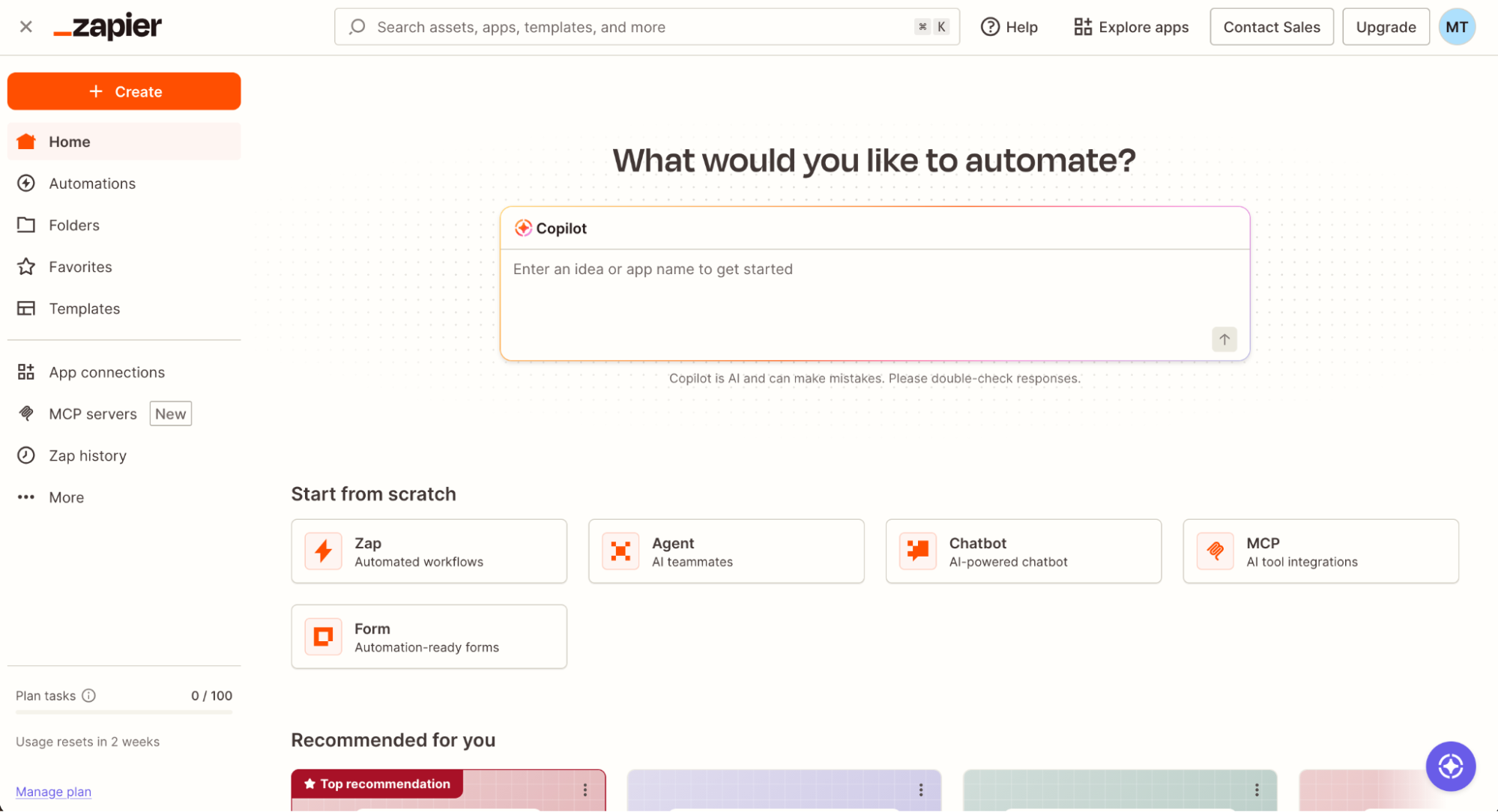
What a shocker: someone on the Zapier blog is recommending Zapier. But what if I told you I've been a Zapier power-user since before I worked here? And the platform has just gotten easier to use (and more powerful) in the AI era.
Zapier lets you build from wherever you already work—like Claude, ChatGPT, Cursor, or Zapier itself—and turns it into automation that runs on Zapier. It's reliable, using AI only when necessary, and it's governed from one place with guardrails, audit trails, and human-in-the-loop checkpoints built in. It's the difference between an agent that acts once and a durable business process you can rely on.
Describe what you want to any AI assistant or to the AI builder inside Zapier, and it can put the workflow together, test it, and prepare a fix for you to review if something breaks later. Your agents can read from a Google Sheet, update a Salesforce record, post in Slack, and trigger a human approval, and you can see all of it in one place. Because it connects to 9,000+ apps and handles complex workflows with filters, conditional logic, and looping, you can build exactly what you need for your specific use case—without ever leaving your chat window.
This is the Zapier blog, so you should absolutely get a second opinion from our customers. But for teams that need to pass a security review, connect to more than a handful of apps, and give multiple teams access to AI-powered workflows, Zapier is the most complete option on this list.
Zapier pricing: Free plan available. Paid plans start at $19.99/month (billed annually).
2. Best AI agent for agentic desktop and coding work
Claude

Claude pros:
One app for everything: ask a quick question or hand over a whole task in the same conversation, with no mode to pick first.
Longer tasks keep running in the cloud after you close your laptop, and you can check in or redirect them from Claude on your phone.
Scheduled tasks cover recurring work like inbox triage, metrics pulls, and cron-style code reviews.
Computer use capabilities allow Claude to open apps, navigate a browser, and fill in spreadsheets directly on your computer.
Runs on Anthropic's managed infrastructure.
Native support for connecting outside tools, so you can connect Claude to Zapier and unlock 9,000+ app integrations with Zapier's managed credentials.
Claude cons:
The native integration set is smaller than Zapier's, which is why teams commonly extend Claude into their business apps with Zapier.
Claude, built by Anthropic, has moved from conversational AI to a full agentic platform. Ask for the top themes across five interview notes, or a 10-slide deck from an analysis, and Claude searches the web, reads your files, runs code, and returns finished files you can edit. Those tasks keep running in the cloud if you close your laptop, so the result is waiting when you're back, and you can check on a task from your phone. Scheduled tasks handle recurring jobs without prompting.
Developers get Claude Code too. It's Anthropic's coding agent, which reads codebases, plans changes, and ships code, and it runs in the terminal and in a Code tab in Claude Desktop.
Anthropic's newest addition is Claude Duet, a separate app that works more like a proactive assistant than a chatbot. You message it the way you'd text a coworker, in one continuous thread. It sends you a morning brief of what needs your attention across your email, calendar, and other connected apps, then updates as it works through tasks in the background. It runs on its own cloud computer, so it keeps going when your laptop is closed. It also checks with you before it sends a message, makes a payment, or deletes anything. It's the closest thing Anthropic has to a rival for ChatGPT dots and Muse, though it's aimed more at work than personal errands. Duet is still a research preview, available by waitlist to US-based Pro and Max subscribers.
Claude is an excellent agentic frontend for individuals and small teams within an enterprise—especially technical ones. And it becomes a serious business automation layer once you pair it with Zapier for the rest of your stack. Learn more about how to automate Claude with Zapier.
Claude pricing: Free plan available. Pro at $20/month ($17/month billed annually). Max plans at $100/month and $200/month. Teams and Enterprise plans with admin controls available.
3. Best AI agent for existing ChatGPT users
ChatGPT

ChatGPT pros:
Workspace agents are designed to be shared, so an agent built by one person becomes a team resource.
Role-based admin controls allow administrators to decide who can build, run, publish, and share agents, and restrict which connected tools each role can give agents access to.
Comes with a Compliance API that gives admins visibility into every agent's configuration, updates, and runs, plus the ability to suspend an agent if something goes wrong.
Dots are always-on personal agents with their own cloud computer, so they keep working when your laptop is closed and message you when they need approval.
ChatGPT cons:
Agent usage is metered in credits and shared across workspace agents, Codex, and other ChatGPT features, which makes costs harder to forecast than a flat per-seat plan.
Limited to OpenAI models, so you can't use the best model for the job every time.
ChatGPT (ever heard of it?) covers three kinds of agent work, which makes it a versatile choice whether you're building for a team or for yourself.
Workspace agents are OpenAI's shared agents for teams. They're the successor to custom GPTs, and they let a team build an agent connected to apps like Slack, Gmail, Google Drive, SharePoint, Salesforce, and Notion, then share it across the workspace and use it in ChatGPT or Slack. They run in the cloud on Codex, so they keep going when nobody's logged in.
Dots are the personal side of ChatGPT. Each dot has its own cloud computer, picks up the apps you've already connected, and pings you when it needs your approval. Our app tester spent a few days letting one run his life and thought it was pretty impressive: it did things like flagging bounced payments and rebooking a canceled restaurant table. It's not yet ready to be the only thing watching your inbox, but it's getting there.
And if your work is mostly in code, Codex is also a standalone coding agent in the terminal, your IDE, and the cloud.
For workflows that need to reach apps outside OpenAI's connector set, or that need to run the same way every time, you can pair it with Zapier, whose 9,000+ integrations and model flexibility make it easier to adopt across a company.
ChatGPT pricing: Free plan available. Paid plans for individuals range from $8 to $200/month, and Business and Enterprise plans start at $20/seat/month.
4. Best AI agent for teams that run on Microsoft 365
Microsoft Copilot

Microsoft Copilot pros:
Built into Word, Excel, PowerPoint, Outlook, and Teams, and connected to your files, email, and calendar, so it works with your existing permissions.
Copilot Studio lets IT teams build custom agents grounded in company data, with governance controls.
Nothing new to roll out if your company already runs on Microsoft 365.
Copilot Chat is included at no extra cost for eligible Microsoft Entra users.
Microsoft Copilot cons:
The experience is strongest inside Microsoft's own apps, so workflows that reach into a CRM, support desk, or billing system need extra connections.
Copilot Studio is priced separately from Microsoft 365 Copilot.
Copilot has grown well past its chatbot roots into the AI layer of the Microsoft ecosystem. It's embedded in Windows, wired into Word, Excel, PowerPoint, Outlook, and Teams, and connected to your files, email, and calendar through Microsoft Graph. Ask it to summarize last week's email threads, draft a deck from a Word doc, or analyze a spreadsheet, and it does it without you leaving the app or uploading anything.
The agent side is Copilot Studio, where IT teams build custom agents grounded in company data with full governance controls. Microsoft has also added specialized copilots, like Analyst for multi-step research, and Copilot Groups, where up to 32 people can work with the AI in a shared thread.
If your company already lives in Microsoft 365, Copilot is the least friction to roll out because IT already owns the permissions. And when a workflow has to reach beyond Microsoft's apps, Zapier can securely connect it to all the other tools in your stack.
Copilot pricing: Free; from $9.99/month in Microsoft 365
5. Best AI agent for people who live in Google Workspace
Gemini

Gemini pros:
The Gemini agent can work as your personal assistant or as a coworker agent for a whole team.
Gemini works inline in Gmail, Drive, Docs, Slides, Sheets, Chat, and Calendar, with the same memory, skills, and controls it has everywhere else.
Admins get role-based permissions, an audit trail that attributes every action to the agent, and an Agent Gateway that enforces company policies.
There's also a Task mode in Gemini (formerly Gemini Spark).
Gemini cons:
The Gemini agent is only part of Gemini Enterprise, so it won't work for personal accounts.
Spark already became Task mode, so it's hard to say if Google will kill it off completely (it has a history of doing that).
Google now has two agents under the Gemini name, and they cover the same split as ChatGPT: one for teams and one for you.
The Gemini agent is Google's shared agent for work. You give it an objective instead of step-by-step instructions, and it plans the job, picks the skills and tools it needs, and creates temporary sub-agents for the pieces that can run in parallel. It runs in the cloud, so work keeps moving after you close your laptop. Gemini can build role-based agents with their own identity, and your team can pull them into a Chat space or tag them in a doc. It can then suggest an edit in a Google Doc and reply in the comment thread, and it'll show up under its own name in the version history. Just like a human, it only sees what you share with it.
The product formerly known as Gemini Spark is the personal side of Gemini—now it's just a Task toggle in the Gemini app. Unlike Chat mode, which handles one task at a time, this version of Gemini takes on multi-step work across your connected apps, keeps going in the background, and only stops to ask for your input when something is sensitive. Because it sits on top of Gmail, Docs, Slides, and Calendar, it's the most natural pick for anyone who already lives inside Google Workspace.
You can connect Gemini Enterprise to Zapier, which means you'll get secure access to 9,000+ apps. Build on Gemini, or wherever you work, and create reliable automations across your entire tech stack.
Gemini pricing: Included with Google AI Pro ($19.99/month) and Google AI Ultra (from $99.99/month), where available; the Gemini agent is available on Gemini Enterprise
6. Best personal AI agent
Muse

Muse pros:
You talk to it like a person, in the Muse app or directly in WhatsApp, so there's almost no learning curve.
Runs on its own dedicated cloud computer, with a separate Sentinel agent that approves what reaches the internet.
Checks with you before sending an email or making a purchase, and keeps a log of what it's done and what it plans to do.
Pays with Link by Stripe, which uses one-time-use card numbers so your real card details stay hidden.
Connects natively to 40+ apps, plus Zapier for 9,000+ more.
Muse cons:
Currently only available in the US and Canada.
The free tier has usage limits, and Meta hasn't published much detail on what the paid token allowances actually cover.
Muse is Meta's personal AI agent, which is aimed squarely at people who want an agent that does things rather than answers questions. It can open a browser, fill out forms, send emails, and negotiate on your behalf. For bigger goals, it builds a plan and keeps working after you close the app. It also checks back in when something changes or needs your approval.
Muse is built for personal use, not for business teams. It can do things like booking travel, comparing prices on a big purchase, or turning a saved recipe into a grocery list. It remembers context about you—including your personal preferences—and applies them in relevant tasks. It can even make purchases on your behalf, if you have the superhuman anxiety regulation to allow that sort of thing.
If you want it to take action in your work apps, Zapier is a connector inside Muse, which gives it access to your apps through a single connection while you control which ones your agent can use. Learn more about automating Muse with Zapier.
Muse pricing: Free with a usage limit. Power starts at $20/month for 500M weekly usage tokens, and Maximum starts at $100/month for 3 billion tokens per week.
7. Best AI agent for a personal AI assistant at work
Lindy

Lindy pros:
Its primary interface is your work tools and text messages, so you don't even need to open the app.
Handles the classic EA workload well: email triage, meeting prep, scheduling, reminders, and proactive nudges before things fall through the cracks.
Integrates with Gmail, Outlook, Google Calendar, Slack, and hundreds of other apps.
Compliance certifications available on Enterprise, including HIPAA.
Lindy cons:
The product is optimized for individual productivity, not team or company-wide process automation.
Integration coverage is strong but narrower than a broader tool like Zapier.
Higher per-user cost than other general-purpose AI assistants.
Lindy used to position itself as a broad AI agent builder. It's since leaned hard into personal executive assistant territory, with your work tools (like Slack, Gmail, or even iMessage) as its primary interface. You message Lindy the way you would a chief of staff, and it manages your inbox, meetings, calendar, and ad-hoc tasks proactively.
Most Lindy workflows revolve around lightweight, high-frequency tasks—things like summarizing and drafting emails, prepping for meetings, nudging you about follow-ups, and coordinating scheduling. Compared to more automation-heavy platforms, Lindy is more conversational, which is why it feels closer to a personal assistant than a workflow builder. But that also means it's not designed to orchestrate multi-step processes across teams or systems at scale.
Lindy is a good choice if your goal is a personal AI assistant. It's not the right pick if your goal is running AI-powered automated workflows that multiple teammates depend on.
Lindy pricing: Free with $50 in starter credits. Team plans start at $29.99/month for 3,000 credits, with larger credit packs available; Enterprise plans are available.
AI agents for specific use cases
The agents above are general-purpose AI agents. But there are a few specialty agents worth knowing about if you have a specific job to do.
Fin by Intercom is an out-of-the-box AI agent for customer support. It handles end-to-end resolution across chat, email, voice, and social, and bills per successful outcome rather than per seat. Pair it with Zapier to update your CRM, post to Slack, or spin up internal tickets when Fin escalates a conversation.
Claygent by Clay is built for sales and go-to-market research. It searches the web and enriches prospect records with data most humans would spend hours chasing down. It pairs well with Zapier for the next step, like drafting a personalized outreach sequence after Claygent finds the right angle.
Cursor is made for AI-assisted software development. It's narrower than Claude Code in scope (an IDE rather than a terminal-and-desktop agent), but the design mode and multi-agent collaboration are strong for front-end teams. You can install Zapier in your Cursor project, and it handles the OAuth and scoped permissions for 9,000+ apps. See our best AI coding tools roundup for more.
AWS Bedrock Agents is the enterprise developer platform for teams who need to build custom AI agents at scale inside AWS's compliance framework. It is not a no-code tool, but for teams already standardized on AWS, it's a good fit.
Which AI agent should you choose?
If you need to manage a whole team's worth of shared processes across your tech stack, start with Zapier. It securely connects 9,000+ apps and lets you build AI into workflows that run on rules you set, so agents handle the judgment calls while the rest of the process stays predictable. Build wherever you work, then everything runs on Zapier and is governed from one place.
Already paying for ChatGPT Business or Enterprise? Workspace agents are the simplest way to share agents with your team, and you can set up dots for your own work. Or, if you want to hand off a big, messy task like research or some code, Claude is a great choice now that chats, coding, and agents live in one app. And if you're all-in on a tool ecosystem, try Copilot for Microsoft 365 or Gemini if you live in Google Workspace.
Then there are the more personal picks. Muse is the one for errands and shopping, and Lindy is great if your inbox and calendar are the problem.
Most teams end up mixing and matching a few of these AI agent options. And when they do, Zapier is usually the layer that ties these tools to the rest of their tech stack.
The best AI agents: FAQ
What is an AI agent?
An AI agent is software that takes a goal, plans the steps to reach it, and uses tools to carry those steps out, usually without you babysitting each turn. Unlike a plain chatbot, which responds to one prompt at a time, an agent can keep working across multiple tool calls and conversation turns until the job is done.
An agent usually combines four things: a large language model as the reasoning engine, a set of tools or app integrations it can call (email, CRM, database, browser, code execution), memory or context so it can track what it already did, and a trigger that kicks it off, whether that's a message, a schedule, or a signal from another app.
What are the best AI agent platforms?
For teams, the strongest platforms are Zapier, ChatGPT workspace agents, Claude, and Microsoft Copilot Studio, because they combine agents with admin controls over what those agents can reach. If you want to build agents of your own, our roundup of the best AI agent builders goes deeper on the options.
Which AI agent is best for non-technical teams?
Zapier (yes, I'm biased, but also it's overwhelmingly what people agree on). The visual, no-code builder lets anyone set up an AI-powered automated workflow without infrastructure, and the platform handles credentials, audit logging, and human-in-the-loop approvals for you.
Are AI agents safe to use at work?
Not all of them. A powerful agent with full access to your laptop, your data, and a public marketplace of community-contributed skills is a governance risk, no matter how good its underlying model is. Security researchers have already flagged popular open-source agents like OpenClaw for critical vulnerabilities, exposed instances, and malicious plugins in public marketplaces.
For work use, the safest path is an agent running on managed infrastructure with scoped permissions, logging, and compliance certifications. You can still use open-source or experimental agents for developer tooling and individual productivity, but route their actions on your business apps through a governed layer like Zapier so the blast radius stays small.
How do I keep AI agents from leaking sensitive data?
First, use an agent platform with built-in safety checks, like Zapier's AI Guardrails, which scan for PII and prompt injection before anything reaches a downstream app. Second, scope every credential: give each agent access only to the apps and actions it needs. Third, add human-in-the-loop approval on any step that sends an external message, writes to a customer record, or spends money.
Can I use more than one of these agents together?
Yes, and lots of enterprise teams do. A common combination is Zapier for cross-app business workflows and Claude for agentic desktop and coding work. Zapier acts as the connective layer: Claude can take real actions across 9,000+ apps with one set of managed credentials.
How is an AI agent different from a chatbot or an automated workflow?
A chatbot responds to messages one turn at a time. An automated workflow runs a fixed sequence of steps on a trigger. An AI agent extends both: it takes a goal, decides which steps to run, calls tools and chatbots as needed, and keeps going until the goal is met or it escalates to a human. The strongest enterprise setups combine all three, with agents handling decisions, automated workflows handling the deterministic processes, and chatbots handling the conversational interactions.
Related reading:
This article was originally published in April 2026 by Sami Akkawi. The most recent update was in October 2026.


