Zapier vs. OpenAI
Published: 9/16/2026 | By Nicole Replogle
OpenAI's family of tools—ChatGPT, Codex, workspace agents, and the enterprise-focused Frontier platform—has gotten remarkably good at one thing: putting AI in front of a person. But you likely need more than just AI. If you want to automate your whole business, with deterministic plumbing that connects all your apps, that's squarely Zapier's job. Zapier is a governed automation platform that lets you add ChatGPT's models (or Anthropic's, or Google's) exactly where a workflow needs judgment, and skip the token spend everywhere else.
Here's what you'll get with Zapier:
Automate with any model, not just OpenAI's: Add AI exactly where a workflow needs it, choosing from OpenAI, Anthropic, Google, and more—without spending tokens. ChatGPT and Codex run only on OpenAI's own models, while Frontier is more open to other providers' agents, but it's still OpenAI's platform underneath.
Connect 9,000+ apps out of the box: ChatGPT's workspace agents natively support a growing list of connectors, and OpenAI Frontier reaches further, but only through custom integration work. Zapier ships with 9,000+ governed connections.
Pay AI prices only for what actually needs AI: Build the repeatable parts of a workflow as deterministic automation, and add an AI step only where judgment is actually required. OpenAI tools run every interaction through a model, and the moment you're using agents, that means metered, token-based pricing.

Comparison
Compare Zapier and OpenAI pricing, integrations, and more
Reviews
See why customers choose Zapier
Features
Review Zapier and OpenAI features in depth
FAQ
Get answers to your questions
Zapier vs. OpenAI comparison
| Zapier | OpenAI | |
|---|---|---|
| Overview | Zapier is a governed AI orchestration platform that lets any team automate workflows across 9,000+ apps, adding AI only where a step calls for it | OpenAI is an AI company whose tools—ChatGPT, Codex, workspace agents, and the enterprise Frontier platform—center on using its own models to chat, code, and build agents |
| AI capabilities | Model-agnostic AI woven into workflows; MCP and SDK access; choose OpenAI, Anthropic, Google, or another provider per step, and switch anytime | ChatGPT, Codex, and workspace agents run on OpenAI's own models only; Frontier can also manage agents built on other providers' models, but it's still OpenAI's platform doing the orchestrating |
| Implementation | Minutes to a working automation with Copilot or a template; build full business systems—workflows, agents, tables, and forms together | Minutes to prompt ChatGPT or build a workspace agent from a template; Frontier deployments often involve OpenAI's own embedded engineering teams |
| Integrations | 9,000+ apps, governed by Zapier, plus native MCP support | A mix of 2,500+ connectors and plugins, plus Frontier's enterprise systems layer |
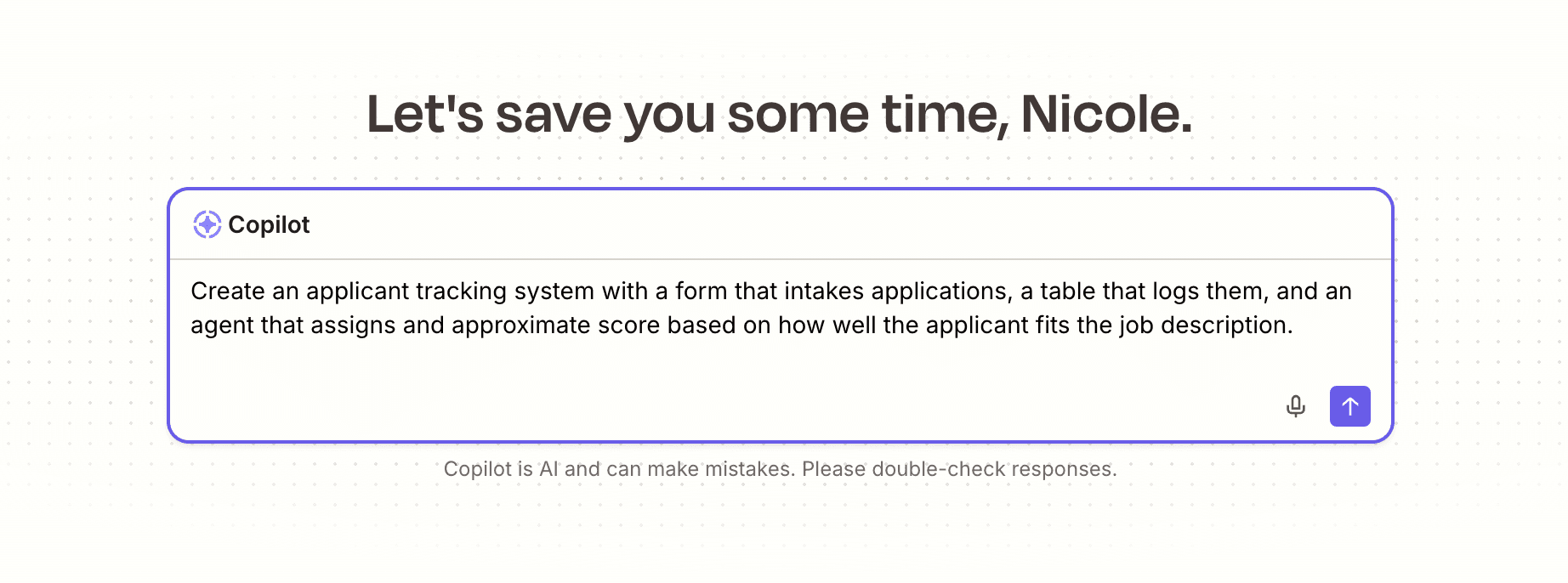
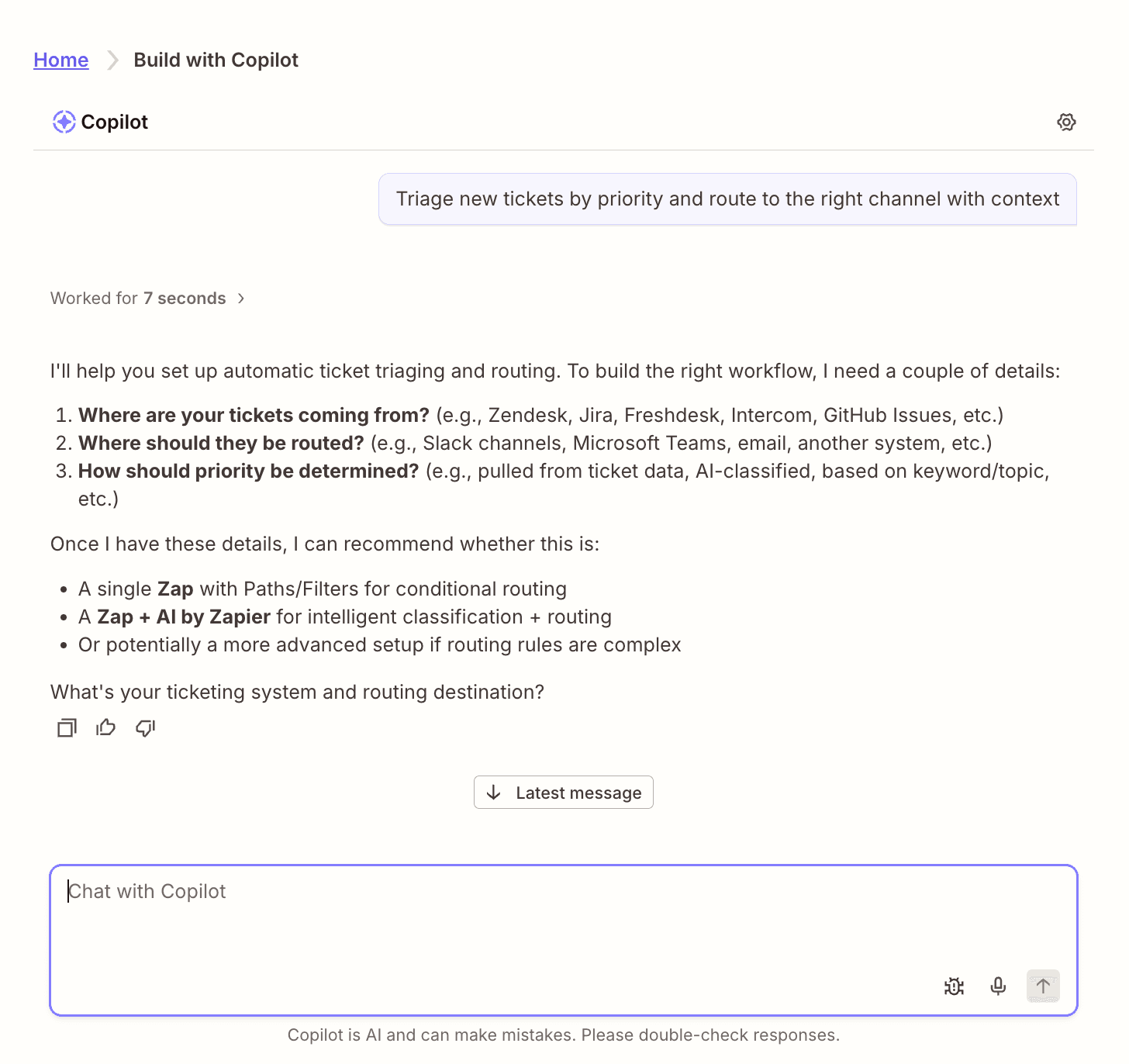
| Ease of use | No-code editor, thousands of templates, and Zapier Copilot for building from a plain-language prompt | Plain-language agent creation in ChatGPT's sidebar, with a template gallery to start from; Frontier still needs developer support |
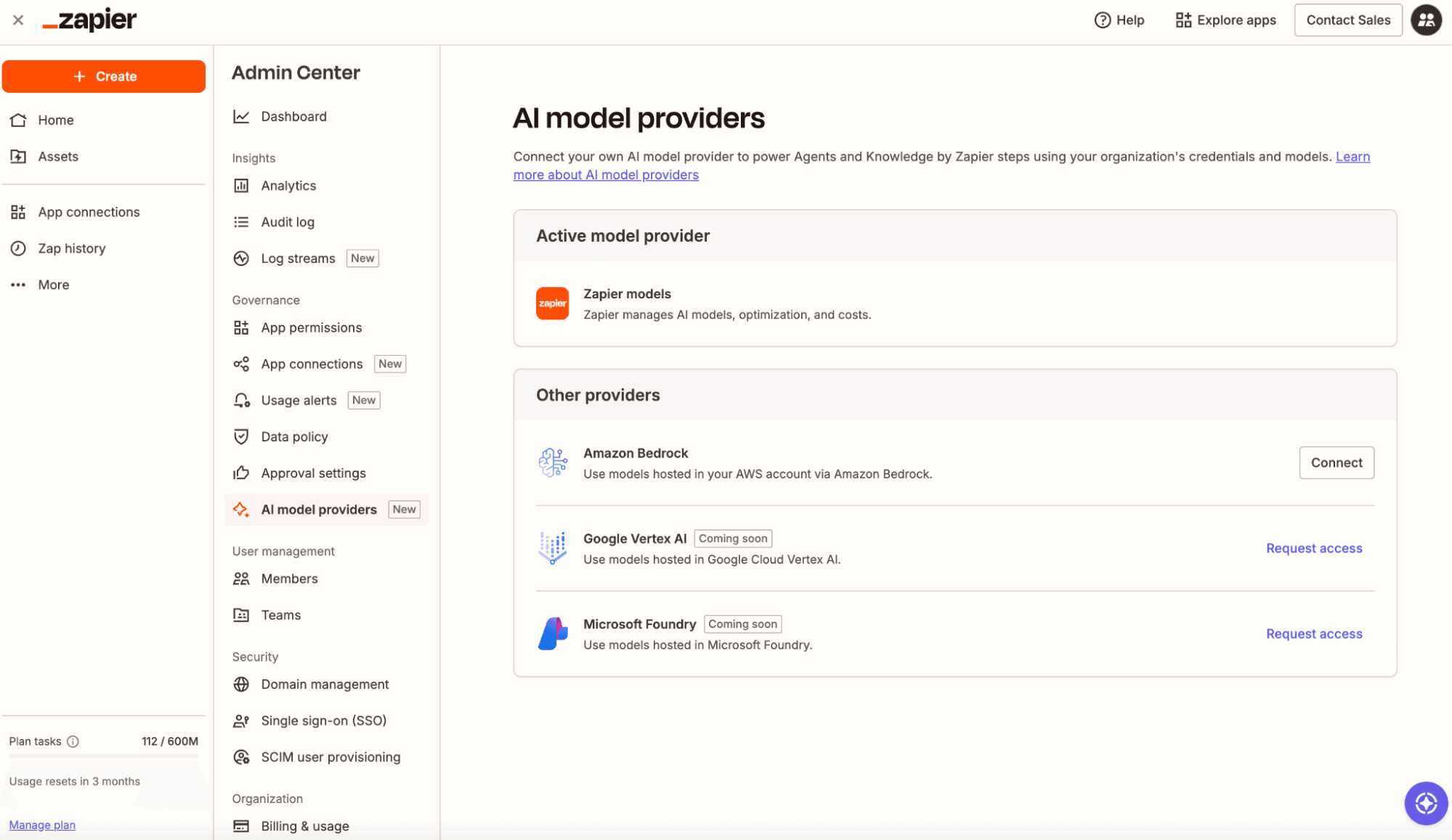
| Security & governance | SOC 2, SOC 3, GDPR, CCPA, OAuth-managed credentials, granular app/action permissions, Log Streams to your SIEM (Enterprise), Bring Your Own Model via AWS Bedrock (Enterprise) | SOC 2 (ChatGPT/Frontier), ISO 27001-aligned (Frontier), GDPR, CCPA, HIPAA support (BAA available), role-based controls, a Compliance API for audit logs—governance is set per product rather than once across all of OpenAI's tools |
| Pricing | Free plan available; predictable task-based pricing—a step on a standard AI model costs one task (no token spend required) | Free plan available; paid ChatGPT plans add a token pool, and agents (Codex, workspace agents, Frontier) run on metered or credit-based pricing on top |
| Reliability & performance | Deterministic Zaps run the same way every time, with autoreplay, custom error handling, task histories, and version rollback included by default | Agentic behavior is probabilistic by design; Frontier adds evaluation and optimization loops to improve consistency over time, but outputs still vary run to run |
What customers say about Zapier
"Before automation, agents had to manually review and close thousands of unnecessary reopened tickets. Now, Zapier and ChatGPT handle it instantly, saving us time and keeping our queue clean."
—Allen Lai, Head of Customer Experience, Otter.ai
Customer testimonial
"Our B2B sales team used to spend two to three hours per prospect researching and building context. So, I built an AI agent for them and rolled it out to our entire Sales and Technical Sales teams. Now, what used to take them three hours takes less than five minutes."
—Usman Mahomed, Head of Product, Egg
Customer testimonial
"I find Zapier incredibly valuable for connecting various platforms and automating our business processes. Its intuitive design allows someone like me, who does not have a programming background, to easily figure out how to use it for our needs 95% of the time."
—Brian D.
G2 review
"Zapier is now the AI-native way to create automations and workflows for digital teams[.] I really enjoy using Zapier to connect platforms that don't have integrations and being able to streamline my business."
—Richard M., Founder, Marketing and Advertising company
Capterra review
Trusted by 3.4 million companies



















AI automation starts and scales with Zapier
Build reliable, consistent workflows across tools, people, and processes. Access 9,000+ apps securely from any surface, and add AI to the mix only when you need it.
Compare features: Zapier vs. OpenAI
OpenAI's tools are extraordinarily good at using AI: chatting, writing, coding, and increasingly, building agents that act on your behalf. Zapier is built to automate your business, adding AI only where a step actually calls for judgment, and orchestrating everything else deterministically across 9,000+ apps. I've been using both tools every day for over three years, so I'm very keyed into the differences between the two, where each one shines, and how to run them together in ways that cut your token spend and make it safer for everyone at your company to use AI. Here's how they actually compare.
AI capabilities
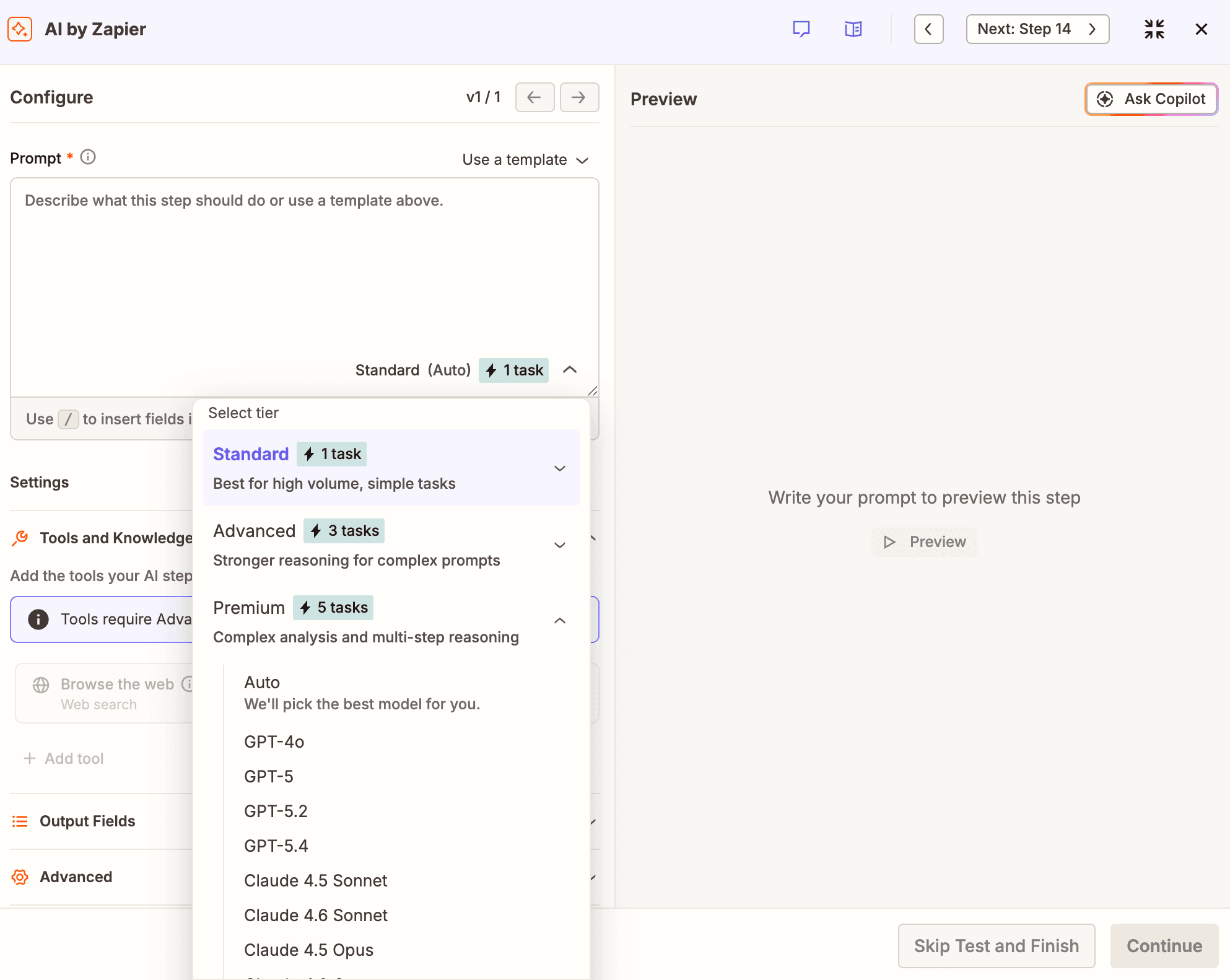
ChatGPT, Codex, and workspace agents all run on OpenAI's own models only; Frontier can manage agents built on other providers' models too, but it's still OpenAI's platform doing the orchestrating. Zapier lets you choose OpenAI, Anthropic, Google, or another provider for every AI step, and you can switch anytime.
If you automate work on ChatGPT, Codex, or a workspace agent, you're locked into OpenAI's models. The moment a model from a different provider becomes more effective, cheaper, or faster for a given use case, you can't just swap it in—you have to rebuild the workflow in the other provider's ecosystem. That holds across most of OpenAI's product line. ChatGPT and Codex run on OpenAI's GPT models, and workspace agents run on Codex on that same model line. Frontier is the exception: OpenAI has opened it up to manage agents built on other providers' models, including Anthropic's and Google's, too. But you're still working inside OpenAI's orchestration layer either way, not a neutral one.
Zapier is model-agnostic. When you're configuring an AI by Zapier step, you can choose whichever model you want from OpenAI, Anthropic, or Google—including the latest OpenAI models—and switch between them without touching the rest of your workflow. If a newer OpenAI model is better at summarization but Claude's models handle your customer support tone better, you don't have to pick one architecture and live with it. You can run both, side by side, in the same automation.
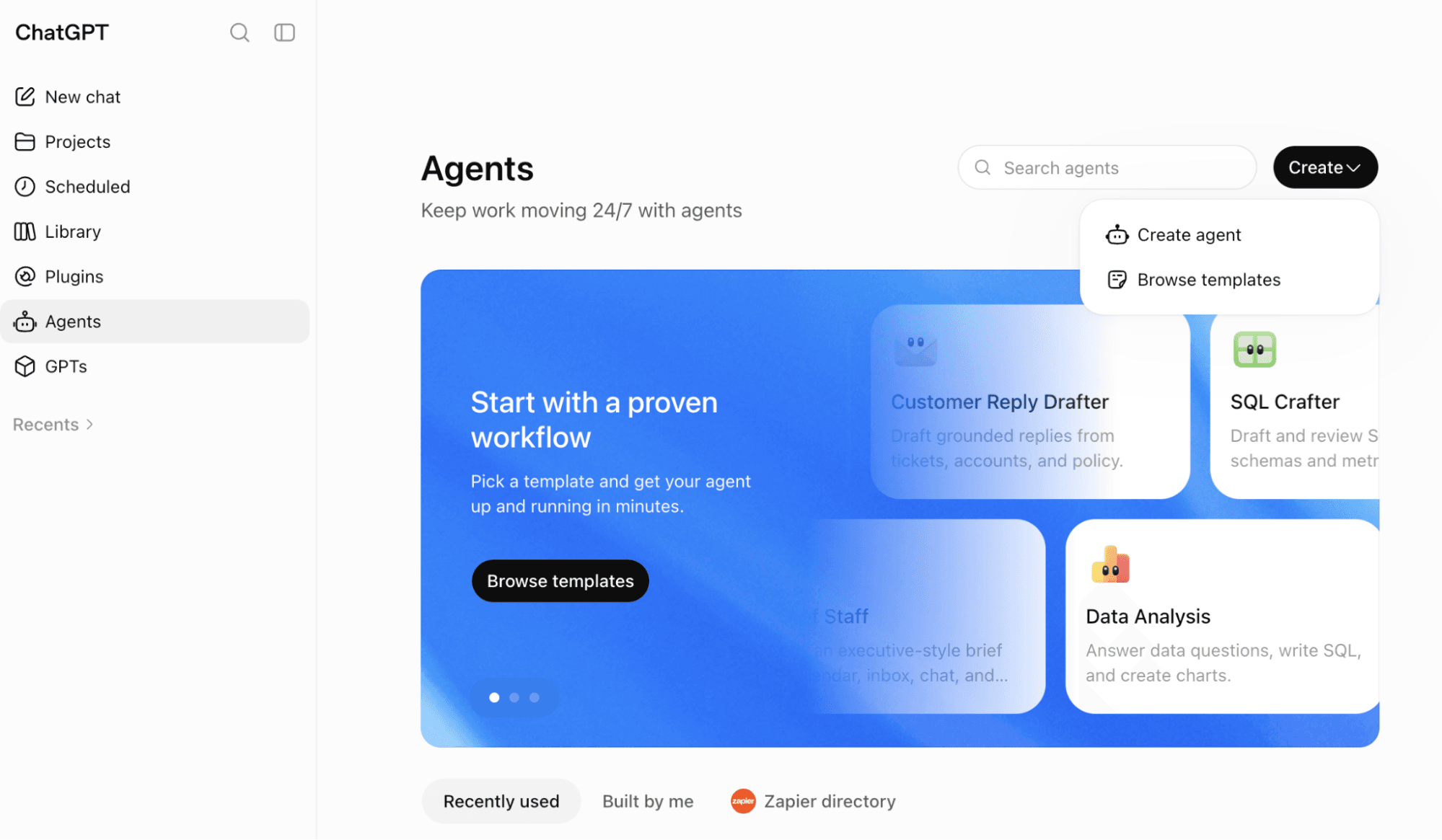
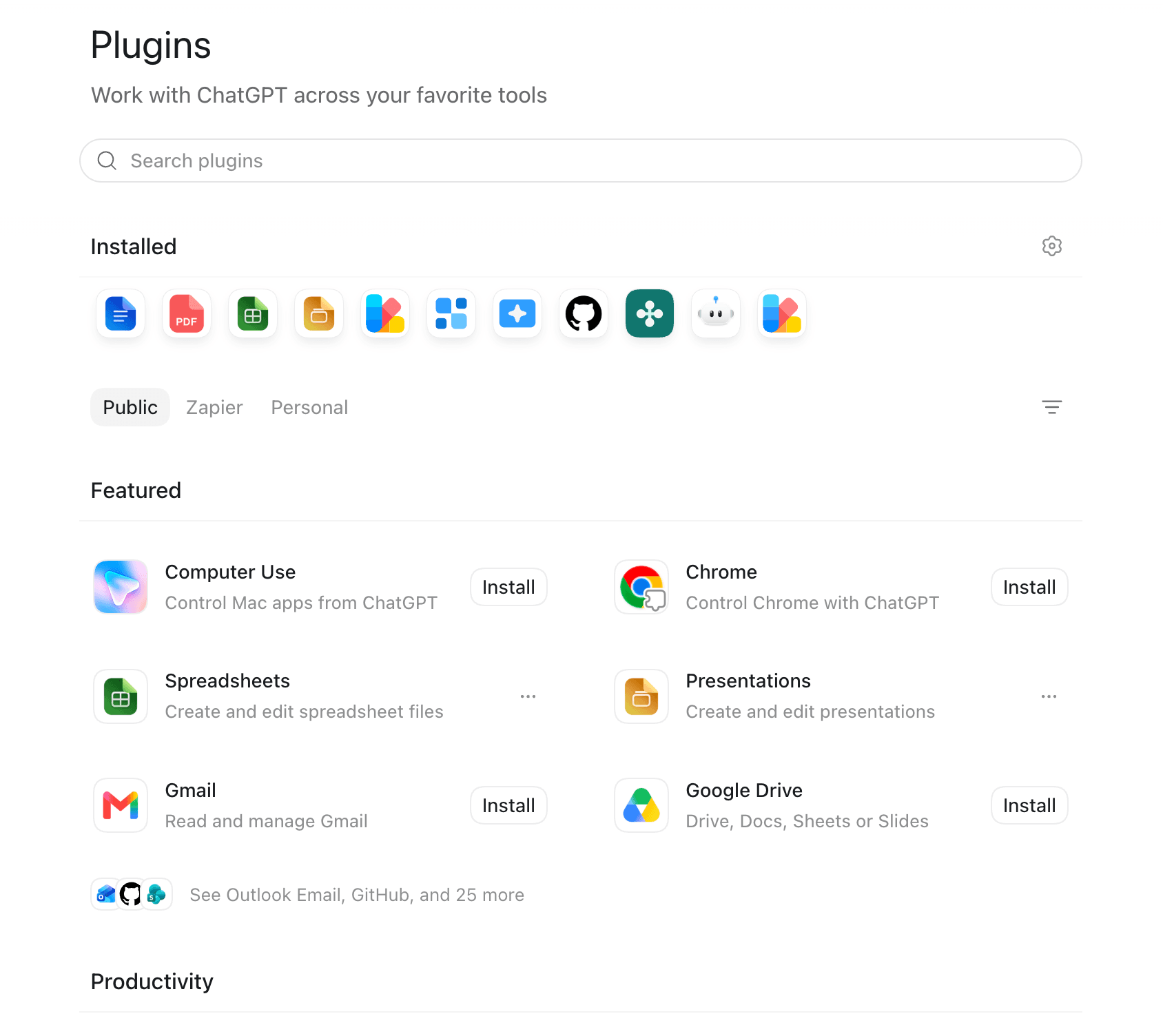
The two companies also take different approaches to building agents. ChatGPT is an AI chatbot and agent harness: type a plain-English request, and get back a summary, a piece of writing, code, or an image, and Codex can act as a coding agent on top of that. ChatGPT's workspace agents (on Business, Enterprise, Edu, and Teachers plans) extend that into background automation. Describe what you want in the ChatGPT sidebar, and workspace agents pick up requests across your connected apps or right inside Slack.
For enterprises going further still, OpenAI Frontier adds a "business context" semantic layer connecting your CRM, data warehouses, and internal systems, plus evaluation loops meant to help agents improve their outputs over time—and it's commonly used with OpenAI's own embedded engineering teams (Forward Deployed Engineers) that help connect it to your systems.
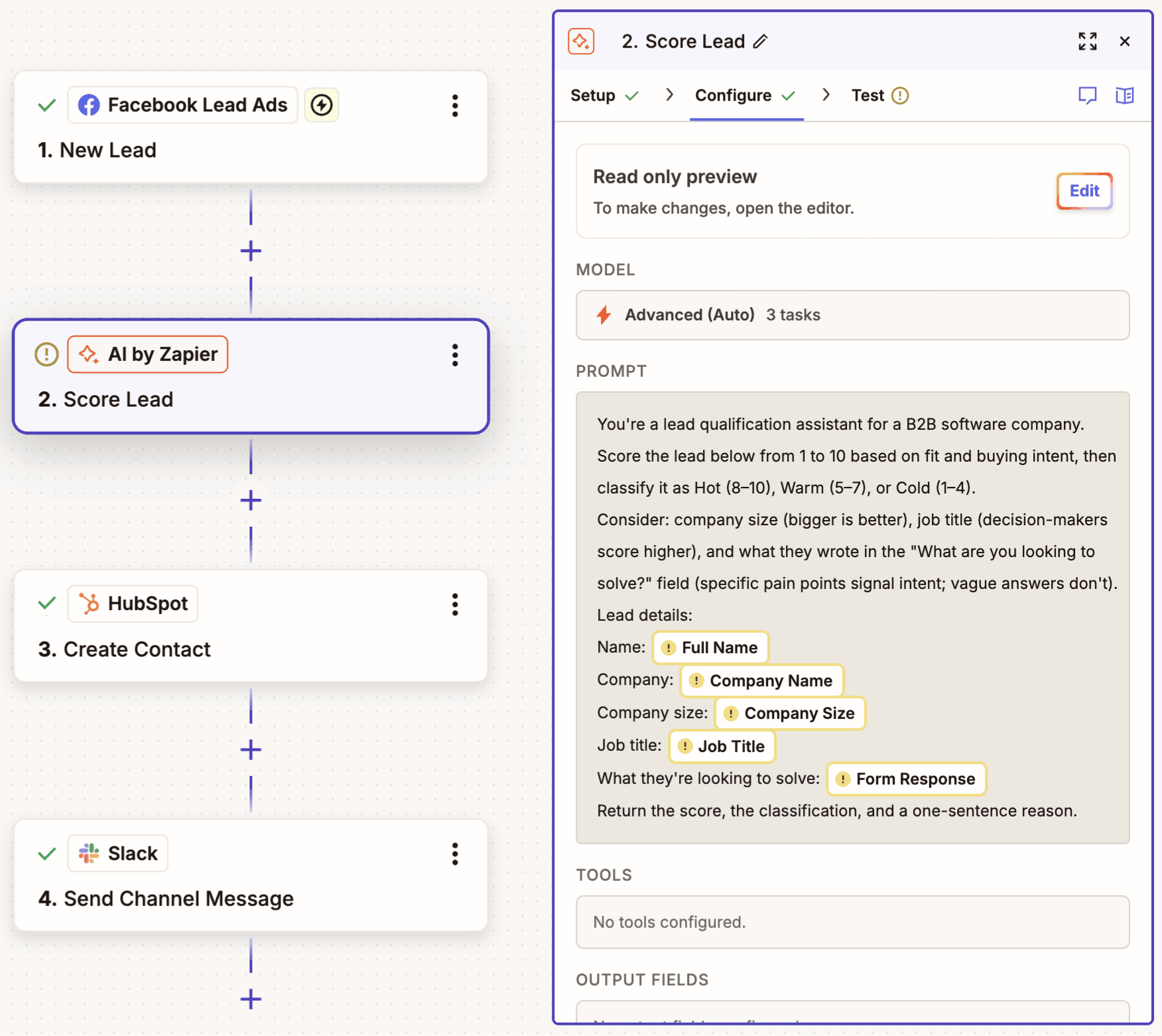
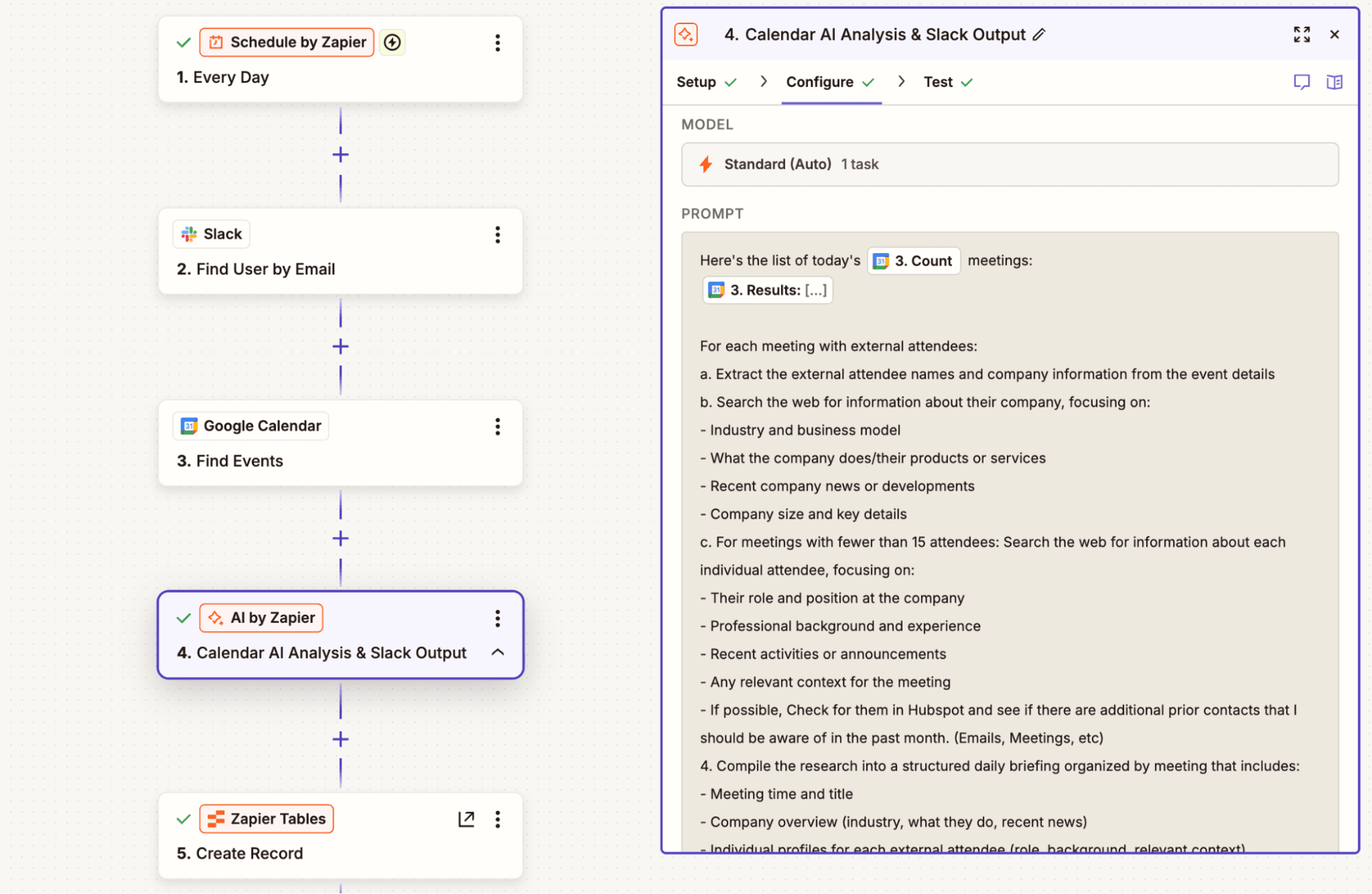
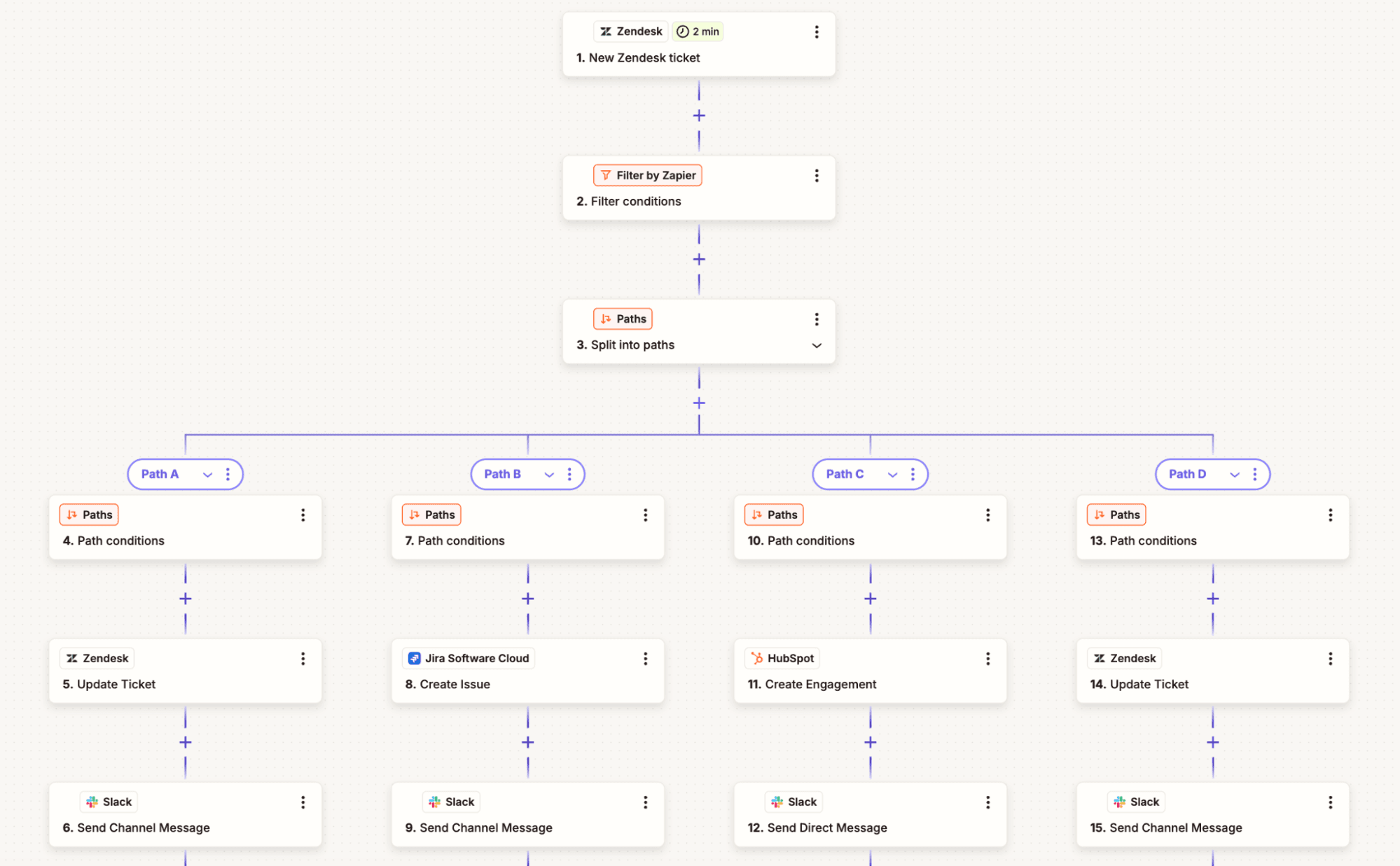
Zapier, by contrast, is a governed automation layer with agentic AI built in. And you can access it from a few different surfaces. In the Zap editor, you can spin up automated workflows that begin with a trigger (what kicks off the workflow, which could be an event or a schedule) followed by an action (whatever happens next). You can add as many actions as you want, weaving in conditional logic with filters or path steps, and for more technical flows, even code. With AI by Zapier, you can also drop in an AI model in exactly the part of the Zap you need it for.
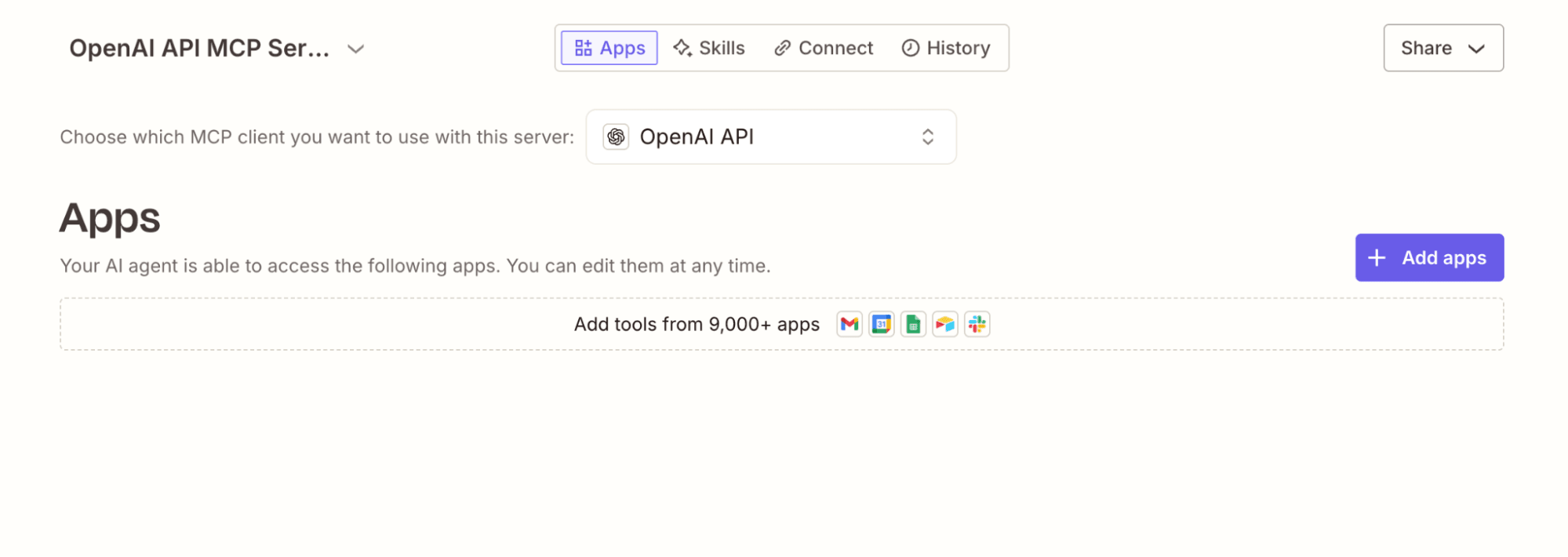
The other way to access Zapier is directly in your AI tools, through Zapier MCP or the Zapier SDK. These let your AI take governed action across any of your connected apps (Zapier connects to 9,000+ apps, so it can work with any tool in your tech stack). In other words, you can use Zapier inside ChatGPT, Codex, or any other AI tool, carrying out actions without ever leaving your chat window, code files, or terminal. Zapier MCP also offers skills, which are saved, reusable workflows that combine plain-English instructions with specific app actions.
So really, the best way to use ChatGPT and Zapier is together: with ChatGPT as the agent harness and Zapier as the AI automation layer that gives ChatGPT the secure access and permissions it needs to get work done.
FAQ: Zapier vs. OpenAI
Can ChatGPT replace Zapier?
No—they solve different problems. ChatGPT is a conversational AI and agent harness: you prompt it, and it responds with writing, code, analysis, or an agent that acts inside a short list of connected apps. Zapier is a governed automation platform that connects 9,000+ apps, runs deterministic workflows the same way every time, and adds AI only where a step calls for judgment. You can also use Zapier MCP to take action across those same 9,000+ tools from your AI chat window, whether that's ChatGPT, Claude, or any MCP-enabled tool.
Most teams that try to build their core business automation entirely inside ChatGPT hit its integration and reliability limits quickly, while Zapier is built to handle that plumbing so ChatGPT (and other AI tools) can focus on the parts that actually need reasoning.
What's the difference between Zapier and OpenAI's own agent-building tools?
OpenAI offers a few paths to building an agent: workspace agents let you build one conversationally inside ChatGPT, and the Agents SDK lets developers build and host custom agents in code. Either way, you're building on OpenAI's own models only, with a short native connector list unless you add Zapier MCP. Zapier is model-agnostic (OpenAI, Anthropic, Google, and more) and connects to 9,000+ apps natively, with agents that can run inside a deterministic Zap.
Can Codex build my automations instead of Zapier?
Codex, OpenAI's coding agent, can absolutely write scripts and code that move data between systems—if you or someone on your team can maintain that code long-term. What Codex can't do natively is trigger on events across 9,000+ apps, handle authentication and API updates as they change, or give a non-technical teammate a way to adjust the automation later. Zapier is built for exactly that: no code required, integrations that are maintained automatically, and a system anyone on your team can read and edit.
Can I use ChatGPT/OpenAI with Zapier?
Yes, and it's the best way to use both. Zapier MCP lets you install Zapier directly inside ChatGPT (or Codex), so you can carry out actions across 9,000+ apps without leaving your chat window. That means ChatGPT can handle the reasoning, and Zapier can handle governed, auditable execution—with OAuth-managed credentials, permissions, and logging included—rather than exposing your API keys and business systems directly to a model.
Which is more reliable for business-critical workflows?
Zapier, for anything that needs to run the same way every time. OpenAI's agents are non-deterministic by design: the same input can produce a different output on a different run, and OpenAI Frontier's evaluation loops are built to improve that behavior over time rather than eliminate the variability. Zapier's deterministic workflows are observable and debuggable, with autoreplay, error handling, task histories, and version rollback included by default, so a business-critical process behaves predictably even when an AI step is part of it.
What does each cost for automation?
ChatGPT's paid plans start with a flat fee and a token pool that gets unpredictable once you lean on agents, since Codex, workspace agents, and anything built on the Agents SDK run on metered, token-based pricing. Zapier uses task-based pricing: a standard AI by Zapier step costs one task, an advanced or premium model costs three or five, and you know the cost of a workflow before you run it. For teams building at real volume, that predictability tends to matter more than the sticker price on either platform's cheapest tier.
When is building on OpenAI directly the better choice?
If you have engineers who want to build a bespoke agent from scratch, and you're comfortable committing to OpenAI's ecosystem, the Agents SDK or Frontier's enterprise platform can give you more control over exactly how an agent reasons and behaves. For most businesses that want automation running across their whole app stack without a developer bottleneck, though, Zapier remains the faster, more predictable path.
AI automation starts and scales with Zapier
Build reliable, consistent workflows across tools, people, and processes. Access 9,000+ apps securely from any surface, and add AI to the mix only when you need it.
About the author: Nicole Replogle is a staff writer at Zapier. When she's not writing or nerding out about productivity tech, she can be found playing with her rambunctious border collie mix, marathon training, and drinking way too much coffee.