We looked at 10,000 AI-powered automated workflows on Zapier to learn how our most effective users were leveraging artificial intelligence to work even more effectively. Across all the Zaps—our name for the workflows you make with Zapier—we saw that nearly one-third of them were designed to improve lead management systems.
These workflows were implemented across all parts of the lead management process, including lead capture, enrichment, routing, and follow-up. They enabled faster responses and cleaner data, while eliminating the need for manual work like exporting and importing data.
When people think about automation, they often picture small, clever tricks: an email that gets drafted automatically, or a calendar reminder that just shows up. Useful, sure—but the real story is bigger.
Automation that becomes a system instead of a workaround can transform how businesses run. And when you add artificial intelligence into those systems, the impact grows significantly. An AI step inside a Zap saves time, but AI orchestration is transformative.
It's the difference between AI automation that drafts a social post and a content marketing engine that turns ideas into outlines, articles, and social media campaigns. Or between an AI that sends an automated email to someone filling out a form and a support desk that scales to thousands of customers. Or between an AI that summarizes a call and an AI-powered sales pipeline that keeps leads moving without a hitch.
Table of contents:
How AI systems move work forward
Lead management and follow-up stood out as a high-impact use case, one that leveraged other, broader use cases to deliver the most value. Almost 30% of the analyzed AI-powered Zaps combined messaging and information organization within a lead management workflow.
These systems captured new signups, enriched their profiles, logged them in a CRM, and even sent personalized follow-ups. Often, these Zaps relied on AI to extract information from unstructured data, like a call transcript or an email, and used that information to classify prospects as high- or low-quality leads. In practice, that meant a high-value prospect could sign up on a website and get a thoughtful, on-brand response—even after hours.
Now, let's break down the common use cases powering these lead management systems.
Extracting, summarizing, and organizing information
Almost 30% of the systems we analyzed extracted, summarized, and organized data. This is where AI did the heaviest lifting, covering tasks like meeting management, notifications, formatting data, and file organization. Recruiters used it to scan resumes, highlight relevant skills, and log structured data. Teams set up systems to generate meeting notes, schedule follow-ups, or sort through documents. The tasks themselves weren't glamorous, but the payoff was huge: less manual work and more focus on the decisions that mattered.
Responding to messages
The second cluster was responding to messages, which we found in nearly 20% of the systems. Here, AI wasn't just reducing inbox overload—it was helping teams show up faster and more consistently for customers.
Within this cluster, email automation, email processing, and customer support responses were the most popular automated systems to set up. Sales reps used it to draft tailored replies to inbound leads. Support managers set up Zaps that could handle common FAQs automatically, while flagging tricky cases for human attention. The result was customers who felt heard right away, even when the team was busy elsewhere.
Content creation
The third area of strong use was content creation, with about 14% of automated systems helping people write, polish, and publish—often across multiple platforms at once. One user might jot down a rough idea in a spreadsheet, then let AI spin it into polished posts for LinkedIn and Instagram, ready to be scheduled and shared. Others fed in news articles or blog posts, then used AI to summarize or reframe them into something new. For many, this wasn't just about saving time. It was about scaling a brand voice without scaling headcount.
Content creation also took other forms. Some users built voice transcription workflows that convert audio recordings into text, then trigger a Zap that turns the recording into a blog post. Others built pipelines that feed this text through an AI step to generate a script, then pass that script to an AI video generator.
What AI automation looks like in practice
Real-world AI adoption is pragmatic. Despite the hype around fully autonomous systems, what we've seen is that people use AI to form a connective layer between functions, slotted in to analyze, summarize, or repurpose information from one place before sending it to be used elsewhere.
Lead management
Lead management grows into revenue relays. Leads come in from ads, forms, or calls. AI extracts the important details, scores the opportunity, updates the CRM, and schedules the next step. From there, the system keeps passing the baton—calendar invites, follow-ups, even contract generation—until the deal crosses the finish line.
Here are a few templates to give you a better sense.
Boost conversions by instantly turning minimal contact data into rich lead profiles in your customer relationship manager.
Automate the handoff from marketing to sales when target accounts engage with your content.
See how Zapier customers are using AI and automation together:
This is when AI stops being "helpful automation" and shifts into business-critical infrastructure.
Content creation
Content creation, when automated with AI, turns into a publishing engine. A signal—a form submission, a news feed, a scheduled slot—kicks things off. AI drafts, edits, and enriches the content. Then the system pushes it out to websites, social channels, and schedulers, while notifications keep the team aligned. If needed, add human-in-the-loop processes, and your team can ensure that the automated system is hitting critical quality measures. What started as "AI writes captions" can become a production powerhouse.
Here are some templates that showcase how this can work.
Submit content ideas and have OpenAI generate additional and related ideas automatically.
Transform keywords into SEO-optimized blog posts automatically using Claude AI for content generation, research, and publishing workflows.
This agent researches trends, scripts videos, sets up engagement automation, and compiles everything into a shareable document.

See how Zapier customers tie content creation and AI together with automation:
Message handling
Message handling evolves into conversational support at scale. Customers can reach out anywhere—Slack, email, chat, even voicemail—and AI immediately interprets the request. Simple questions get resolved instantly, complex ones get escalated, and everything is logged so the team has a full picture. Instead of just drafting a reply, AI is woven into the whole support fabric.
These templates show how AI can support message handling.
Improve your IT support with AI-powered responses, automatic ticket prioritization, and knowledge base updates.
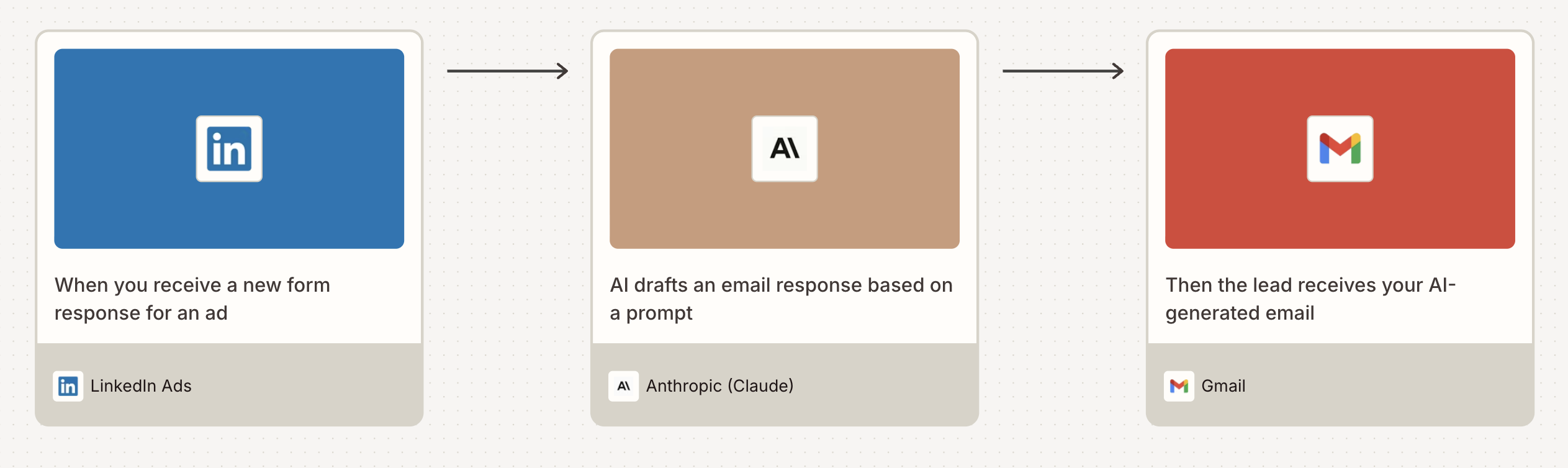
Write new LinkedIn Ads leads emails with ChatGPT and send in Gmail


See how Zapier customers are using AI to improve message response times:
Data extraction
Data extraction powers targeted information sharing. When you're reviewing data—resumes, leads, meeting notes, team chat conversations—relying on AI to pull important information from those original sources lets you do things like deliver personalized summaries or handle complex enrichment.
Here are some templates to show how it works.
Make kicking off hiring a breeze with AI-generated job descriptions, application questions, and interview guides.
Stop losing revenue to missed conversions and get complete attribution across Facebook, Google Ads, TikTok, and LinkedIn automatically.
Transform your Granola meeting notes into AI-powered Slack summaries that keep your team aligned without manual work
Create AI-powered summaries of Slack threads with a single emoji reaction. Save time, stay informed, and never miss important details in your team's conversations.
Submit receipts and AI will automatically categorize them based on your set categories.

How to start with automation—and grow into strategic AI

Up close, an AI Zap looks like a clever shortcut. Looking at the entire picture, you see a different story: whole business functions humming along with AI and automation as the backbone.
As organizations mature, AI systems evolve along a clear path:
Reactive and independent workflows move data and trigger actions
Integrated workflows remove handoffs across systems
Governed workflows manage end-to-end processes with oversight
Adaptive systems optimize, predict, and adapt over time
As workflows evolve into agentic systems, organizations run into a new bottleneck. It's no longer about whether AI can reason; it's about whether it can reliably act across real-world tools, data, and permissions.
That means an agent needs context. It needs to:
Know what tools are available
Understand what actions are allowed
Maintain context across multiple systems
Act consistently without custom wiring for every integration
You can do this in one of two ways: agents and MCP.
Zapier Agents
With Zapier Agents, you can create an AI-powered agent to automate tasks for you in any of the more than 9,000+ apps on the Zapier platform. You set the scope for the agent, define the tasks it's responsible for, and create the system that allows it to manage work for you. Agents have a user-friendly interface, come with assistance for writing prompts, and can handle multi-step tasks that run in the background.
Here are some templates to get you started.
This agent watches for a specific Slack reaction and turns the reacted message into an Asana task.
This agent ranks candidate resumes based on various factors like qualifications, skills, etc.
Zapier MCP
Zapier MCP, which integrates with ChatGPT, Claude, and other AI apps, is ideal for people who primarily work in AI tools who want a way to kick off tasks in their other tools right from the chat interface.
Zapier MCP dramatically reduces complexity while increasing control. This allows organizations to adopt agentic systems responsibly, without sacrificing oversight. Zapier MCP helps by making agent capabilities explicit, standardizing how permissions are defined and enforced, and improving observability into agent actions across systems.
These MCP templates can show you what's possible.
Pull a Jira ticket into Claude Code, let it implement the changes, and review the work before you push
Turn scattered product assets into polished landing pages with SEO-optimized copy, meta descriptions, and FAQs, all synced to your CMS and project tracker
Pull a ticket, generate a plan for review, build the feature, and open the MR in one continuous flow
Pull Slack threads, docs, and research into a curated knowledge base you can chat with, so your AI has the context to give useful answers
The bigger picture: Zapier as the orchestration layer
As AI systems shift from "do this task" to "achieve this outcome," the infrastructure beneath them must evolve.
Zapier's AI orchestration toolset represents that evolution. Zapier Agents and MCP build on what Zapier already does best, connecting tools and orchestrating work, but they extend it into the agentic era by giving AI systems a reliable, structured way to interact with the real world.
The result is not more autonomy for its own sake, but better coordination:
Humans set goals and boundaries
Agents handle execution and coordination
Zapier MCP provides the connective tissue that makes it all work
Zapier's full range of orchestration tools helps turn agentic systems from experiments into infrastructure. Not by making AI smarter, but by making the environment it operates in understandable, governable, and scalable.