Zapier MCP
Connect an AI client to Zapier and run actions as tool calls—no Zap required.
Tool callsLets AI apps connect to Zapier tools.
2 tasks per call
Tasks are counted whenever Zapier successfully completes a unit of work for you. This spans both ways you can use Zapier: within automation and through programmatic access. Some actions cost more than one task.
Access Zapier wherever you work — through MCP for AI assistants like Claude and Cursor, and SDK for developer tools and agents.
Connect an AI client to Zapier and run actions as tool calls—no Zap required.
Call Zapier from your own stack. You host the code, we provide the platform calls.
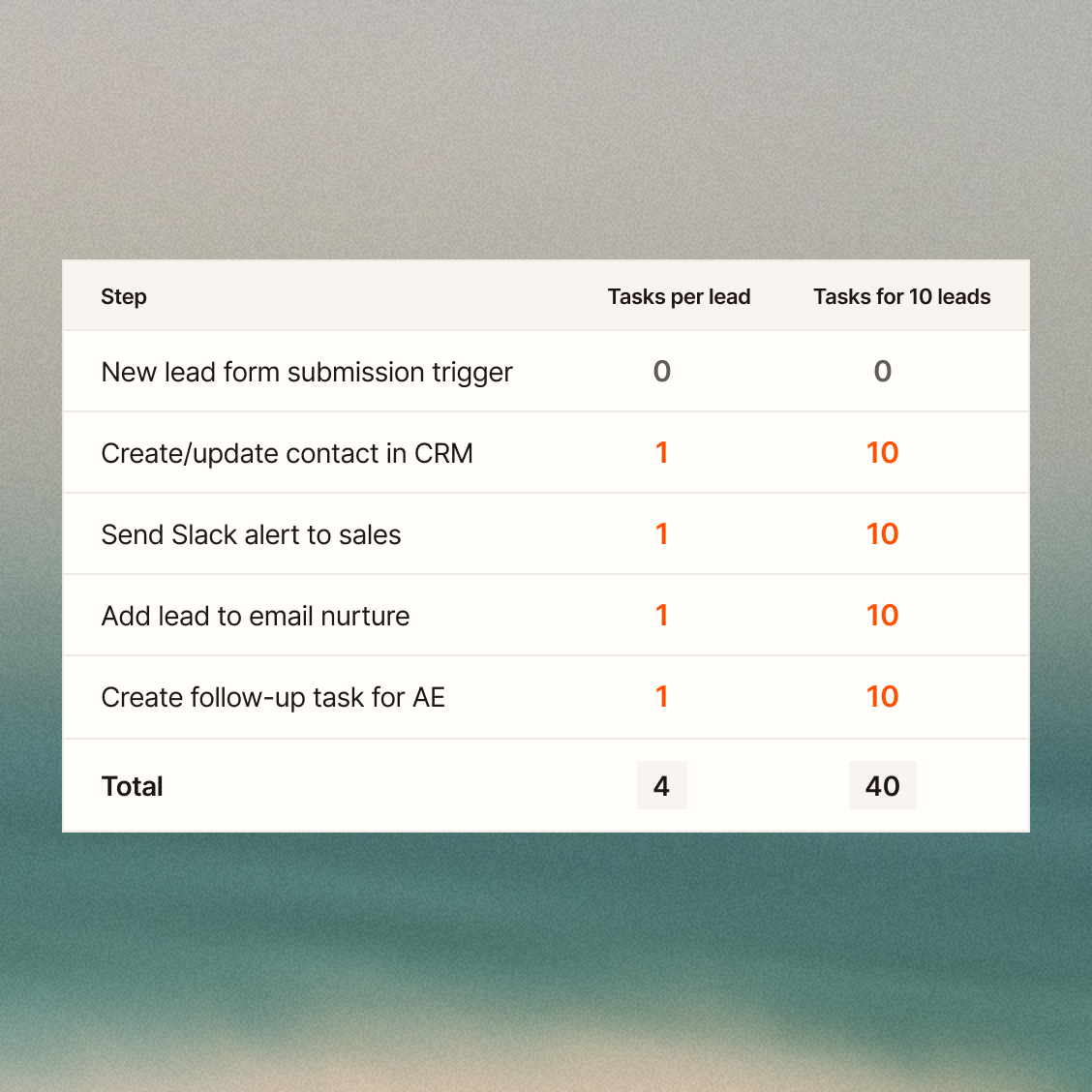
A Zap workflow is made up of steps. Each successful step uses tasks.
Most Zap workflows are built from app actions and built-in tools. Successful steps use tasks the same way across plans.
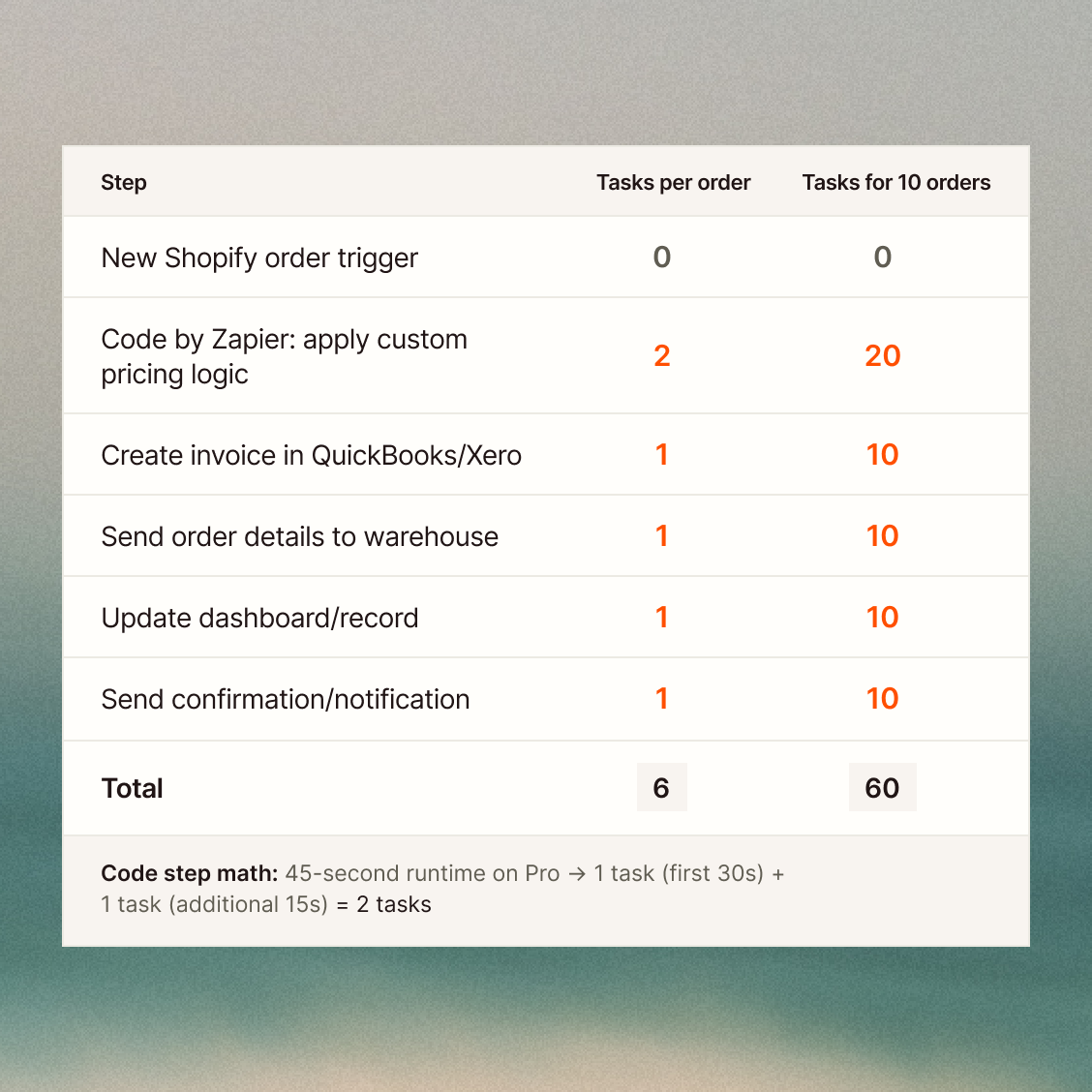
Run your own logic inside a Zap, so you can transform data, call APIs, and integrate systems when no off-the-shelf action fits.
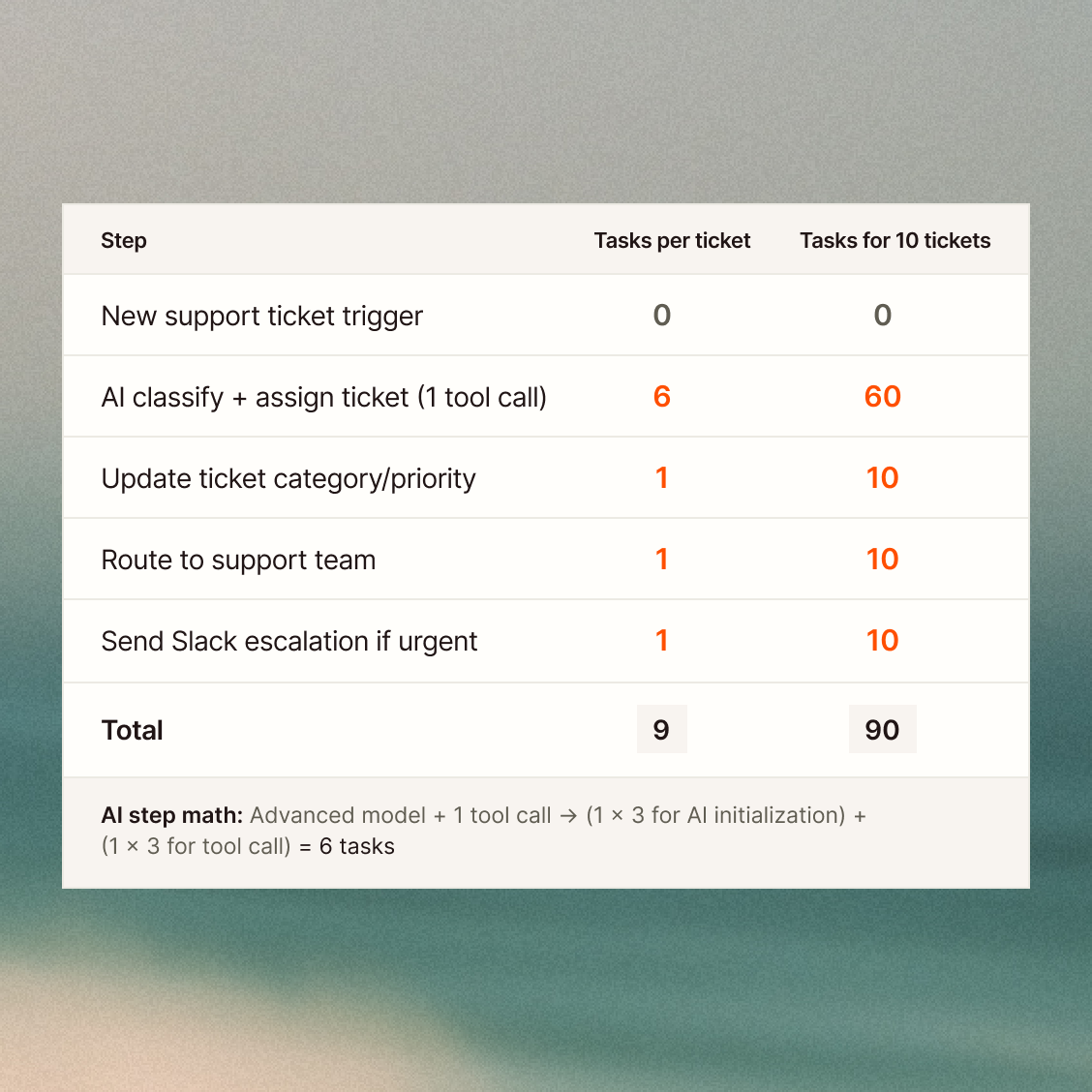
Use AI in your Zap to turn prompts into structured fields, with optional tools and model choices for different needs.
Rates may change over time as we introduce new capabilities or update how tasks are measured.
We’ll announce any changes before they apply.
Zapier workflows run on a spectrum from pure determinism to full inference. The more reasoning a step requires, the more tasks it consumes.
Deterministic workflow
Every step fires in a fixed order. No AI, no branching. A ticket arrives, a reply sends, an issue creates — same path, every time.
AI step in a workflow
The path is fixed, but one step asks an AI model to draft, summarize, or extract data. The model runs once and the workflow continues.
Agentic workflow
AI decides what happens next. Instead of one fixed route, the model evaluates context — priority, sentiment, category — and branches the workflow accordingly. Multiple outcomes, one trigger.