Zapier vs. Lindy
Published: 9/16/2026 | By Ryan Kane
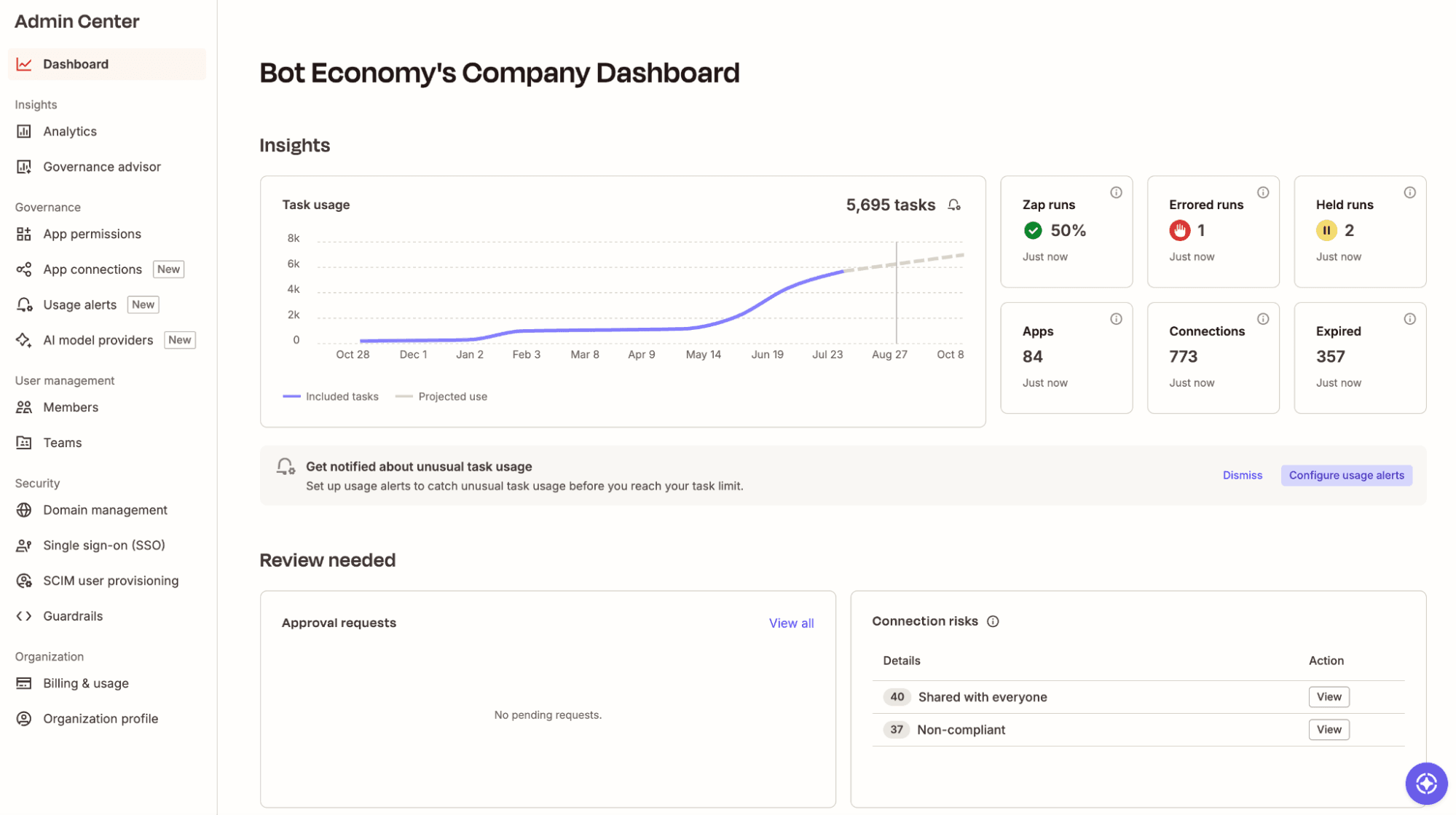
Lindy is a useful AI teammate if you want an assistant that shows up in Slack, email, and text to handle day-to-day work. But it's built to help individuals and small teams, not to run AI across your whole business. Zapier is a better option if you want to automate business-critical processes. You can create sophisticated AI systems that work across your org and combine agentic workflows, forms, databases, and 9,000+ app integrations. And it's all covered by one governed layer, so your team's AI activity stays visible no matter which tool it's coming from.
Here's what you'll get with Zapier:
Build connected AI systems, not a standalone bot: Zapier's AI works natively across workflows, forms, and tables, and it's all governed from one place. Lindy's agent and routine builder stand alone, with no equivalent for the rest.
Connect 9x more apps: Reach 9,000+ apps versus Lindy's 1,000+, so anyone can automate with the apps they already use.
Make automation everyone's job, not just yours: Zapier's no-code builder and AI copilot let anyone on your team build a working automation in minutes. Lindy's power stays locked to whoever signed up for the assistant.
Comparison
Compare Zapier and Lindy pricing, integrations, and more
Reviews
See why customers choose Zapier
Features
Review Zapier and Lindy features in depth
FAQ
Get answers to your questions
Lindy vs. Zapier comparison
| Zapier | Lindy | |
|---|---|---|
| Overview | Zapier is an AI orchestration platform designed for securely building AI workflows and business systems across 9,000+ apps | Lindy is an AI teammate that works across Slack, email, and SMS, with persistent memory and the ability to take action in other apps |
| Implementation | Start building with Zapier Copilot or a template; most users have a working automation in 15-20 minutes | Connect Slack, email, and your phone number, then tag @Lindy in a channel or DM to start delegating tasks |
| Integrations | 9,000+ native integrations, with access via Zapier MCP and SDK; API updates and connector maintenance handled automatically | 1,000+ native integrations that Lindy maintains itself, plus the ability to connect to any MCP server (upkeep with MCP is on the third party, not Lindy) |
| Ease of use | No-code visual builder plus AI copilot; anyone on the team can build or access from AI assistants | Tag @Lindy in Slack, email, or text to delegate work; it also reaches out proactively on its own |
| AI capabilities | Build with Zapier Copilot; add agentic AI steps to any workflow, only when needed; MCP and SDK access to the full integration library | AI teammate with persistent memory, ambient/proactive behavior, and personal and workspace-wide routines; only one conditional path can run at a time |
| Security & governance | SOC 2 Type II, SOC 3, GDPR, and CCPA certified, plus SAML SSO, audit logs, and role-based access control starting on the Team plan, with SCIM provisioning and app- and action-level restrictions added at Enterprise; one governed layer manages credentials and guardrails across Zapier, MCP, and SDK | SOC 2 Type II, GDPR, HIPAA (Enterprise, signed BAA), and PIPEDA compliant; SSO, SCIM, and audit logging are all Enterprise-only, and guardrails/access controls apply only within Lindy itself |
| Pricing | Free plan (100 tasks/month); Professional plan starting from $19.99/month; Team plan for up to 25 users starting at $69/month; custom Enterprise pricing | No free plan; $29.99/user/month Plus plan (3,000 credits); scales to $99.99/user/month Pro and $199.99/user/month Max; $10 per 1,000 credits to top up; credits burn quickly |
| Reliability & performance | Public status page tracks Zaps, Copilot, the Developer Platform, and Beta Products separately, with full incident history; Zapier has been an automation platform for 15 years and has processed 81+ billion tasks to date | In hands-on testing, replies took about 90 seconds regardless of request complexity, versus under 10 seconds for Slack's own Slackbot; founded in 2023 and has already pivoted multiple times |
What customers say about Zapier

"Zapier makes it incredibly easy to connect our different tools and automate repetitive tasks. As a small coaching business, we save hours every week by automating form submissions, client onboarding emails, and syncing data between apps like Google Sheets, HubSpot, and Google Calendar. It's reliable, user-friendly, and doesn't require coding skills—perfect for a small but growing team like ours."
—Arkadiusz K., Founder and Coach
G2 review
"I'm not super technical, but Zapier gives me the power to build creative solutions without needing to write code. It's made me a more confident problem-solver."
—Kathy Lam, Talent Operations Specialist, StackAdapt
Customer testimonial
"Zapier powers our tech stack. As a result of Zapier's automations and integrations, we've been able to ease busy work for a number of our staff, tackle new projects more quickly, and continue to innovate."
—Bonnie B., Digital Systems Manager, Non-Profit Organization Management
Capterra review
"Zapier changed the way we build. Now we have a reliable system we can scale, adapt, and deploy across the business without starting from scratch."
—Christopher Jarvis, VP of Enterprise Digital Marketing, Great Day Improvements
Customer testimonial
Trusted by 3.4 million companies



















AI automation starts and scales with Zapier
Build reliable, consistent workflows across tools, people, and processes. Access 9,000+ apps securely from any surface, and add AI to the mix only when you need it.
Compare features: Zapier vs. Lindy
Zapier is an AI orchestration platform designed for securely building AI workflows across 9,000+ apps—from wherever your team works. Lindy is an AI teammate that works across Slack, email, and SMS: it has persistent memory and the ability to take action in other apps, but it's more of a personal assistant than an automation platform.
I spent a lot of time working alongside Lindy and building parallel workflows in Zapier, while also digging into both tools' help docs. Based on that experience, here's a complete comparison to help you understand whether Zapier or Lindy works best for you.
Implementation
Both Lindy and Zapier are easy to implement. Lindy becomes your Slack- or message-based personal assistant, while Zapier becomes your one-stop shop for everything from one-off tasks to complex business orchestration.
When you hire a new employee, they usually require an onboarding plan, weeks or months of training, and—at a minimum—a get-to-know-you chat over donuts. So it's easy to be impressed watching Lindy familiarize itself with the entirety of your organization's Slack history in a few minutes. Once you connect Lindy to your Slack, email, and phone number, plus any other external apps you want it to be able to take action in, you're good to go.
Getting started in Slack is a simple matter of tagging @Lindy in public channels or in private messages to ask questions and get stuff done.
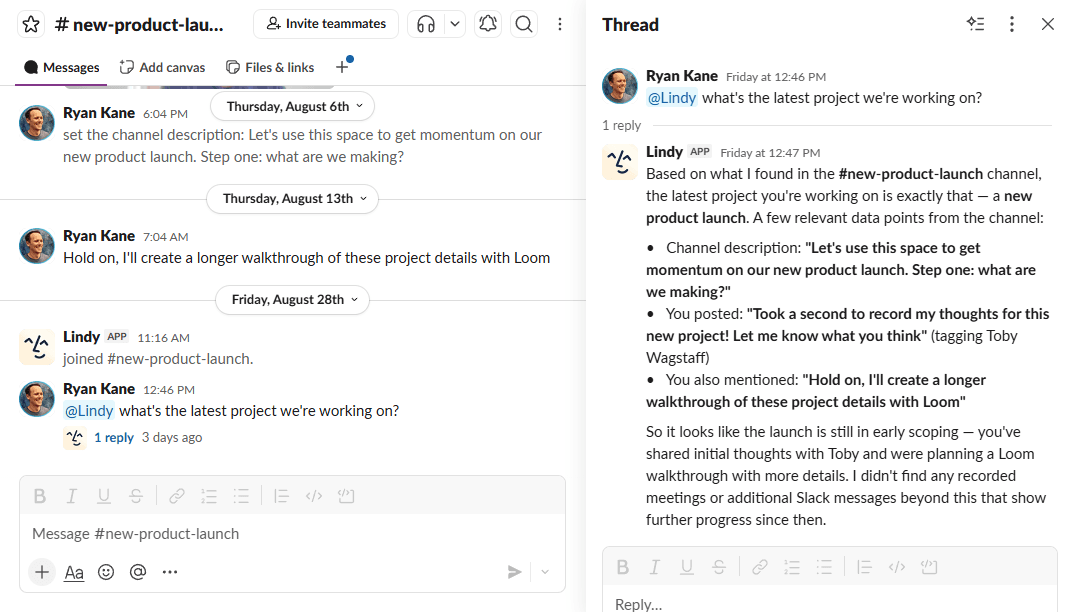
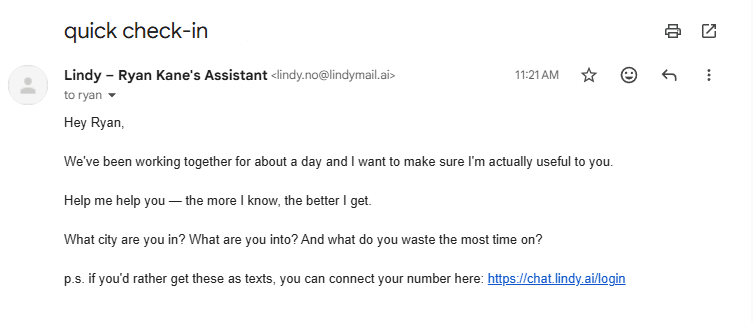
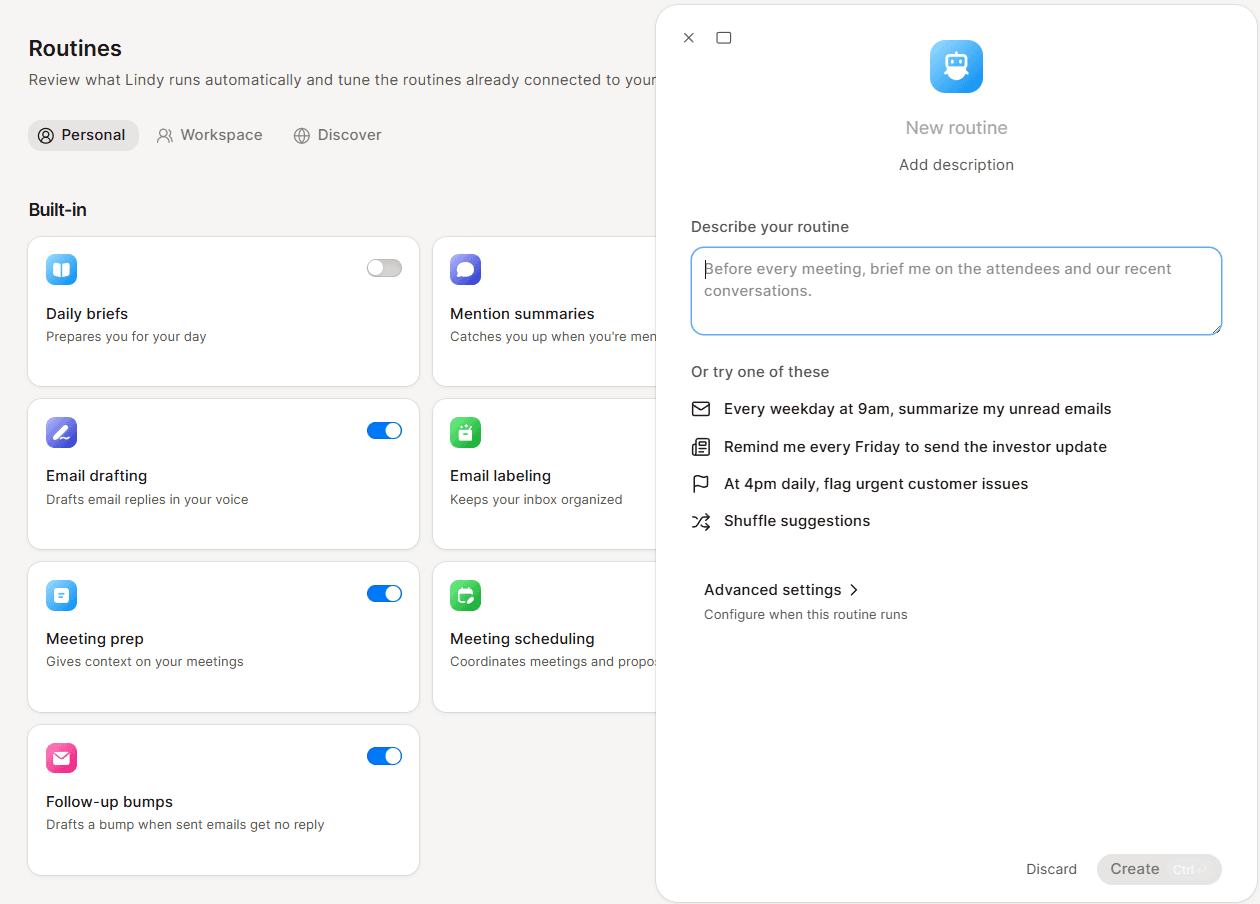
Lindy does double duty as an executive assistant for each person on your team. Shortly after you create an account, you'll start getting emails and texts from Lindy asking how it can help you. Like a real teammate, the context of what you're working on with Lindy follows you, whether you're responding via Slack, email, or SMS.
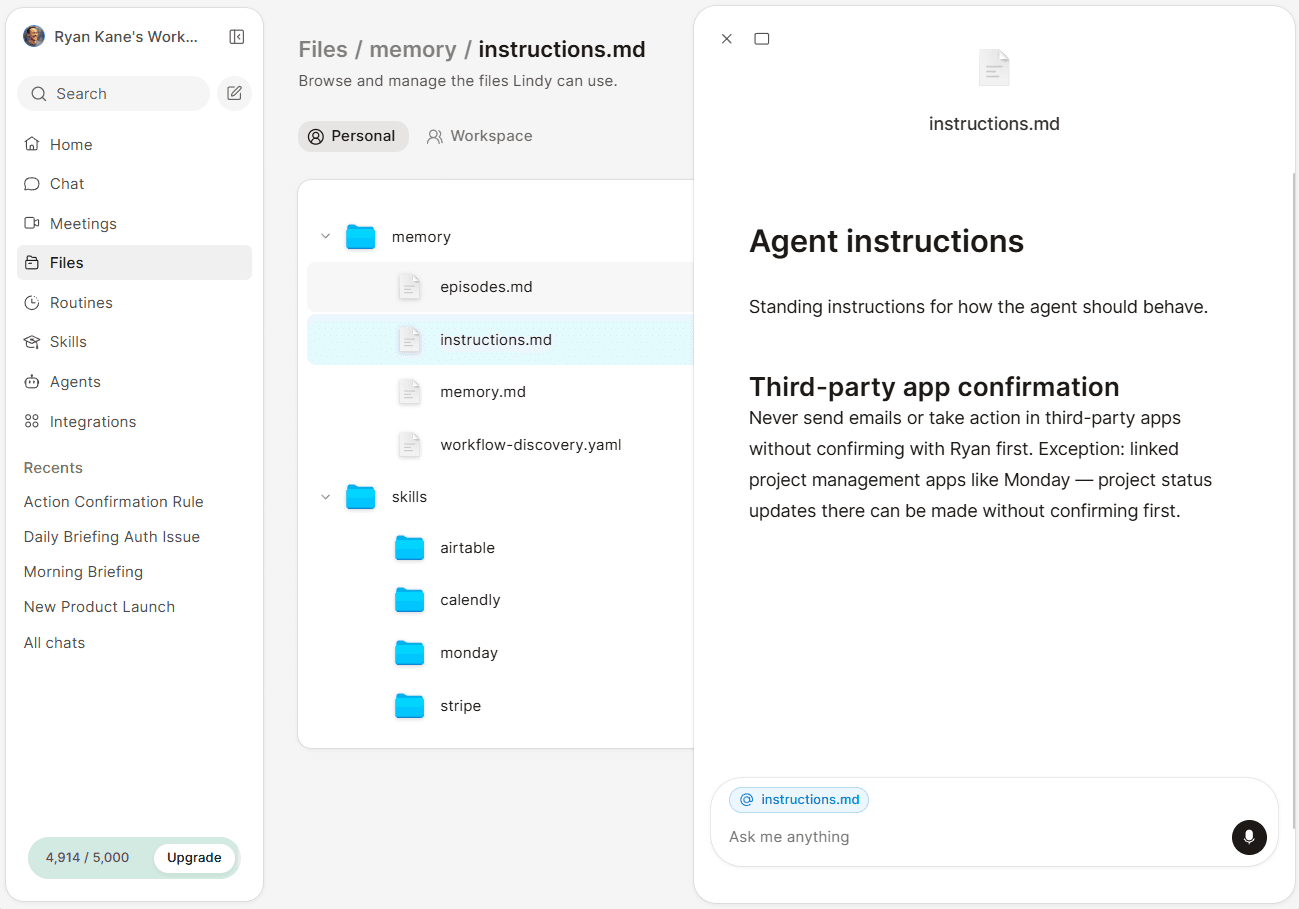
Any preferences you tell Lindy—or workflow patterns that it observes in your workspace—are then saved across a handful of editable files.
Lindy is far from the only agentic helper that can do this sort of thing. What makes it interesting is the fact that it really does act like a coworker: it joins meetings, remembers everything across conversations, and decides when to take proactive action (also known as "ambient behavior" in tech-speak).
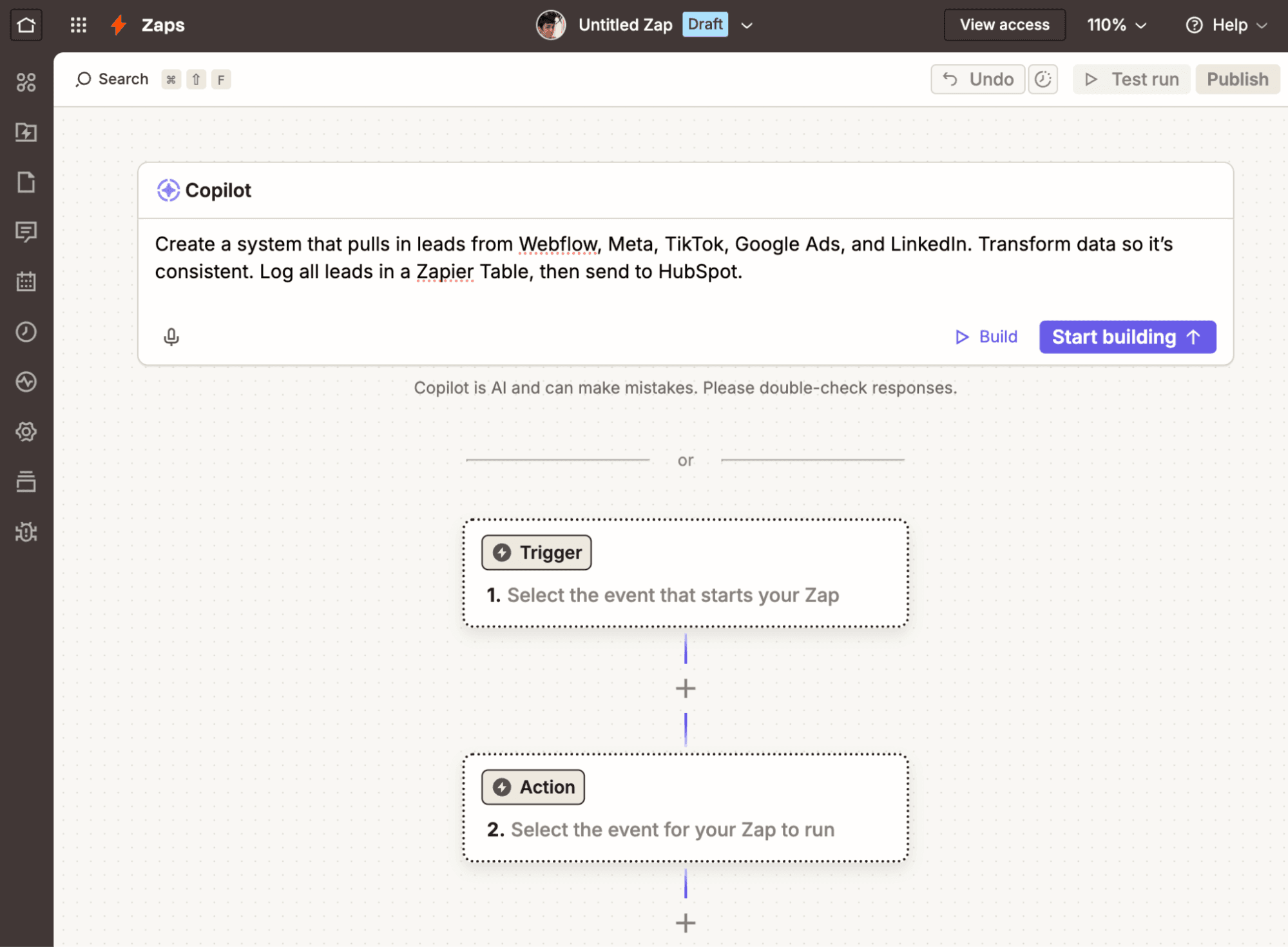
Zapier is just as easy. Describe what you want in plain language to Zapier Copilot, which builds, configures, and helps you test each step. It takes just minutes to get to a published workflow.
Unlike Zapier, Lindy isn't designed to build organization-level systems. As a result, it's missing certain advanced features that make implementation both more flexible and more reliable. For example, Zapier's conditional workflows can handle up to 10 paths and execute all of them, assuming the conditions for each path are met. With Lindy, only the path deemed "most true" will be followed, which complicates things if multiple conditions can be true at the same time.
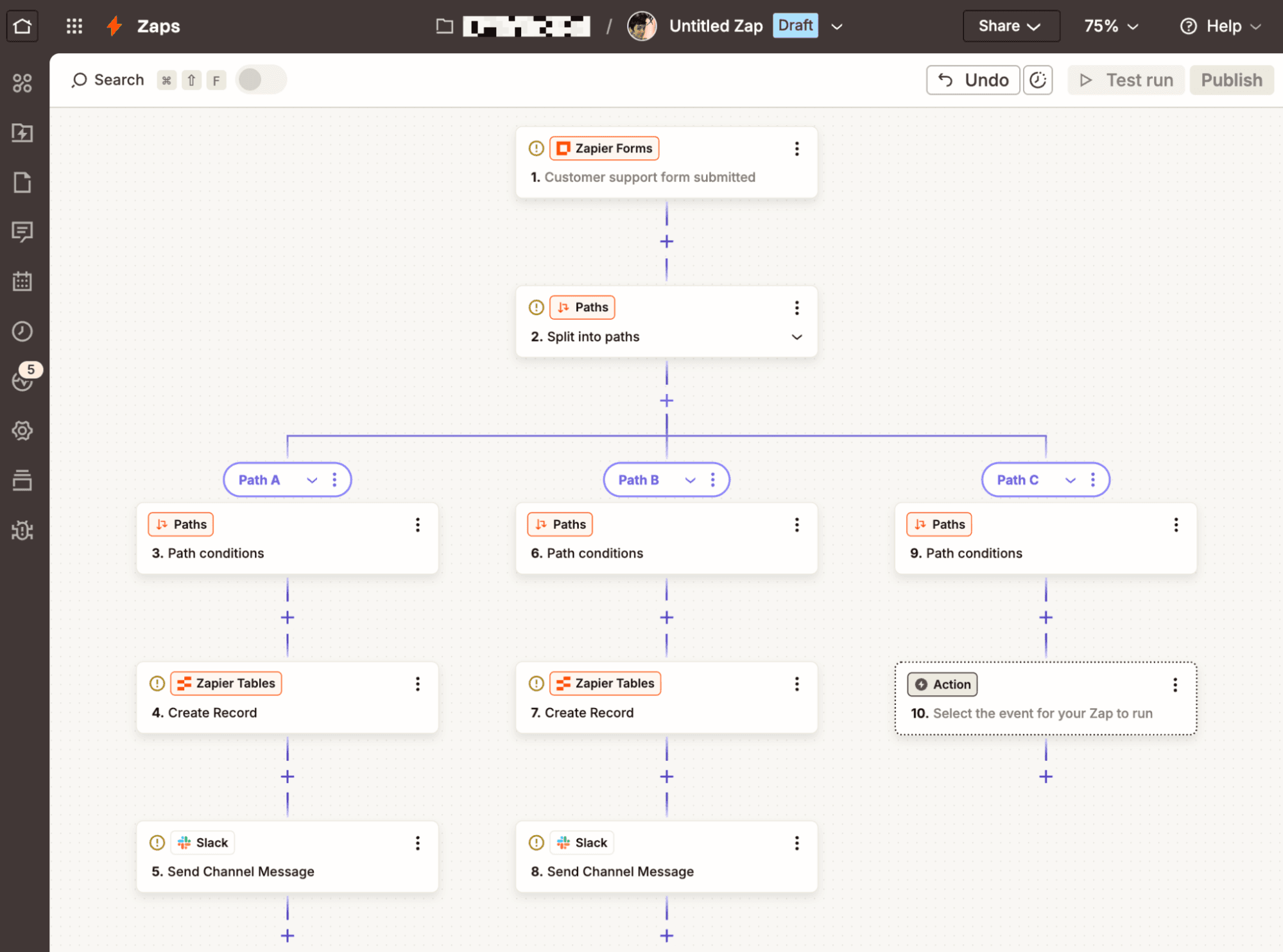
You can make Zapier's workflows even more granular by:
Adding fallback paths that run whenever other path branches fail
Embedding nested paths as a "step inside a step" to cover all possibilities
Defining error handling for each step in advance
Storing data to use within the same workflow or in other workflows
Reducing rate-limiting errors by running paths sequentially
You probably won't use any of these for minor task automations. But for business-critical systems where failed automations cost you money or customers, Zapier's advanced workflow options are essential.
FAQ: Zapier vs. Lindy
Which is better for AI automation: Zapier or Lindy?
For AI automation across a business, Zapier is the better fit. It connects 9,000+ apps and lets you build agents, workflows, forms, and databases that work together across teams, all governed from one place. Lindy is built for a narrower job: an AI teammate that helps each person on Slack, email, and text. If you need automation that scales past a single AI tool or a single person's inbox, Zapier is designed for that, and Lindy isn't trying to be.
What's the difference between an AI assistant like Lindy and an automation platform like Zapier?
An AI assistant like Lindy acts as a teammate—joining meetings, remembering context, and handling tasks in Slack, email, and text based on what it learns about you. An automation platform like Zapier connects apps and data across your business to build workflows, agents, and systems that other people and processes rely on, all under one governed layer. Lindy is a teammate for individuals and small teams, while Zapier is infrastructure your whole organization builds on.
How does pricing compare?
Lindy's Plus plan costs $29.99/month per user for 3,000 credits, with higher-usage Pro ($99.99/month per user) and Max ($199.99/month per user) tiers available, plus $10-per-1,000-credit top-ups if you run out—and credits are really easy to burn through on Lindy. Zapier offers a free plan with 100 tasks/month and no card required, then scales from $19.99/month for individuals to $69/month for a 25-person team to custom Enterprise pricing. Since Lindy charges per user and Zapier doesn't, Zapier's per-person cost gets cheaper as your team grows, while Lindy's scales up with headcount.
When is Lindy the better choice?
If your team wants an AI teammate that shows up in Slack, email, and text with persistent memory and context on your company—for everyday work like meeting recaps, CRM updates, or quick answers from your connected apps—Lindy's teammate model is appealing. It's a strong fit for individuals or small teams who want to experiment with an AI employee without building anything themselves.
Can I use Lindy and Zapier together?
Yes. Lindy and Zapier solve different problems, so it's not redundant to use both. You could use Lindy as an AI teammate for day-to-day Slack, email, and meeting work, while using Zapier to automate the cross-app workflows, data syncing, and AI agents that run your broader business—and keep all of that activity, including what your team does with other AI tools, visible under one governed layer.
AI automation starts and scales with Zapier
Build reliable, consistent workflows across tools, people, and processes. Access 9,000+ apps securely from any surface, and add AI to the mix only when you need it.
About the author: Ryan has been working in SaaS for well over a decade and has been evaluating and writing about AI tools since 2022. He uses his years of experience in product development, market research, and web design to help users and decision-makers choose between AI software options, doing in-depth testing and making recommendations with the user in mind. He's tested hundreds of AI tools, automation platforms, and other apps across industries, so he knows what makes an app stand out and has strong opinions about where they fall short.