Connect PandaDoc and Pennylane to power AI-driven automation ノーコードAI自動化 完全な監査証跡とコントロール SOC 2 およびGDPR準拠 簡単なビジュアルワークフロービルダー 9、000+ アプリ、 450+ AI ツール Free階層が利用可能 トップ企業は、コーディングを必要とせず、独自のビジネス問題を解決する作業を自動化するために Zapier を信頼しています。
Zapierの仕組み Zapier makes it easy to integrate PandaDoc with Pennylane - no code necessary. See how you can get setup in minutes.
1。イベントを選択します
アプリ
パンダドック
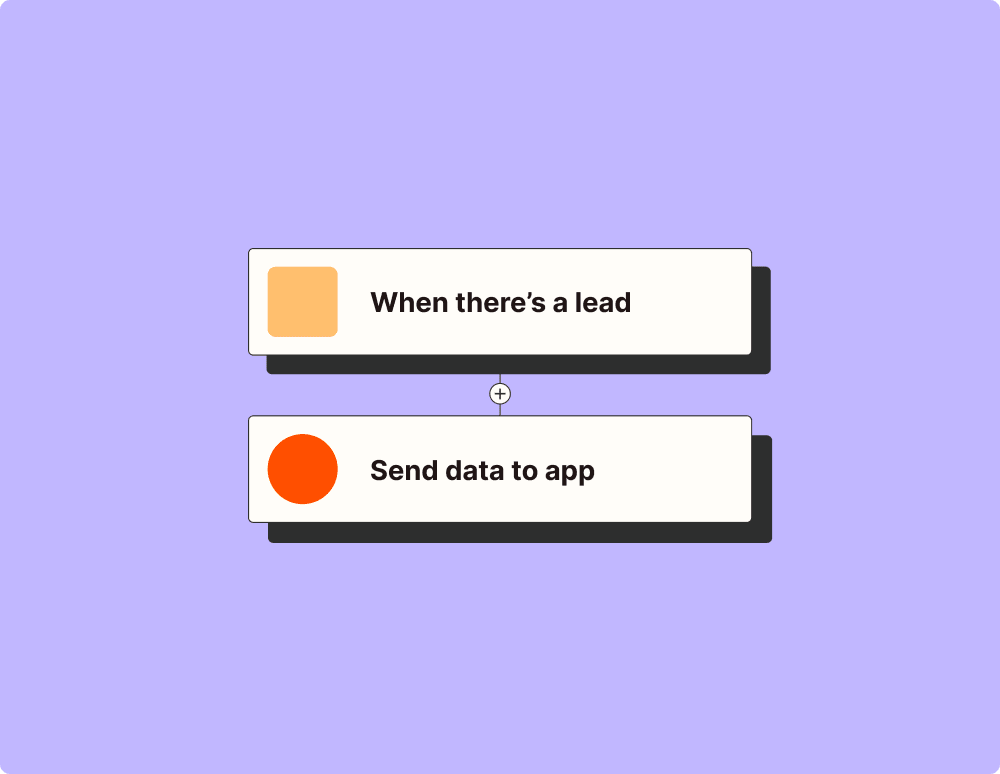
トリガーを選択 トリガーとは、PandaDoc の「ドキュメントが完了しました」のように、Zap を開始するイベントです。
アクションを追加する An action happens after the trigger—such as "Create Billing Subscription V2" in Pennylane.
接続されています! Zapierはシームレスに接続しますPandaDocそしてPennylane、ワークフローを自動化します。
サポートされているトリガーとアクション Zapier は、アプリを接続して反復的なタスクを自動化するワークフローの作成に役立ちます。トリガーはワークフローを開始するイベントであり、アクションは Zap が実行するイベントです。
書類完成 ドキュメントが完了したときにトリガーされます。
試してみる 支払われたドキュメント ドキュメントが支払われたときにトリガーされます。
試してみる 添付ファイルの作成 ドキュメントの添付ファイルを作成します。
ドキュメントの作成 テンプレートからドキュメントを作成します。
メッセージ
価格表の通貨
名前
形容
価格
量
割引
ドキュメントメタデータ
APIリクエスト(ベータ版) これは、このインテグレーションの認証を含む生のHTTPリクエストを作成する高度なアクションです。
クエリ文字列パラメーター
追加のリクエストヘッダー
体
ドキュメントの添付ファイルの取得 ドキュメントに添付されたファイルを取得します。
New Billing Subscription V2 Triggers when a new billing subscription is created or fetches existing invoices with optional filtering.
Cursor
極限
Sort
顧客 ID
請求書番号
Draft Status
Credit Note
External Reference
試してみる New Customer Invoice V2 Triggers when a new customer invoice is created or fetches existing invoices with optional filtering.
Cursor
極限
Sort
顧客 ID
請求書番号
Draft Status
Credit Note
External Reference
試してみる New Quote V2 Triggers when a new quote is created or fetches existing quotes with optional filtering.
試してみる Create Company Customer V2 Creates a new company customer.
Create Customer Invoice V2 Creates a new customer invoice (draft or finalized).
Update Individual Customer V2 Updates an existing individual customer.
Create Quote V2 Creates a new quote.
Update Billing Subscription V2 Update an existing billing subscription using the V2 API
Stop subscription
Mode type
Email recipients
Payment conditions
お支払い方法
Recurring rule Type
Recurring rule Interval
Recurring rule Count
Day of month (for monthly recurrence)
Day of week (for weekly recurrence)
顧客 ID
通貨
Customer Invoice Template ID
PDF Invoice Free Text
PDF Invoice Subject
PDF Description
Special Mention
言語
割引
Invoice Line Sections
New Line: Label
New Line: Quantity
New Line: Unit Price
New Line: Unit
New Line: VAT Rate
New Line: Description
New Line: Product ID
New Line: Ledger Account ID
New Line: Section Rank
New Line: Discount
Update Line: ID
Update Line: Label
Update Line: Quantity
Update Line: Unit Price
Update Line: Unit
Update Line: VAT Rate
Update Line: Description
Update Line: Product ID
Update Line: Ledger Account ID
Update Line: Section Rank
Update Line: Discount
Delete Line IDs
Get Billing Subscription V2 Retrieves a billing subscription.
Existing billing subscription identifier必須
Retrieve Invoice V2 Retrieves an invoice.
Retrieve Quote V2 Retrieves a quote.
Existing quote identifier必須
Find or Create Customer Invoice V2 Retrieves an invoice.
Find or Create Quote V2 Retrieves a quote.
伝票ステータス変更 ドキュメントのステータスが下書き、送信済み、閲覧済み、完了、支払済みなどに変わったときにトリガーされます。
試してみる 送信されたドキュメント ドキュメントが送信されたときにトリガーされます。
試してみる 連絡先の作成 [非推奨] PandaDocで新しい連絡先を作成します。
連絡先の作成または更新 新しい連絡先を作成するか、既存の連絡先を更新します。
ドキュメントの検索 名前、ステータス、およびその他のパラメーターでドキュメントを検索します。
ID によるドキュメントの取得 ドキュメントに関する詳細なデータを取得します。
New Customer V2 新しい顧客が作成された場合にトリガーされます。
試してみる New Product V2 新しい製品が作成された場合にトリガーされます。
試してみる Create Billing Subscription V2 Create a billing subscription using the V2 API
Email recipients
Recurring rule Interval
Recurring rule Count
Day of month (for monthly recurrence)
Day of week (for weekly recurrence)
通貨
Customer Invoice Template ID
PDF Invoice Free Text
PDF Invoice Subject
PDF Description
Special Mention
言語
割引
Invoice Line Sections
Invoice Line Raw Currency Unit Price必須
Invoice Line Description
Invoice Line Product ID
Invoice Line Ledger Account ID
Invoice Line Section Rank
Invoice Line Discount Type
Invoice Line Discount Value
Update Company Customer V2 Updates an existing company customer.
Create Individual Customer V2 Creates a new individual customer.
Create Product V2 新しい製品を作成します。
製品説明
Product price (before tax)必須
製品単位
商品通貨
製品リファレンス
商品識別子
Ledger account ID
Update Quote V2 Updates a new quote.
Update Product V2 製品を更新します。
Retrieve Customer V2 Retrieves a customer.
Existing customer identifier (source_id)必須
Retrieve Product V2 Retrieves a product.
Existing product identifier (source_id)必須
Find or Create Billing Subscription V2 Retrieves a billing subscription.
Existing billing subscription identifier必須
Email recipients
Recurring rule Interval
Recurring rule Count
Day of month (for monthly recurrence)
Day of week (for weekly recurrence)
通貨
Customer Invoice Template ID
PDF Invoice Free Text
PDF Invoice Subject
PDF Description
Special Mention
言語
割引
Invoice Line Sections
Invoice Line Raw Currency Unit Price必須
Invoice Line Description
Invoice Line Product ID
Invoice Line Ledger Account ID
Invoice Line Section Rank
Invoice Line Discount Type
Invoice Line Discount Value
Find or Create ProductV2 Retrieves a product.
Existing product identifier (source_id)必須
製品説明
Product price (before tax)必須
製品単位
商品通貨
製品リファレンス
商品識別子
Ledger account ID
もっと読み込む
AIエージェントと開発者向け
Use PandaDoc and Pennylane with AI agents and code Beyond Zap workflows. Call PandaDoc and Pennylane actions directly from your AI client or your codebase, using the same 9,000+ app integrations Zapier already runs.
ノーコード Zapier MCP経由で接続 Expose PandaDoc and Pennylane actions as tools in any MCP client. Authenticate once, then call them in natural language.
Example actions on this page
Works with
Claude · ChatGPT · Cursor · any MCP-compatible client
Connect Zapier MCP タイプスクリプト Call from code with the Zapier SDK Trigger PandaDoc and Pennylane actions from backend services, scripts, or agent code.
Install
# TypeScript / Node
npm install @zapier/zapier-sdk
Run an action
import { createZapierSdk } from '@zapier/zapier-sdk';

const zapier = createZapierSdk();
await zapier.runAction({ /* pandadoc / pennylane action */ });
SDKドキュメントを実行する Pythonパッケージはまだありません。SDKはTypeScript専用です(@zapier/zapier-sdk)。MCPサーバーのURLはあなたのアカウント専用です。zapier.com/mcpで取得してください。
Zapier は、 2023の Forbes Cloud 100社の87 % が選択した自動化プラットフォームです。 93%
Zapierの使用により仕事の効率が上がったと語る顧客
25m
顧客はプラットフォーム上で25百万以上のZapを作成しました
6 分
平均的なユーザーはZapのセットアップに6分もかかりません
ZapierブログでPandaDocの自動化の方法を学びましょう
Zapier でPandaDoc自動化する4方法 ほんの数回の Zap で、PandaDoc を毎日使用する他のアプリに接続できます。通知の送信、ファイルの整理、ドキュメントの自動作成などを行います。ここでは、始めるのに役立つ主な方法をいくつか紹介します。
AIでワークフローを効率化 レベルアップPandaDocとPennylaneのAIインテグレーション。主要なAIモデルを使用して、インテグレーションデータを抽出、要約、変換します。
OpenAI 、
Anthropic など。
PandaDoc は、販売ワークフローを効率化するオールインワン ソフトウェアです。より多くのビジネスを獲得するために設計されたクライアント向けドキュメントを作成、送信、追跡、電子署名します。
Pennylane はすべてのキャッシュフローを一元管理し、財務ツールに接続して会計士とのコラボレーションを簡素化し、自動化します。
世界最大のノーコード自動化プラットフォームでPandaDocをPennylaneに接続します