Connect Docusign and Google Sheets to power AI-driven automation ノーコードAI自動化 完全な監査証跡とコントロール SOC 2 およびGDPR準拠 簡単なビジュアルワークフロービルダー 9、000+ アプリ、 450+ AI ツール Free階層が利用可能 最初の自動化ワークフローを起動する Start with a template that brings Docusign and Google Sheets together. Build enterprise-grade automation in minutes.
送信済みまたは完了済みの新しい DocuSign エンベロープの Google スプレッドシートの行を追加します DocuSign + Google Sheets
Google スプレッドシートの新しい行に DocuSign 署名リクエストを作成する Google Sheets + DocuSign
新しく完了した DocuSign エンベロープから Google スプレッドシートの行を更新する DocuSign + Google Sheets
新しい DocuSign エンベロープが送信または完了したら、Google スプレッドシートの行を更新します DocuSign + Google Sheets
Google スプレッドシートの新しい行から DocuSign 署名リクエストを作成する Google Sheets + DocuSign
DocuSign で送信または完了した新しいエンベロープの Google スプレッドシート行を作成します DocuSign + Google Sheets
もっと読み込む
更新された Google スプレッドシートの行から署名リクエストを作成します。 Google Sheets + DocuSign
Create multiple rows in Google Sheets when envelopes are sent or completed in DocuSign DocuSign + Google Sheets
トップ企業は、コーディングを必要とせず、独自のビジネス問題を解決する作業を自動化するために Zapier を信頼しています。
Zapierの仕組み Zapier makes it easy to integrate Docusign with Google Sheets - no code necessary. See how you can get setup in minutes.
DocuSign
DocuSign
Google Sheets
Google Sheets
1。イベントを選択します
アプリ
DocuSign
トリガーを選択 トリガーは、Docusign からの「同意する」をクリックするなど、Zap を開始するイベントです。
アクションを追加する トリガーの後にアクションが実行されます(Google スプレッドシートの「スプレッドシートの列を作成」など)。
接続されています! Zapierはシームレスに接続しますDocusignそしてGoogle Sheets、ワークフローを自動化します。
サポートされているトリガーとアクション Zapier は、アプリを接続して反復的なタスクを自動化するワークフローの作成に役立ちます。トリガーはワークフローを開始するイベントであり、アクションは Zap が実行するイベントです。
「同意する」をクリック 受信者がクリックラップ契約に同意したときにトリガーされます。
試してみる New Docusign Connect Event Triggers when selected Docusign events occur.
試してみる エンベロープの修正 エンベロープが修正されたときにトリガーされます。
Warning_text
作成した封筒のみを返品しますか?
Filter by Envelope Name
Filter by Envelope Name Match Type
Filter by Document Name
Filter by Document Name Match Type
Add certificate of completion
Include documents
受信者を含める
Include custom fields
Include form data
試してみる エンベロープが拒否されました エンベロープが拒否されたときにトリガーされます。
Warning_text
作成した封筒のみを返品しますか?
Filter by Envelope Name
Filter by Envelope Name Match Type
Filter by Document Name
Filter by Document Name Match Type
Add certificate of completion
Include documents
受信者を含める
Include custom fields
Include form data
試してみる 封筒が届いた エンベロープが配信されたときにトリガーされます。
Warning_text
作成した封筒のみを返品しますか?
Filter by Envelope Name
Filter by Envelope Name Match Type
Filter by Document Name
Filter by Document Name Match Type
Add certificate of completion
Include documents
受信者を含める
Include custom fields
Include form data
試してみる エンベロープ パージ エンベロープがパージされたときにトリガーされます。
Warning_text
作成した封筒のみを返品しますか?
Filter by Envelope Name
Filter by Envelope Name Match Type
Filter by Document Name
Filter by Document Name Match Type
Add certificate of completion
Include documents
受信者を含める
Include custom fields
Include form data
試してみる エンベロープの送信 エンベロープが送信されたときにトリガーされます。
Warning_text
作成した封筒のみを返品しますか?
Filter by Envelope Name
Filter by Envelope Name Match Type
Filter by Document Name
Filter by Document Name Match Type
Add certificate of completion
Include documents
受信者を含める
Include custom fields
Include form data
試してみる New Agreement (For IAM Plans) Triggers when a new Agreement Manager agreement is created. Only available for Docusign IAM Plans.
試してみる Workflow Completed (For IAM Plans) Triggers when a Workflow Builder workflow completes. Only available for Docusign IAM Plans.
試してみる Workflow Started (For IAM Plans) Triggers when a Workflow Builder workflow starts. Only available for Docusign IAM Plans.
試してみる 本人確認が保留中 署名者が eIDAS 準拠の認定電子署名 (QES) の ID 検証プロセスを完了したが、結果がまだ保留中の場合にトリガーされます。
試してみる 新しいフォルダ 新しいフォルダーが作成された場合にトリガーされます。
試してみる New User Added to Workspace (For IAM Plans) Triggers when a new user is added to a workspace. Only available for Docusign IAM Plans.
試してみる 受信者の自動応答 受信者のEメールアカウントがエンベロープ通知に自動応答を送信したときにトリガーされます。
Warning_text
作成した封筒のみを返品しますか?
Filter by Envelope Name
Filter by Envelope Name Match Type
Filter by Document Name
Filter by Document Name Match Type
Add certificate of completion
Include documents
受信者を含める
Include custom fields
Include form data
試してみる 受信者が拒否されました 受信者が署名を拒否したときにトリガーされます。
Warning_text
作成した封筒のみを返品しますか?
Filter by Envelope Name
Filter by Envelope Name Match Type
Filter by Document Name
Filter by Document Name Match Type
Add certificate of completion
Include documents
受信者を含める
Include custom fields
Include form data
試してみる 受取人配達 Triggers when a recipient viewed the documents through the Docusign signing website. This event does not signify email or SMS delivery of an envelope.
Warning_text
作成した封筒のみを返品しますか?
Filter by Envelope Name
Filter by Envelope Name Match Type
Filter by Document Name
Filter by Document Name Match Type
Add certificate of completion
Include documents
受信者を含める
Include custom fields
Include form data
試してみる 受信者の再割り当て 受信者がエンベロープを再割り当てしたときにトリガーされます。
Warning_text
作成した封筒のみを返品しますか?
Filter by Envelope Name
Filter by Envelope Name Match Type
Filter by Document Name
Filter by Document Name Match Type
Add certificate of completion
Include documents
受信者を含める
Include custom fields
Include form data
試してみる 送信された受信者 署名する順番が来たことを通知するメッセージが受信者に送信されたときにトリガーされます。
Warning_text
作成した封筒のみを返品しますか?
Filter by Envelope Name
Filter by Envelope Name Match Type
Filter by Document Name
Filter by Document Name Match Type
Add certificate of completion
Include documents
受信者を含める
Include custom fields
Include form data
試してみる SMSオプトアウト 受信者がエンベロープの SMS 通知の受信をオプトアウトしたときにトリガーされます。
試してみる テンプレートが削除されました テンプレートが削除されたときにトリガーされます。
試してみる Workspace Documents (For IAM Plans) Fetches documents from a workspace for selection. Only available for Docusign IAM Plans.
試してみる 一括送信リストに追加 既存の一括送信リストに新しい受信者を追加します。
テンプレートから封筒を一括送信 一括送信リストを使用して、テンプレートを複数の受信者に送信します。
下書き署名リクエストを作成する 署名リクエストの下書きを作成します。
Eメール件名
Eメールの宣伝文
リマインダーを有効にしますか?
Enable Expiration?
受信者のEメール
受信者名
受信者の役割
ドキュメントからテンプレートを作成 ドキュメントを使用して新しいテンプレートを作成します。
形容
Eメール件名
Eメールメッセージ
文書
ドキュメント名
受信者タイプ
配送方法
Eメール
電話番号
名前
ロール名
Delete Document From Workspace (For IAM Plans) Removes a document from a workspace permanently. Only available for Docusign IAM Plans.
文書を使用してエンベロープを送信 ドキュメントを使用してエンベロープ署名リクエストを送信します。
エンベロープ文書の検索 エンベロープに関連付けられている文書のリストを取得します。
テンプレートドキュメントを探す テンプレートに関連付けられたドキュメントのリストを取得します。
Find Documents in Workspace (For IAM Plans) Lists and searches documents within a specific workspace. Only available for Docusign IAM Plans.
Pause Workflow Instance (For IAM Plans) Pauses a running workflow instance. Only available for Docusign IAM Plans.
Trigger Workflow (For IAM Plans) Triggers a Workflow Builder workflow. Only available for Docusign IAM Plans.
List Users in Workspace (For IAM Plans) Lists all users in a workspace with their roles and permissions. Only available for Docusign IAM Plans.
Restore Workspace User Access (For IAM Plans) Restores a user's access to a workspace by re-adding them. Only available for Docusign IAM Plans.
テンプレートの更新 既存のテンプレートを新しいドキュメントと受信者で更新します。
形容
Eメールメッセージ
ドキュメント名
受信者タイプ
配送方法
Eメール
電話番号
名前
ロール名
ボイドエンベロープ 既存のエンベロープを無効にします。
Create Envelope with Base URL and Account ID Input ベース URL とアカウント ID には直接入力フィールドを使用し、必須のカスタム フィールド、ベースファイル64としてのドキュメント、テンプレート、および受信者の詳細を含む DocuSign エンベロープを作成します。
Find Documents List for Envelope Retrieves a list of documents associated with an envelope by ID, with downloadable file URLs. Use this search when you need to fetch document metadata and download links without triggering hydration timeouts in your trigger steps.
Find Envelope Info Retrieves metadata and timing information for a specific envelope by ID, including email subject/message, timestamps, and status. Use this search when you need to fetch envelope information without triggering hydration timeouts in your trigger steps.
Find Workflow (For IAM Plans) Finds Workflow Builder workflows that match the search criteria. Only available for Docusign IAM Plans.
Find Workflow Instance (For IAM Plans) Finds Workflow Builder instances for a specific workflow. Only available for Docusign IAM Plans.
新しいスプレッドシートの行(チームドライブ) Google チームドライブのスプレッドシートの下部に新しい行が追加されたときにトリガーされます。
試してみる 新しいスプレッドシート 新しいスプレッドシートが作成された場合にトリガーされます。
試してみる 新規または更新されたスプレッドシート行 スプレッドシートに新しい行が追加または変更されたときにトリガーされます。
試してみる 新しいワークシート スプレッドシートにワークシートが作成された場合にトリガーされます。
試してみる スプレッドシートの行を作成 特定のスプレッドシートに新しい行を作成します。
スプレッドシートの先頭に行を作成する スプレッドシートの上部 (ヘッダー行の後) に新しいスプレッドシート行を作成します。
条件付き書式ルールの作成 Google スプレッドシートのスプレッドシートのセルに、その値に基づいて条件付き書式を適用します。
ワークシートのコピー 既存のワークシートをコピーして、新しいワークシートを作成します。
ワークシートの作成 Google スプレッドシートに新しいワークシートを作成します。
ドライブ
既存のワークシートを同じタイトルで上書きする
ヘッダー
シートを削除 Google スプレッドシートからワークシートを完全に削除します。警告: このアクションは元に戻すことはできません。
フォーマットセル範囲 日付、数値、スタイルの書式設定(色、太字、斜体、取り消し線)を Google スプレッドシートのセル範囲に適用します。
シート名の変更 Google スプレッドシートのワークシートの名前を変更する。
ソート範囲 Google スプレッドシートの指定した範囲内のデータを、選択した列で昇順または降順で並べ替えます。
スプレッドシートの行を更新 特定のスプレッドシート内の 1 つ以上の行を更新します (行項目のサポート付き)。
スプレッドシートの行の参照(上級) 列と値に基づいて最大 500 行を明細項目として検索します。
ドライブ
サポートルックアップ列
ルックアップ値のサポート
最後の行から検索
1行目
行数
ワークシートの検索 ワークシートをタイトルで検索します。
スプレッドシートの複数の行を取得する(上級) 最大1 、 500行を単一の JSON 値または行項目として返します。
IDでスプレッドシートを取得 IDで特定のGoogleスプレッドシートを取得しましょう。Google Sheets APIからの生のスプレッドシートデータを返します。
スプレッドシートの検索または作成 指定された名前でスプレッドシートを検索します。見つからない場合は、新しいスプレッドシートを作成します。
ドライブ
検索タイプ
コピーするスプレッドシート
ヘッダー
行の検索または作成 特定のルックアップ行を検索または作成します。
ドライブ
サポートルックアップ列
ルックアップ値のサポート
最後の行から検索
行数
「拒否」をクリック 受信者がクリックラップ契約を拒否したときにトリガーされます。
試してみる 封筒完成 エンベロープが完了するとトリガーされます。
Warning_text
作成した封筒のみを返品しますか?
Filter by Envelope Name
Filter by Envelope Name Match Type
Filter by Document Name
Filter by Document Name Match Type
Add certificate of completion
Include documents
受信者を含める
Include custom fields
Include form data
試してみる エンベロープ作成 エンベロープが作成された場合にトリガーされます。
Warning_text
作成した封筒のみを返品しますか?
Filter by Envelope Name
Filter by Envelope Name Match Type
Filter by Document Name
Filter by Document Name Match Type
Add certificate of completion
Include documents
受信者を含める
Include custom fields
Include form data
試してみる エンベロープの削除 エンベロープが削除されたときにトリガーされます。
Warning_text
作成した封筒のみを返品しますか?
Filter by Envelope Name
Filter by Envelope Name Match Type
Filter by Document Name
Filter by Document Name Match Type
Add certificate of completion
Include documents
受信者を含める
Include custom fields
Include form data
試してみる 封筒の破棄 エンベロープが破棄されたときにトリガーされます。
Warning_text
作成した封筒のみを返品しますか?
Filter by Envelope Name
Filter by Envelope Name Match Type
Filter by Document Name
Filter by Document Name Match Type
Add certificate of completion
Include documents
受信者を含める
Include custom fields
Include form data
試してみる エンベロープ再送信 エンベロープが再送信されたときにトリガーされます。
Warning_text
作成した封筒のみを返品しますか?
Filter by Envelope Name
Filter by Envelope Name Match Type
Filter by Document Name
Filter by Document Name Match Type
Add certificate of completion
Include documents
受信者を含める
Include custom fields
Include form data
試してみる エンベロープが無効になりました エンベロープが無効になったときにトリガーされます。
Warning_text
作成した封筒のみを返品しますか?
Filter by Envelope Name
Filter by Envelope Name Match Type
Filter by Document Name
Filter by Document Name Match Type
Add certificate of completion
Include documents
受信者を含める
Include custom fields
Include form data
試してみる Updated Agreement (For IAM Plans) Triggers when an existing Agreement Manager agreement is updated. Only available for Docusign IAM Plans.
試してみる Workflow Failed (For IAM Plans) Triggers when a Workflow Builder workflow fails. Only available for Docusign IAM Plans.
試してみる 本人確認完了 eIDAS 準拠の認定電子署名 (QES) に対する署名者の ID 検証チェックに関する決定が下され、署名者に通知されたときにトリガーされます。署名者の本人確認チェックで失敗した場合、イベントメッセージには、失敗した理由を示す特定のエラーコードが含まれます。
試してみる エンベロープのステータスが更新されました エンベロープが送信、完了、署名、無効化、または拒否されたときにトリガーされます。このステップがトリガーされると、Zapier は、後続の Zap ステップで処理および再生するために、および選択したエンベロープに関連付けられたデータをエンベロープに一時的にドキュメントを保存します。エンベロープへのフルアクセス権がない場合、一部のデータは利用できない可能性があります。
Polling Interval
Warning_text
地位
作成した封筒のみを返品しますか?
修了証明書を追加しますか?
Include documents?
Include recipients?
Include custom fields?
フォームデータをダウンロードしますか?
試してみる New Workspace (For IAM Plans) Triggers when a new workspace is created. Only available for Docusign IAM Plans.
試してみる 受信者認証に失敗しました 受信者が認証チェックに失敗した場合にトリガーされます。チェックに合格しようと複数回試行した場合、すべての試行に失敗しました。
Warning_text
作成した封筒のみを返品しますか?
Filter by Envelope Name
Filter by Envelope Name Match Type
Filter by Document Name
Filter by Document Name Match Type
Add certificate of completion
Include documents
受信者を含める
Include custom fields
Include form data
試してみる 受信完了 受信者がエンベロープに署名するか、エンベロープに対するアクションを完了したときにトリガーされます。
Warning_text
作成した封筒のみを返品しますか?
Filter by Envelope Name
Filter by Envelope Name Match Type
Filter by Document Name
Filter by Document Name Match Type
Add certificate of completion
Include documents
受信者を含める
Include custom fields
Include form data
試してみる 受信者の委任 委任ルールが設定され、委任された署名者にエンベロープが送信されたときにトリガーされます。
Warning_text
作成した封筒のみを返品しますか?
Filter by Envelope Name
Filter by Envelope Name Match Type
Filter by Document Name
Filter by Document Name Match Type
Add certificate of completion
Include documents
受信者を含める
Include custom fields
Include form data
試してみる 受信者が後で完了するようにマークされた 受信者がエンベロープに対して [その他のアクション] > [後で完了] を選択したときにトリガーされます。
Warning_text
作成した封筒のみを返品しますか?
Filter by Envelope Name
Filter by Envelope Name Match Type
Filter by Document Name
Filter by Document Name Match Type
Add certificate of completion
Include documents
受信者を含める
Include custom fields
Include form data
試してみる 受信者の再送信 エンベロープが特定の受信者に再送信されたときにトリガーされます。
Warning_text
作成した封筒のみを返品しますか?
Filter by Envelope Name
Filter by Envelope Name Match Type
Filter by Document Name
Filter by Document Name Match Type
Add certificate of completion
Include documents
受信者を含める
Include custom fields
Include form data
試してみる SMSオプトイン 受信者がエンベロープの SMS 通知の受信をオプトインしたときにトリガーされます。
試してみる テンプレートが作成されました テンプレートが作成された場合にトリガーされます。
試してみる テンプレートが変更されました テンプレートが変更されたときにトリガーされます。
試してみる Add Document to Workspace (For IAM Plans) Uploads and adds a document to a workspace for organization and collaboration. Only available for Docusign IAM Plans.
Add User to Workspace (For IAM Plans) Adds a user to a workspace with specified permissions. Only available for Docusign IAM Plans.
一括送信リストの作成 複数の受信者を含む新しい一括送信リストを作成します。
Create Envelope From Workspace (For IAM Plans) Creates an envelope associated with the workspace. Envelope recipients will automatically be granted Participate access to the workspace. Only available for Docusign IAM Plans.
Create Workspace (For IAM Plans) Creates a new workspace for organizing documents, participants, and agreement workflows. Only available for Docusign IAM Plans.
エンベロープドキュメントのダウンロード 封筒から文書をダウンロードします。
テンプレートを使用して封筒を送信する テンプレートを使用してエンベロープ署名リクエストを送信します。
テンプレートID
ブランドID
Eメール件名
Email Body
テンプレートを探す 名前でテンプレートを検索します。
Find Workspaces (For IAM Plans) Searches for workspaces by name. Only available for Docusign IAM Plans.
Cancel Workflow Instance (For IAM Plans) Cancels a running workflow instance. Only available for Docusign IAM Plans.
Resume Workflow Instance (For IAM Plans) Resumes a paused workflow instance. Only available for Docusign IAM Plans.
List Envelopes in Workspace (For IAM Plans) Lists all envelopes created from a workspace. Only available for Docusign IAM Plans.
事前入力されたWebフォームリンクを作成する 事前入力されたWebフォームリンクを作成します。
Revoke Workspace User Access (For IAM Plans) Removes a user's access to a workspace. Only available for Docusign IAM Plans.
一括送信リクエストのテスト テンプレートを一括送信リストに送信できるかどうかをテストします。
Update Workspace User (For IAM Plans) Updates a user's role or status in a workspace. Only available for Docusign IAM Plans.
API Request これは、このインテグレーションの認証を含む生のHTTPリクエストを作成する高度なアクションです。
クエリ文字列パラメーター
追加のリクエストヘッダー
体
Find Custom Fields for Envelope Retrieves custom fields (text and list fields) for a specific envelope by ID. Use this search when you need to fetch custom field data without triggering hydration timeouts in your trigger steps.
Find Form Data for Envelope Retrieves form field data for a specific envelope by ID. Use this search when you need to fetch form data without triggering hydration timeouts in your trigger steps. Note: The "Allow sender to download form data" setting must be enabled in DocuSign (
Find Recipients for Envelope Retrieves all recipients (signers, agents, editors, carbon copies, etc.) for a specific envelope by ID. Use this search when you need to fetch recipient data without triggering hydration timeouts in your trigger steps.
Find Agreement (For IAM Plans) Finds Agreement Manager agreements that match the search criteria. Only available for Docusign IAM Plans.
Get Agreement (For IAM Plans) Retrieves a single Agreement Manager agreement by its ID. Only available for Docusign IAM Plans.
新しいスプレッドシートの行 スプレッドシートの下部に新しい行が追加されたときにトリガーされます。
試してみる スプレッドシートの行の新規作成または更新(チームドライブ) スプレッドシートに新しい行が追加されたとき、または既存の行が更新されたときにトリガーされます。チームドライブ用に最適化されています。
試してみる 更新されたスプレッドシート行 スプレッドシート内の既存の行が更新されたときにトリガーされます。新しい行を追加してもこれはトリガーしません。新しい行を追加するには、「スプレッドシートの行を新規作成」または「更新」を使用してください。
試してみる スプレッドシートの列を作成 特定のスプレッドシートに新しい列を作成します。
スプレッドシートに複数の行を作成する 特定のスプレッドシートに 1 つ以上の新しい行を作成します (行項目のサポート付き)。
変更シートのプロパティ 固定された行 / 列、シートの位置、表示設定などの Google スプレッドシートのプロパティを更新します。
ドライブ
フリーズ行数
凍結されたカラムのカウント
シートの位置
ハイドシート
コピー範囲 Google スプレッドシート スプレッドシート内の 1 つの範囲から別の範囲にデータをコピーし、貼り付ける内容(値、書式設定など)のオプションを付けます。
スプレッドシートを作成 新しいスプレッドシートを作成します。空白のスプレッドシート、既存のスプレッドシートのコピー、またはヘッダー付きのスプレッドシートから選択します。
スプレッドシートの行をクリア スプレッドシート内の行をそのまま保持しながら、選択した行のコンテンツをクリアします。
スプレッドシートの行を削除 選択した行をスプレッドシートから削除します。このアクションにより、行とそれに関連付けられたすべてのデータが削除されます。
スプレッドシートの行の書式設定 特定のスプレッドシートの行をフォーマットします。
データ認証の設定 Google スプレッドシートのセル範囲にデータ認証ルールを設定して、入力できるデータを制御します。
スプレッドシートの行を更新 オプションの書式を使用して、特定のスプレッドシートの行を更新します。
ドライブ
すべての列を上書きする
背景色
テキストの色
ボールド
イタリック
取り消し線
APIリクエスト(ベータ版) これは、このインテグレーションの認証を含む生のHTTPリクエストを作成する高度なアクションです。
Api_docs_info
クエリ文字列パラメーター
追加のリクエストヘッダー
体
スプレッドシートを探す 名前を指定してスプレッドシートを検索します。
データ範囲の取得 1表記を使用して、Google スプレッドシートの特定の範囲からデータを取得します (例: "A1:D10"、"B2:E5")。
IDで行を取得 特定のスプレッドシートの行を行番号 (ID) で取得します。行 1 は通常、ヘッダー行です。
スプレッドシートの行の参照 列と値に基づいて特定のスプレッドシートの行を検索します。見つかった場合は、行全体を返します。
ドライブ
サポートルックアップ列
ルックアップ値のサポート
最後の行から検索
行数
ワークシートの検索または作成 特定の検索ワークシートを検索または作成します。
ドライブ
既存のワークシートを同じタイトルで上書きする
ヘッダー
もっと読み込む
AIエージェントと開発者向け
Use Docusign and Google Sheets with AI agents and code Beyond Zap workflows. Call Docusign and Google Sheets actions directly from your AI client or your codebase, using the same 9,000+ app integrations Zapier already runs.
ノーコード Zapier MCP経由で接続 Expose Docusign and Google Sheets actions as tools in any MCP client. Authenticate once, then call them in natural language.
Example actions on this page
Works with
Claude · ChatGPT · Cursor · any MCP-compatible client
Connect Zapier MCP タイプスクリプト Call from code with the Zapier SDK Trigger Docusign and Google Sheets actions from backend services, scripts, or agent code.
Install
# TypeScript / Node
npm install @zapier/zapier-sdk
Run an action
import { createZapierSdk } from '@zapier/zapier-sdk';

const zapier = createZapierSdk();
await zapier.runAction({ /* docusign / google-sheets action */ });
SDKドキュメントを実行する Pythonパッケージはまだありません。SDKはTypeScript専用です(@zapier/zapier-sdk)。MCPサーバーのURLはあなたのアカウント専用です。zapier.com/mcpで取得してください。
Zapier は、 2023の Forbes Cloud 100社の87 % が選択した自動化プラットフォームです。 93%
Zapierの使用により仕事の効率が上がったと語る顧客
25m
顧客はプラットフォーム上で25百万以上のZapを作成しました
6 分
平均的なユーザーはZapのセットアップに6分もかかりません
DocusignとGoogle Sheetsの実用的な使い方 完了したドキュメントを Google スプレッドシートにログする DocuSign でエンベロープが完了すると、Zapier は指定された Google スプレッドシートにエンベロープの詳細を含む新しい行を自動的に追加します。これにより、完了した契約を追跡するための明確なログが提供され、ビジネスオーナーは重要な情報に迅速にアクセスして整理された状態を維持できるようになります。
ビジネスオーナー Google スプレッドシートで本人確認を監視する DocuSign で本人確認が完了すると、Zapier は重要なステータスの詳細を含むこのイベントを Google スプレッドシートにログします。IT チームはこの情報を使用して検証ワークフローを監視し、コンプライアンスを確保し、運用効率を向上させることができます。
IT Google スプレッドシートでプロジェクトの承認を追跡する DocuSignでプロジェクト関連のドキュメントが完了すると、Zapierは詳細を含む新しい行を作成して、Googleスプレッドシートに完了をログします。これにより、プロジェクト マネージャーは最新の記録を確実に把握できるため、よりスムーズな追跡とプロジェクトのタイムラインの改善が可能になります。
プロジェクト管理 ZapierブログでDocusignの自動化の方法を学びましょう
Zapier でDocuSign自動化する5方法 DocuSign does take some of the tedium out of dealing with those less exciting contracts, it may not do everything you want. Let's look at the ways you can expand DocuSign's offerings to fit the way you do business with Zaps—Zapier's automated workflows.
ZapierブログでGoogle Sheetsの自動化の方法を学びましょう
Google スプレッドシートの新しいアクティビティについて Slack メッセージを自動的に送信する 毎日Googleスプレッドシートを確認する時間を減らし、重要なことにもっと集中しましょう。
AIでフォームの回答を分析する方法 Zapier'フォームの回答を自動的に分析し、構造化されたインサイトやフィードバックを簡単にデータに追加できるAIオーケストレーションプラットフォームです。
Google スプレッドシートで LeadConnector の取引または案件を追跡する方法 Zapierの自動化ワークフローであるZapを使用すると、LeadConnectorでパイプラインのステージが更新されるたびに27見込み客情報をGoogleスプレッドシートに自動的に追加できます。方法は次の27です。
もっと読み込む
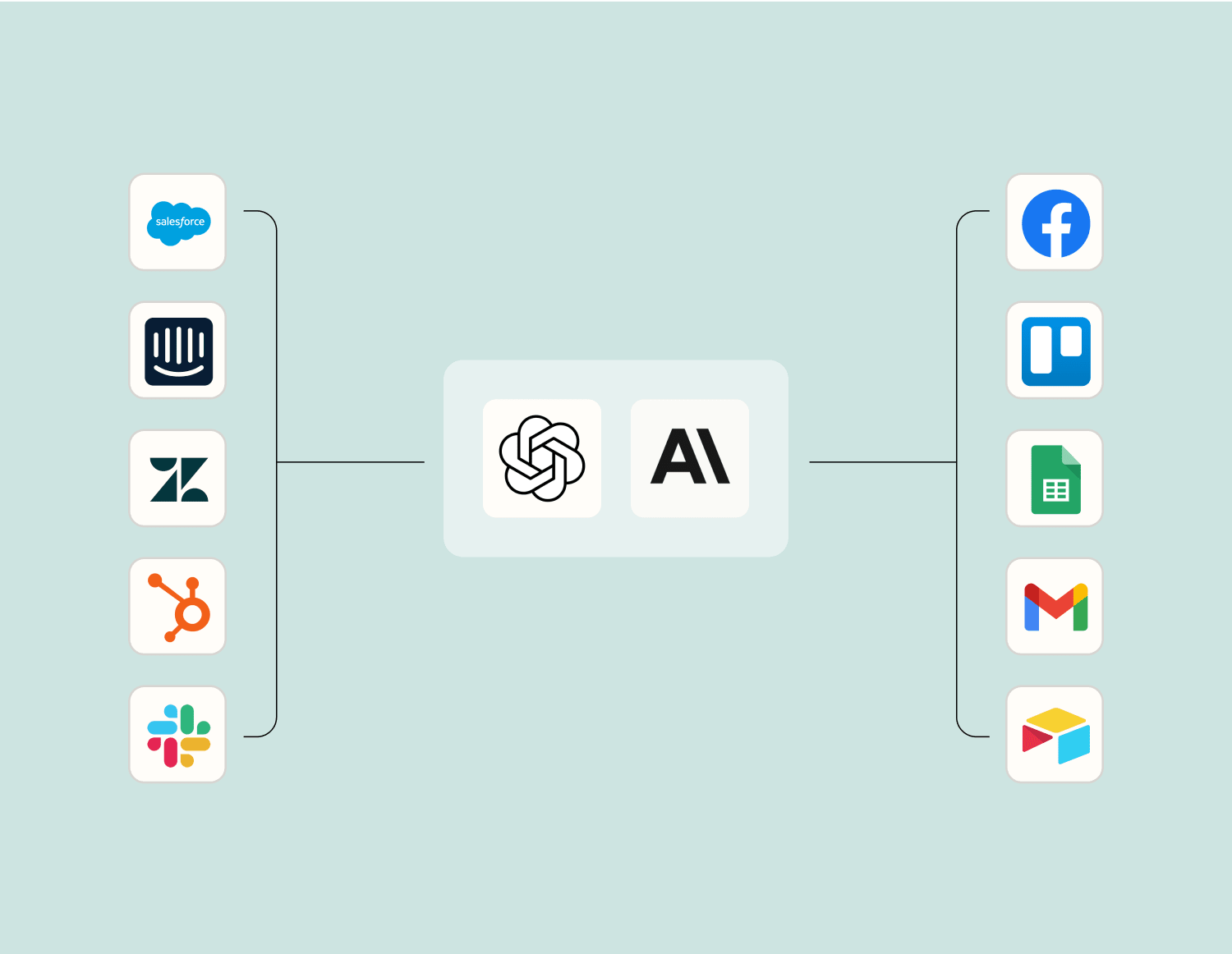
AIでワークフローを効率化 レベルアップDocusignとGoogle SheetsのAIインテグレーション。主要なAIモデルを使用して、インテグレーションデータを抽出、要約、変換します。
OpenAI 、
Anthropic など。
Frequently Asked Questions about Docusign + Google Sheets integrations Zapier自動化は初めてですか?あなただけではありません。Zapier がDocusignおよびGoogle Sheetsどのように連携するかについてのよくある質問への回答を以下に示します。
Docusign と Google Sheets の統合を開始するには、当社のプラットフォームを通じて Zap を設定する必要があります。Docusign アカウントと Google アカウントの両方にアクセスできることを確認し、セットアップ プロセスの指示に従ってそれらを接続します。
Docusign では、エンベロープの送信、完了、拒否、更新などのイベントに基づいてアクションをトリガーできます。これらのトリガーは、Google スプレッドシートでのデータ処理または通知を開始できます。
はい、Docusign でドキュメントに署名したら、Google スプレッドシートの特定の行を更新するアクションを設定できます。これには、一意の識別子に基づいて目的のシートと行を対象とするアクション イベントを構成することが含まれます。
Google スプレッドシートの指定されたセルからデータを取得して、Docusign テンプレートのフィールドに自動的に入力するアクションを設定できます。これには、セットアップ時にシートの列をテンプレート内のフィールドにマッピングする必要があります。
はい、Docusign でエンベロープが署名されるたびに新しいスプレッドシートが作成されるか、Google ドライブ上の既存のスプレッドシートに詳細が追加されるようにワークフローを設定できます。
Docusign と Google Sheets の間で同期エラーが発生した場合、システムは軽微な問題に対して再試行を試みます。問題が解決しない場合は、連携設定を確認するか、トラブルシューティングガイドを参照して詳細なサポートを受けてください。
はい、Docusign の更新に基づいて Google スプレッドシートを更新するだけでなく、署名済みエンベロープから新しいデータが記録されるたびに Slack 経由で通知を送信するトリガーを設定することもできます。
DocuSignは、署名された文書の電子交換を容易にするための電子署名テクノロジーおよびデジタルトランザクション管理サービスです。
Google スプレッドシートを使用すると、どこからでもスプレッドシートを作成、編集、共有し、データから自動的にインサイトを得ることができます。
世界最大のノーコード自動化プラットフォームでDocusignをGoogle Sheetsに接続します