Connect Gmail and Tyms to power AI-driven automation
- No-code AI automation
- Full audit trails and controls
- SOC 2 and GDPR compliant
- Easy visual workflow builder
- 9,000+ apps, 450+ AI tools
- Free tier available
Launch your first automated workflow
Start with a template that brings Gmail and Tyms together. Build enterprise-grade automation in minutes.
Our most popular template
Top companies trust Zapier to automate work that solves their unique business problems—no coding required.
How Zapier works
Zapier makes it easy to integrate Gmail with Tyms - no code necessary. See how you can get setup in minutes.
Choose a trigger
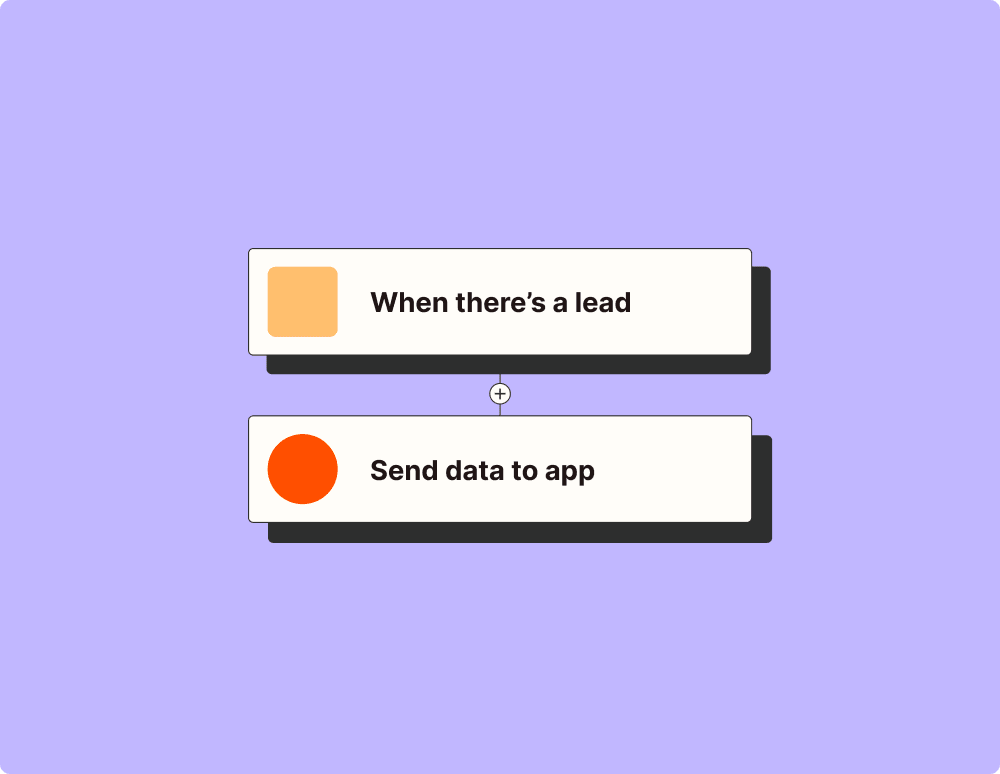
A trigger is the event that starts your Zap—like a "New Attachment" from Gmail.
Add your action
An action happens after the trigger—such as "Create Record From Text or File (AI)" in Tyms.
You’re connected!
Zapier seamlessly connects Gmail and Tyms, automating your workflow.
Supported triggers and actions
Zapier helps you create workflows that connect your apps to automate repetitive tasks. A trigger is an event that starts a workflow, and an action is an event a Zap performs.
- Label or mailbox
- Search keywords
Try ItTriggerThis is the start of your ZapPollingZapier checks for new data every 15 min on the Free plan
New Starred EmailTriggers when you receive a new email and star it within two days.
Try ItTriggerThis is the start of your ZapPollingZapier checks for new data every 15 min on the Free plan- LabelRequired
- MessageRequired
ActionThis is an event a Zap performs.WriteCreate a new record or update an existing record in your app.- MessageRequired
ActionThis is an event a Zap performs.WriteCreate a new record or update an existing record in your app.- Trigger_instructions
- ThreadRequired
- To
- Cc
- Bcc
- From
- From_name
- Body type
- BodyRequired
- Add signature default
- Render signature in HTML
- Signature delimiter
- Label or mailbox
- Attachments
ActionThis is an event a Zap performs.WriteCreate a new record or update an existing record in your app.- ConversationRequired
- Format
ActionThis is an event a Zap performs.WriteCreate a new record or update an existing record in your app.- To
- Cc
- Bcc
- From
- From_name
- Reply_to
- SubjectRequired
- Body type
- BodyRequired
- Add signature default
- Render signature in HTML
- Signature delimiter
- Label or mailbox
- Attachments
- Send message to Google Contacts Group/Label
ActionThis is an event a Zap performs.WriteCreate a new record or update an existing record in your app.- ThreadRequired
- Label(s) to removeRequired
ActionThis is an event a Zap performs.WriteCreate a new record or update an existing record in your app.- Message IDRequired
- Attachment FilenameRequired
- Attachment Size
ActionThis is an event a Zap performs.SearchFind existing data in your app- Search StringRequired
- To
- Cc
- Bcc
- From
- From_name
- Reply_to
- SubjectRequired
- Body type
- BodyRequired
- Add signature default
- Render signature in HTML
- Signature delimiter
- Label or mailbox
- Attachments
- Send message to Google Contacts Group/Label
ActionThis is an event a Zap performs.Search or writeFind existing data in your app, or create a new record if no data is found- Only with status
- Only for contact email
Try ItTriggerThis is the start of your ZapPollingZapier checks for new data every 15 min on the Free plan- Only with status
- Only for contact email
Try ItTriggerThis is the start of your ZapPollingZapier checks for new data every 15 min on the Free plan
New Fixed AssetTriggers when a new fixed asset is created.
Try ItTriggerThis is the start of your ZapPollingZapier checks for new data every 15 min on the Free plan- Only with status
- Only for contact email
Try ItTriggerThis is the start of your ZapPollingZapier checks for new data every 15 min on the Free plan- Only with status
- Only for contact email
Try ItTriggerThis is the start of your ZapPollingZapier checks for new data every 15 min on the Free plan
New Inventory ItemTriggers when a new inventory item is created.
Try ItTriggerThis is the start of your ZapPollingZapier checks for new data every 15 min on the Free plan
New Journal EntryTriggers when a new journal entry is created.
Try ItTriggerThis is the start of your ZapPollingZapier checks for new data every 15 min on the Free plan- Only with status
- Only for contact email
Try ItTriggerThis is the start of your ZapPollingZapier checks for new data every 15 min on the Free plan- Only for bank account
- Only with status
Try ItTriggerThis is the start of your ZapPollingZapier checks for new data every 15 min on the Free plan
Updated ContactTriggers when a contact is created or updated.
Try ItTriggerThis is the start of your ZapPollingZapier checks for new data every 15 min on the Free plan- Only with status
- Only for contact email
Try ItTriggerThis is the start of your ZapPollingZapier checks for new data every 15 min on the Free plan- Only with status
- Only for contact email
Try ItTriggerThis is the start of your ZapPollingZapier checks for new data every 15 min on the Free plan
Updated ProjectTriggers when a project is created or updated.
Try ItTriggerThis is the start of your ZapPollingZapier checks for new data every 15 min on the Free plan- Only with status
- Only for contact email
Try ItTriggerThis is the start of your ZapPollingZapier checks for new data every 15 min on the Free plan- MethodRequired
- PathRequired
- Query parameters
- JSON body
ActionThis is an event a Zap performs.WriteCreate a new record or update an existing record in your app.- Purchase orderRequired
ActionThis is an event a Zap performs.WriteCreate a new record or update an existing record in your app.- Account nameRequired
- Account typeRequired
- Account number
- Description
ActionThis is an event a Zap performs.WriteCreate a new record or update an existing record in your app.- Display nameRequired
- Account holder nameRequired
- Account numberRequired
- Opening balanceRequired
- Opening balance date
- Ledger code
- Currency
- Country
ActionThis is an event a Zap performs.WriteCreate a new record or update an existing record in your app.- Bill date
- Vendor
- Create vendor if missing
- Bill number
- Due date
- Title
- Item nameRequired
- Item description
- Quantity
- Unit priceRequired
- Expense account
- Tax rate (%)
- Tax
- Discount
- Discount type
- Inventory item
- Status
- Amount paid
- Paid through (Cash or bank account)
- Currency
- Exchange rate
- Internal memo
- Branch
- Department
- Project
- Attachment
ActionThis is an event a Zap performs.WriteCreate a new record or update an existing record in your app.- NameRequired
- Type
- Email
- Phone
- Company name
- Address
- Tax ID
- Country
- Contact reference
- Payment terms (Days)
- Branch
- Department
ActionThis is an event a Zap performs.WriteCreate a new record or update an existing record in your app.- Expense date
- Vendor
- Create vendor if missing
- Expense number
- Title
- Item nameRequired
- Item description
- Quantity
- Unit priceRequired
- Expense account
- Tax rate (%)
- Tax
- Discount
- Discount type
- Inventory item
- Status
- Amount paidRequired
- Paid through (Cash or bank account)Required
- Prepayment
- Prepayment months
- Prepayment account
- Currency
- Exchange rate
- Internal memo
- Branch
- Department
- Project
- Attachment
ActionThis is an event a Zap performs.WriteCreate a new record or update an existing record in your app.- NameRequired
- SKU
- Description
- Selling price
- Cost price
- Opening stock
- Unit
- Type
- Track stock
ActionThis is an event a Zap performs.WriteCreate a new record or update an existing record in your app.- DescriptionRequired
- Journal date
- Journal number
- Status
- Debit account
- Credit account
- Amount
- Account
- Debit
- Credit
- Line description
- Currency
- Exchange rate
- Branch
- Department
- Project
- Attachment
ActionThis is an event a Zap performs.WriteCreate a new record or update an existing record in your app.- Purchase Order date
- Vendor
- Create vendor if missing
- Purchase Order number
- Expected date
- Title
- Item nameRequired
- Item description
- Quantity
- Unit priceRequired
- Inventory account
- Tax rate (%)
- Tax
- Discount
- Discount type
- Inventory item
- Currency
- Exchange rate
- Internal memo
- Note on document
- Branch
- Department
- Project
- Attachment
ActionThis is an event a Zap performs.WriteCreate a new record or update an existing record in your app.- NameRequired
- Rate (%)Required
- Currency
- Withholding tax
- Payable account
- Receivable account
ActionThis is an event a Zap performs.WriteCreate a new record or update an existing record in your app.- Delete_warning
- Bank AccountRequired
ActionThis is an event a Zap performs.WriteCreate a new record or update an existing record in your app.- Delete_warning
- BillRequired
ActionThis is an event a Zap performs.WriteCreate a new record or update an existing record in your app.- Delete_warning
- ContactRequired
ActionThis is an event a Zap performs.WriteCreate a new record or update an existing record in your app.- Delete_warning
- ExpenseRequired
ActionThis is an event a Zap performs.WriteCreate a new record or update an existing record in your app.- Delete_warning
- Inventory ItemRequired
ActionThis is an event a Zap performs.WriteCreate a new record or update an existing record in your app.- Delete_warning
- Journal EntryRequired
ActionThis is an event a Zap performs.WriteCreate a new record or update an existing record in your app.- Delete_warning
- Purchase OrderRequired
ActionThis is an event a Zap performs.WriteCreate a new record or update an existing record in your app.- Delete_warning
- TaxRequired
ActionThis is an event a Zap performs.WriteCreate a new record or update an existing record in your app.- About
- BillRequired
- AmountRequired
- Payment date
- Paid through (Cash or bank account)Required
- Replace existing payments
ActionThis is an event a Zap performs.WriteCreate a new record or update an existing record in your app.- About
- Order numberRequired
- Order date
- Customer name
- Customer email
- Customer phone
- Product nameRequired
- SKU
- Quantity
- Unit priceRequired
- Tax rate (%)
- Line discount (Amount)
- Shipping charged
- Currency
- Order is paid
- Amount paid
- Paid through (Cash or bank account)
- Revenue account
- Track stock
- Order note
- Branch
- Department
- Project
- Attachment
ActionThis is an event a Zap performs.WriteCreate a new record or update an existing record in your app.- About
- Payroll run referenceRequired
- Pay date
- Description
- Gross payRequired
- Employee tax withheld (PAYE)
- Employee pension contribution
- Other employee deductions
- Employer contributions
- Net pay
- Paid fromRequired
- Salary expense accountRequired
- Employer contribution expense account
- Tax payable account
- Pension payable account
- Other deductions payable account
- Status
- Currency
- Branch
- Department
- Project
ActionThis is an event a Zap performs.WriteCreate a new record or update an existing record in your app.- About
- ReferenceRequired
- AmountRequired
- Date
- From accountRequired
- To accountRequired
- Processing fee
- Fee expense account
- Description
- Currency
- Amounts are in cents
ActionThis is an event a Zap performs.WriteCreate a new record or update an existing record in your app.- Date
- Customer
- Reference
- Inventory itemRequired
- QuantityRequired
- Unit price
- Amount paid
- Paid through (Cash or bank account)
- Currency
ActionThis is an event a Zap performs.WriteCreate a new record or update an existing record in your app.- About
- Fixed AssetRequired
- Asset name
- Purchase date
- Cost
- Asset account
- Amount paid
- Paid through (Cash or bank account)
- Description
- Branch
- Department
- Project
ActionThis is an event a Zap performs.WriteCreate a new record or update an existing record in your app.- About
- BillRequired
- Bill date
- Vendor
- Create vendor if missing
- Bill number
- Due date
- Title
- Item name
- Item description
- Quantity
- Unit price
- Expense account
- Tax rate (%)
- Tax
- Discount
- Discount type
- Inventory item
- Status
- Amount paid
- Paid through (Cash or bank account)
- Currency
- Exchange rate
- Internal memo
- Branch
- Department
- Project
- Attachment
ActionThis is an event a Zap performs.WriteCreate a new record or update an existing record in your app.- About
- ContactRequired
- Name
- Type
- Email
- Phone
- Company name
- Address
- Tax ID
- Country
- Contact reference
- Payment terms (Days)
- Branch
- Department
ActionThis is an event a Zap performs.WriteCreate a new record or update an existing record in your app.- About
- ExpenseRequired
- Expense date
- Vendor
- Create vendor if missing
- Expense number
- Title
- Item name
- Item description
- Quantity
- Unit price
- Expense account
- Tax rate (%)
- Tax
- Discount
- Discount type
- Inventory item
- Status
- Amount paid
- Paid through (Cash or bank account)
- Prepayment
- Prepayment months
- Prepayment account
- Currency
- Exchange rate
- Internal memo
- Branch
- Department
- Project
- Attachment
ActionThis is an event a Zap performs.WriteCreate a new record or update an existing record in your app.- About
- Inventory ItemRequired
- Name
- SKU
- Description
- Selling price
- Cost price
- Opening stock
- Unit
- Type
- Track stock
ActionThis is an event a Zap performs.WriteCreate a new record or update an existing record in your app.- About
- Journal EntryRequired
- Description
- Journal date
- Journal number
- Status
- Debit account
- Credit account
- Amount
- Account
- Debit
- Credit
- Line description
- Currency
- Exchange rate
- Branch
- Department
- Project
- Attachment
ActionThis is an event a Zap performs.WriteCreate a new record or update an existing record in your app.- About
- Purchase OrderRequired
- Purchase Order date
- Vendor
- Create vendor if missing
- Purchase Order number
- Expected date
- Title
- Item name
- Item description
- Quantity
- Unit price
- Inventory account
- Tax rate (%)
- Tax
- Discount
- Discount type
- Inventory item
- Currency
- Exchange rate
- Internal memo
- Note on document
- Branch
- Department
- Project
- Attachment
ActionThis is an event a Zap performs.WriteCreate a new record or update an existing record in your app.- About
- TaxRequired
- Name
- Rate (%)
- Currency
- Withholding tax
- Payable account
- Receivable account
ActionThis is an event a Zap performs.WriteCreate a new record or update an existing record in your app.- Fixed Asset
- Search text
ActionThis is an event a Zap performs.SearchFind existing data in your app- Bank Transaction
- Reference
- Search text
ActionThis is an event a Zap performs.SearchFind existing data in your app- Search text
ActionThis is an event a Zap performs.SearchFind existing data in your app- Income
- Income number
- Contact email
- Search text
ActionThis is an event a Zap performs.SearchFind existing data in your app- Invoice
- Invoice number
- Contact email
- Search text
ActionThis is an event a Zap performs.SearchFind existing data in your app- Project
- Search text
ActionThis is an event a Zap performs.SearchFind existing data in your app- Quote
- Quote number
- Contact email
- Search text
ActionThis is an event a Zap performs.SearchFind existing data in your app- AccountRequired
- From
- To
ActionThis is an event a Zap performs.SearchFind existing data in your app- ReportRequired
- From
- To
- Basis
ActionThis is an event a Zap performs.SearchFind existing data in your app- Bill
- Bill number
- Contact email
- Search text
- Bill date
- Vendor
- Create vendor if missing
- Bill number
- Due date
- Title
- Item nameRequired
- Item description
- Quantity
- Unit priceRequired
- Expense account
- Tax rate (%)
- Tax
- Discount
- Discount type
- Inventory item
- Status
- Amount paid
- Paid through (Cash or bank account)
- Currency
- Exchange rate
- Internal memo
- Branch
- Department
- Project
- Attachment
ActionThis is an event a Zap performs.Search or writeFind existing data in your app, or create a new record if no data is found- Inventory Item
- SKU
- Search text
- NameRequired
- Description
- Selling price
- Cost price
- Opening stock
- Unit
- Type
- Track stock
ActionThis is an event a Zap performs.Search or writeFind existing data in your app, or create a new record if no data is found- Project
- Search text
- Project nameRequired
- Description
- Customer
- Start date
- End date
- Budget
- Currency
- Status
ActionThis is an event a Zap performs.Search or writeFind existing data in your app, or create a new record if no data is found
New LabelTriggers when you add a new label.
Try ItTriggerThis is the start of your ZapPollingZapier checks for new data every 15 min on the Free plan- Label or mailboxRequired
- Increase polling window
Try ItTriggerThis is the start of your ZapPollingZapier checks for new data every 15 min on the Free plan- MessageRequired
ActionThis is an event a Zap performs.WriteCreate a new record or update an existing record in your app.- To
- Cc
- Bcc
- SubjectRequired
- From
- From_name
- Body type
- BodyRequired
- Add signature default
- Render signature in HTML
- Signature delimiter
- Label or mailbox
- Attachments
- Recipient_instructions
ActionThis is an event a Zap performs.WriteCreate a new record or update an existing record in your app.- MessageRequired
- To
- Cc
- Bcc
- From
- From_name
- Reply_to
- Note
- Note format
- Include original attachments
- Label or mailbox
ActionThis is an event a Zap performs.WriteCreate a new record or update an existing record in your app.- Name of labelRequired
ActionThis is an event a Zap performs.WriteCreate a new record or update an existing record in your app.- MessageRequired
- Label(s) to removeRequired
ActionThis is an event a Zap performs.WriteCreate a new record or update an existing record in your app.- Trigger_instructions
- ThreadRequired
- To
- Cc
- Bcc
- From
- From_name
- Reply_to
- Subject
- Body type
- BodyRequired
- Add signature default
- Render signature in HTML
- Signature delimiter
- Label or mailbox
- Attachments
ActionThis is an event a Zap performs.WriteCreate a new record or update an existing record in your app.- Search StringRequired
ActionThis is an event a Zap performs.SearchFind existing data in your app- Only for bank account
- Only with status
Try ItTriggerThis is the start of your ZapPollingZapier checks for new data every 15 min on the Free plan- Only with status
- Only for contact email
Try ItTriggerThis is the start of your ZapPollingZapier checks for new data every 15 min on the Free plan- Only with status
- Only for contact email
Try ItTriggerThis is the start of your ZapPollingZapier checks for new data every 15 min on the Free plan- Only for bank account
- Only with status
Try ItTriggerThis is the start of your ZapPollingZapier checks for new data every 15 min on the Free plan
New ContactTriggers when a new contact is created.
Try ItTriggerThis is the start of your ZapPollingZapier checks for new data every 15 min on the Free plan- Only with status
- Only for contact email
Try ItTriggerThis is the start of your ZapPollingZapier checks for new data every 15 min on the Free plan- Only with status
- Only for contact email
Try ItTriggerThis is the start of your ZapPollingZapier checks for new data every 15 min on the Free plan
New ProjectTriggers when a new project is created.
Try ItTriggerThis is the start of your ZapPollingZapier checks for new data every 15 min on the Free plan- Only with status
- Only for contact email
Try ItTriggerThis is the start of your ZapPollingZapier checks for new data every 15 min on the Free plan- Only with status
- Only for contact email
Try ItTriggerThis is the start of your ZapPollingZapier checks for new data every 15 min on the Free plan- Only with status
- Only for contact email
Try ItTriggerThis is the start of your ZapPollingZapier checks for new data every 15 min on the Free plan
Updated Inventory ItemTriggers when an inventory item is created or updated.
Try ItTriggerThis is the start of your ZapPollingZapier checks for new data every 15 min on the Free plan
Updated Journal EntryTriggers when a journal entry is created or updated.
Try ItTriggerThis is the start of your ZapPollingZapier checks for new data every 15 min on the Free plan- Only with status
- Only for contact email
Try ItTriggerThis is the start of your ZapPollingZapier checks for new data every 15 min on the Free plan- About
- Record typeRequired
- Instructions or textRequired
- Attachment
- Wait for the record
ActionThis is an event a Zap performs.WriteCreate a new record or update an existing record in your app.- Record typeRequired
- AttachmentRequired
- File name
ActionThis is an event a Zap performs.WriteCreate a new record or update an existing record in your app.- QuoteRequired
- Convert toRequired
ActionThis is an event a Zap performs.WriteCreate a new record or update an existing record in your app.- Asset nameRequired
- Purchase date
- CostRequired
- Asset accountRequired
- Amount paid
- Paid through (Cash or bank account)
- Description
- Branch
- Department
- Project
ActionThis is an event a Zap performs.WriteCreate a new record or update an existing record in your app.- Bank accountRequired
- Direction
- AmountRequired
- Transaction date
- DescriptionRequired
- Auto-categorise with Tyms AI
- Exchange rate
- Branch
- Department
- Project
- Attachment
ActionThis is an event a Zap performs.WriteCreate a new record or update an existing record in your app.- Branch nameRequired
- AddressRequired
- State or regionRequired
- CountryRequired
- Phone
- Email
ActionThis is an event a Zap performs.WriteCreate a new record or update an existing record in your app.- Department nameRequired
- Branch
ActionThis is an event a Zap performs.WriteCreate a new record or update an existing record in your app.- Income date
- Customer
- Create customer if missing
- Income number
- Title
- Item nameRequired
- Item description
- Quantity
- Unit priceRequired
- Revenue account
- Tax rate (%)
- Tax
- Discount
- Discount type
- Inventory item
- Status
- Amount paidRequired
- Paid through (Cash or bank account)Required
- Prepayment
- Prepayment months
- Prepayment account
- Currency
- Exchange rate
- Internal memo
- Branch
- Department
- Project
- Attachment
ActionThis is an event a Zap performs.WriteCreate a new record or update an existing record in your app.- Invoice date
- Customer
- Create customer if missing
- Invoice number
- Due date
- Title
- Item nameRequired
- Item description
- Quantity
- Unit priceRequired
- Revenue account
- Tax rate (%)
- Tax
- Discount
- Discount type
- Inventory item
- Status
- Amount paid
- Paid through (Cash or bank account)
- Currency
- Exchange rate
- Internal memo
- Note on document
- Shipping fee
- Branch
- Department
- Project
- Attachment
ActionThis is an event a Zap performs.WriteCreate a new record or update an existing record in your app.- Project nameRequired
- Description
- Customer
- Start date
- End date
- Budget
- Currency
- Status
ActionThis is an event a Zap performs.WriteCreate a new record or update an existing record in your app.- Quote date
- Customer
- Create customer if missing
- Quote number
- Expiry date
- Title
- Item nameRequired
- Item description
- Quantity
- Unit priceRequired
- Revenue account
- Tax rate (%)
- Tax
- Discount
- Discount type
- Inventory item
- Currency
- Exchange rate
- Internal memo
- Note on document
- Shipping fee
- Branch
- Department
- Project
- Attachment
ActionThis is an event a Zap performs.WriteCreate a new record or update an existing record in your app.- Delete_warning
- Fixed AssetRequired
ActionThis is an event a Zap performs.WriteCreate a new record or update an existing record in your app.- Delete_warning
- Bank TransactionRequired
ActionThis is an event a Zap performs.WriteCreate a new record or update an existing record in your app.- Delete_warning
- BranchRequired
ActionThis is an event a Zap performs.WriteCreate a new record or update an existing record in your app.- Delete_warning
- DepartmentRequired
ActionThis is an event a Zap performs.WriteCreate a new record or update an existing record in your app.- Delete_warning
- IncomeRequired
ActionThis is an event a Zap performs.WriteCreate a new record or update an existing record in your app.- Delete_warning
- InvoiceRequired
ActionThis is an event a Zap performs.WriteCreate a new record or update an existing record in your app.- Delete_warning
- ProjectRequired
ActionThis is an event a Zap performs.WriteCreate a new record or update an existing record in your app.- Delete_warning
- QuoteRequired
ActionThis is an event a Zap performs.WriteCreate a new record or update an existing record in your app.- About
- Bank accountRequired
- Attachment
- Instructions or statement text
- Wait for import
ActionThis is an event a Zap performs.WriteCreate a new record or update an existing record in your app.- About
- InvoiceRequired
- AmountRequired
- Payment date
- Paid through (Cash or bank account)Required
- Replace existing payments
ActionThis is an event a Zap performs.WriteCreate a new record or update an existing record in your app.- About
- Payment referenceRequired
- Amount receivedRequired
- Payment date
- Received intoRequired
- Invoice number
- Customer name
- Customer email
- Customer phone
- Description
- Revenue account
- Currency
- Processing fee
- Fee expense account
- Amounts are in cents
ActionThis is an event a Zap performs.WriteCreate a new record or update an existing record in your app.- About
- Refund referenceRequired
- Amount refundedRequired
- Refund date
- Refunded fromRequired
- Refund accountRequired
- Description
- Currency
- Amounts are in cents
ActionThis is an event a Zap performs.WriteCreate a new record or update an existing record in your app.- Date
- Vendor
- Reference
- Inventory itemRequired
- QuantityRequired
- Unit price
- Amount paid
- Paid through (Cash or bank account)
- Currency
ActionThis is an event a Zap performs.WriteCreate a new record or update an existing record in your app.- About
- AccountRequired
- Account name
- Account type
- Account number
- Description
ActionThis is an event a Zap performs.WriteCreate a new record or update an existing record in your app.- About
- Bank TransactionRequired
- Bank account
- Direction
- Amount
- Transaction date
- Description
- Auto-categorise with Tyms AI
- Exchange rate
- Branch
- Department
- Project
- Attachment
ActionThis is an event a Zap performs.WriteCreate a new record or update an existing record in your app.- About
- BranchRequired
- Branch name
- Address
- State or region
- Country
- Phone
- Email
ActionThis is an event a Zap performs.WriteCreate a new record or update an existing record in your app.- About
- DepartmentRequired
- Department name
- Branch
ActionThis is an event a Zap performs.WriteCreate a new record or update an existing record in your app.- About
- IncomeRequired
- Income date
- Customer
- Create customer if missing
- Income number
- Title
- Item name
- Item description
- Quantity
- Unit price
- Revenue account
- Tax rate (%)
- Tax
- Discount
- Discount type
- Inventory item
- Status
- Amount paid
- Paid through (Cash or bank account)
- Prepayment
- Prepayment months
- Prepayment account
- Currency
- Exchange rate
- Internal memo
- Branch
- Department
- Project
- Attachment
ActionThis is an event a Zap performs.WriteCreate a new record or update an existing record in your app.- About
- InvoiceRequired
- Invoice date
- Customer
- Create customer if missing
- Invoice number
- Due date
- Title
- Item name
- Item description
- Quantity
- Unit price
- Revenue account
- Tax rate (%)
- Tax
- Discount
- Discount type
- Inventory item
- Status
- Amount paid
- Paid through (Cash or bank account)
- Currency
- Exchange rate
- Internal memo
- Note on document
- Shipping fee
- Branch
- Department
- Project
- Attachment
ActionThis is an event a Zap performs.WriteCreate a new record or update an existing record in your app.- About
- ProjectRequired
- Project name
- Description
- Customer
- Start date
- End date
- Budget
- Currency
- Status
ActionThis is an event a Zap performs.WriteCreate a new record or update an existing record in your app.- About
- QuoteRequired
- Quote date
- Customer
- Create customer if missing
- Quote number
- Expiry date
- Title
- Item name
- Item description
- Quantity
- Unit price
- Revenue account
- Tax rate (%)
- Tax
- Discount
- Discount type
- Inventory item
- Currency
- Exchange rate
- Internal memo
- Note on document
- Shipping fee
- Branch
- Department
- Project
- Attachment
ActionThis is an event a Zap performs.WriteCreate a new record or update an existing record in your app.- Account
- Account number
- Search text
ActionThis is an event a Zap performs.SearchFind existing data in your app- Bank Account
- Bank account name
- Search text
ActionThis is an event a Zap performs.SearchFind existing data in your app- Bill
- Bill number
- Contact email
- Search text
ActionThis is an event a Zap performs.SearchFind existing data in your app- Contact
- Email
- Search text
ActionThis is an event a Zap performs.SearchFind existing data in your app- Expense
- Expense number
- Contact email
- Search text
ActionThis is an event a Zap performs.SearchFind existing data in your app- Inventory Item
- SKU
- Search text
ActionThis is an event a Zap performs.SearchFind existing data in your app- Journal Entry
- Journal number
- Search text
ActionThis is an event a Zap performs.SearchFind existing data in your app- Purchase Order
- Purchase Order number
- Contact email
- Search text
ActionThis is an event a Zap performs.SearchFind existing data in your app- Tax
- Search text
ActionThis is an event a Zap performs.SearchFind existing data in your app- ContactRequired
- From
- To
ActionThis is an event a Zap performs.SearchFind existing data in your app- ProjectRequired
- From
- To
ActionThis is an event a Zap performs.SearchFind existing data in your app- Contact
- Email
- Search text
- NameRequired
- Type
- Phone
- Company name
- Address
- Tax ID
- Country
- Contact reference
- Payment terms (Days)
- Branch
- Department
ActionThis is an event a Zap performs.Search or writeFind existing data in your app, or create a new record if no data is found- Invoice
- Invoice number
- Contact email
- Search text
- Invoice date
- Customer
- Create customer if missing
- Invoice number
- Due date
- Title
- Item nameRequired
- Item description
- Quantity
- Unit priceRequired
- Revenue account
- Tax rate (%)
- Tax
- Discount
- Discount type
- Inventory item
- Status
- Amount paid
- Paid through (Cash or bank account)
- Currency
- Exchange rate
- Internal memo
- Note on document
- Shipping fee
- Branch
- Department
- Project
- Attachment
ActionThis is an event a Zap performs.Search or writeFind existing data in your app, or create a new record if no data is found
For AI agents & developers
Use Gmail and Tyms with AI agents and code
Beyond Zap workflows. Call Gmail and Tyms actions directly from your AI client or your codebase, using the same 9,000+ app integrations Zapier already runs.
Connect via Zapier MCP
Expose Gmail and Tyms actions as tools in any MCP client. Authenticate once, then call them in natural language.
Example actions on this page
- Add Label to Email
- Create Record From Text or File (AI)
Works with
Claude · ChatGPT · Cursor · any MCP-compatible client
Call from code with the Zapier SDK
Trigger Gmail and Tyms actions from backend services, scripts, or agent code.
Install
# TypeScript / Node npm install @zapier/zapier-sdk
Run an action
import { createZapierSdk } from '@zapier/zapier-sdk';
const zapier = createZapierSdk();
await zapier.runAction({ /* gmail / tyms action */ });There is no Python package yet. SDK is TypeScript-only (@zapier/zapier-sdk). The MCP server URL is personal to your account; get it at zapier.com/mcp.
Zapier is the automation platform of choice for 87% of Forbes Cloud 100 companies in 2023


93%
Customers who say using Zapier has made them better at their job
25m
Customers have created over 25 million Zaps on the platform
6 mins
The average user takes less than 6 minutes to set up a Zap
Connect Gmail and Tyms to integrate crucial parts of your business
With Zapier, you can integrate everything from basic data entry to end-to-end processes. Here are some of the business-critical workflows that people automate with Zapier.