Zapier vs. UiPath
Published: 9/16/2026 | by Ryan Kane
UiPath built its business automating legacy systems and decades-old desktop software. But most departments aren't wrestling with 1960s mainframes. They're looking for a reliable, accessible way to connect the cloud apps they already use and launch a working automation the same day, with governance built in rather than gatekept.
Here's what you'll get with Zapier:
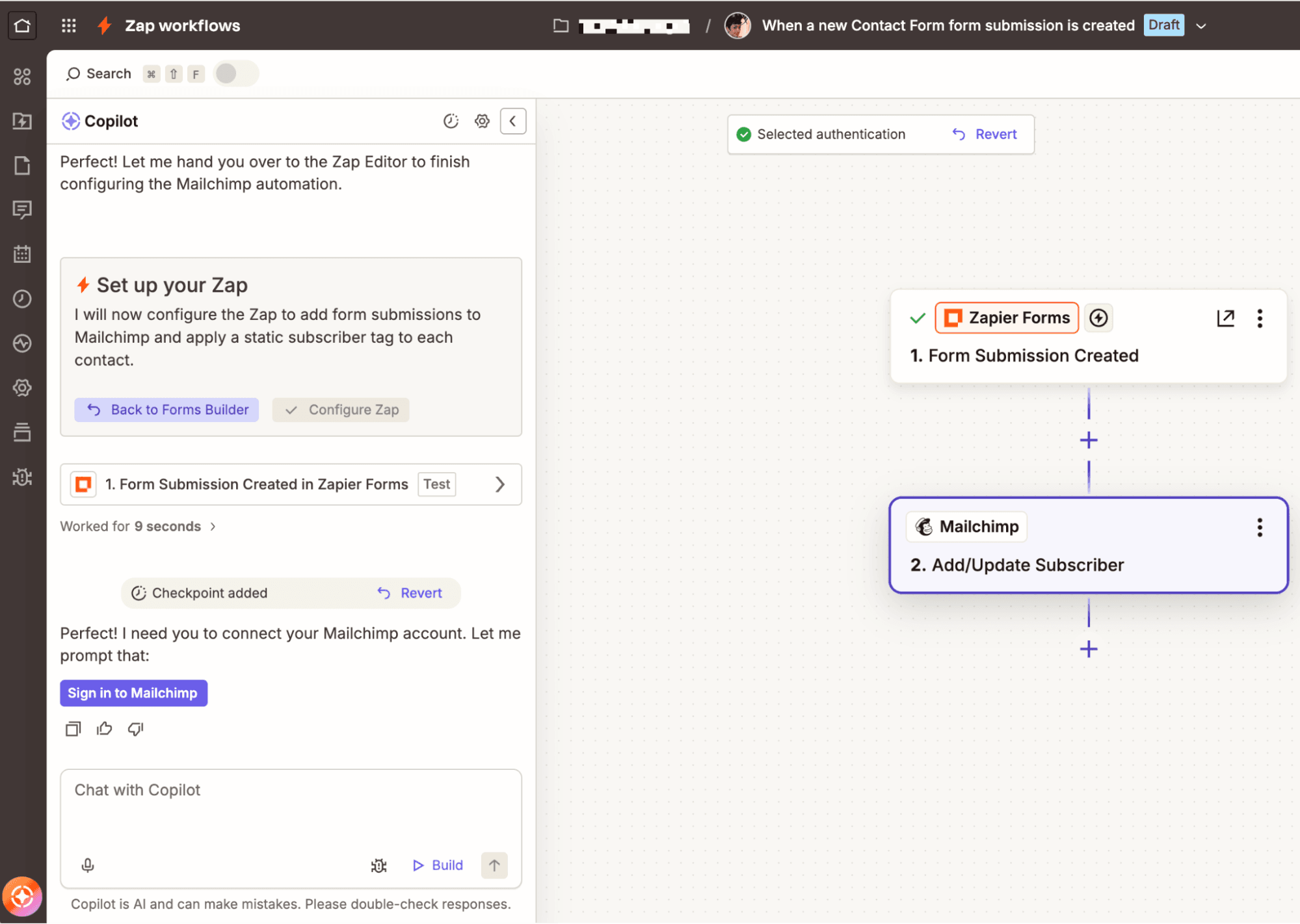
Build without an IT queue: Anyone on your team can create automations with Zapier's no-code editor, templates, and an AI copilot. UiPath's citizen developers still have to submit ideas to an automation hub and wait for IT review before anything ships.
Scale naturally: Start for free with just an email address, then upgrade as your needs grow. UiPath's $25/month Basic plan caps out at 11 mixed-license seats and 2 robots—outgrow that, and there's no self-serve step up.
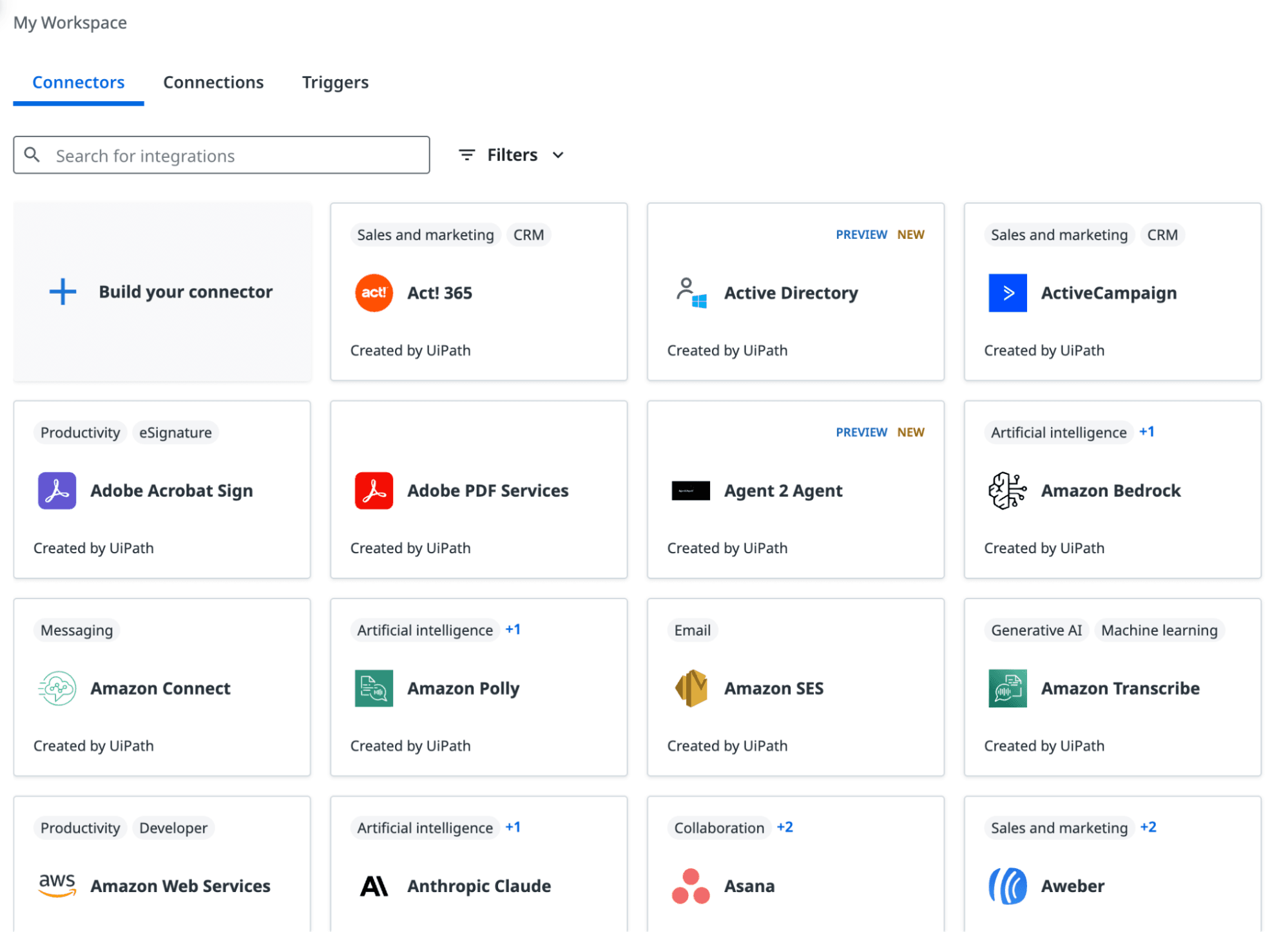
Connect 50x more apps: 9,000+ integrations, governed by Zapier, compared with UiPath's roughly 160 native connectors—and Zapier's stay automatically updated instead of requiring custom Connector Builder work.
Vergleich
Compare Zapier and UiPath pricing, integrations, and more
Rezensionen
See why customers choose Zapier
Eigenschaften
Review Zapier and UiPath features in depth
Häufig gestellte Fragen
Get answers to your questions
Zapier vs. UiPath comparison
| Zapier | UiPath | |
|---|---|---|
| Überblick | Zapier is a no-code AI orchestration platform that connects thousands of cloud apps so any team can build and run automations | UiPath is a robotic process automation (RPA) platform built for IT teams to automate legacy, desktop-level systems that don't have modern APIs |
| Enterprise & scale | Governed, no-code access to 9,000+ apps and agentic AI for every team, with no IT queue standing between an idea and a working automation | Four robot types (Attended, Unattended, Test, Automation Cloud), governed by Orchestrator and informed by Task Mining; purpose-built for centralized, IT-led RPA programs |
| Implementierung | About 15-20 minutes to a working automation, with no infrastructure to set up | About an hour for a single guided robot in UiPath's own Academy course; production RPA processes can take months, plus dedicated developers |
| Integrationen | 9,000+ apps, governed by Zapier; native MCP support with no servers to host | ~160 native integrations; native MCP support requires registering servers in Orchestrator and managing auth on every request |
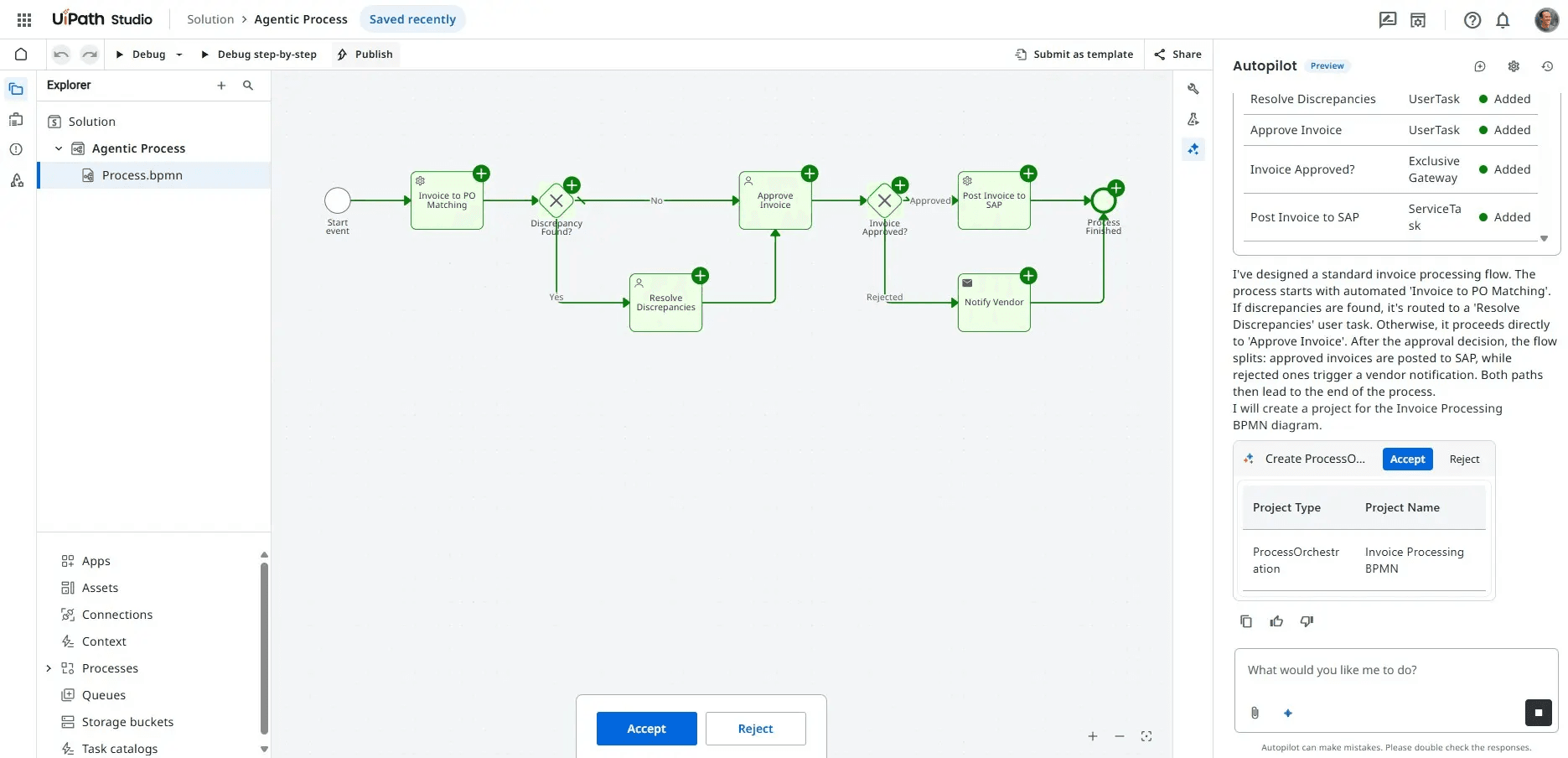
| Benutzerfreundlichkeit | No-code editor, thousands of templates, and Zapier Copilot for building with plain language | Low-code Studio and an AI assistant reduce the technical bar, but citizen developers still route ideas through an IT-run automation hub |
| Security & governance | SOC 2 Type II, SOC 3, GDPR, and CCPA certified, plus SAML SSO, audit logs, and role-based access control starting on the Team plan, with SCIM provisioning and app- and action-level restrictions added at Enterprise | SOC 2 Type II, ISO 27001, GDPR, SSO (SAML/OIDC), SCIM, audit logging, plus HIPAA, FedRAMP, and flexible data residency |
| Preise | $19.99/month for individuals; $69/month for a 25-user team; custom Enterprise pricing; free plan available | $25/month Basic for individuals; Standard and Enterprise require a custom sales quote; 60-day free trial |
| Reliability & performance | Autoreplay, custom error handling, task histories, version rollback, and a public status page included by default on every paid plan | Public status page and Orchestrator monitoring/alerts, but auto-retry only applies natively to queue transactions—everything else requires a manually configured Retry Scope activity |
What customers say about Zapier
"We've been able to scale our operations while staying lean. Zapier lets us do more without needing more people."
—Shaina Torgerson, Support Operations Lead, Superhuman
Customer testimonial
"We don't just want to patch holes; we want to build scalable, future-proof systems. Zapier is helping us do that."
—Allen Lai, Head of Customer Experience, Otter.ai
Customer testimonial
"Zapier lets us prototype, launch, and adapt without waiting on dev cycles. It gives me control over how data flows, so we can move fast, but without breaking things."
—Uma Maheswari, Marketing Operations Manager, Muck Rack
Customer testimonial
"What I love most about Zapier is how easy it makes it to create automations. I also really like its databases, and I've tried the MCP as well—it's been incredible. I've experimented with other automation platforms, but Zapier is always the one I come back to because it feels so simple and intuitive to use."
—Laura Ortega, Honorable Marketing
G2 review
3,4 Millionen Unternehmen vertrauen uns



















AI automation starts and scales with Zapier
Build reliable, consistent workflows across tools, people, and processes. Access 9,000+ apps securely from any surface, and add AI to the mix only when you need it.
Compare features: Zapier vs. UiPath
UiPath is unique in its ability to automate legacy systems with robotic process automation (RPA), which lets IT teams design robots that complete actions at the user interface level. Zapier, on the other hand, focuses on no-code cloud-based automation, with prebuilt connections to virtually every modern SaaS app and an AI copilot that makes it easy for anyone to create automations. I spent time building in both Zapier and UiPath, then did even more research into the strengths of each app and who they're best for. Here's what I found.
Enterprise & scale
UiPath gives IT a way to govern RPA robots and legacy automations at scale, while Zapier gives every team governed access to automate without waiting on a dedicated IT team.
UiPath's core differentiator is its robotic process automation platform. For large organizations dealing with legacy systems, UiPath's ability to handle desktop-level scripting can be a lifeline. The United States Internal Revenue Service, for example, handles core tax-processing activities on COBOL-based mainframe systems from the 1960s, but it's still able to automate by using UiPath's RPA.
While UiPath does have a broad set of capabilities, including intelligent document processing, low-code automation, and AI agents, RPA is where it goes deepest.
UiPath has four categories of robots:
Attended Robots work alongside humans on desktops.
Unattended Robots automate task-heavy workflows in the background.
Test Robots execute test automation scenarios.
Automation Cloud Robots let you run unattended robots in the cloud.
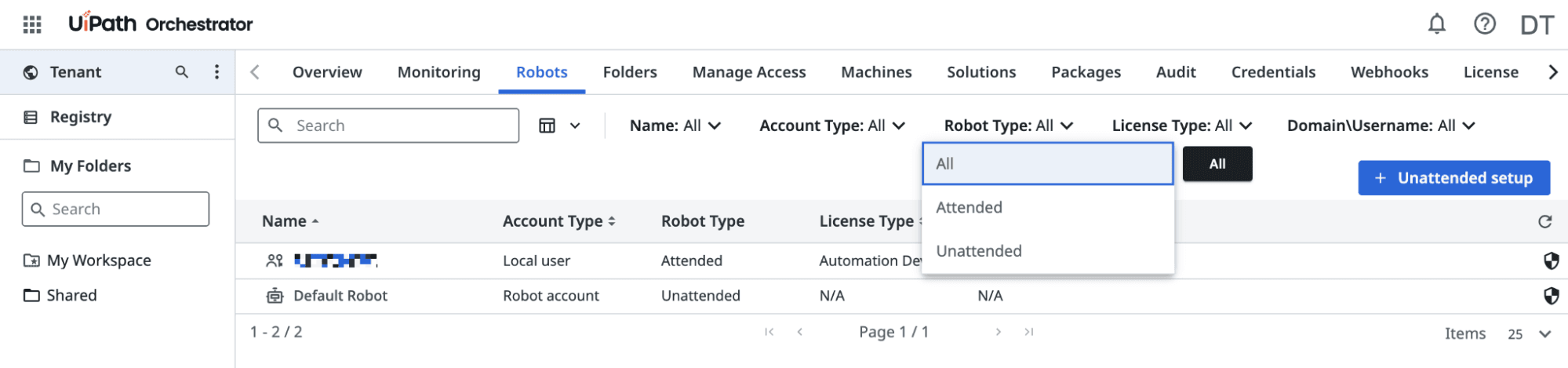
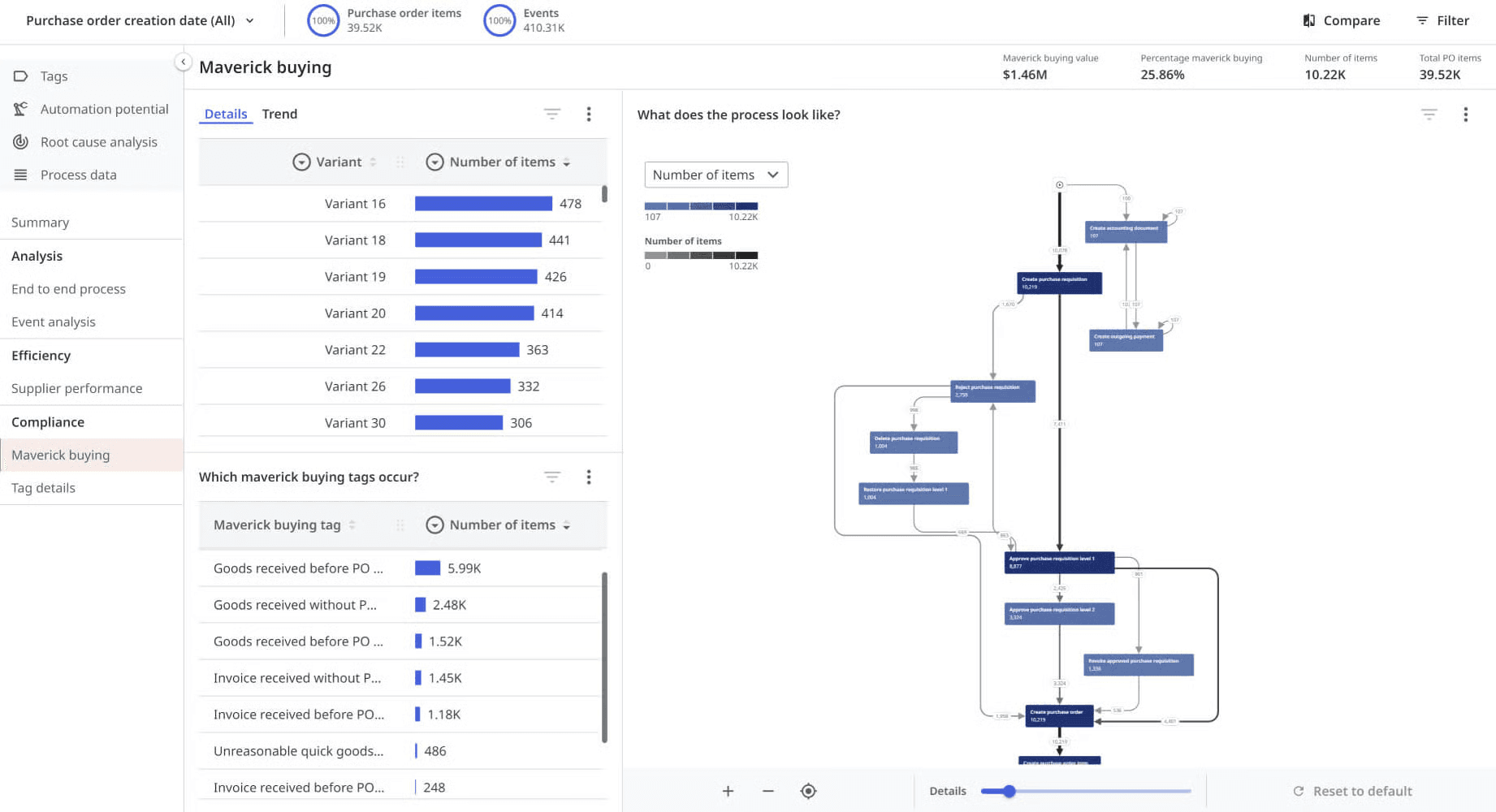
Many other UiPath features are designed to support RPA activities. Orchestrator sets governance standards for attended and unattended robots, tracks their activities, and measures outcomes. And Task Mining tracks how employees work in order to understand what sort of robots and automations will be most helpful.
If you need desktop-level scripting, or if you're dealing with legacy systems, UiPath is a good choice. But for most businesses, Zapier makes more sense for cloud-based automation, especially once scale becomes the priority. Because any team can build directly on Zapier, automation adoption spreads horizontally across departments instead of stacking up behind one IT team, and because every workflow runs through the same governed platform, that growth doesn't turn into ungoverned shadow IT the way department-by-department tool sprawl usually does.
Scaling up doesn't mean staying simple, either. Zapier workflows support conditional branching with branching, filters, and nested logic, so you can route a single automation down different paths depending on the data instead of building a separate Zap for every variation. That means the same platform that gets a solo user's first workflow running in minutes can also hold up under a multi-step, multi-team process with dozens of conditional branches once the business actually needs it.
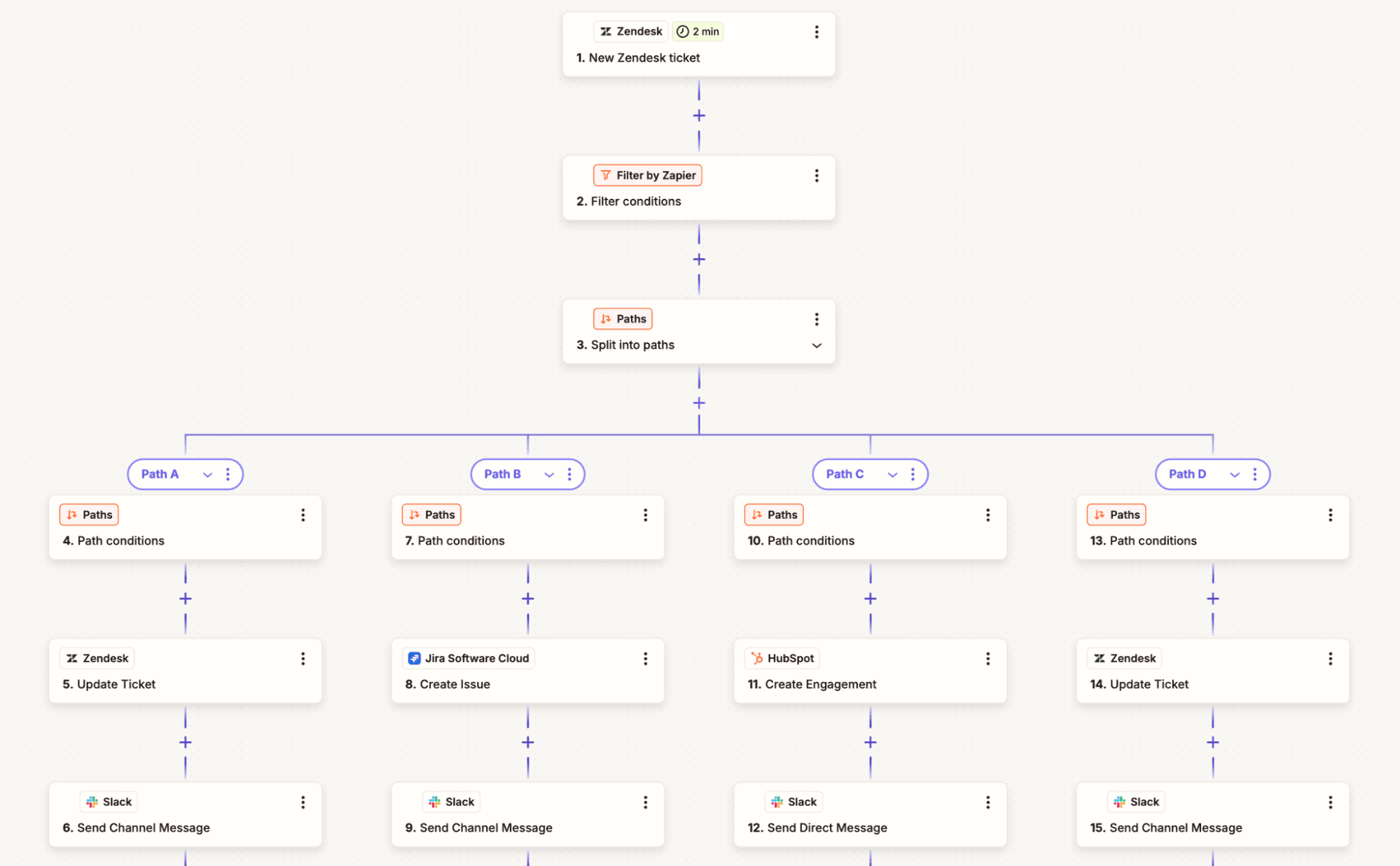
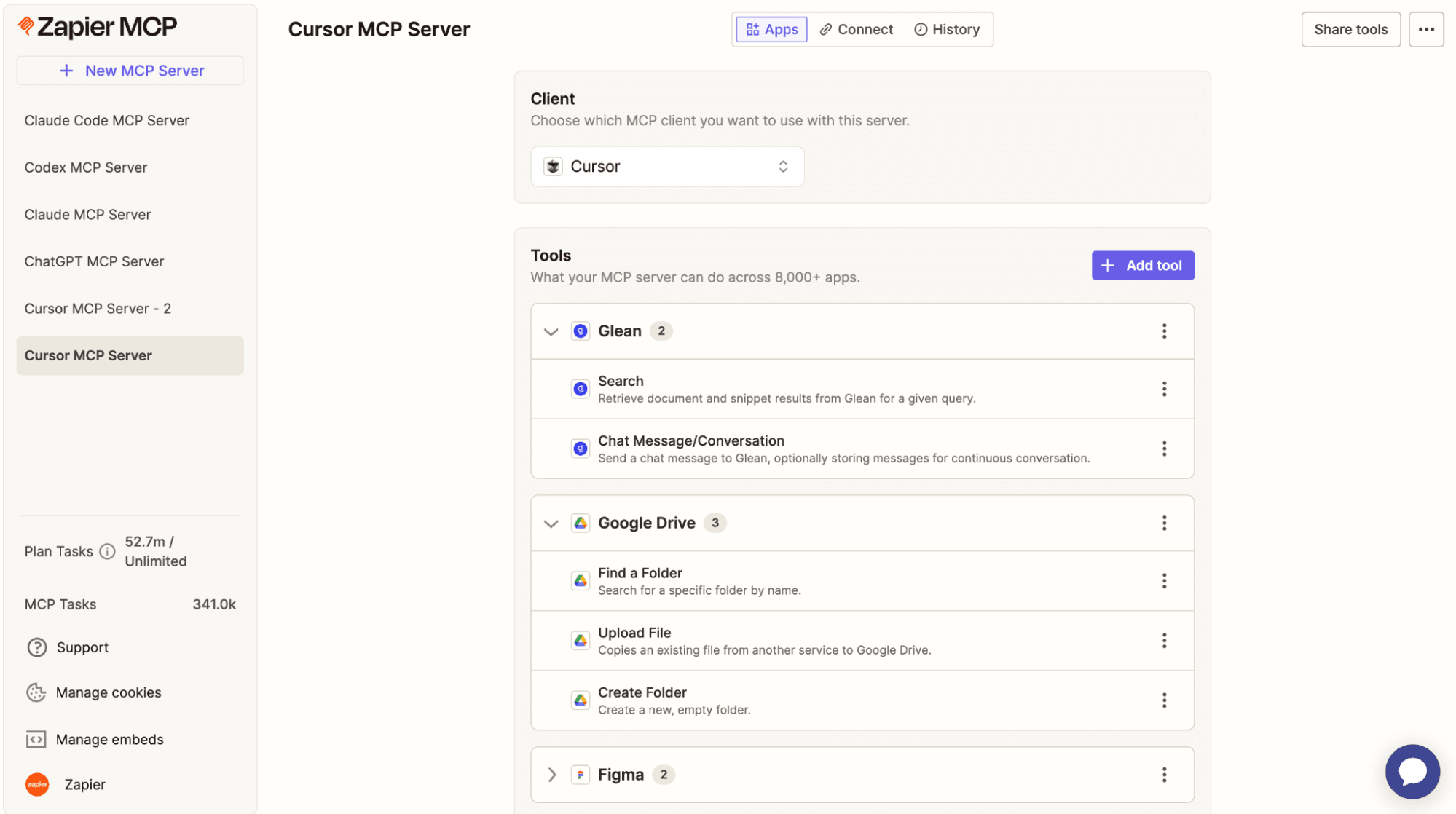
With thousands of prebuilt integrations on top of that, Zapier lets enterprises design and run holistic workflows that include agentic AI, deterministic automations, tables, and forms.
UiPath and Zapier are often complementary rather than competing. Enterprises that want compliant IT-led RPA on legacy systems and an org-wide culture of automation and AI experimentation can have both: Zapier for business teams, UiPath for the legacy systems and RPA work that actually needs it.
FAQ: Zapier vs. UiPath
Is Zapier an RPA tool like UiPath?
No—Zapier and UiPath solve automation differently. UiPath's RPA robots interact with app interfaces to automate legacy, desktop-level systems that don't have modern APIs. Zapier connects modern cloud apps directly through their APIs, which means less brittle automations and no bots clicking through screens. If your workflows run entirely between SaaS apps, Zapier's API-based approach is simpler to build and maintain than RPA.
Zapier vs. UiPath for enterprise IT teams: which fits?
It depends on what IT is trying to solve. UiPath fits IT teams that need centralized control over RPA robots automating legacy or desktop systems without modern APIs. Zapier fits IT teams that want to set governance guardrails—like app restrictions and approval workflows—once, then let every department build its own automations inside those guardrails instead of routing every request through IT.
What are the enterprise integration use cases for each?
UiPath shines when there's no API to call: automating COBOL mainframes, legacy desktop software, or pulling data out of an old system that was never built to connect to anything. Zapier is built for the cloud-to-cloud work that makes up most enterprise automation today, like syncing Salesforce and NetSuite, routing support tickets, or connecting AI agents to your entire SaaS stack through Zapier MCP.
How does pricing compare?
UiPath's Basic plan starts at $25/month, but Standard and Enterprise tiers require a custom quote based on robot count, seats, and deployment, historically running into six figures for larger rollouts. Zapier publishes its pricing outright. It's free to start, $19.99/month for individuals, and $69/month for a 25-user team, with custom Enterprise pricing once you need it.
When is UiPath the better choice?
UiPath is the better choice for automating legacy, desktop-level systems that don't have a modern API to connect to, like older mainframes or on-premises software. If your organization has an IT-led automation center of excellence with developers who can build and maintain RPA robots, UiPath's specialized tooling is built for exactly that job.
AI automation starts and scales with Zapier
Build reliable, consistent workflows across tools, people, and processes. Access 9,000+ apps securely from any surface, and add AI to the mix only when you need it.
About the author: Ryan Kane is a writer and marketer based in Mérida, Mexico. He writes about SaaS, AI, and marketing while building fun Internet side projects. Learn more: ryankane.co.