Zapier vs. Pipedream
Published: 9/16/2026 | By Ryan Kane
Pipedream has a lot to offer developers who want to work in code. Zapier, on the other hand, is designed for anyone to use, including developers—so switching means your whole team can build workflows, not just the people who can write them from scratch.
Here's what you'll get with Zapier:
Connect ~3x more apps: 9,000+ integrations, governed by Zapier, compared with Pipedream's ~3,000 connectors.
Skip the credit math: Predictable, task-based pricing instead of estimating compute-time credits for every workflow run.
Build on an independent platform: Zapier isn't navigating a fresh acquisition, so you can build without wondering whether your automation platform's roadmap is about to change.
Zapier vs. Pipedream comparison
| Zapier | Pipedream | |
|---|---|---|
| 概要 | Zapier is an AI orchestration platform that gives every team—not just developers—governed access to build workflows, agents, and AI-powered systems. | Pipedream is a developer-first workflow and agent-building platform that runs on code; it was recently acquired by Workday. |
| 実装 | Fully managed; sign up and publish your first workflow in as little as 15 minutes, no infrastructure to configure | Signup is fast, but even building a two-app automation typically means writing a code step |
| インテグレーション | 9,000+ apps, governed by Zapier; API changes are handled automatically | ~3,000 apps; weaker coverage of niche and newer tools, so custom integrations are more common |
| 使いやすさ重視 | No-code visual builder plus an AI copilot, or build directly from an AI assistant; anyone on the team can build | Built for developers (Node.js, Python, Go, Bash); its String AI assistant helps, but output stays code-heavy |
| AI capabilities | AI by Zapier for built-in AI actions in any workflow, no API key needed; Zapier MCP so AI agent harnesses can act across 9,000+ apps | String AI agent builder and AI-assisted code generation for building; AI in regular workflows requires your own API key; Pipedream MCP server covers ~3,000 apps |
| Security & governance | SOC 2 Type II, SOC 3, GDPR, and CCPA certified, plus SAML SSO, audit logs, and role-based access control starting on the Team plan, with SCIM provisioning and app- and action-level restrictions added at Enterprise. | SOC 2 Type II certified and GDPR- and CCPA-compliant on every plan; SAML SSO, SCIM provisioning, audit logging, and HIPAA support (with BAAs) added on the Business plan |
| 料金体系 | Task-based; free plan (100 tasks/month), $19.99/month for 750 tasks, $69/month for teams of up to 25 users, Enterprise has custom pricing | Credit-based; free plan (100 credits/month), $29/month for 2,000 credits, $49/month for unlimited workflows and apps |
| Reliability & performance | Retries, error handling, and failure alerts included on every plan; independent platform with a stable roadmap | Auto-retry limited to the paid Advanced plan; default 30-second timeouts and 256MB memory; recently acquired by Workday, future direction unclear |
What customers say about Zapier
「私は開発者ではありませんが、Zapierのおかげで簡単にできました。エンジニアリングリソースを何ヶ月も待つ必要はありませんでした。」
—Lewis Treleaven, Sr. Performance Marketing Manager, Synthesia
Customer testimonial
"Zapier makes me feel invincible. I never feel like I need an engineer to create the solutions I need."
—Jocelyne Mendez-Guzman, CX Operations Specialist, BioRender
Customer testimonial
"I find Zapier incredibly valuable for connecting various platforms and automating our business processes. Its intuitive design allows someone like me, who does not have a programming background, to easily figure out how to use it for our needs 95% of the time."
—Brian D.
G2 review
"With Zapier, I can build a complex automation and give it to someone non-technical, and they can actually understand it."
—Joe Zapian, Founder, SmartClick Systems
Customer testimonial
340万社の企業に信頼されています



















AI automation starts and scales with Zapier
Build reliable, consistent workflows across tools, people, and processes. Access 9,000+ apps securely from any surface, and add AI to the mix only when you need it.
Compare features: Zapier vs. Pipedream
Zapier makes it easier to scale automation and AI across your business without leaning on developer time for every workflow. Compared with Pipedream's code-first, developer-only approach, Zapier offers a faster path to a working automation, a much larger managed integration ecosystem, and a connected platform for building and governing workflows, agents, and AI-powered processes—open to your whole team, not just the people who can write code. Between writing code steps in Pipedream and building no-code Zaps in Zapier—along with a fair amount of research and digging through other users' experiences with each app—I came away with a clear sense of where each platform shines. Here's the breakdown.
実装
How easy it is to implement Zapier or Pipedream is dependent on who's doing the implementation. For non-technical builders, Zapier is the clear winner.
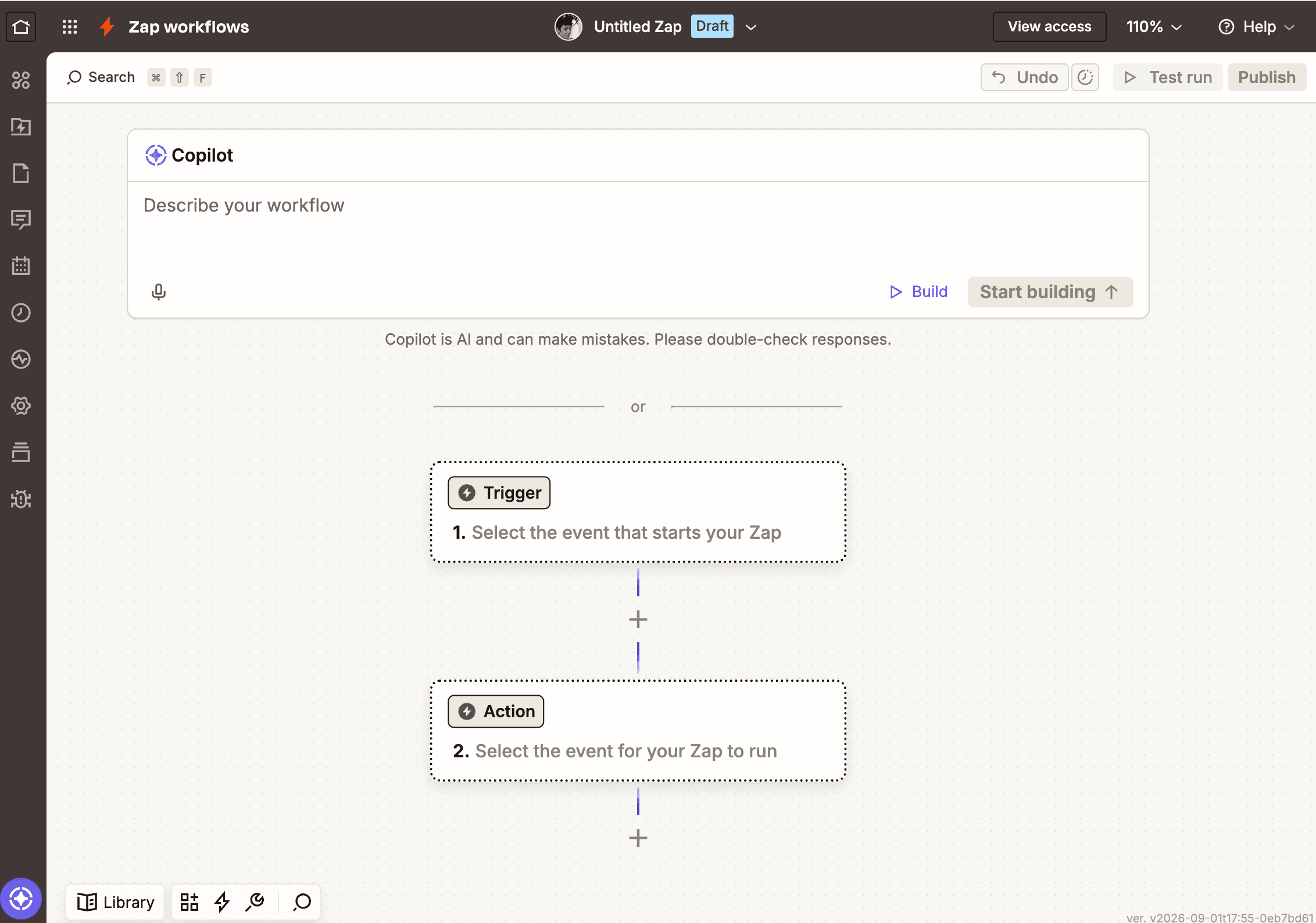
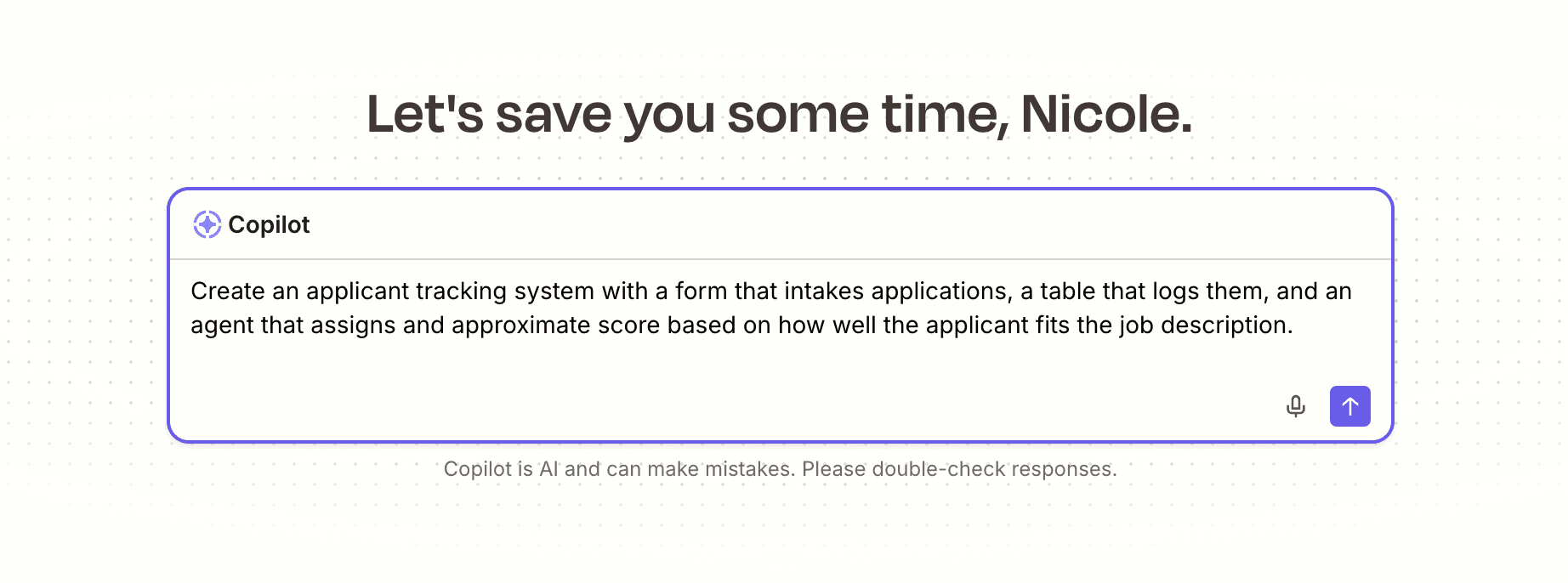
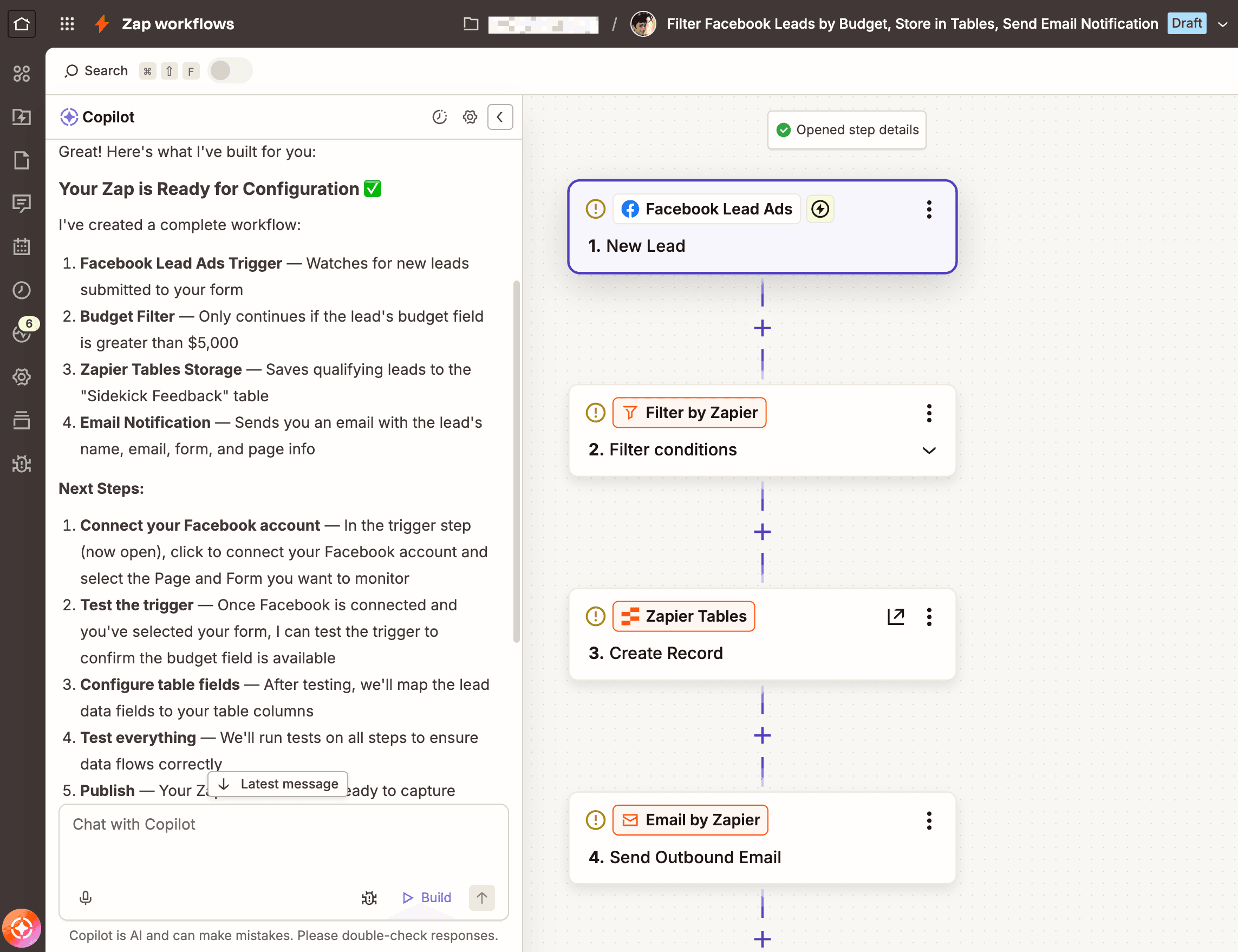
Signing up for Zapier's free plan takes just an email address or Google account, and most first-time users publish a working Zap within 15 to 20 minutes. Choose a trigger app and event, connect your account, and test the trigger using a real sample record from that app. Then choose an action app and event, map the fields you want to carry over, test the action, and click Publish. You can also chat with Zapier Copilot to have it build the workflow for you from plain language. There's no code required at any step, though Code by Zapier is there if you need it.
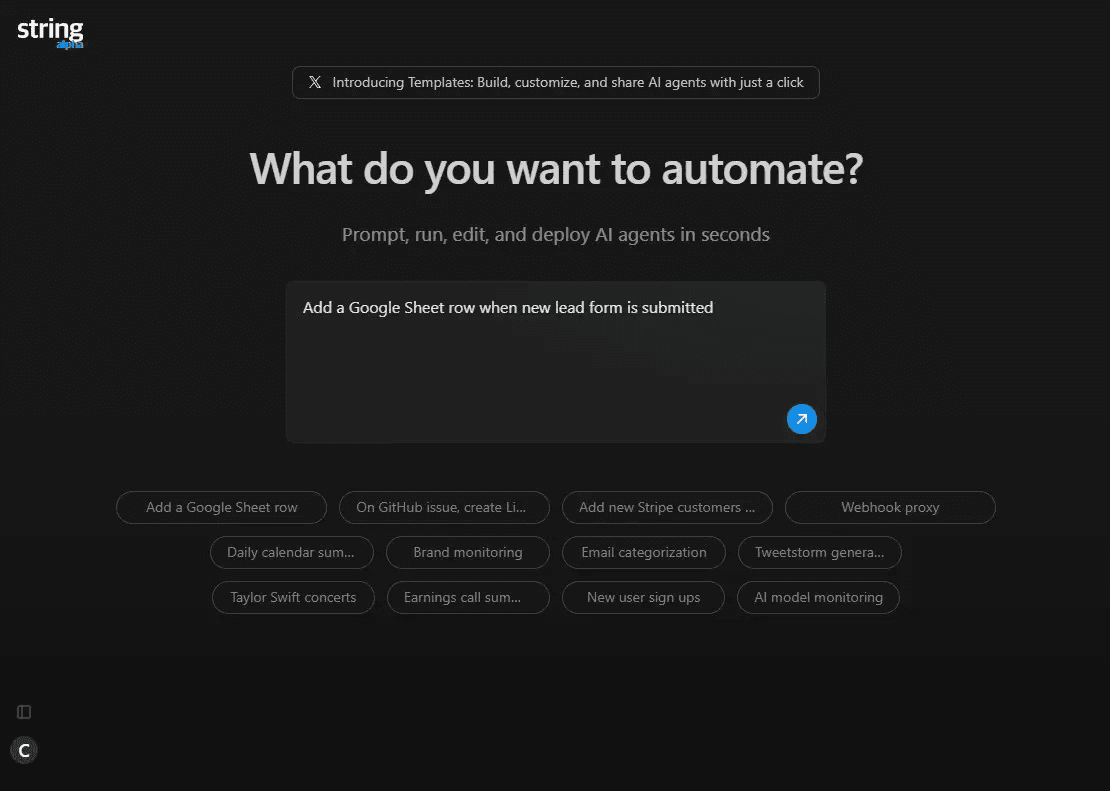
Pipedream's signup is just as fast—create an account with GitHub, Google, or email—but what happens next depends on how technical you are. After signing in, you create a Project, then a Workflow inside it, and add a trigger: either an app-based event (like a new Gmail message) or a raw HTTP/webhook endpoint. Pipedream's quickstart guide defaults to the HTTP/webhook path, which means your first "trigger" is often a manually crafted test event and a cURL command rather than an actual connected app.
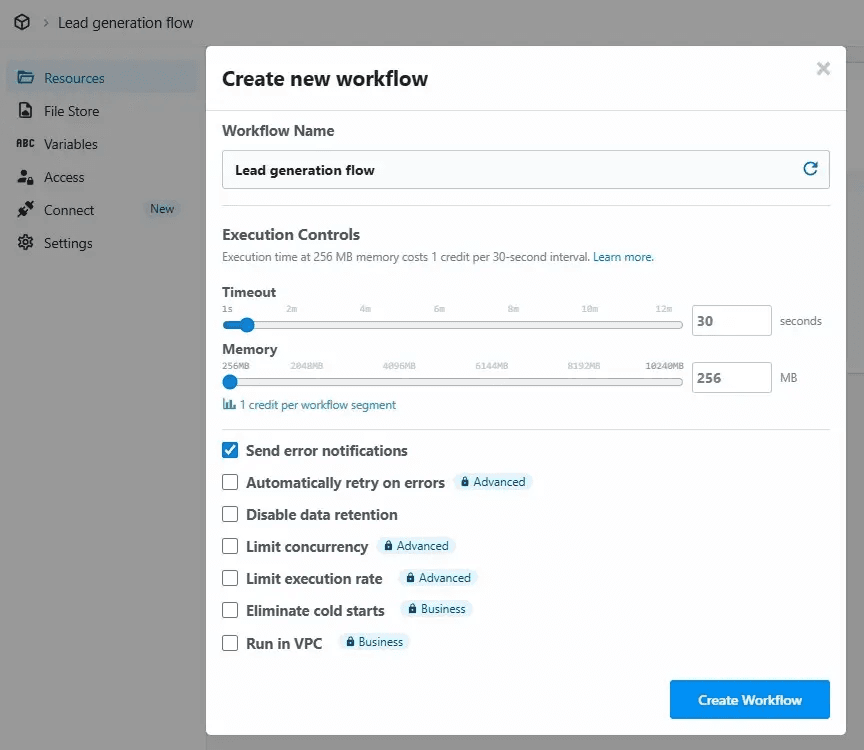
For most non-trivial logic, you'll have to drop in a Node.js code step to transform the data in between. Pipedream markets this as a five-minute process, but that's for the bare test-event version. Once you add real second-app authentication and any custom code, non-developers should expect much more time and a steeper learning curve than Zapier's guided, no-code flow.
FAQ: Zapier vs. Pipedream
Which is more cost-effective: Zapier or Pipedream?
It depends on your usage pattern. Zapier's task-based pricing only charges for the steps that actually take action, so workflows with lots of filtering or internal steps can be cheaper to run. Pipedream's credit-based pricing charges for compute time on every step, and complex workflows with branching or multiple API calls can burn through credits fast—often 4-8 credits per run, compared to Zapier's per-task model.
How do Zapier and Pipedream features compare?
Zapier offers a full AI orchestration suite—Zap workflows, built-in agentic AI, tables, forms, MCP, and an SDK/CLI—all built to work together. Pipedream offers a workflow builder, an agent builder, and basic data storage, aimed at developers who want fine-grained control over code, execution environment, and GitHub sync. Zapier's feature set is broader and more integrated; Pipedream's is narrower but deeper for code-first use cases.
Which is better for AI-powered workflows?
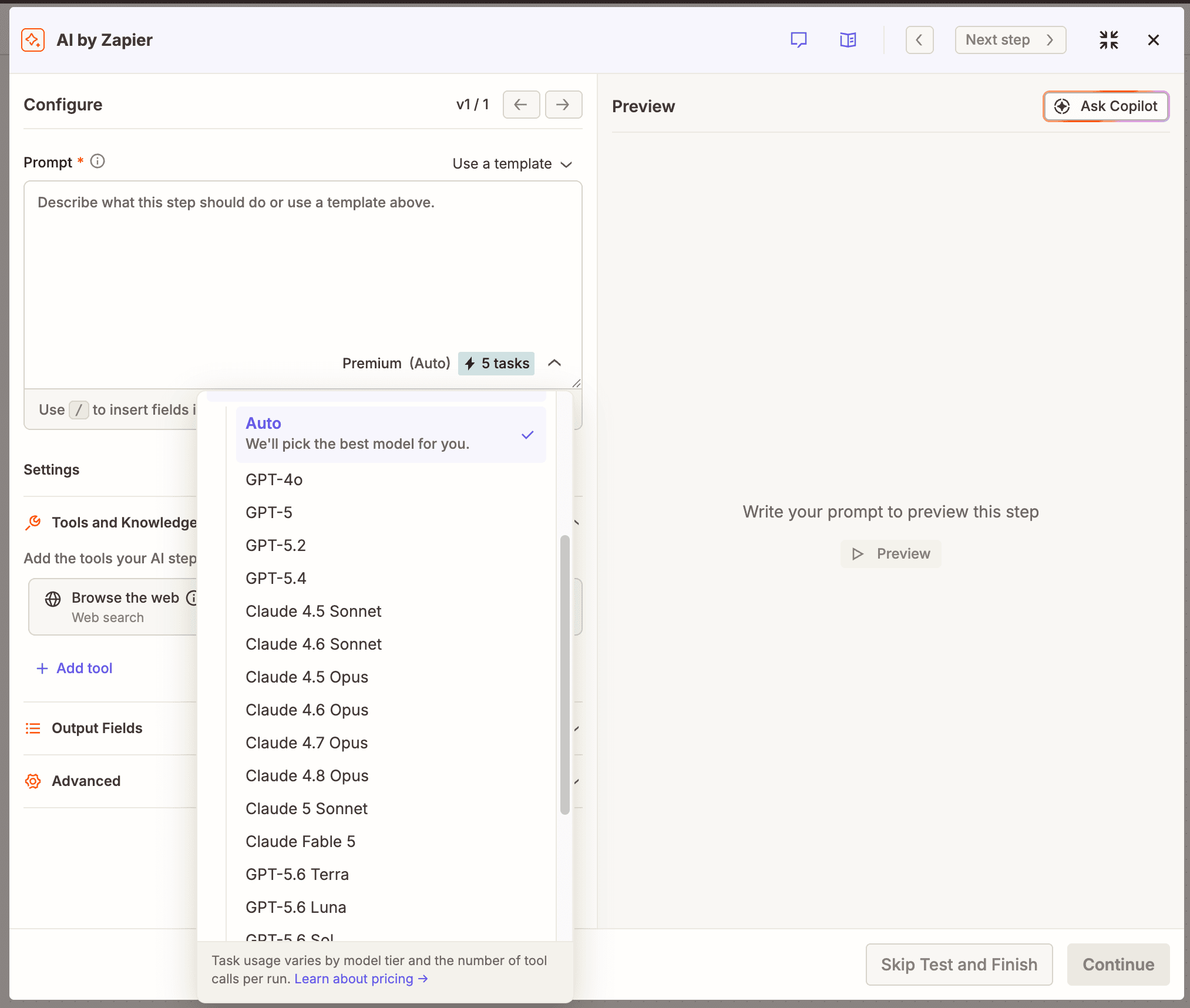
Zapier gives you AI exactly where you need it, and deterministic automation everywhere else. AI by Zapier is a built-in step you can drop into any workflow to extract data, generate content, or analyze information—no API key required—while the rest of that same workflow runs predictably, with no LLM in the loop unless you put one there. Zapier MCP extends that further, letting AI tools like ChatGPT and Claude take governed action across 9,000+ apps, and Zapier Copilot can build the workflow for you from a plain-language prompt if you'd rather not build it by hand.
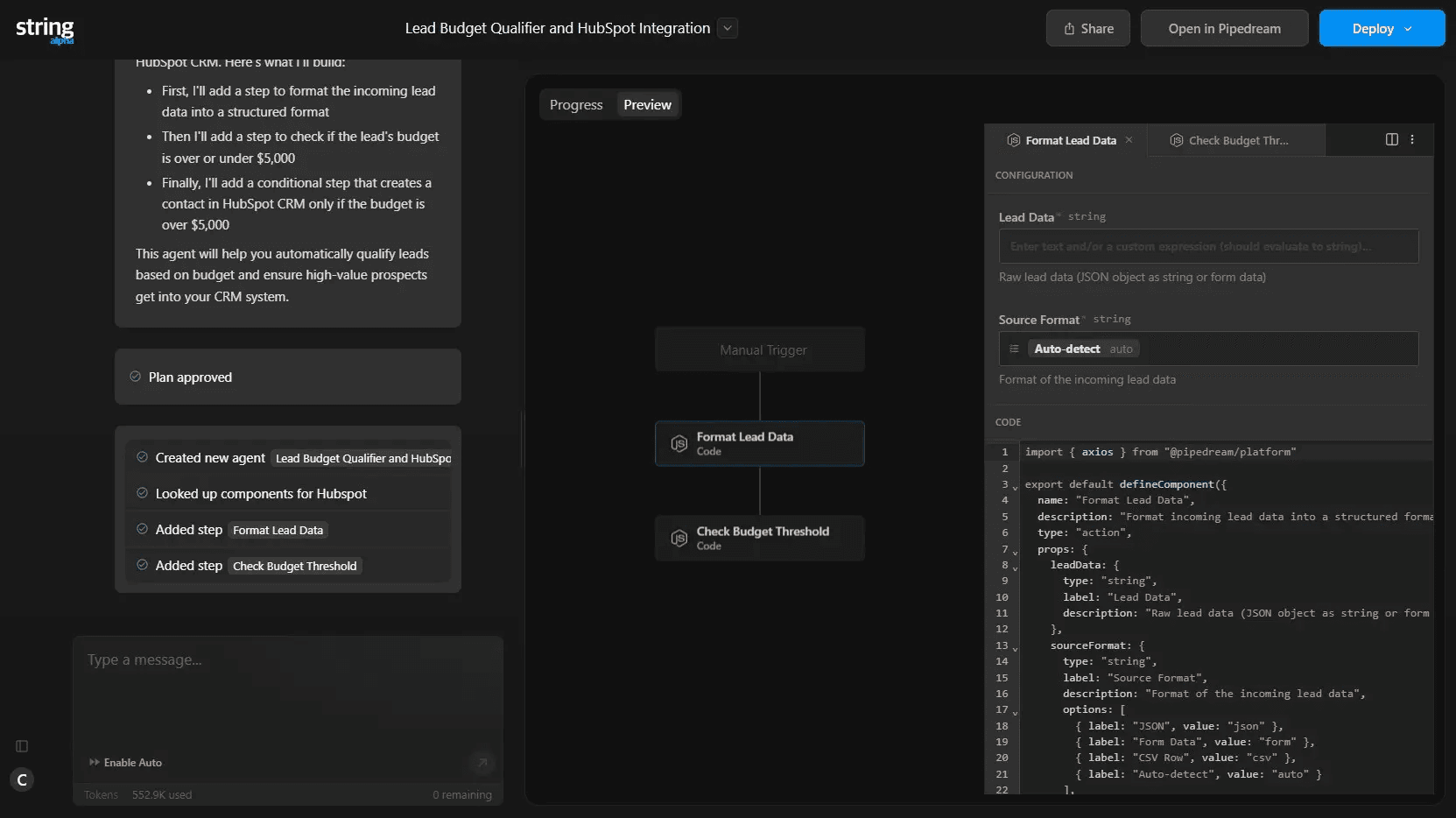
Pipedream's String assistant can build agents from a prompt too, but the output stays code-heavy, and running AI inside a regular workflow means bringing your own OpenAI or Anthropic key rather than a built-in action.
Is Pipedream better for developers?
For developers who want to write Node.js, Python, Go, or Bash inline, sync workflows with GitHub, and control execution environment details like memory and cold starts, Pipedream can be a better fit. Zapier's case is everyone else: teams that want the 9,000+ app catalog and AI orchestration without requiring engineering time for every workflow, while still supporting code when developers want it.
What does Workday's acquisition of Pipedream mean for users?
Workday acquired Pipedream in December 2025 and is folding it into an "end-to-end AI agent development stack" for its own HR, finance, legal, and IT customers. Workday says it wants to preserve Pipedream's value for the broader ecosystem, but most of its past acquisitions were eventually absorbed as native Workday features rather than staying independent products. What that means for non-Workday customers isn't clear yet.
Zapier or Pipedream, which one should I use?
Choose Pipedream if your team is IT-led, you want granular control over your execution environment, or you need HIPAA compliance. Choose Zapier if you want to scale automation across your whole team, prefer an independent platform, and want predictable, task-based pricing.
AI automation starts and scales with Zapier
Build reliable, consistent workflows across tools, people, and processes. Access 9,000+ apps securely from any surface, and add AI to the mix only when you need it.
About the author: Ryan Kane is a writer and marketer based in Mérida, Mexico. He writes about SaaS, AI, and marketing while building fun Internet side projects. Learn more: ryankane.co.