Zapier vs. Claude
Published: 9/16/2026 | by Nicole Replogle
Claude is remarkably good at being a thinking partner. It summarizes, drafts, analyzes, and even acts on your behalf. But every one of those actions runs through Anthropic's models, and every token has a cost attached, even the parts of a workflow that don't need judgment at all. Zapier takes a different approach. It's a governed automation layer that connects 9,000+ apps and adds AI exactly where a step calls for it, using whichever model actually gets the job done—Claude's or otherwise.
Here's what you'll get with Zapier:
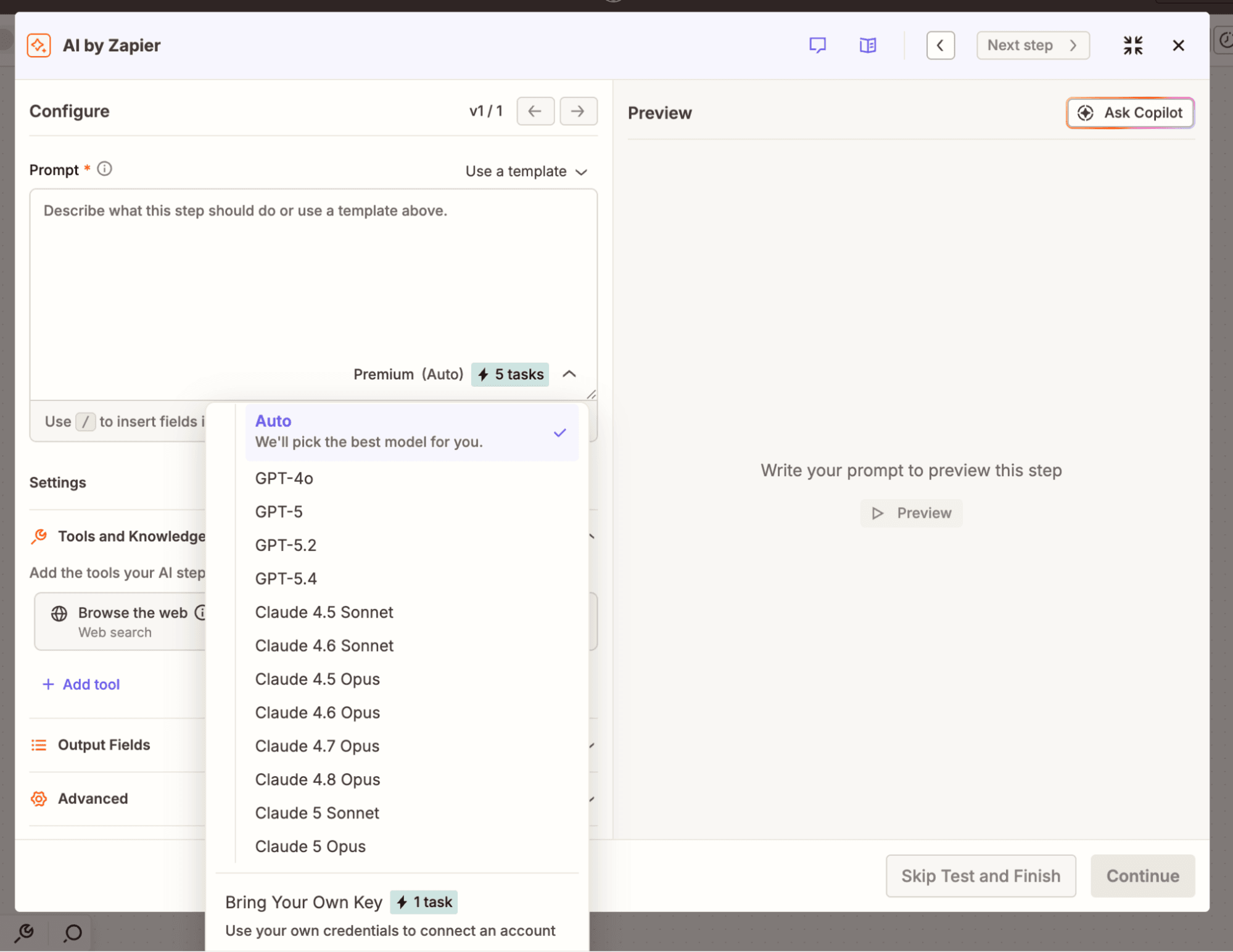
Use Claude's models without being limited to them: Add a Claude step to a workflow exactly where it's needed, then swap in OpenAI, Google, or another provider for a different step without rebuilding anything. Inside Anthropic's own products, Claude is your only option.
Connect 9,000+ apps out of the box: Claude's native connectors reliably cover a small number of everyday tools, even as the third-party, community-built connector library grows exponentially. Zapier offers thousands of reliable, governed connections, and Zapier MCP extends Claude's own reach past its native list.
Pay for AI only where a step needs it: Build the repeatable parts of a workflow as deterministic automation, and add a Claude step only where judgment is actually required. On Claude, every interaction runs through a model, and that's metered at API rates the moment you're past the flat seat fee.
Claude vs. Zapier comparison
| Zapier | Claude | |
|---|---|---|
| 概要 | Zapier is a governed AI orchestration platform that lets any team automate workflows across 9,000+ apps, adding AI only where a step calls for it | Claude is Anthropic's AI chatbot and agent harness built for chatting, coding, and increasingly acting on your behalf |
| 実装 | Minutes to a working automation with Copilot or a template, with no infrastructure to set up | About a minute to your first chat; Claude Code requires a separate desktop app or CLI install before it can act on your files |
| インテグレーション | 9,000+ apps, governed by Zapier, plus native MCP support | 2,300+ connectors (but only a small core are Anthropic-verified); reaches Zapier's 9,000+ apps through Zapier MCP |
| 使いやすさ重視 | No-code editor, thousands of templates, and an AI copilot for anyone to build full business systems; workflows, agents, tables, and forms together | Plain-language chat in a minimalist interface that's easy for anyone to pick up; no equivalent to Zapier's Tables or Forms |
| AI capabilities | Model-agnostic AI woven through workflows, MCP, and the SDK—choose Anthropic, OpenAI, Google, or another provider per step, and switch anytime | Every product runs on Anthropic's own Claude models only |
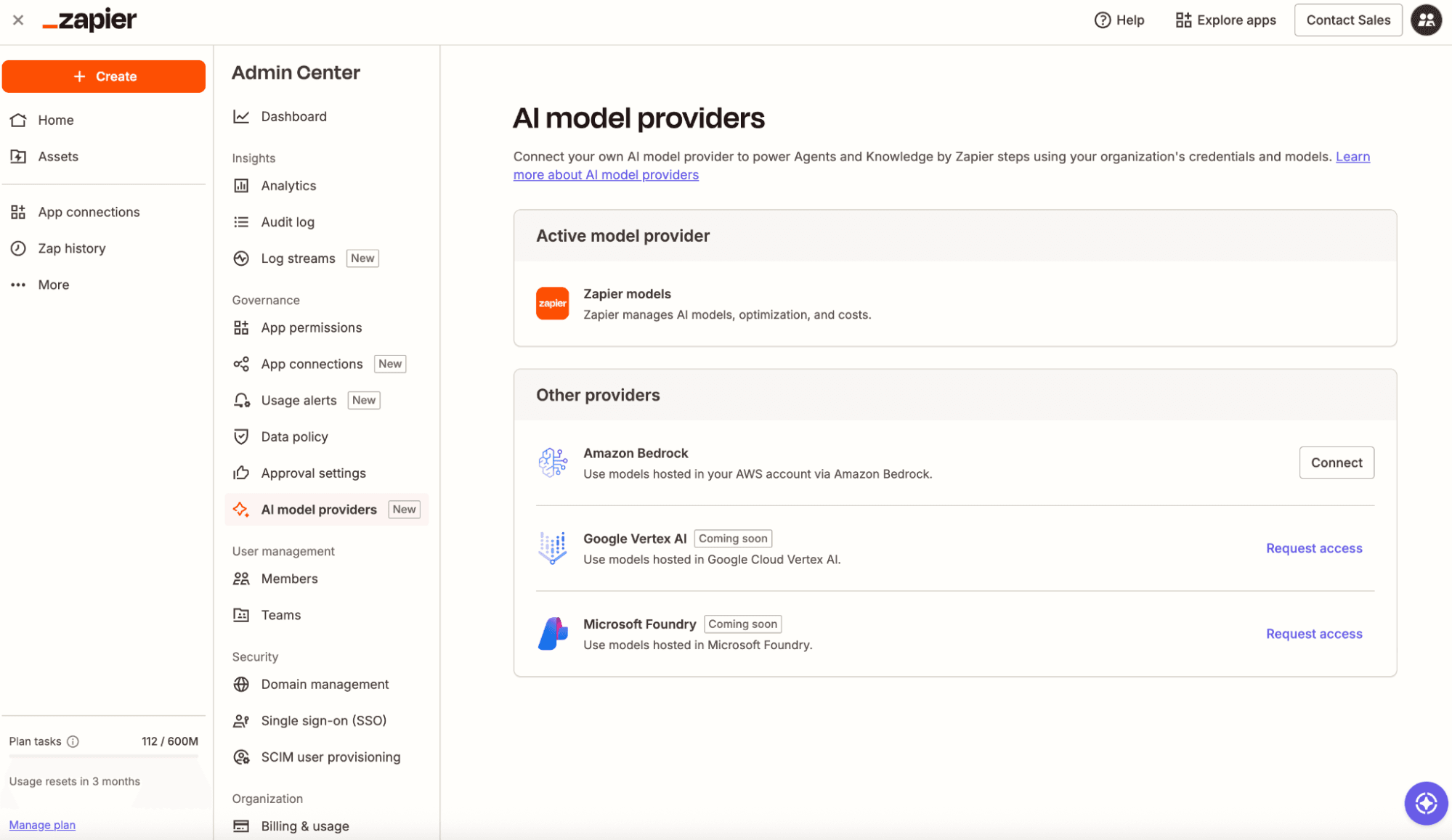
| Security & governance | One policy across every surface: SOC 2 Type II, SOC 3, GDPR, and CCPA certified, with SAML SSO, audit logs, and role-based access control starting on the Team plan; SCIM provisioning, domain capture, app- and action-level restrictions, real-time SIEM streaming, and Bring Your Own Model (AWS Bedrock) added at Enterprise | SOC 2 Type II, ISO 27001, and ISO/IEC 42001 (AI management systems) certified, GDPR- and CCPA-compliant on commercial plans, with SAML SSO on Team and Enterprise; SCIM provisioning, domain capture, custom data retention, customer-managed encryption keys, and a HIPAA-ready offering (with signed BAA) added at Enterprise |
| 料金体系 | Free plan available; predictable task-based pricing on every tier (from $19.99/month for solo users and $69/month for teams of up to 25); a step on a standard AI model costs one task; custom enterprise plans available | Free plan available; paid seats look simple ($17/month or $100+/month for increased usage), but enterprise usage meters separately at API rates on top of the per-seat fee |
| Reliability & performance | Deterministic Zaps run the same way every time, with autoreplay, custom error handling, task histories, and version rollback included on every paid plan | Every interaction runs through a model, so outputs (and API rate-limit/overload handling) are yours to manage; Anthropic publishes a status page, but there's no automatic retry built into the chat product itself |
What customers say about Zapier
"I always say, if Zapier supports it, we can build it. There's no guesswork. We've spent years learning every corner of the platform."
—Ashar Malik, CEO and Founder
Customer testimonial
"Our B2B sales team used to spend two to three hours per prospect researching and building context. So, I built an AI agent for them and rolled it out to our entire Sales and Technical Sales teams. Now, what used to take them three hours takes less than five minutes."
—Usman Mahomed, Head of Product, Egg
Customer testimonial
"I've started working a lot with Claude and ChatGPT to get my work done much faster. What bothered me was that both models are great at thinking but not so great at doing... I use Claude as the 'brain' and Zapier as the 'hands.'"
—Omer Krauss, PPC and Copywriter Freelancer
G2 review
"Zapier is now the AI-native way to create automations and workflows for digital teams[.] I really enjoy using Zapier to connect platforms that don't have integrations and being able to streamline my business."
—Richard M., Founder, Marketing and Advertising
G2 review
340万社の企業に信頼されています



















AI automation starts and scales with Zapier
Build reliable, consistent workflows across tools, people, and processes. Access 9,000+ apps securely from any surface, and add AI to the mix only when you need it.
Compare features: Zapier vs. Claude
Claude and Zapier aren't really fighting for the same job, even though Claude has grown well past a plain chat window. It's still where you go to think something through—like drafting an email, debugging a tricky function, or making sense of a stack of PDFs nobody on your team wants to read manually. Increasingly, it's also where you go to have Claude act directly via connected apps. But with Zapier, that thinking and action turns into something that runs reliably across every app your business touches, without anyone babysitting it and without routing every step through a model to make it happen. Used together, Claude handles the reasoning, and Zapier handles the rest. I've been using both tools consistently for over three years, so I'm very familiar with the differences between the two, where each one shines, and how to use them in ways that make it safer for everyone at your company to use AI (and cut your token spend). Here's how Zapier and Claude actually compare.
実装
Claude is an agent harness. It's flexible enough to build almost anything, but you're the one architecting how it works the moment you go past chatting and simple workflows. Zapier is a purpose-built AI orchestration platform, so a governed, multi-app automation comes together in almost the same time it takes to get Claude talking back to you in the first place.
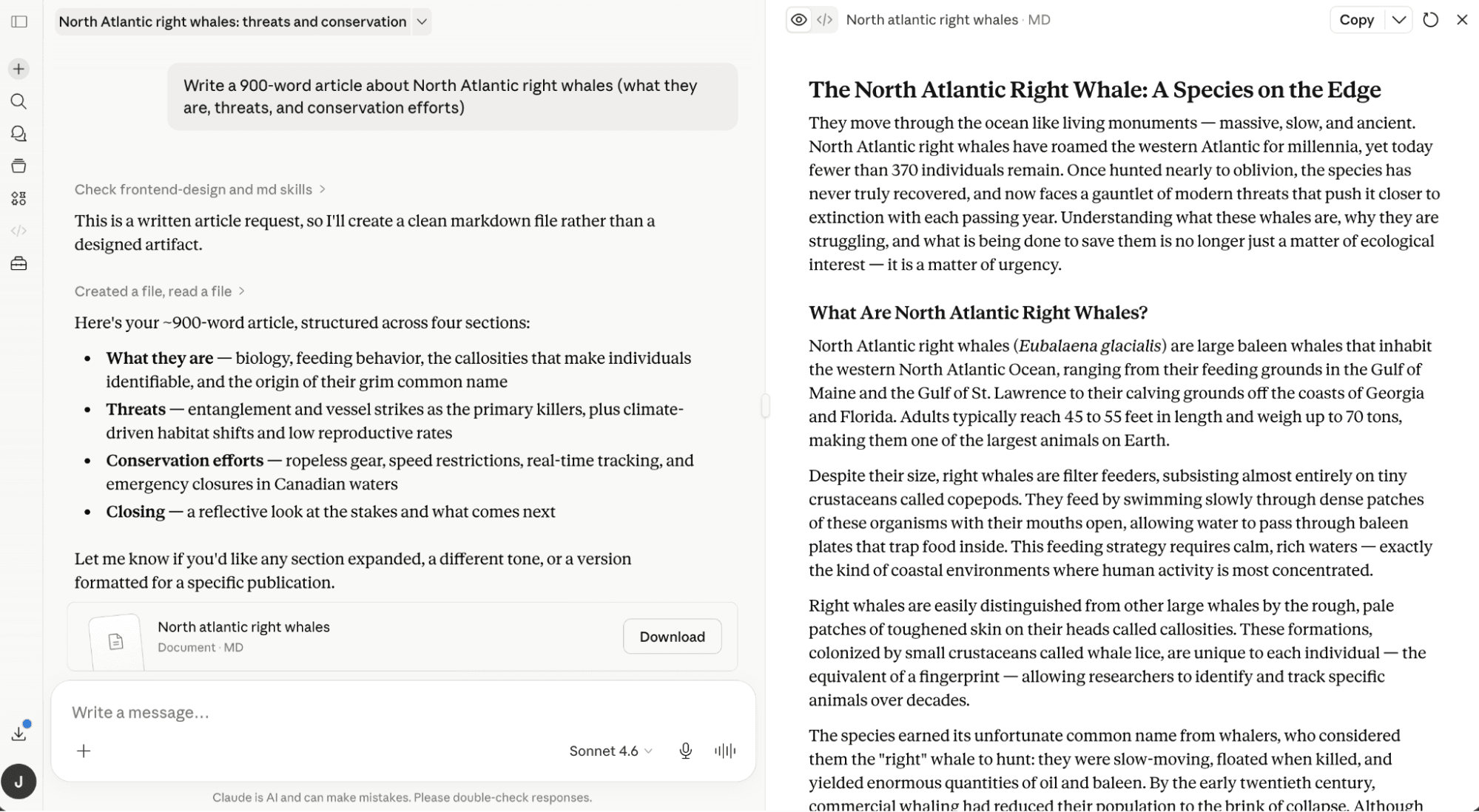
Getting started with Claude's chat takes almost no setup: go to claude.ai or the mobile app, register with email, Google, or Apple, verify a mobile phone number, and you're chatting. That gets you a summary, analysis, piece of writing, or code on demand.
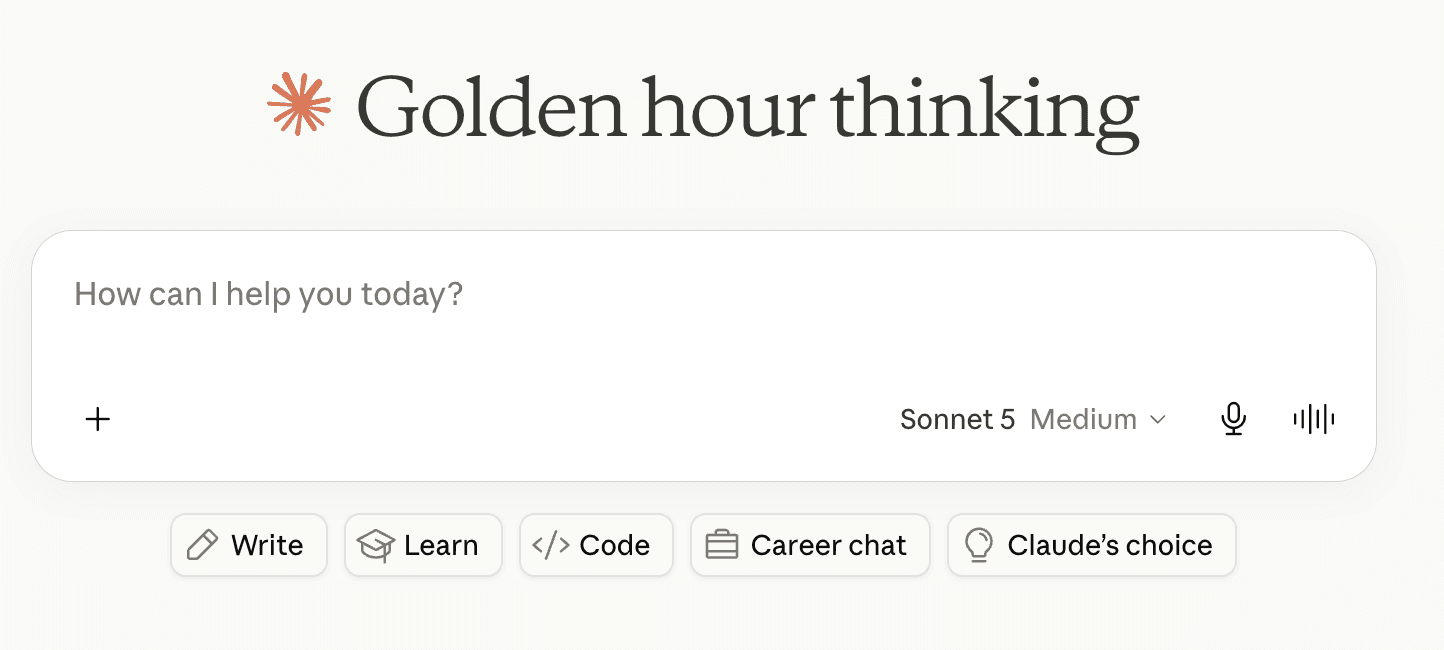
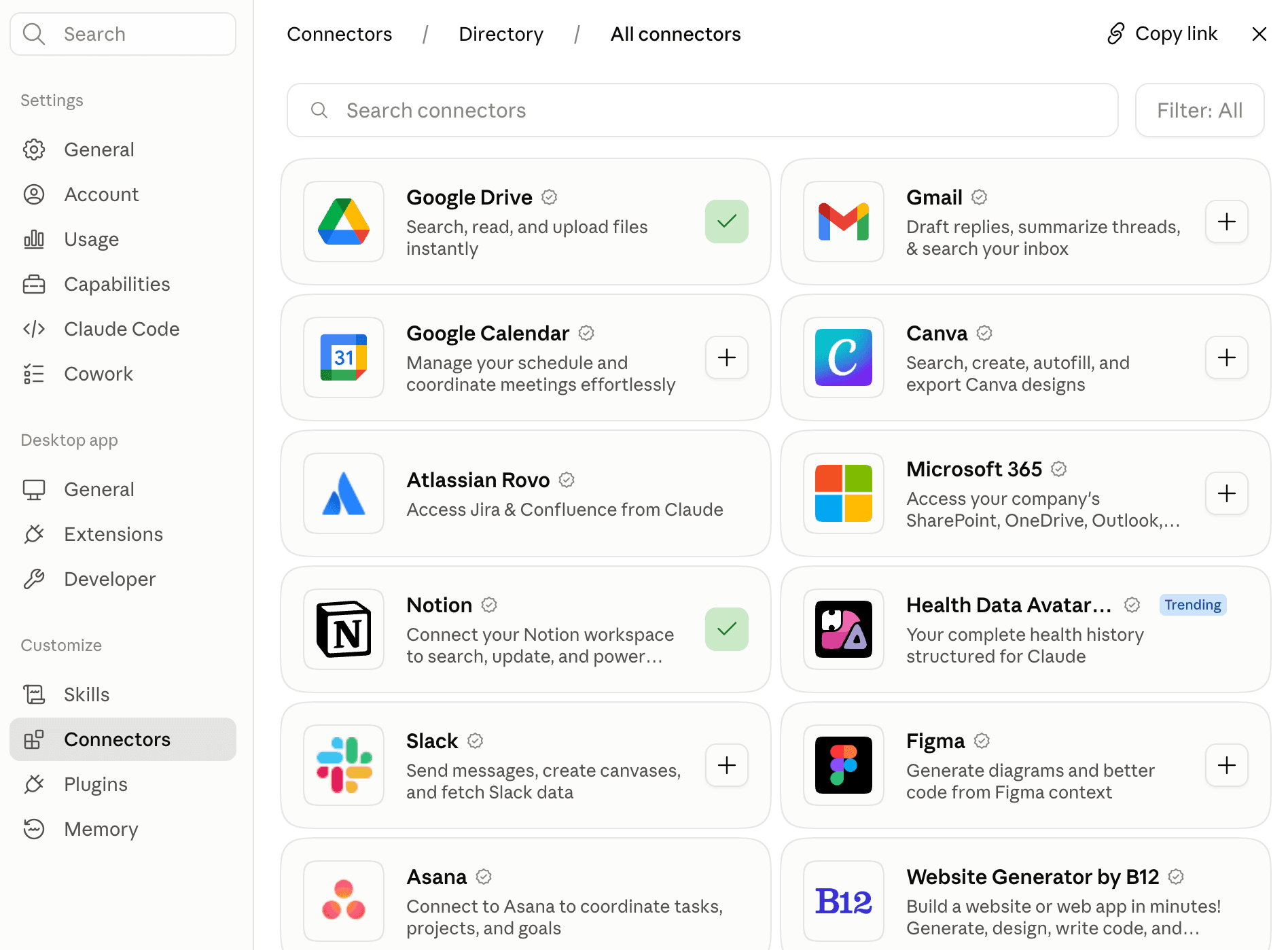
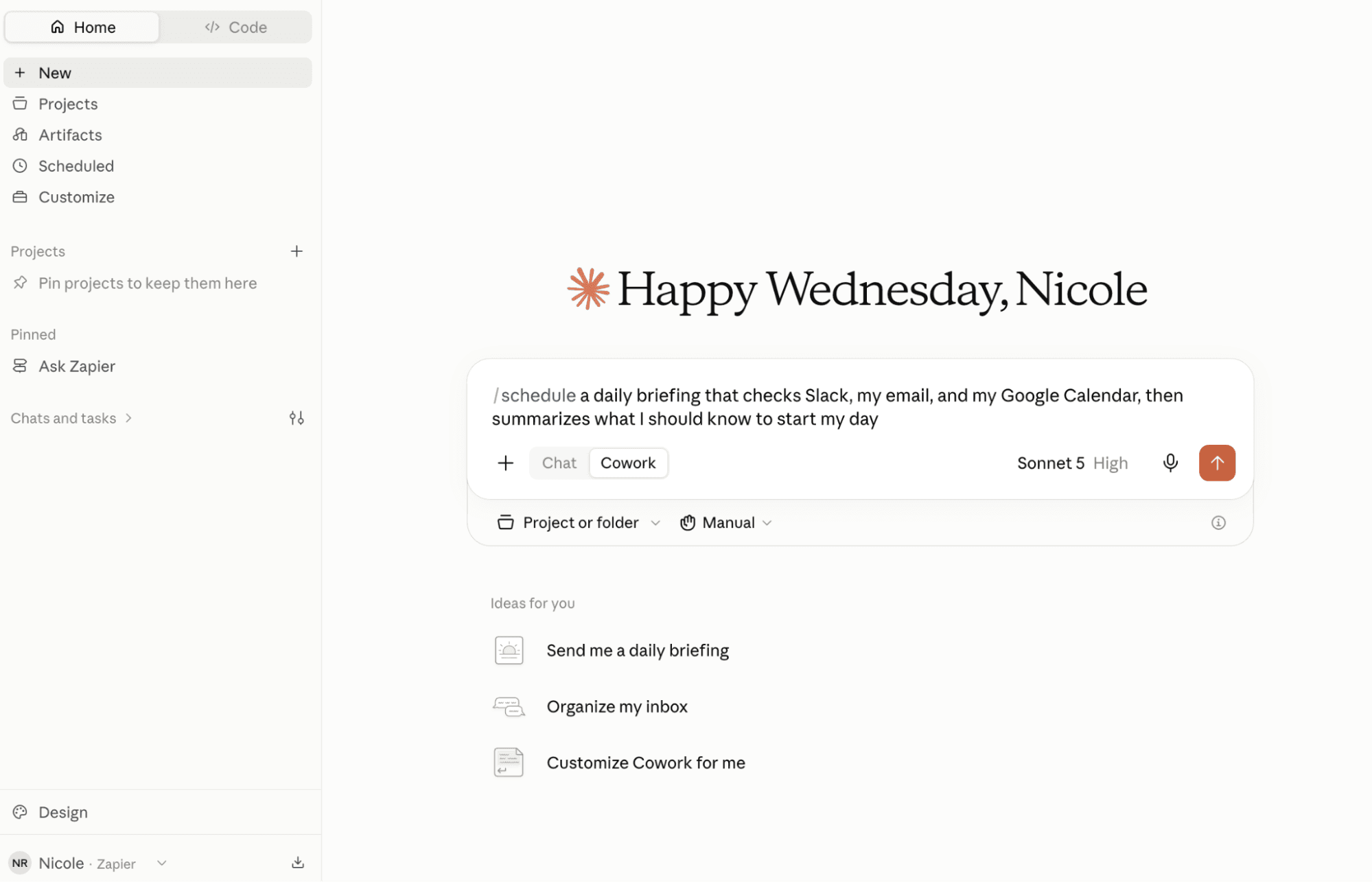
But if you want Claude to act instead of just talk, you're choosing between two different products. Claude works best when you download the desktop app for Mac or Windows and point it at a folder (or connect it to your tools) before it takes action. Claude Code means a CLI install through a terminal, or the desktop/web app, and on Team or Enterprise plans, an owner has to enable connectors at the organization level before anyone else can use most of them.
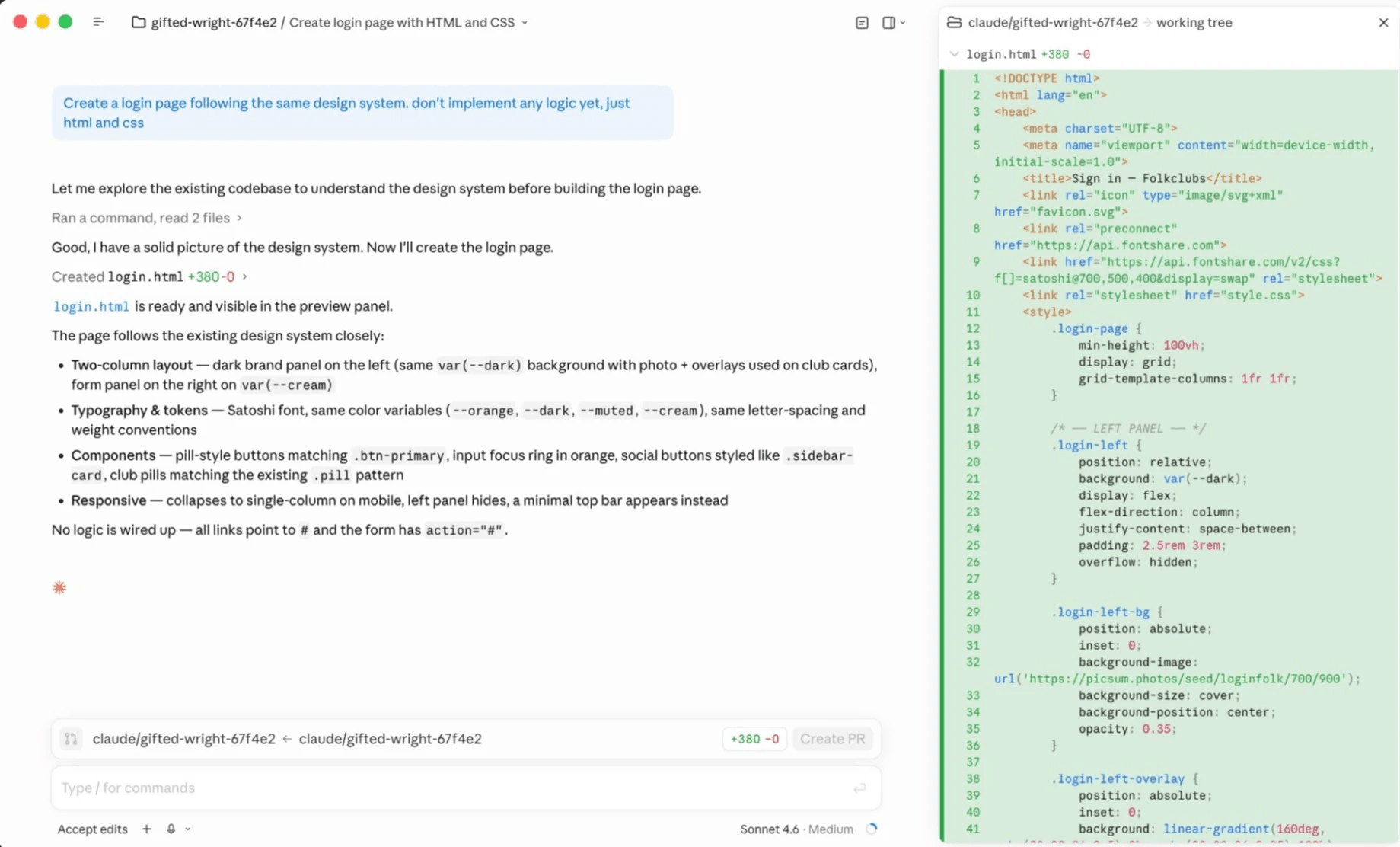
Claude Code, specifically, becomes a whole new beast the moment you want it reaching a tool it doesn't already talk to. There's no packaged integration layer, so connecting Claude Code to a new app typically means bringing your own MCP server, reading that app's API documentation, and handling authentication and error cases yourself. You can build exactly the tool you want instead of waiting on someone else to build it for you, but it's software development, not something you knock out between meetings. And the maintenance burden (like API changes and broken auth) lands on whoever built it.
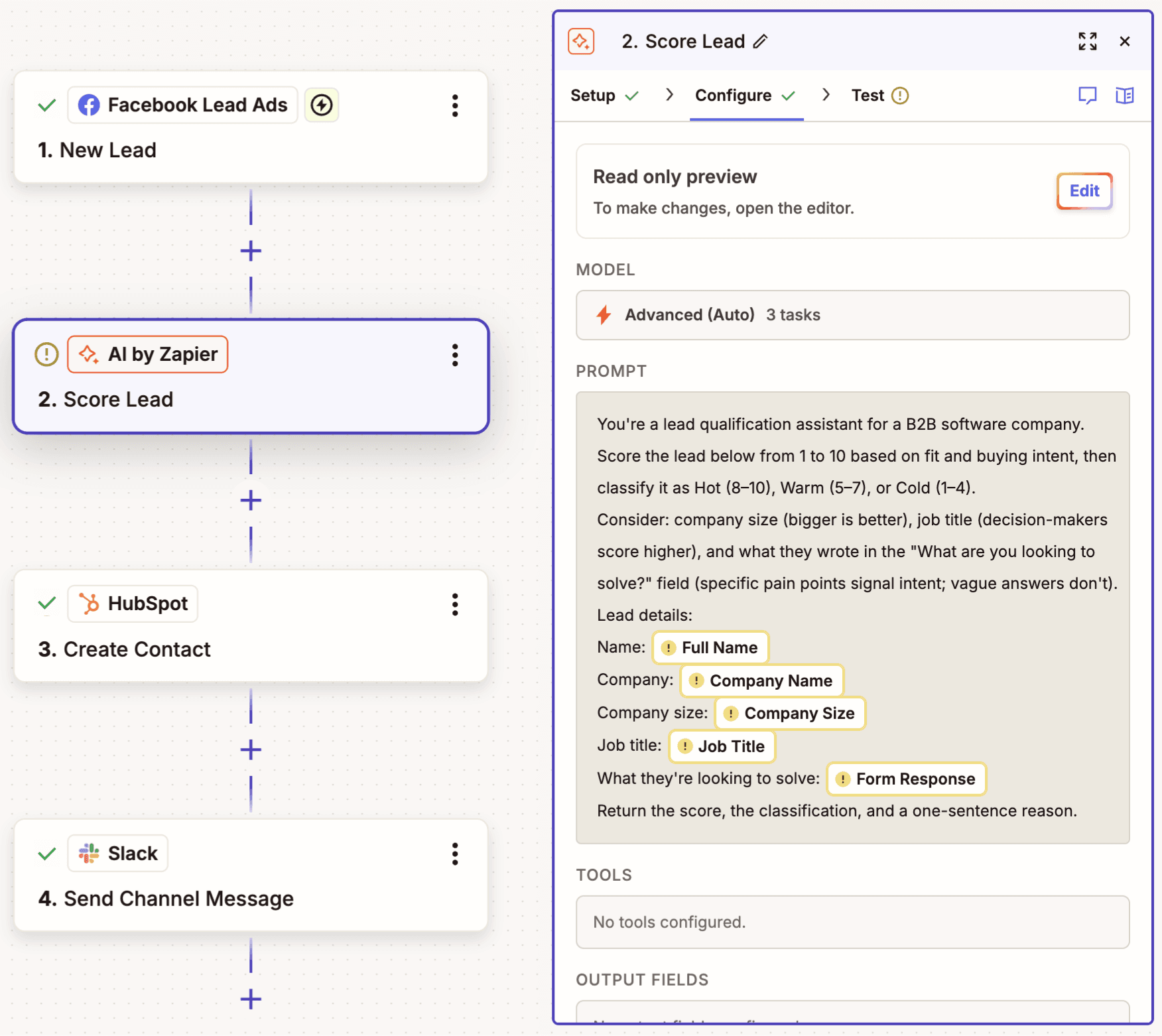
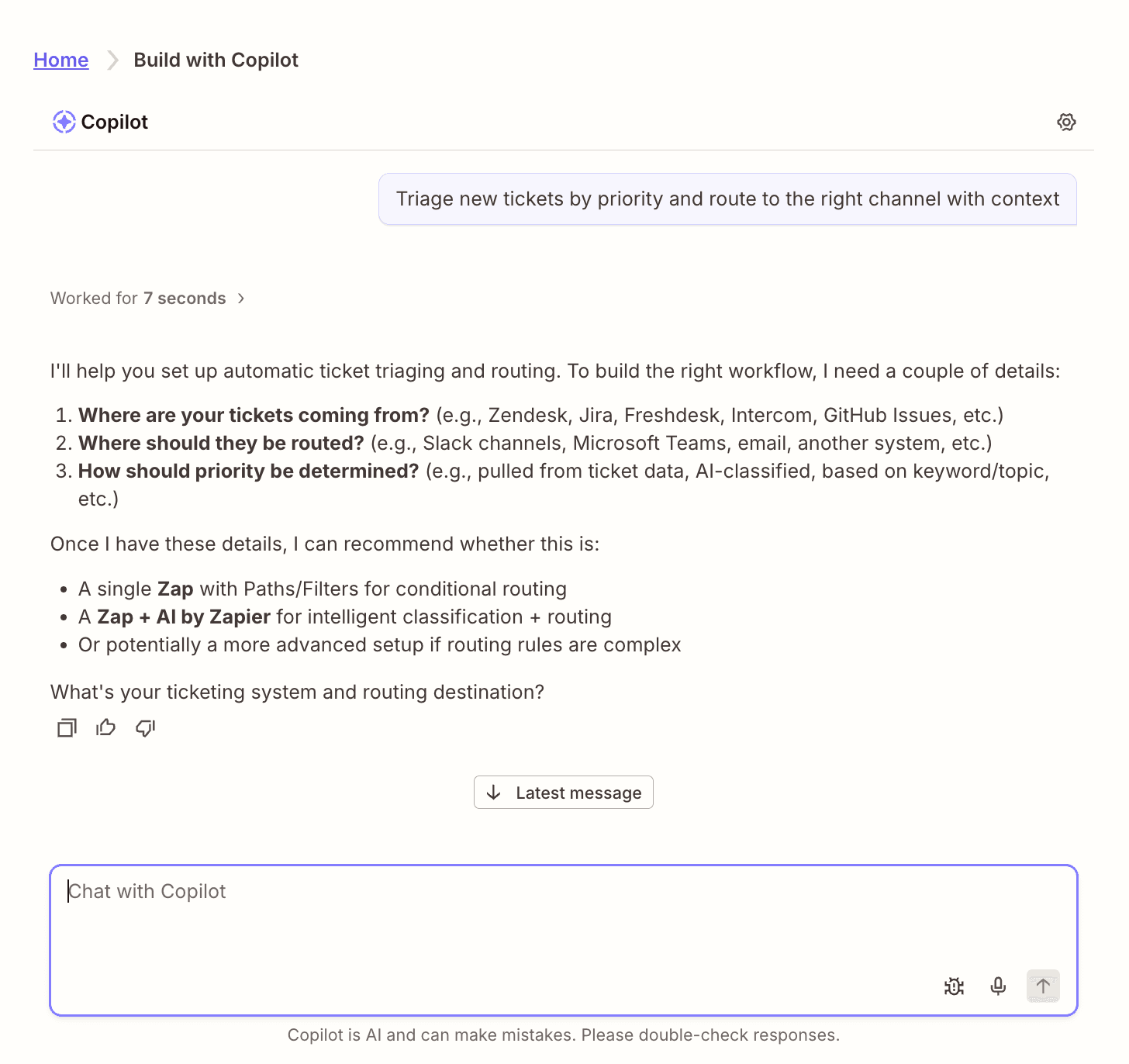
Zapier is built to skip that work entirely. Sign up with just an email address or through Google, and Copilot or one of thousands of templates typically gets your first working Zap running in about 15-20 minutes—with no infrastructure to set up and no IT approval required before you can start connecting apps.
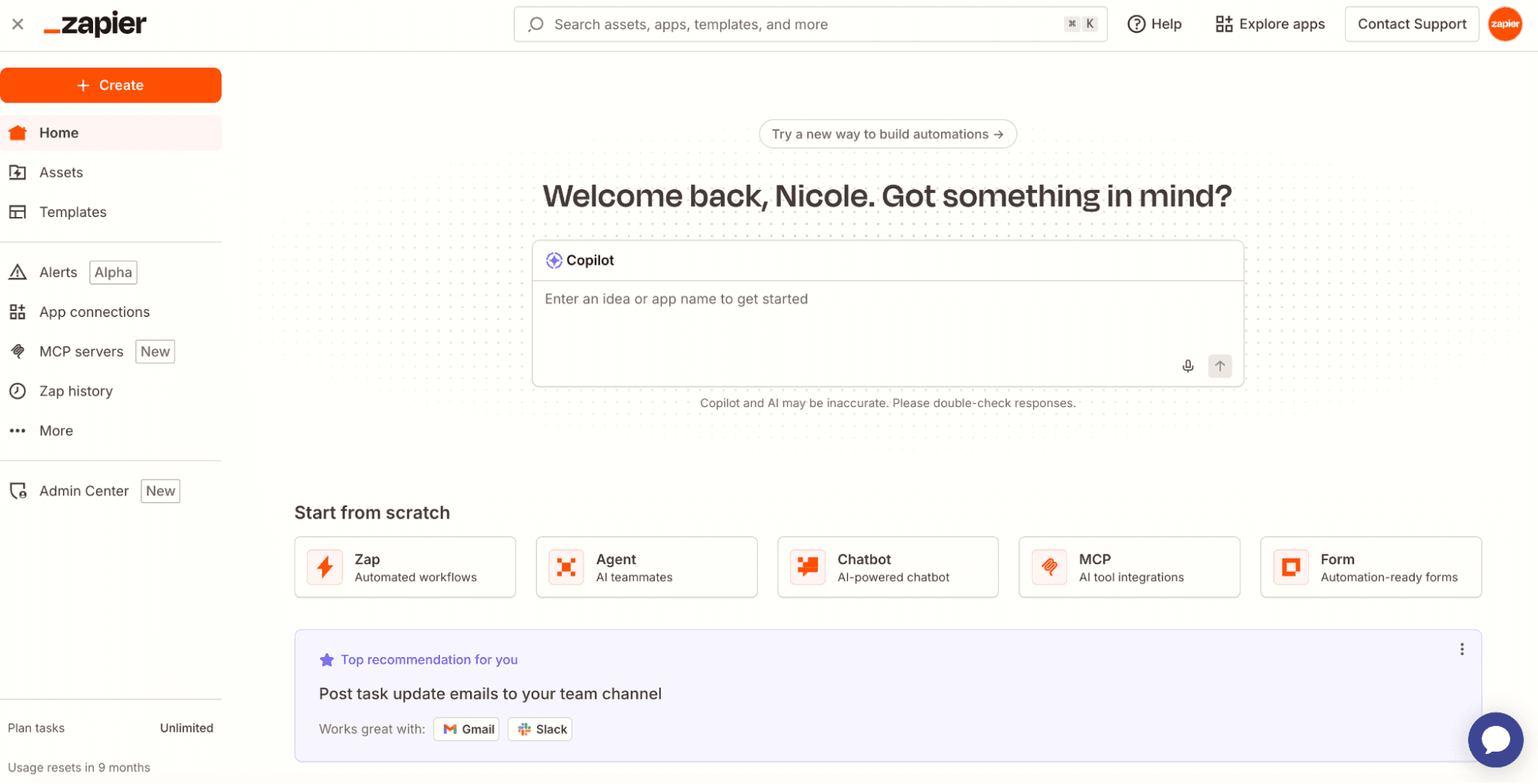
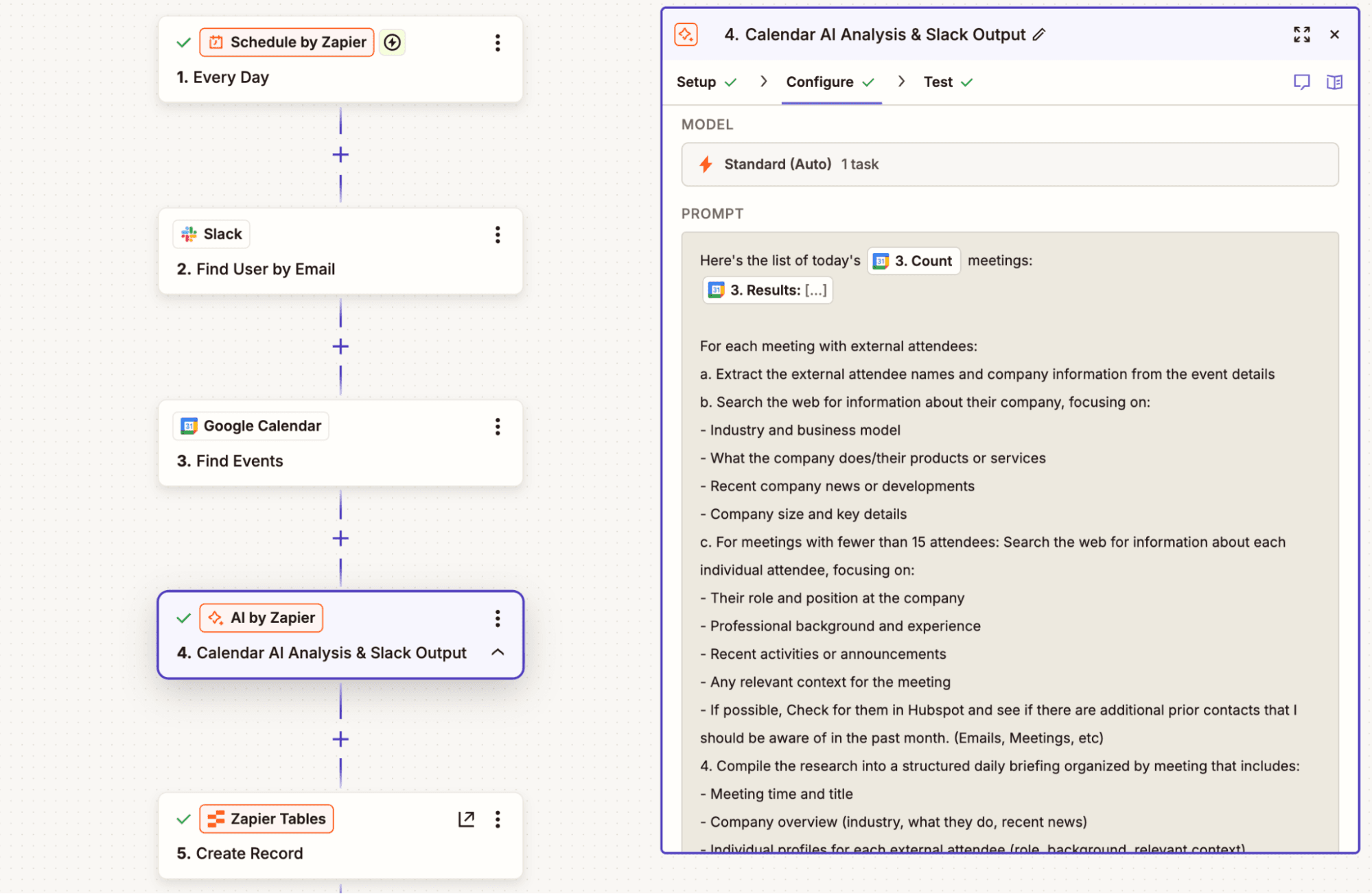
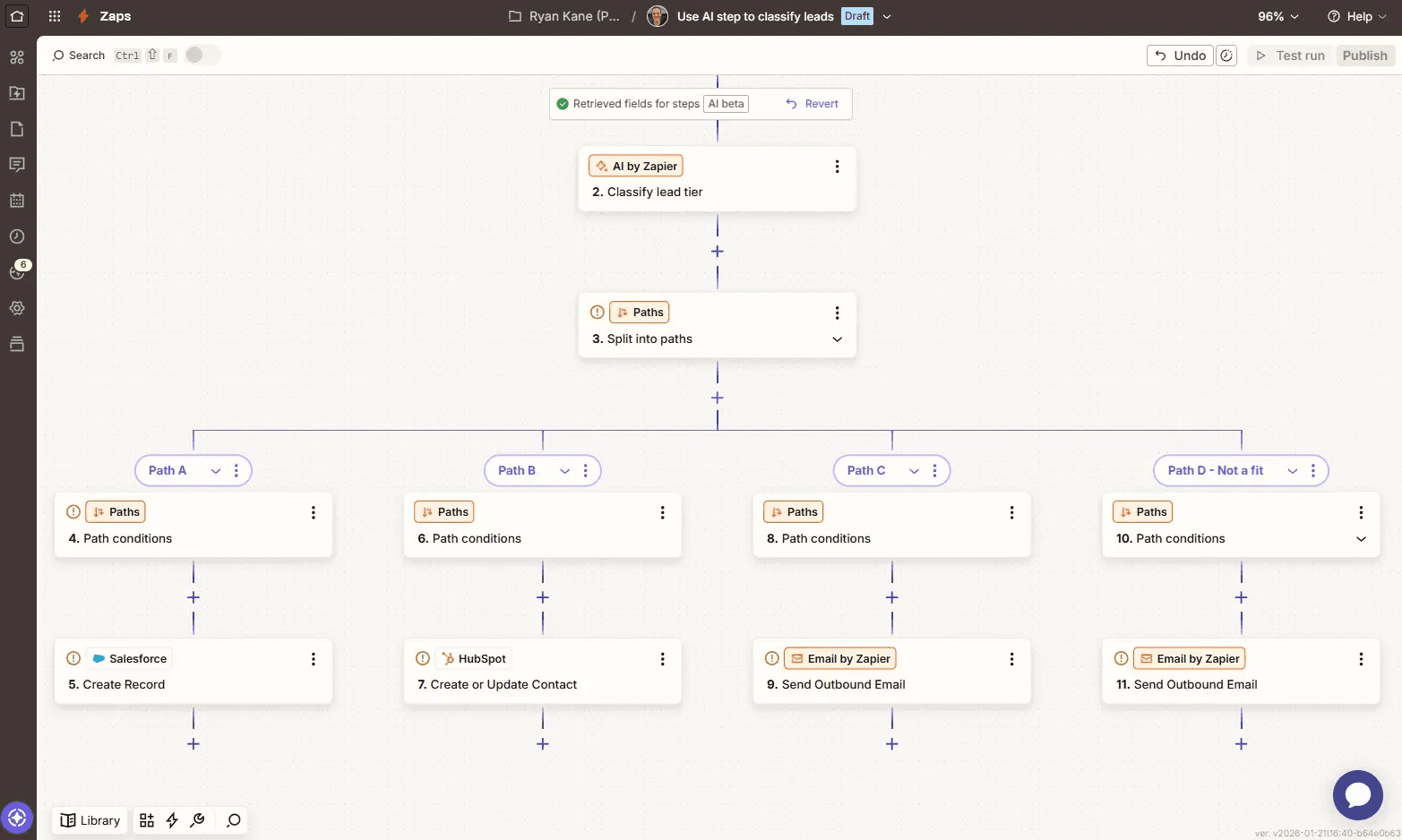
Even a complex, multi-step, multi-app Zap is mostly a matter of connecting triggers and actions that are already built to talk to each other. You can add as many actions as you want, weave in conditional logic with filters or path steps, and even add code steps for more technical flows. You can also drop an AI by Zapier step—using any AI model—in exactly the part of the workflow you need an AI model for. You're not building a custom MCP server or reverse-engineering an API to get two apps working together the way you would with Claude Code.
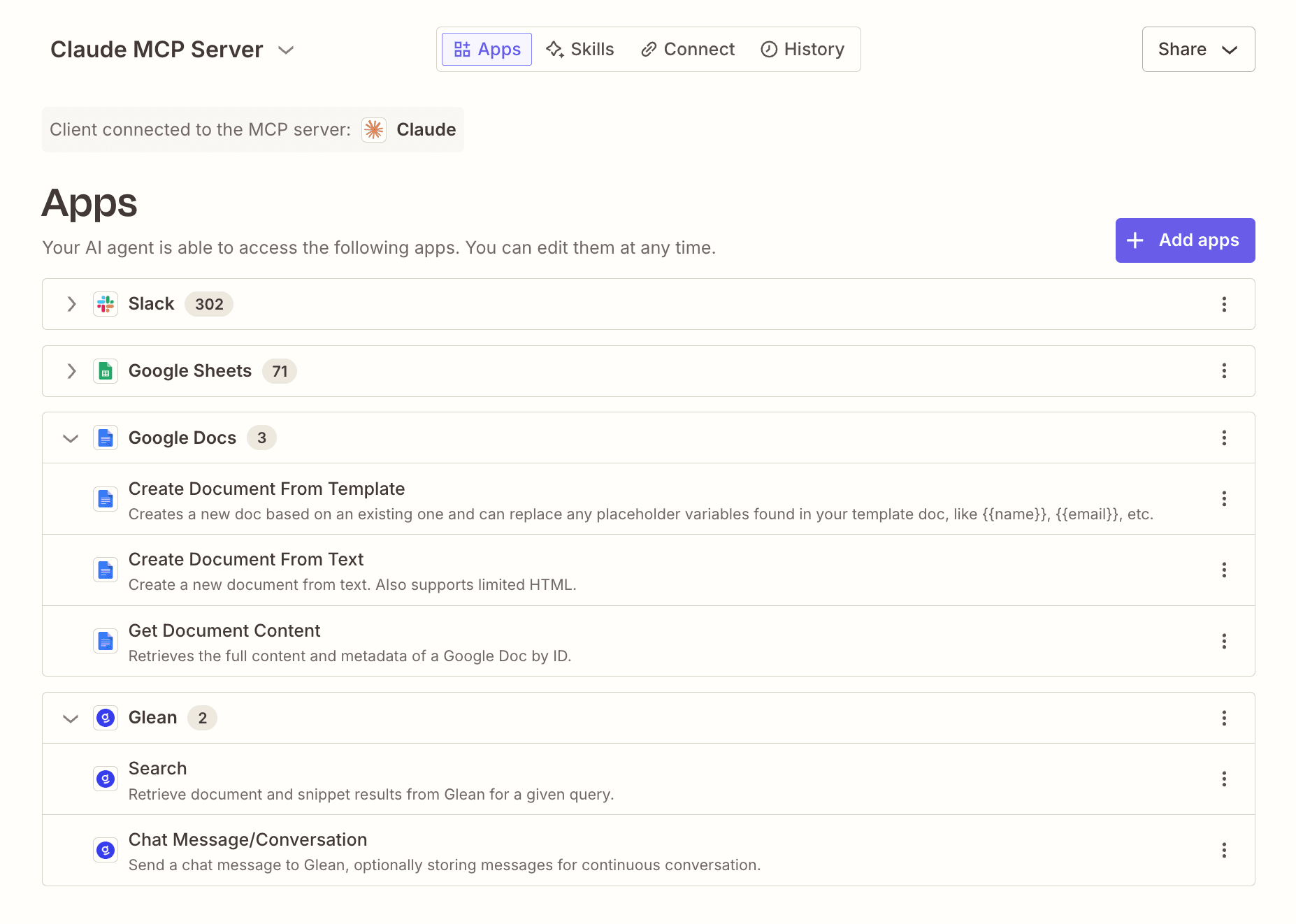
The other way to access Zapier is directly in your AI apps (including Claude) through Zapier MCP or the Zapier SDK. These tools let your AI assistant take governed action across any of your connected tools without leaving your chat window, code files, or terminal. Zapier connects to over 9,000 tools, so it can work with any app in your tech stack.
FAQ: Zapier vs. Claude
Can Claude replace Zapier?
No—they solve different problems. Claude reasons, writes, and increasingly acts inside its own products, but it connects to only a small core of apps reliably and requires you to manage your own error handling if you build on its API. Zapier is a governed automation platform that connects 9,000+ apps and runs deterministic workflows the same way every time, adding Claude's judgment only where a step calls for it. Most teams that try to run their core business automation entirely inside Claude hit its integration and reliability limits quickly.
Is Zapier better than Claude?
It depends on the job. For reasoning-heavy, single-thread work—like drafting, summarizing, analyzing, or agentic coding—Claude is the better tool. For connecting apps and keeping a process running reliably across your tech stack, Zapier is built specifically for that, and it lets you add Claude's judgment to a Zap wherever it's actually needed instead of routing everything through a model by default.
Claude Code vs. Zapier for automated workflows—which should I use?
Claude Code can write scripts and code that move data between systems, if you or someone on your team can maintain that code long-term. What it doesn't do natively is trigger on events across 9,000+ apps, handle authentication and API updates as they change, or give a non-technical teammate a way to adjust the automation later. Zapier is built for exactly that: no code required, integrations that stay maintained automatically, and a system anyone on your team can read and edit.
Can I connect Claude to my apps through Zapier?
Yes, and it's the best way to use both. Zapier MCP lets you install Zapier directly inside Claude, so you can carry out actions across 9,000+ apps without leaving the chat window. That means Claude handles the reasoning and Zapier handles governed, auditable execution—OAuth-managed credentials, permissions, and logging included—rather than exposing your API keys and business systems directly to a model.
What does each cost for automation work?
Claude's seat pricing looks predictable on the surface, but usage on paid plans bills separately at API rates, so your actual cost scales with how much of a workflow runs through a model rather than staying fixed. Zapier uses task-based pricing instead. A standard AI by Zapier step costs one, three, or five tasks—and no tokens unless you bring your own key—no matter which model is behind it, so you know what a workflow will cost before you run it.
When is Claude the better choice?
Choose Claude when the work is judgment-heavy and lives in a single stream (like reading, summarizing, drafting, or agentic coding), and where reasoning matters more than moving data between systems. Zapier's case is the opposite: when the output has to travel reliably across your app stack, on schedule, whether or not someone is watching it happen. Plenty of teams end up wanting both, which is exactly what Zapier MCP and AI by Zapier are built to let you do.
AI automation starts and scales with Zapier
Build reliable, consistent workflows across tools, people, and processes. Access 9,000+ apps securely from any surface, and add AI to the mix only when you need it.
About the author: Nicole Replogle is a staff writer at Zapier. When she's not writing or nerding out about productivity tech, she can be found playing with her rambunctious border collie mix, marathon training, and drinking way too much coffee.