Next Gen Zaps
Automation shouldn’t need a babysitter
Agents can help you build a workflow in chat. Zapier turns it into predictable automation that keeps running after you close your laptop.





The new Zapier
The future is here with Next Gen Zaps
Build however you want
Build Zaps in Zapier's editor; with code; or by asking Claude, ChatGPT, or Cursor. However you start, with Zapier you can connect to the apps your business runs on.
Keep your workflows working
Automate work when you close your laptop. Workflow Manager shows every step and run, while retries and run history make issues easier to understand and resolve.
Automate more reliably and efficiently over time
Zapier identifies which steps really need AI (and which don't) so over time your workflows run more reliably and affordably.
Let Zapier patch issues automatically
If something breaks (because software does sometimes), Zapier can automatically catch the problem, fix it, and keep your workflow running.
Adjust automatically
The Fluid Determinism difference
Fluid Determinism is Zapier’s unique approach to cost-effective, reliable AI. You build with natural language; Zapier suggests where to use AI and then adjusts your workflow as it runs—reducing token use for steps that run the same way every time but adding it back when the unexpected happens.
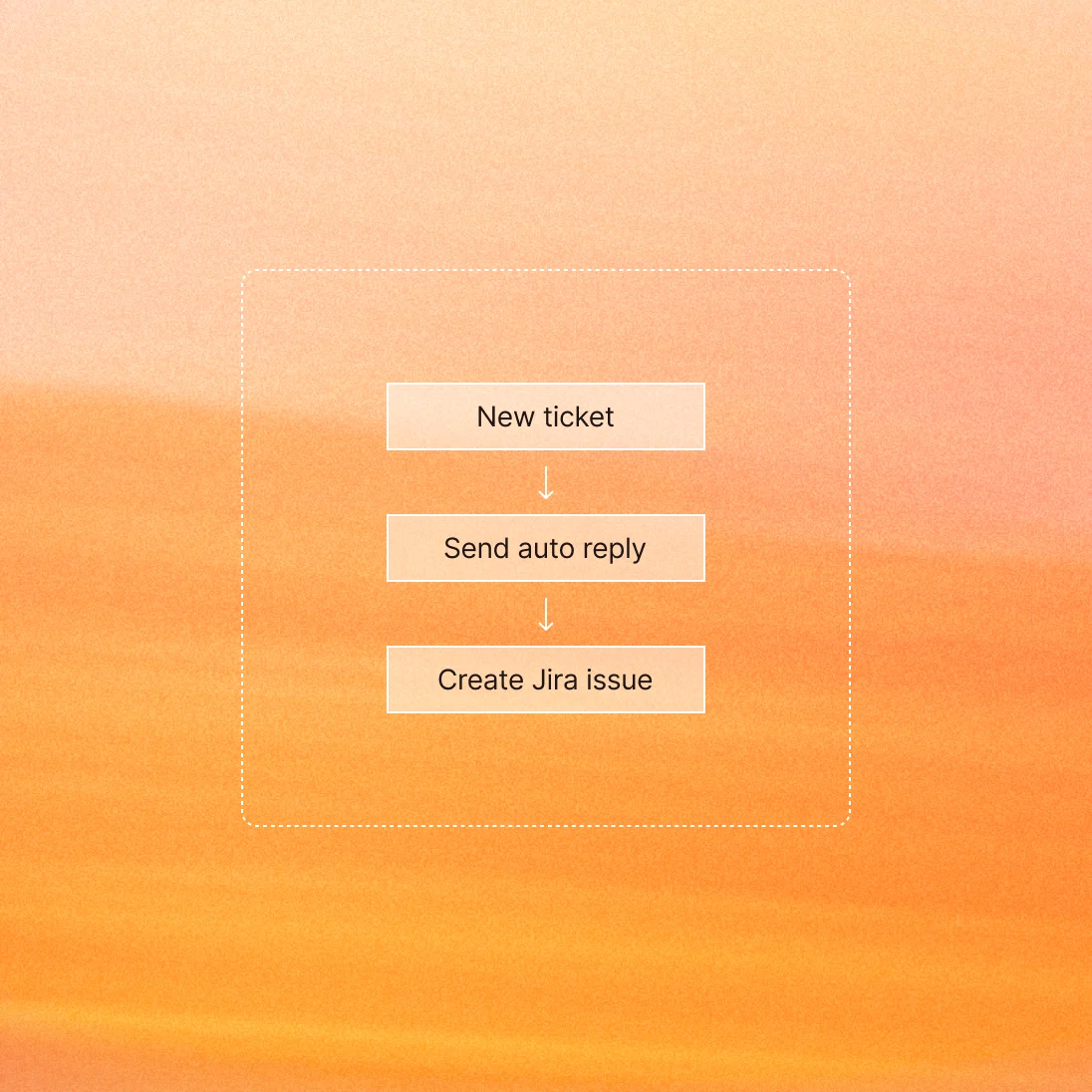
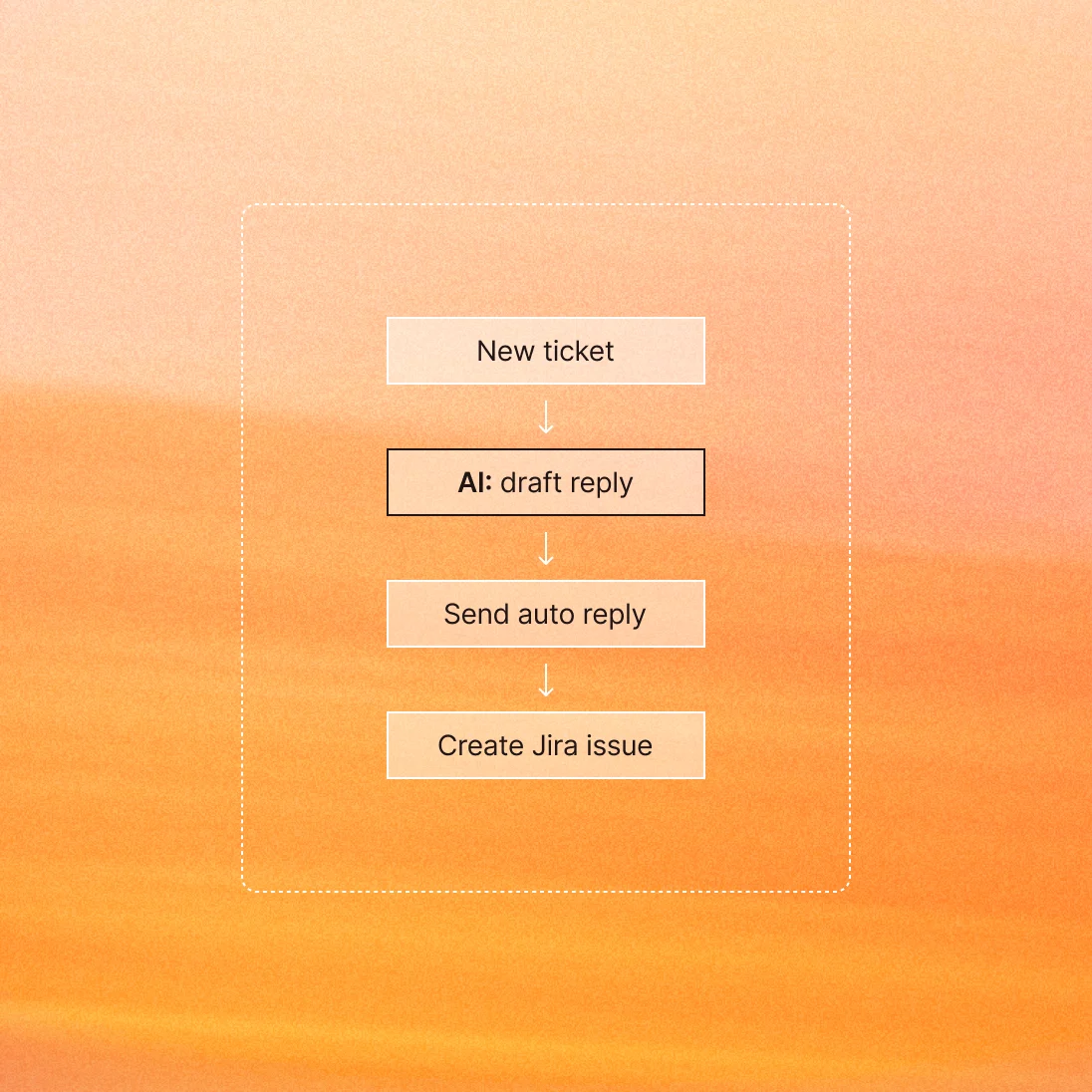
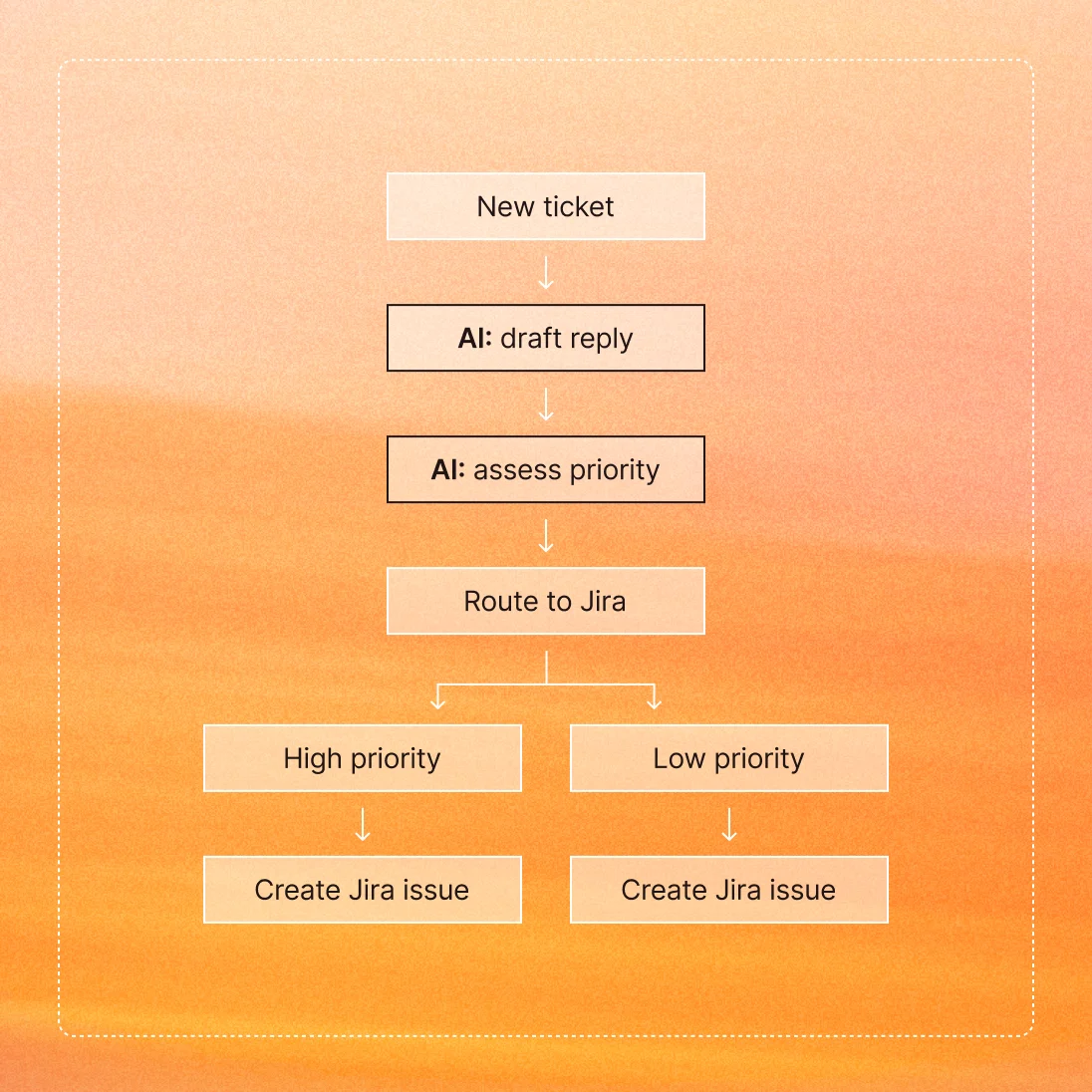
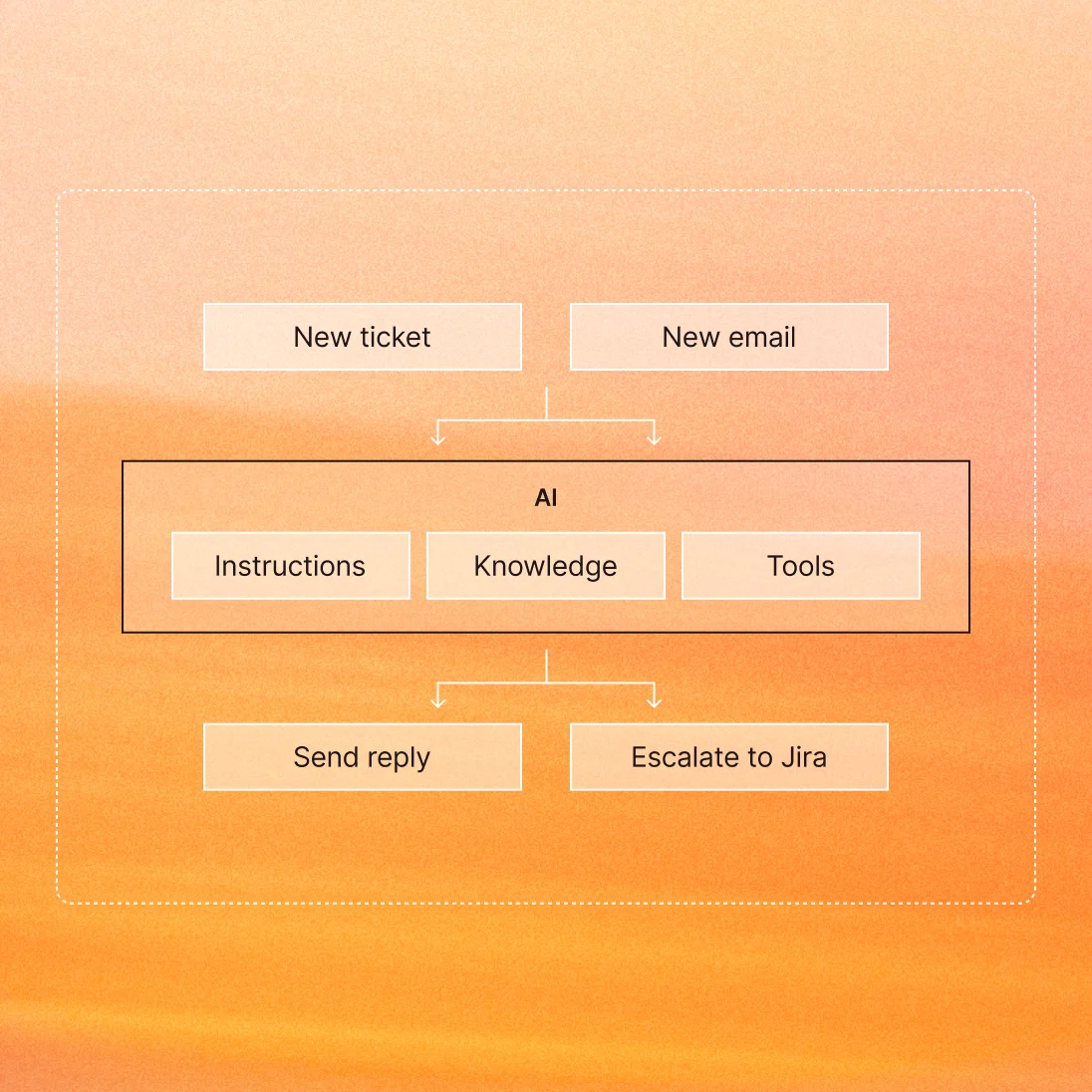
Deterministic:
Ticket intake
You set the steps. Every ticket gets an auto-reply and goes to a rep, the same way every time.
Automation features that grow with you
Only run workflows when they matter—like when deal value exceeds $5,000 in Salesforce.
Route leads, tickets, or other data to different teams based on if/then logic.
Schedule for any time increment and use Delay to give your workflow a breather.
Transform dates, currency, text, and more into your preferred format.
Manage line items with Looping, and run actions as many times as you need.
Connect to any API without writing code. Get data from any service or send it where you need it.
More ways to build, more room to grow
Today, you can build with classic Zaps, try out Next Gen Zaps, or both!
Next Gen Zap tasks are free during Early Access. Start exploring whenever you’re ready.
Live now
Build workflows connecting 9,000+ apps, add AI steps, code actions, and more. Use Zapier MCP and access Agentic Mode, the Zapier Skill Manager that lets you transport skills across AI tools, and create Zaps in your AI tool of choice.
In early access
Next Gen Zaps, which adds advanced logic with loops and unlimited paths, building and editing in code, and a Workflow Manager for step-level observability and governance.
The new Workflow Manager


FAQs
Nothing beyond your existing plan. While Next Gen Zaps are in Early Access, building and running them is free on any paid Zapier plan. No task usage, no billing, no surprises. We want you to build real workflows and help us make this perfect. Billing for Next Gen Zaps starts December 1, 2026.
Next Gen Zaps use the same task-based pricing as the rest of Zapier, and the published price list is unchanged. Standard app actions, like sending a Slack message or updating a Salesforce record, cost one task each, the same as they cost in a Zap today. The one new line item is the external call your agent uses to read data from an app, at one task per call. See how Next Gen Zap runs are counted in the Help Center.
The rate per action is the same. An app action costs one task in a Next Gen Zap, as it does in a Zap today. One thing is new from December 1, 2026: a completed Next Gen Zap run counts at least 1 task. Bigger workflows use more tasks because they do more work, so a Zap that loops over thousands of records will use more tasks than a two-step Zap. What changes is what you can build: loops over thousands of records, branches that split and rejoin, custom code steps, and error handling that keeps going.
No. Composing, editing, and testing a Next Gen Zap is free, whether you build it with your agent, in the visual editor, or in code.
Next Gen Zaps can include custom code that calls the apps and APIs you need. Each call your code makes to an outside service counts as one task.